
01Who this is for
- Sales teams can see opportunity and appointment changes at a glance, helping them track deals and scheduling.
- Support staff can review notes and tag updates to understand recent interactions before responding.
- Marketing managers can filter activity by user or date to analyze campaign related contacts.
02Contact activity panels, explained
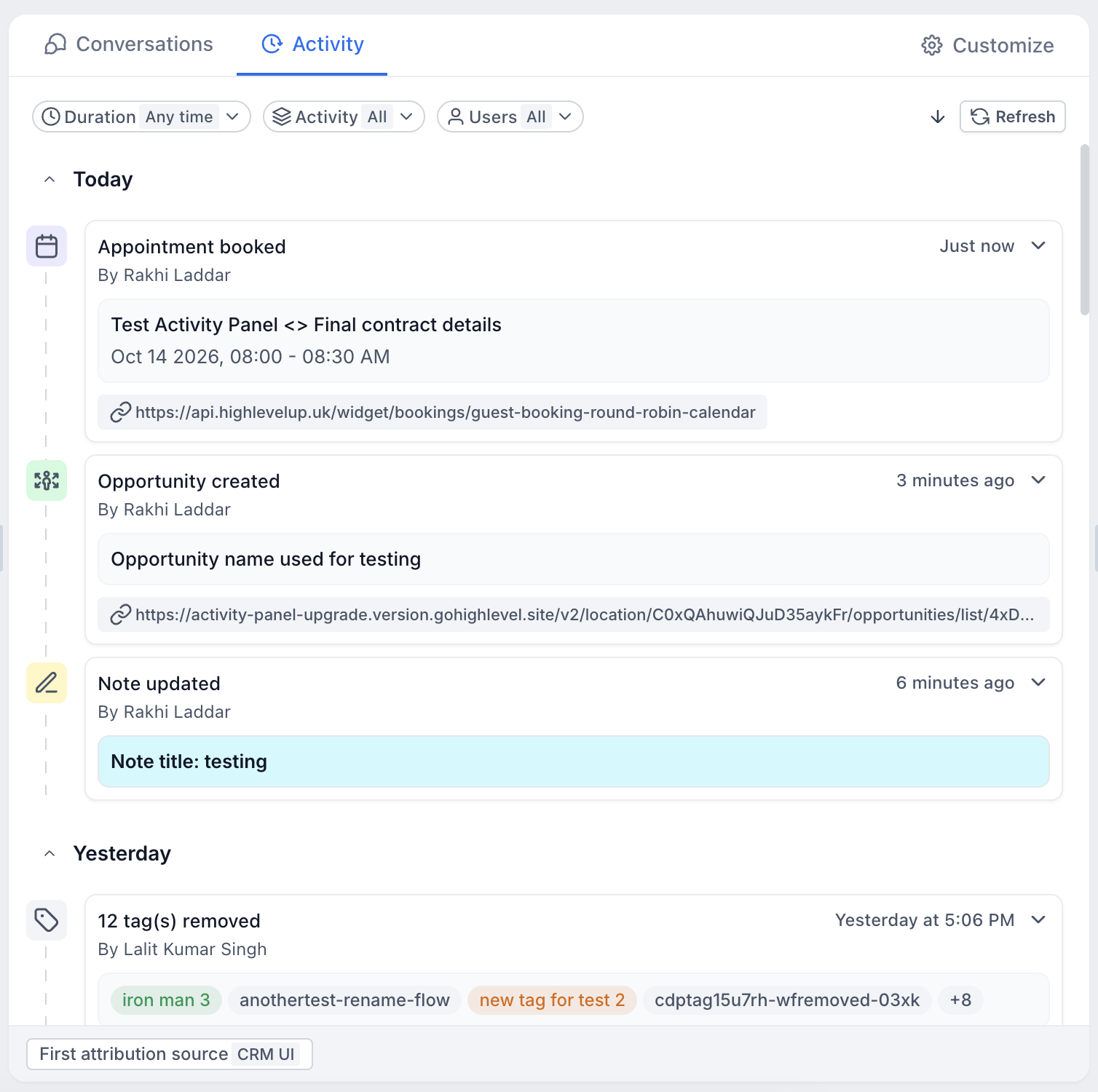
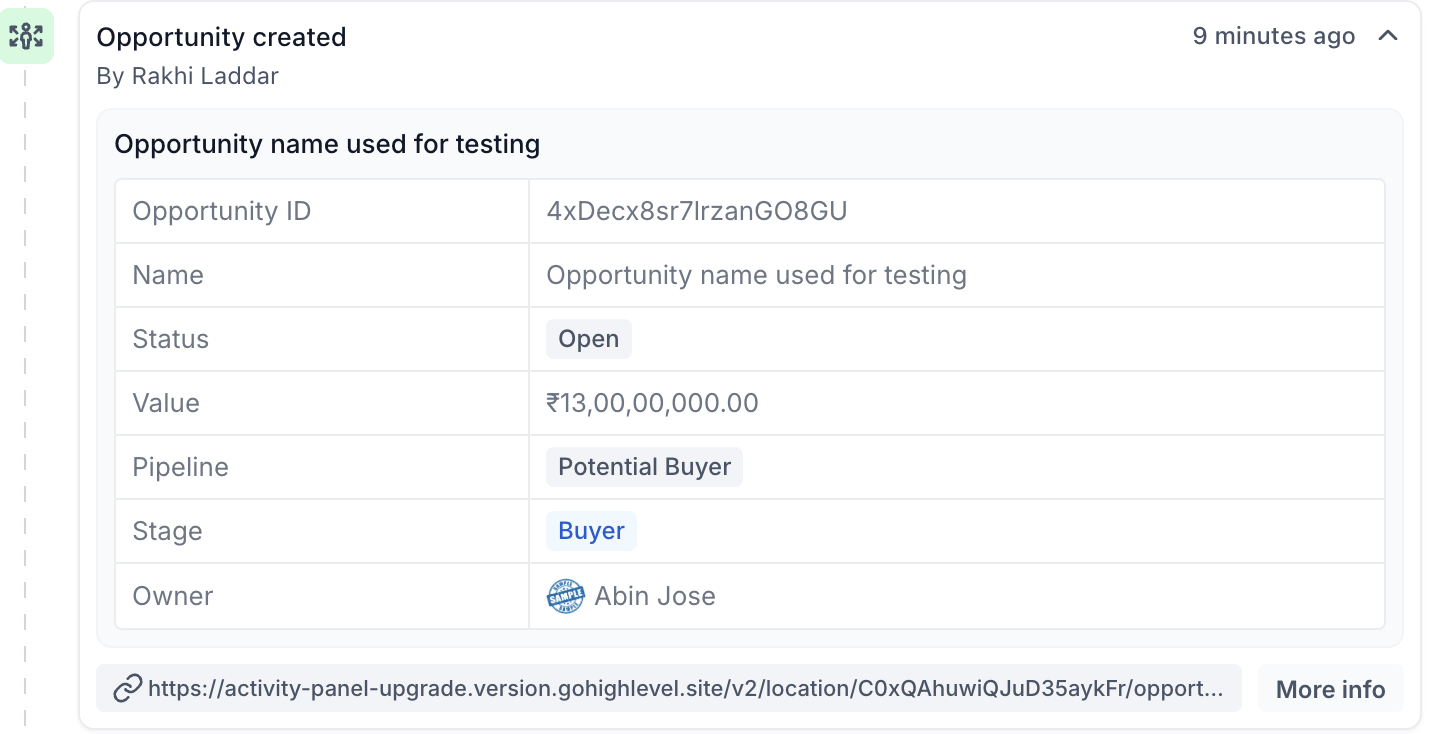
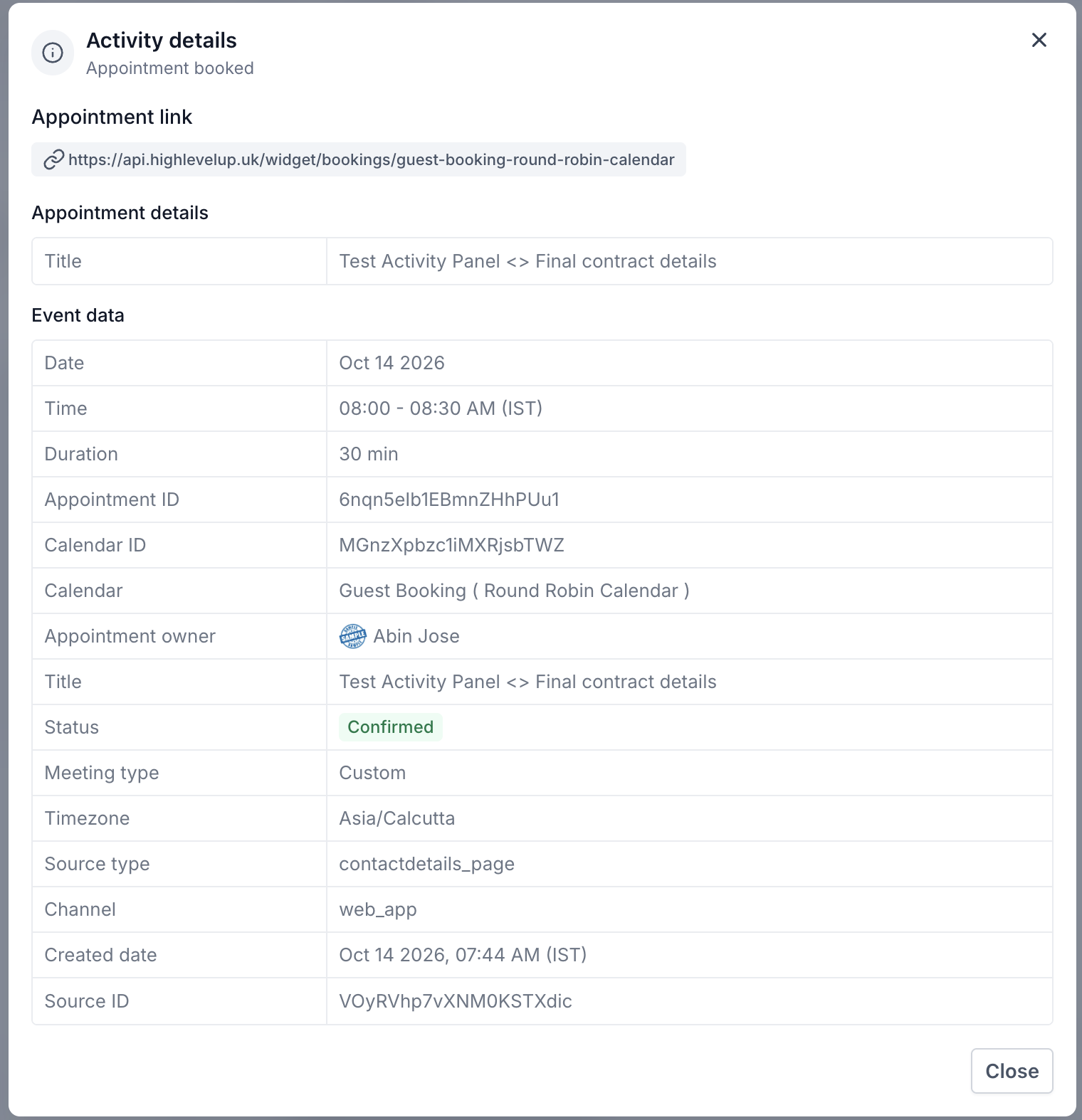
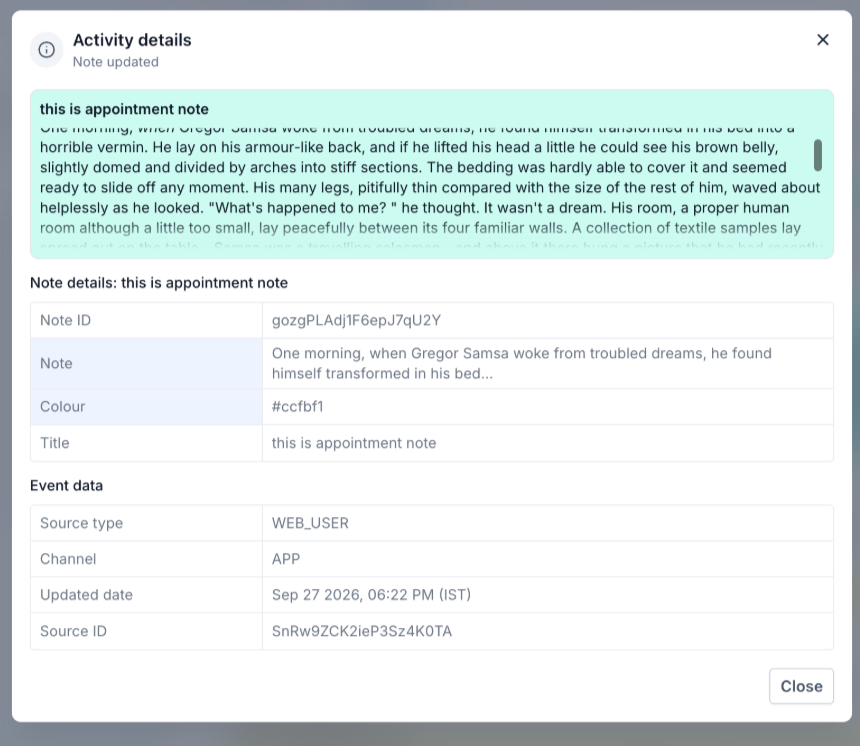
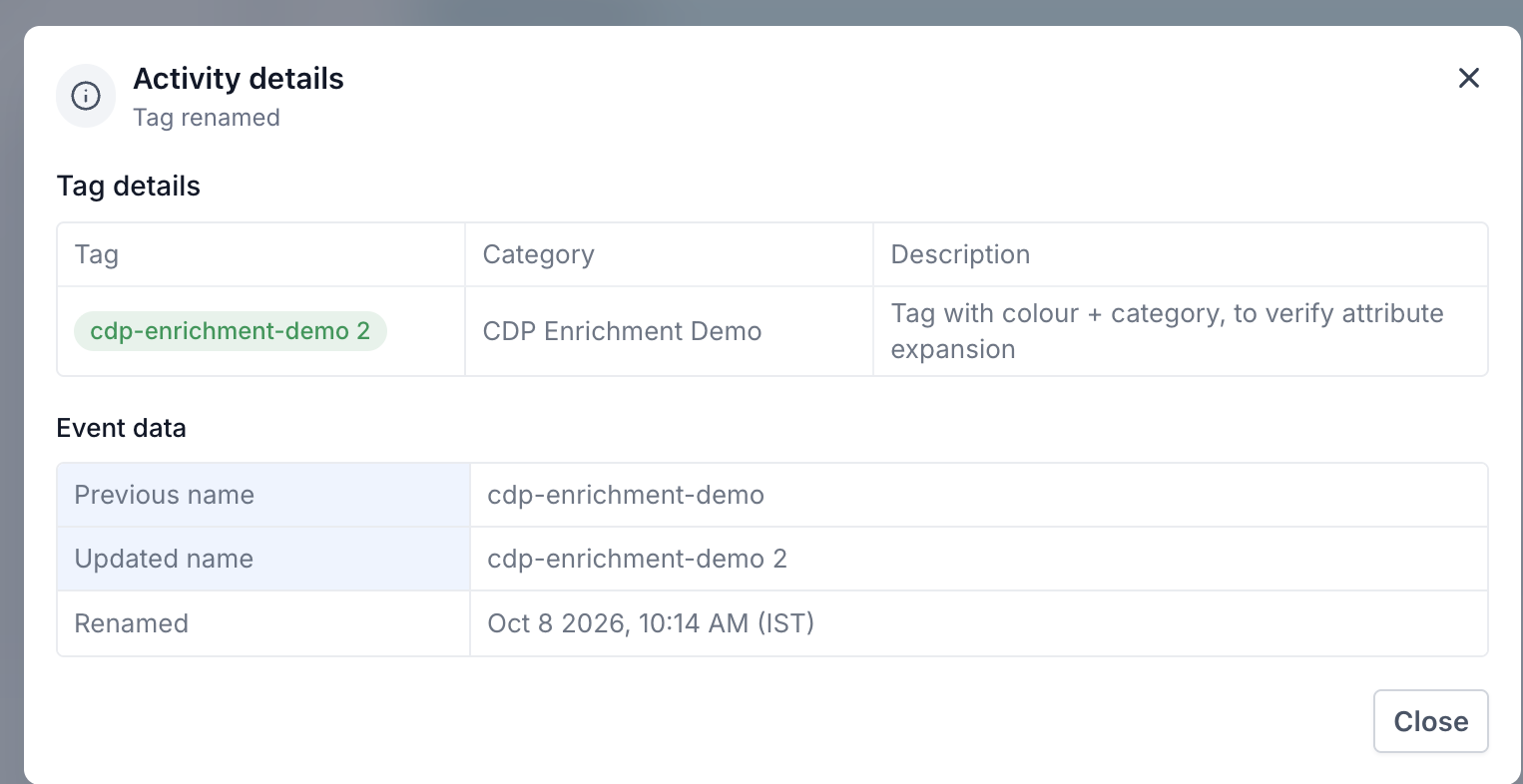
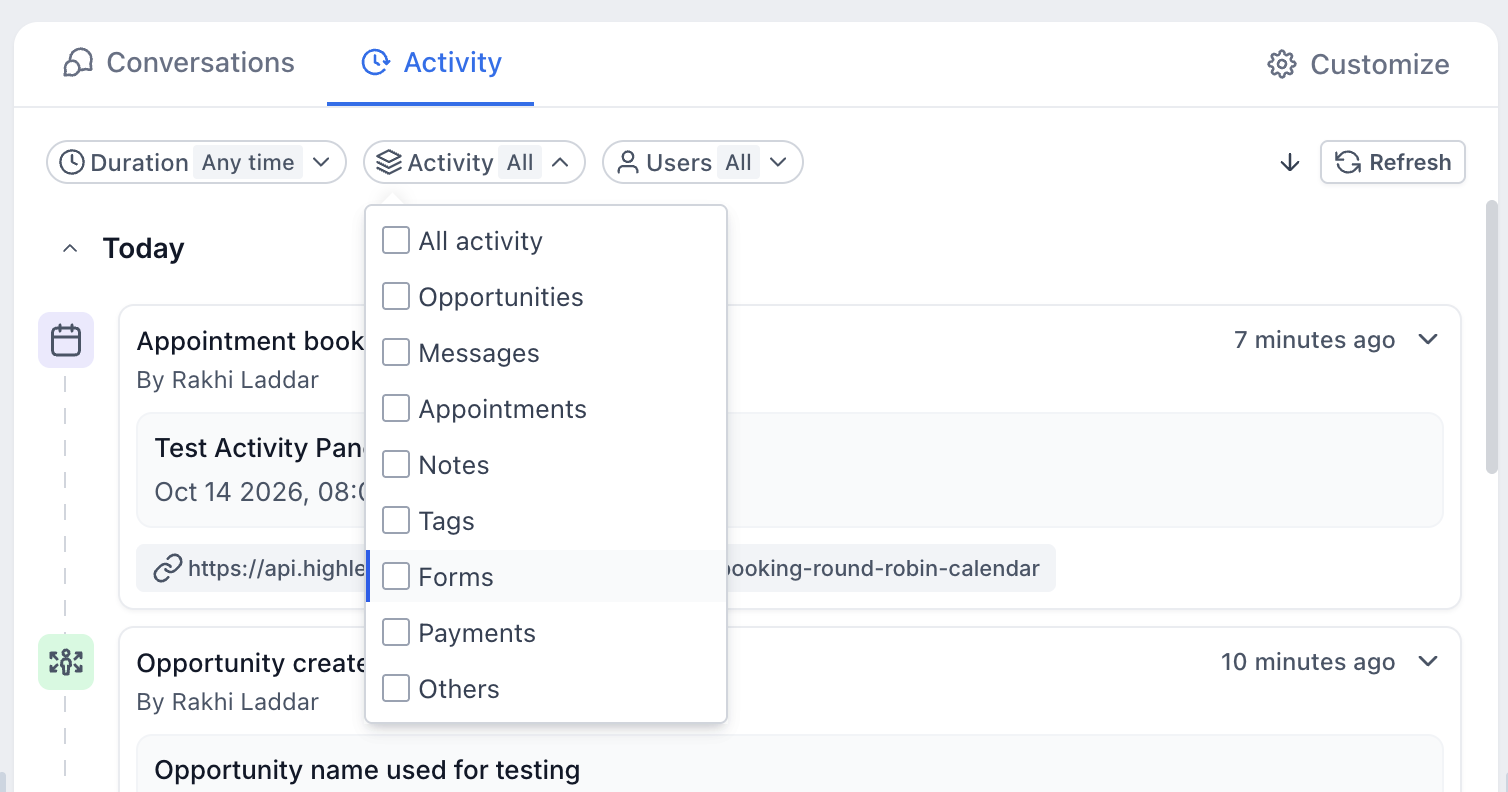
The upgraded panel appears on the Contact Detail page and displays a chronological list of recorded events. Each event is visualized as a card that includes the activity type, who performed it, when it happened and a brief summary. Cards can be expanded to reveal more details such as opportunity stage, appointment time, note content or tag changes.
Three filters sit above the timeline. The Duration filter limits events to a chosen time span, the Activity filter lets you select specific event categories like Opportunities or Appointments, and the Users filter isolates actions performed by particular team members. The panel can sit in the center next to Conversations, or be moved to the right side via Contact Detail Page customization.
03How businesses use the Contact Activity Panel
- Real estate agency. Agents view opportunity cards to track property listings, filter by date to see recent client activity, and expand cards for full pipeline details without leaving the contact record.
- Dental practice. Staff examine appointment cards to check booking history, use the user filter to see which team member logged a note, and apply the tag filter to identify patients tagged for follow up.
- SaaS startup. Founders monitor opportunity and note cards to follow sales progress, filter by duration to review the past week’s activities, and place the panel on the right to keep conversations central.
04Before you start
- Open the contact’s Contact Detail page in HighLevel.
05What it looks like in HighLevel
06Settings that matter
- Duration. Limits the timeline to a selected time frame such as Today, Yesterday, Last week or a custom date range.
- Activity. Shows only events from chosen categories like Opportunities, Appointments, Notes, Tags, Forms, Payments or Others.
- Users. Filters events to those performed by a specific team member or shows all users.
- Center Panel. Positions the Activity panel beside Conversations in the middle of the Contact Detail page.
- Right Panel. Moves the Activity panel to the right side of the Contact Detail page, leaving Conversations central.
07Things to know before you rely on it
- Only supported events appear; actions that are not recorded as supported will not show.
- Some activities display "By System" when the platform, not a user, records the event.
- The panel is limited to the Center or Right placement options; other layouts are not available.
08If something goes wrong
- An expected activity does not appear in the timeline.. Confirm the correct contact is open, verify the Duration, Activity and Users filters, then click Refresh.
09How it connects to the rest of HighLevel
- Create, edit, and delete contacts in HighLevel. Contact management
- Build and manage Smart Lists for segmented views. Smart Lists
- Review HighLevel pricing and plan options. Pricing
Michael's take

The upgraded Contact Activity Panel is a clear win for anyone who needs a quick glance at a contact’s history.