
01Who this is for
- Founders who need a single source of truth for client information to coordinate outreach.
- Marketing teams that rely on accurate contact data for campaigns and automation.
- Support staff who must reference up to date phone numbers and emails when assisting customers.
02Contacts, explained
The contact feature stores individual records such as names, email addresses, and phone numbers. Each record lives inside the Contacts section and can be accessed through Smart Lists. Users can add new contacts, modify existing fields, or permanently remove records.
When you create a contact, the system captures the supplied information and makes it available for funnels, workflows, and reporting. Editing a record overwrites the previous values, so the most recent data is always shown. Deleting a record removes the contact and all linked activity, but the platform retains the record for up to two months for possible restoration.
All actions are performed in the web app via the left side navigation. The Contact Details page can be customized with additional custom fields if the account has them defined.
03How businesses use contacts
- Dental practice. The office adds each patient as a contact to store phone numbers and email addresses. When a patient changes their insurance information, staff edit the contact record to keep the details current. If a patient leaves the practice, the record can be deleted to maintain a clean database.
- Real estate agency. Agents create a new contact for every prospective buyer that fills out a lead form. As buyers update their preferred locations or budget, the agent edits the contact fields. Contacts that are no longer active can be removed to keep the prospect list relevant.
- Online course provider. The team imports enrollee information as contacts and adds custom fields for course level. When a student updates their email, the record is edited. If a student withdraws, the contact is deleted, removing associated notes and tasks.
04The numbers and rules that matter
- Deleted contacts can be restored within 2 months.
05How to set up and use contacts in HighLevel
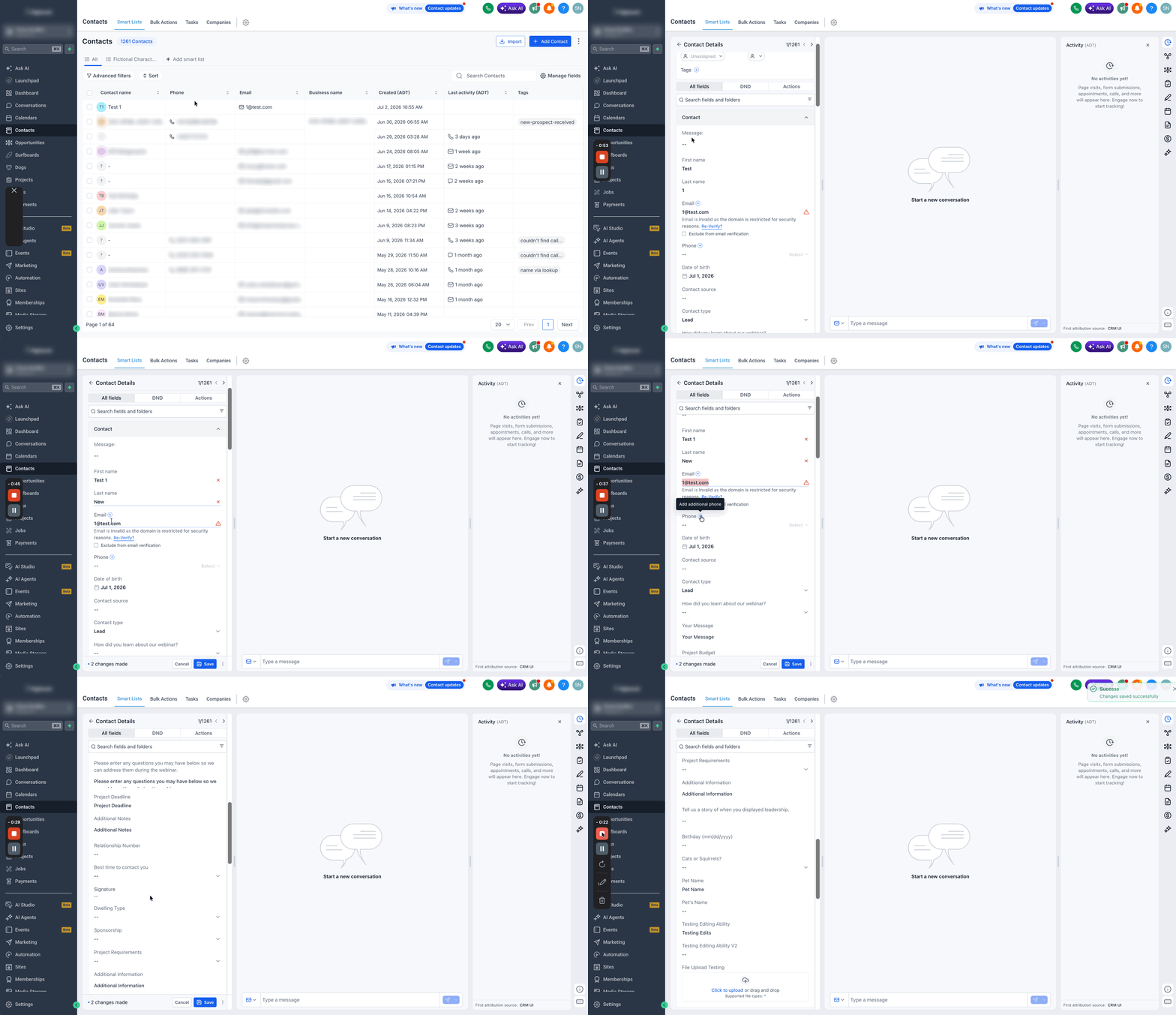
Create a new contact record
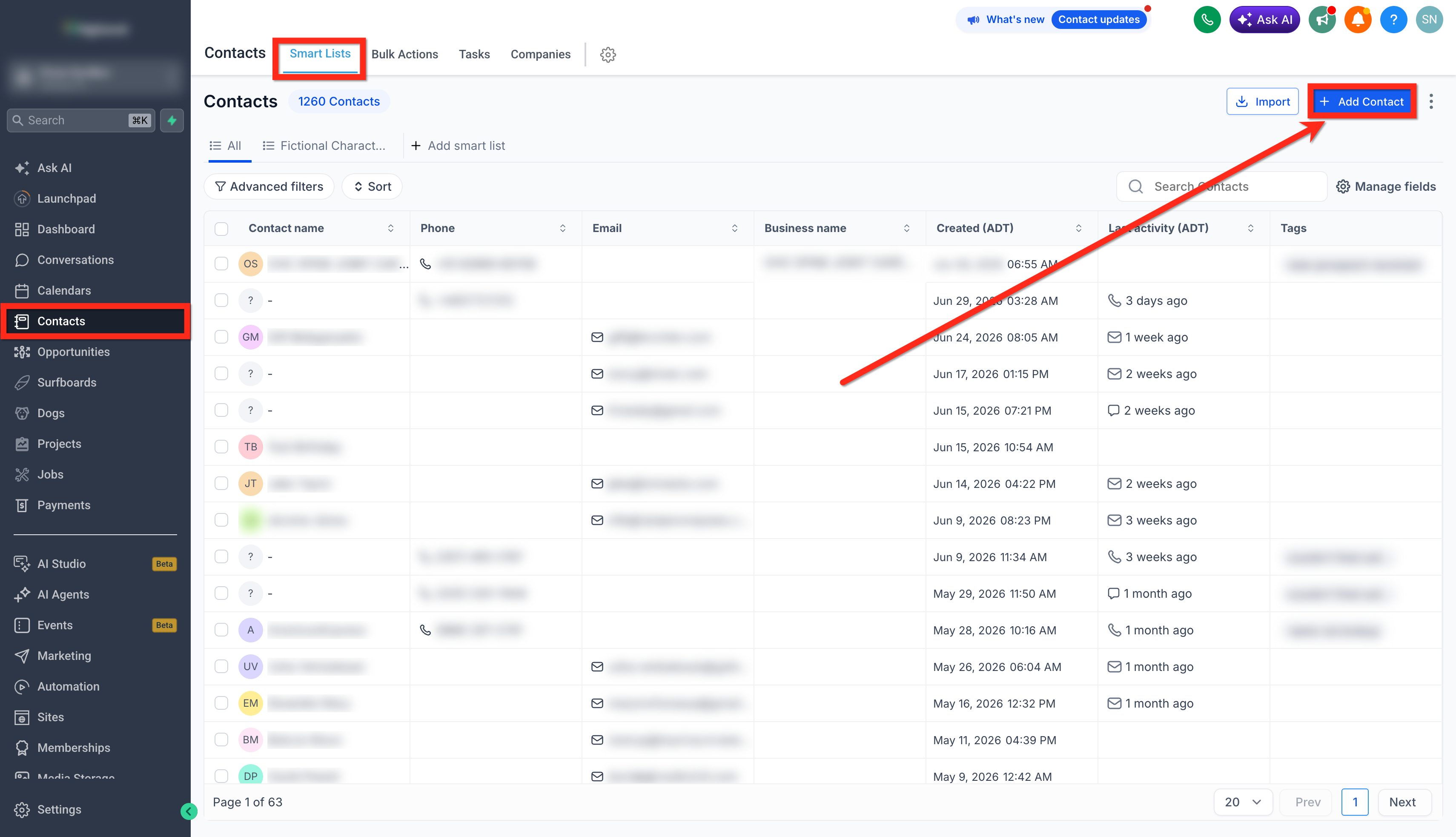
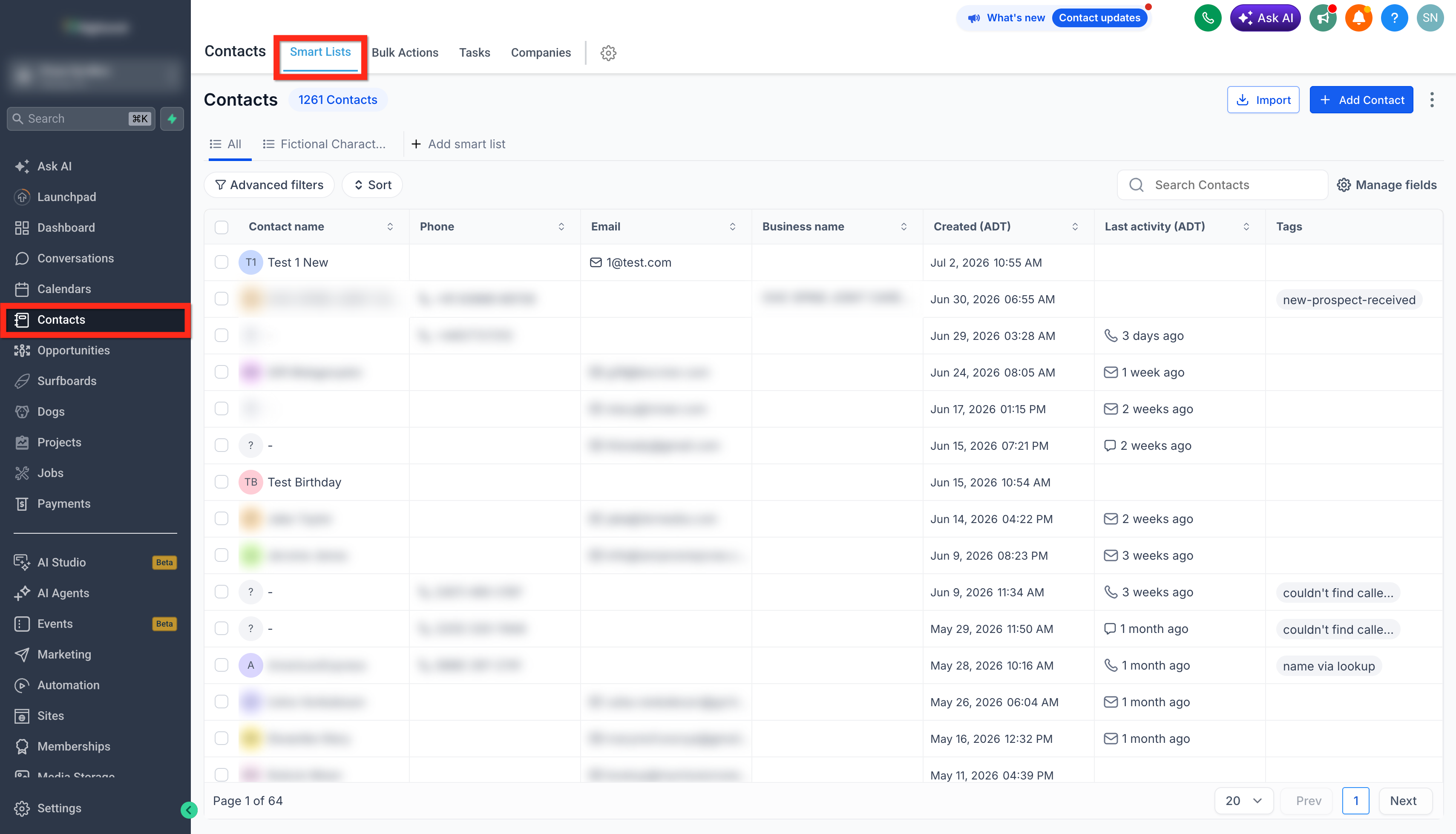
- Open the Contacts menu and choose Smart Lists.
- Press the + Add Contact button.
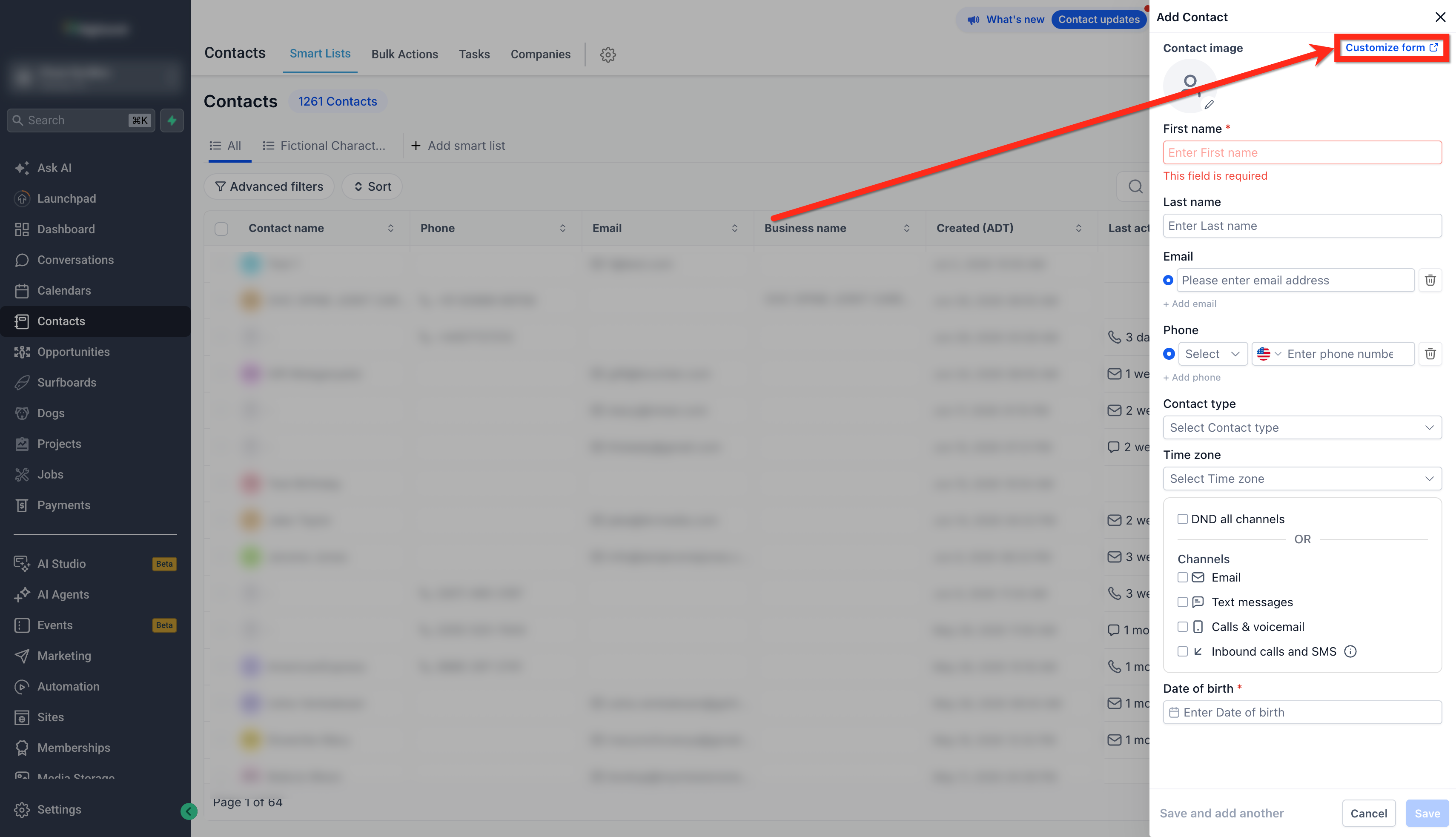
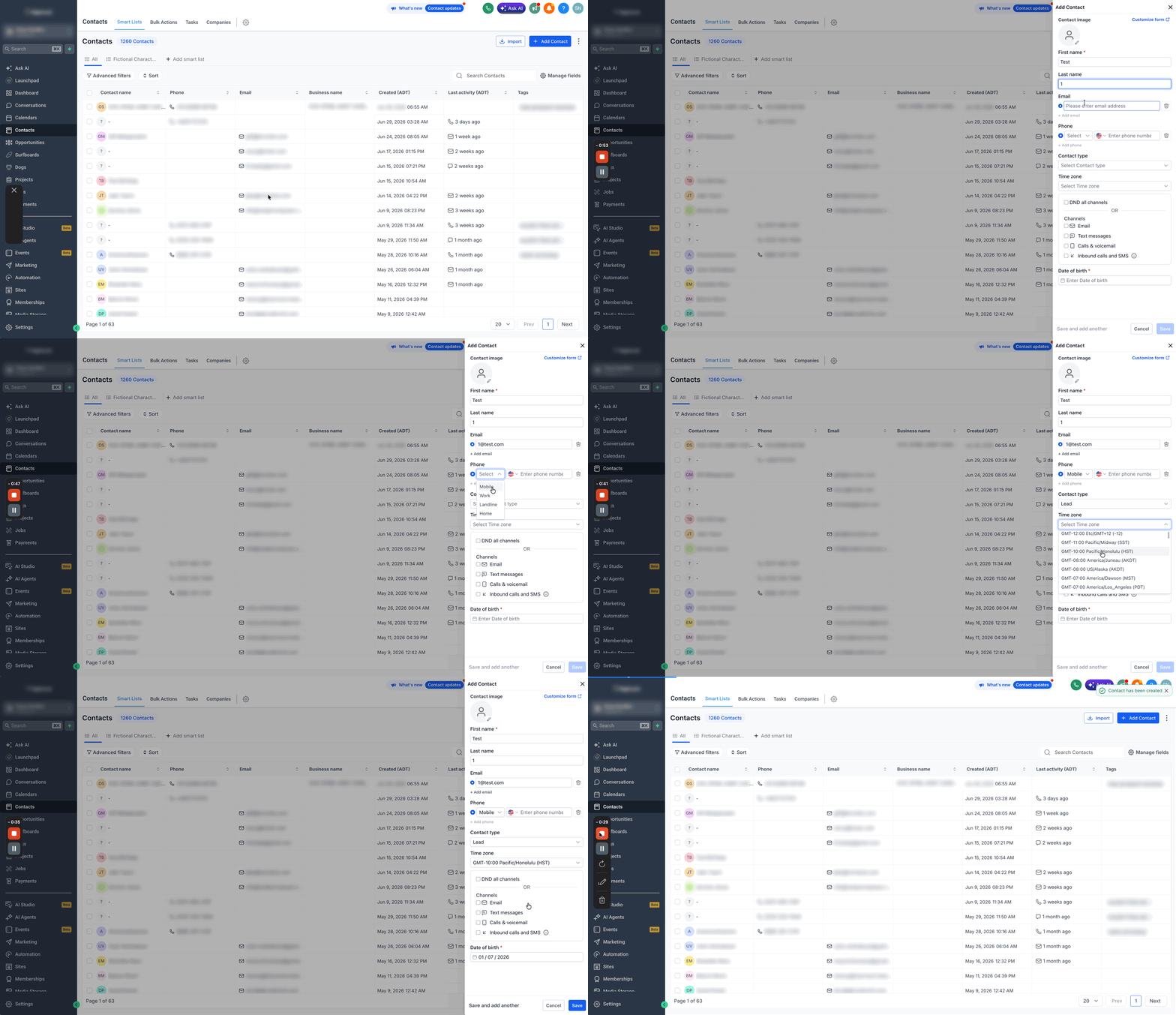
- Fill in the required information such as first name, last name, email, and phone.
- Adjust the visible fields by selecting the Customise Form option if needed.
- Verify that all entered data is correct.
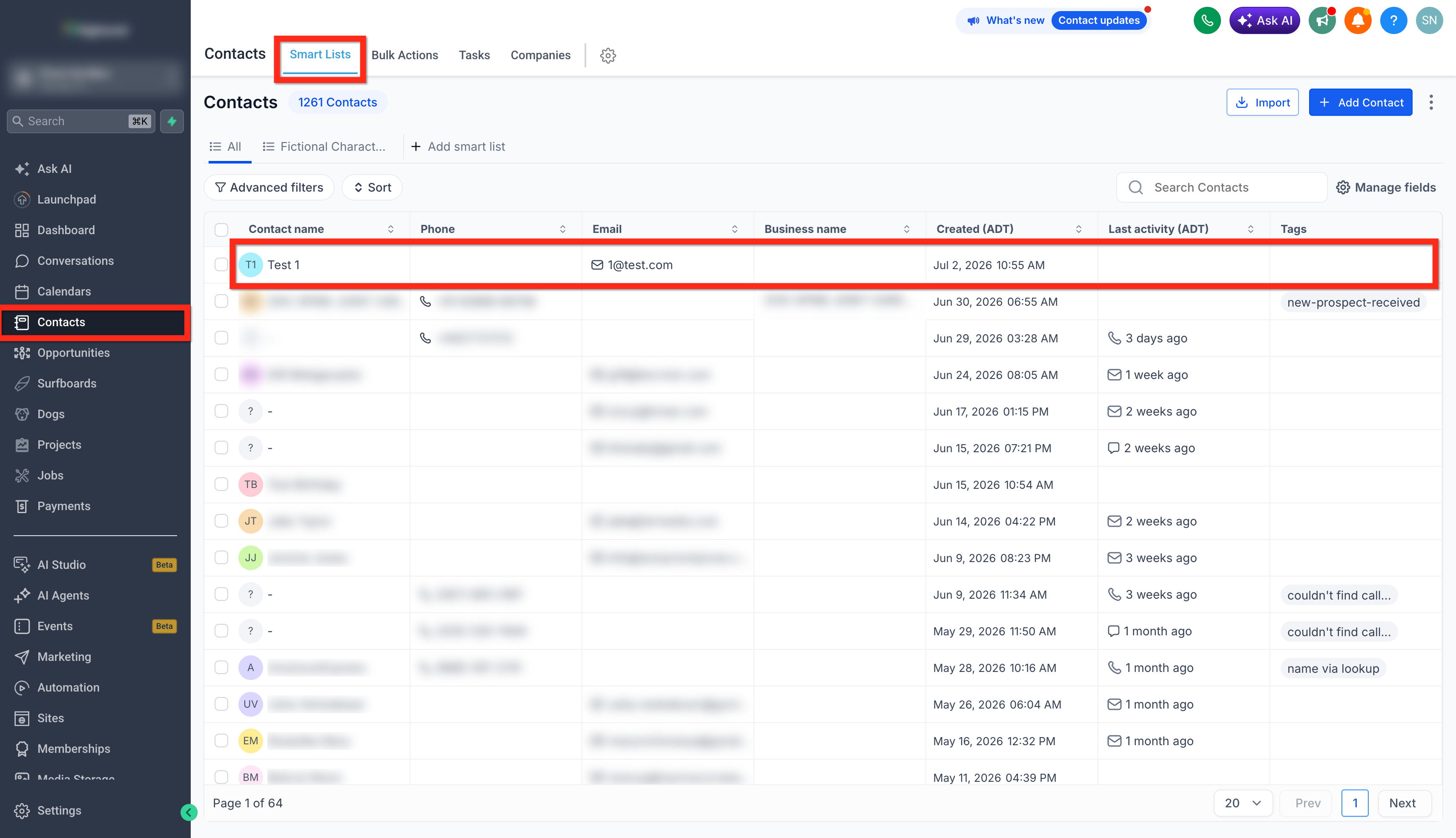
- Click Save to store the new contact.
Edit an existing contact
- Go to Contacts > Smart Lists.
- Locate the contact you want to modify and select it.
- Open the contact's record by clicking its name.
- Change the necessary fields on the form.
- Save the updates.
Delete an existing contact
- Navigate to Contacts > Smart Lists.
- Check the box beside the contact’s name.
- Click the Delete button that appears.
- In the confirmation window, type DELETE.
- Press the Delete button to confirm removal.
06What it looks like in HighLevel
07Settings that matter
- Customise Form. Defines which fields appear on the Add Contact screen, allowing you to include custom fields or hide unwanted ones.
- DELETE. The exact text that must be entered in the confirmation dialog to approve a contact deletion.
08Things to know before you rely on it
- Deleted contacts can be recovered only within a two month window.
- Removing a contact also deletes related conversations, notes, opportunities, tasks, appointments, manual actions, and community group ownership.
- Active campaigns and workflows stop for a contact that has been deleted.
09How it connects to the rest of HighLevel
- Import multiple contacts at once with a CSV file. Import contacts guide
- Apply bulk actions like tag changes or mass deletions to many contacts. Bulk actions guide
- Review pricing options and trial availability for HighLevel. HighLevel pricing
Michael's take

Keeping contact records organized feels essential for any team that needs reliable data. When the information is up to date, it’s easier to follow up and avoid confusion.
If a business already uses another system for contacts and only has a handful of clients, adding another layer in HighLevel might not provide much extra value.