
The Split action now supports Even split and Weighted split, giving you more control over how contacts move through your workflow paths.
Michael's take
The new Split action adds Even split and Weighted split options. It’s not a brand new automation, but it fixes a real annoyance with the old Random split.
If you already have a Random split in a workflow, you can now choose a more predictable method without rebuilding the whole flow.
I would run a few test contacts through each new distribution type and verify that the percentages line up with what I entered, especially after resetting the split.
In practice I’d use an Even split to hand new inbound leads evenly across my two sales teams, and a Weighted split when one team can handle a larger volume, say a 70/30 split.
My philosophy is that tools should remove guesswork, not add it. These options give you that certainty.
It’s a small change that can keep your pipelines balanced and your teams happy.
What changed
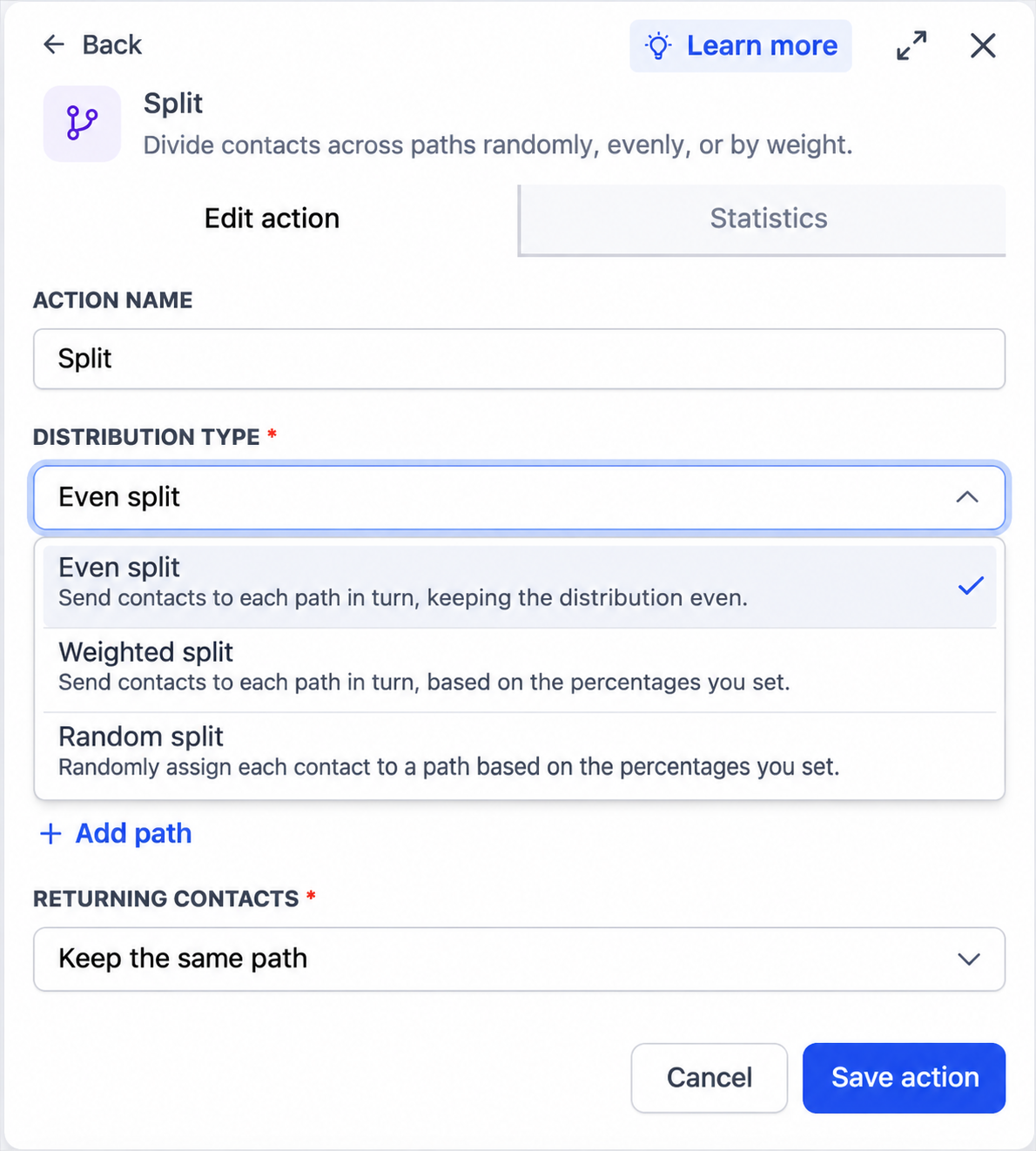
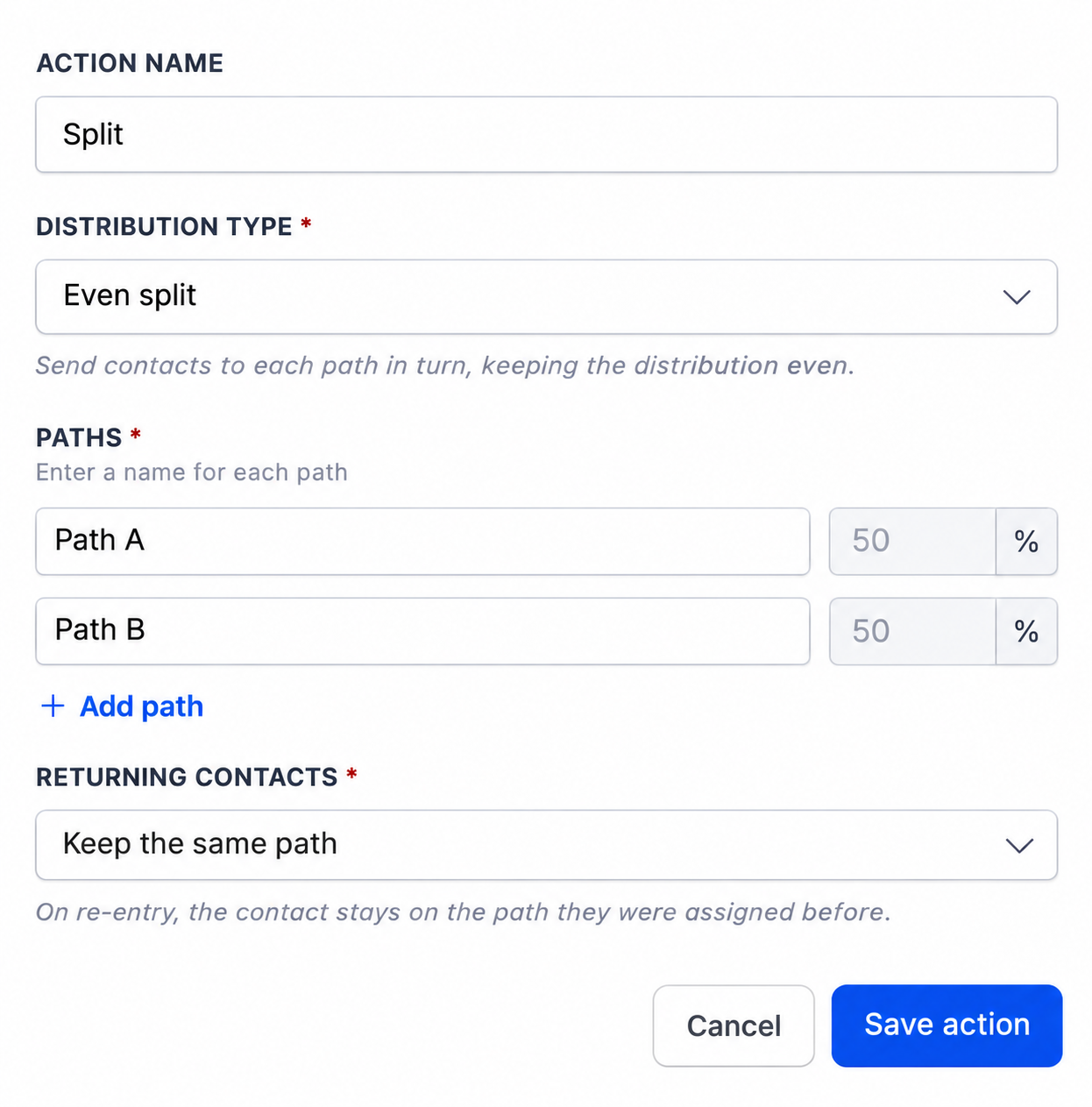
- Even split:Send contacts to each path in turn, keeping the distribution even. Use it to share incoming leads evenly across teams or create balanced groups for different follow up journeys.
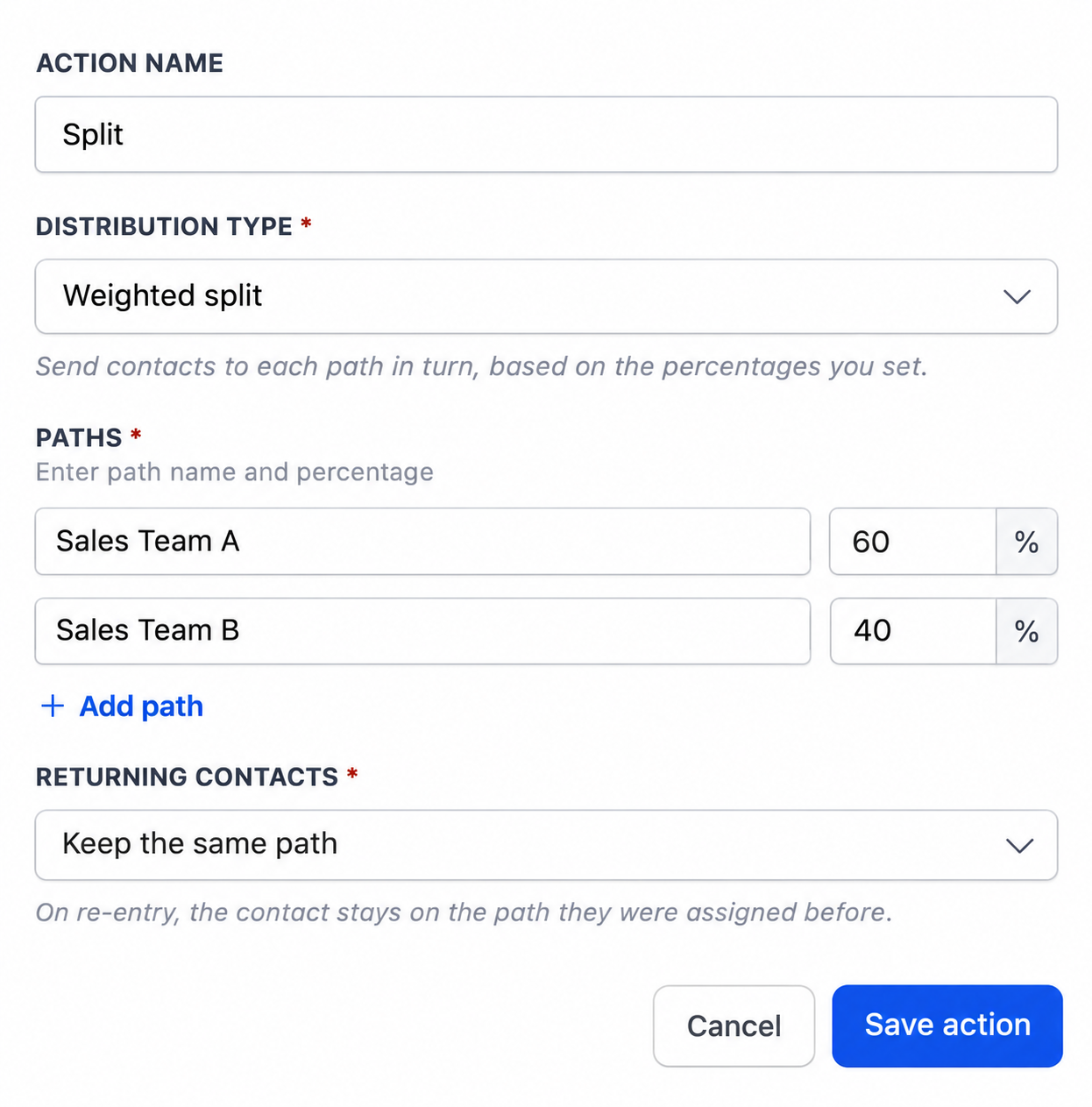
- Weighted split:Send contacts to each path in turn, based on the percentages you set. Use it when one team or journey should receive a larger share of contacts.
- Random splitremains available to randomly assign each contact to a path based on the percentages you set.
Why it matters for Founders
Setting equal percentages on a Random split does not guarantee equal groups, especially with a small number of contacts. Even split keeps the paths balanced as contacts arrive. Weighted split gives you turn based distribution when those shares need to be different.
For example, use a60/40 Weighted splitto send three out of every five newly distributed contacts to one path and two to the other. This helps you distribute leads according to team capacity.
How to turn it on
- Open your workflow and add or edit aSplitaction.
- ChooseEven splitorWeighted splitfromDistribution Type.
- Name your paths. ForWeighted split, enter the percentage for each path using whole number percentages that total100%.
- Save the action and publish your workflow when you are ready.
Notes and availability
Additional notes
- ExistingRandom splitactions retain their current configuration.
- Once contacts have entered an Even split or Weighted split, its distribution settings are locked. UseReset testto edit those settings again. Saving a reset clears the split’s statistics and restarts the rotation.
- WithReturning contactsset toKeep the same path, contacts who reenter follow their previously assigned path.
Preview
Choose how contacts are distributed
Keep paths balanced with Even split
Set a weighted distribution
Questions Founders ask
What did HighLevel release in "Split Action: Now distribute contacts with Even split and Weighted split"?
The Split action now supports Even split and Weighted split, giving you more control over how contacts move through your workflow paths.
What should a Founder do with Split Action: Now distribute contacts with Even split and Weighted split?
Open one of your active workflows, add a Split action, set it to Even split, and run a quick test with a handful of contacts. Anyone who already uses workflow splits and wants more reliable or custom distribution of leads.
How do I turn on Split Action: Now distribute contacts with Even split and Weighted split in HighLevel?
In HighLevel: Open your workflow and add or edit a Split action. Then Choose Even split or Weighted split from Distribution Type. Then Name your paths. For Weighted split, enter the percentage for each path using whole number percentages that total 100%. Then Save the action and publish your workflow when you are ready.
Why does Split Action: Now distribute contacts with Even split and Weighted split matter?
Setting equal percentages on a Random split does not guarantee equal groups, especially with a small number of contacts. Even split keeps the paths balanced as contacts arrive. Weighted split gives you turn based distribution when those shares need to be different. For example, use a 60/40 Weighted split to send three out of every five newly distributed contacts to one path and two to the other. This helps you distri
How do I get this feature with setup help?
Start a free HighLevel trial through Michael Reimer's link and the CRM Pros team helps with setup in your first 7 days, with an onboarding call, three live calls every week and the affiliate community included.
Get More InformationOpens in a new tab Published November 13, 2026. Screenshots belong to HighLevel.