
01Who this is for
- Agency owners who want a ready made onboarding flow for their clients because the page suggests niche templates.
- Marketing managers in health clinics who need fast appointment reminder automations built from simple language.
- Real estate teams that wish to launch lead follow up workflows without designing every step manually.
02Workflows landing page, explained
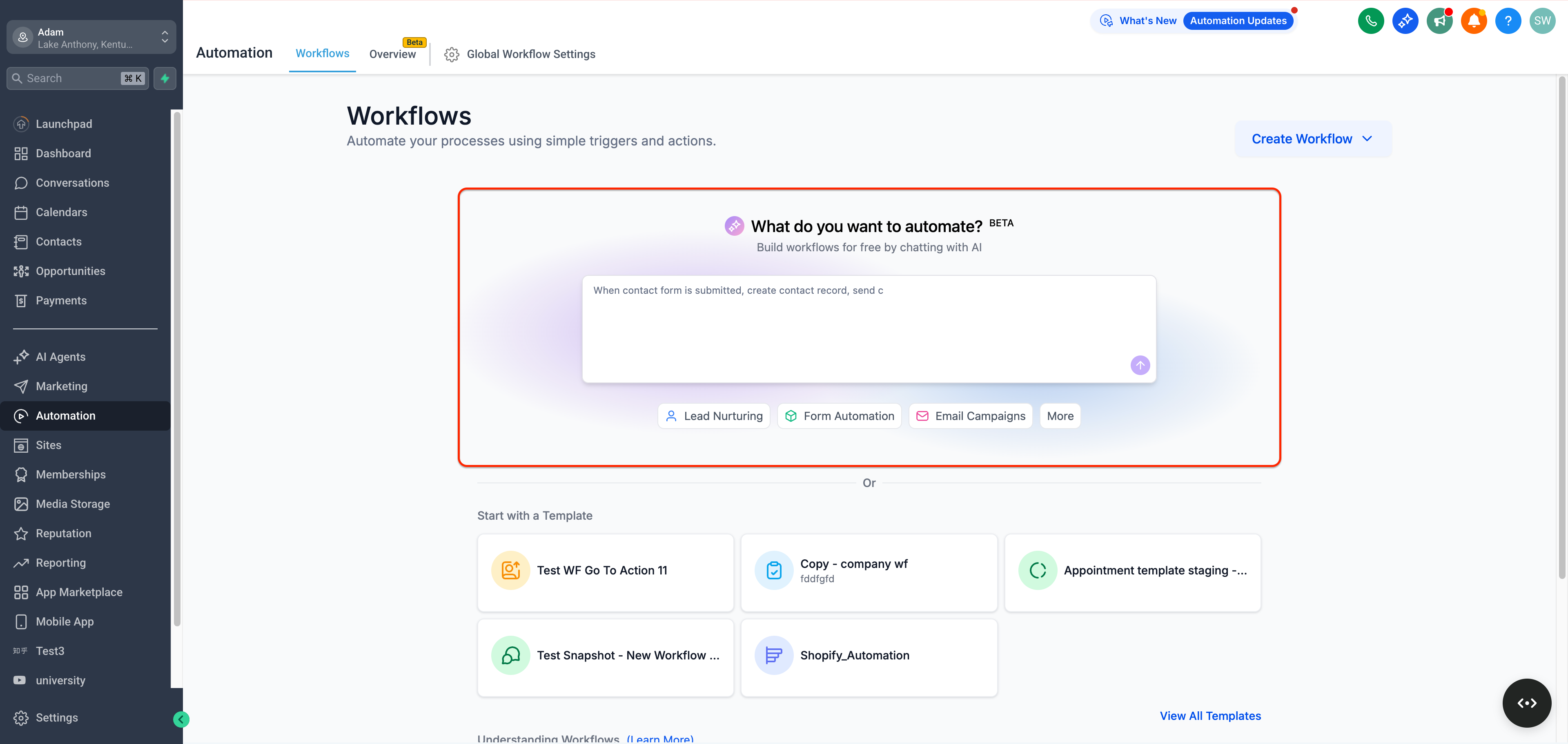
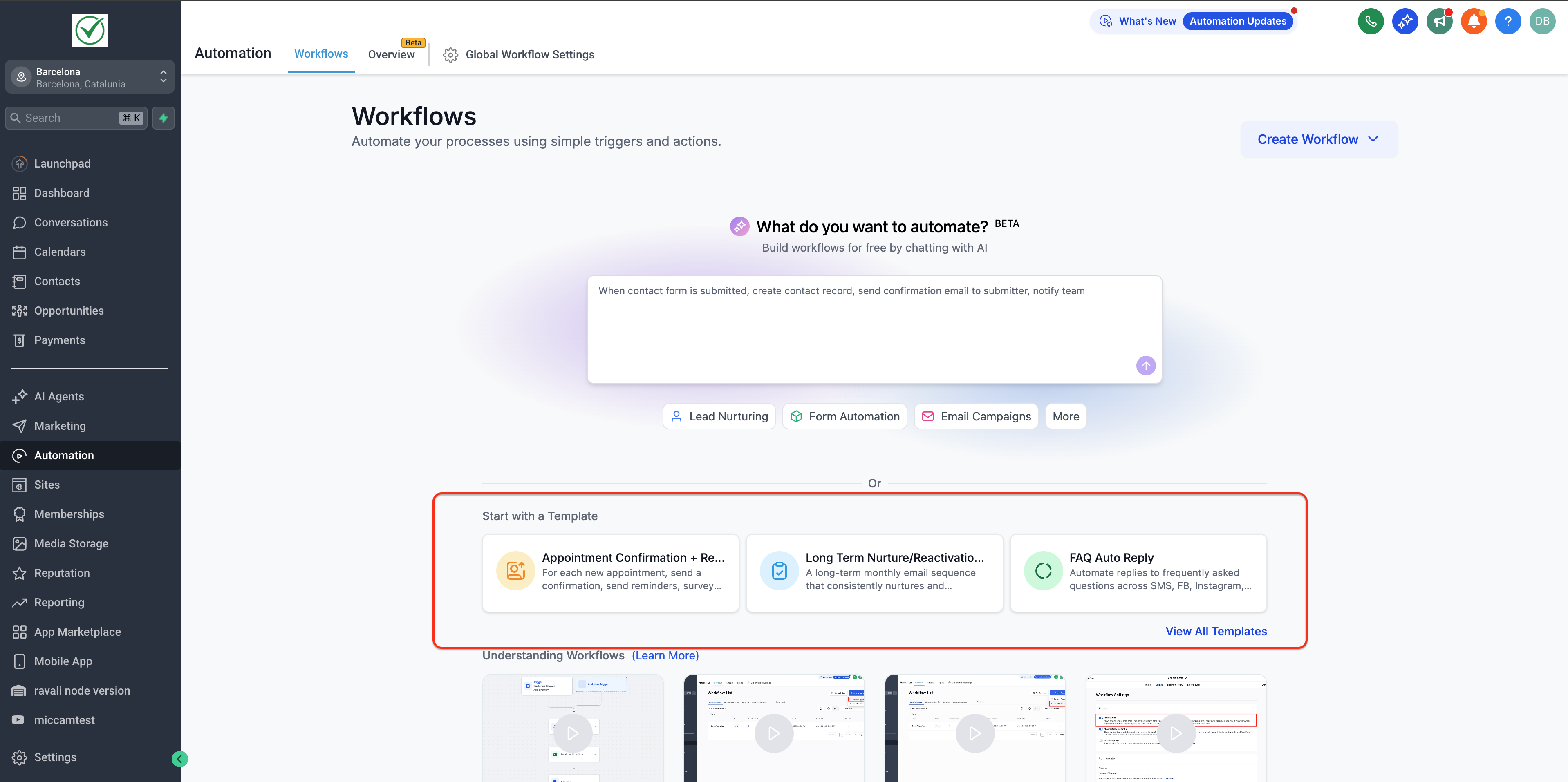
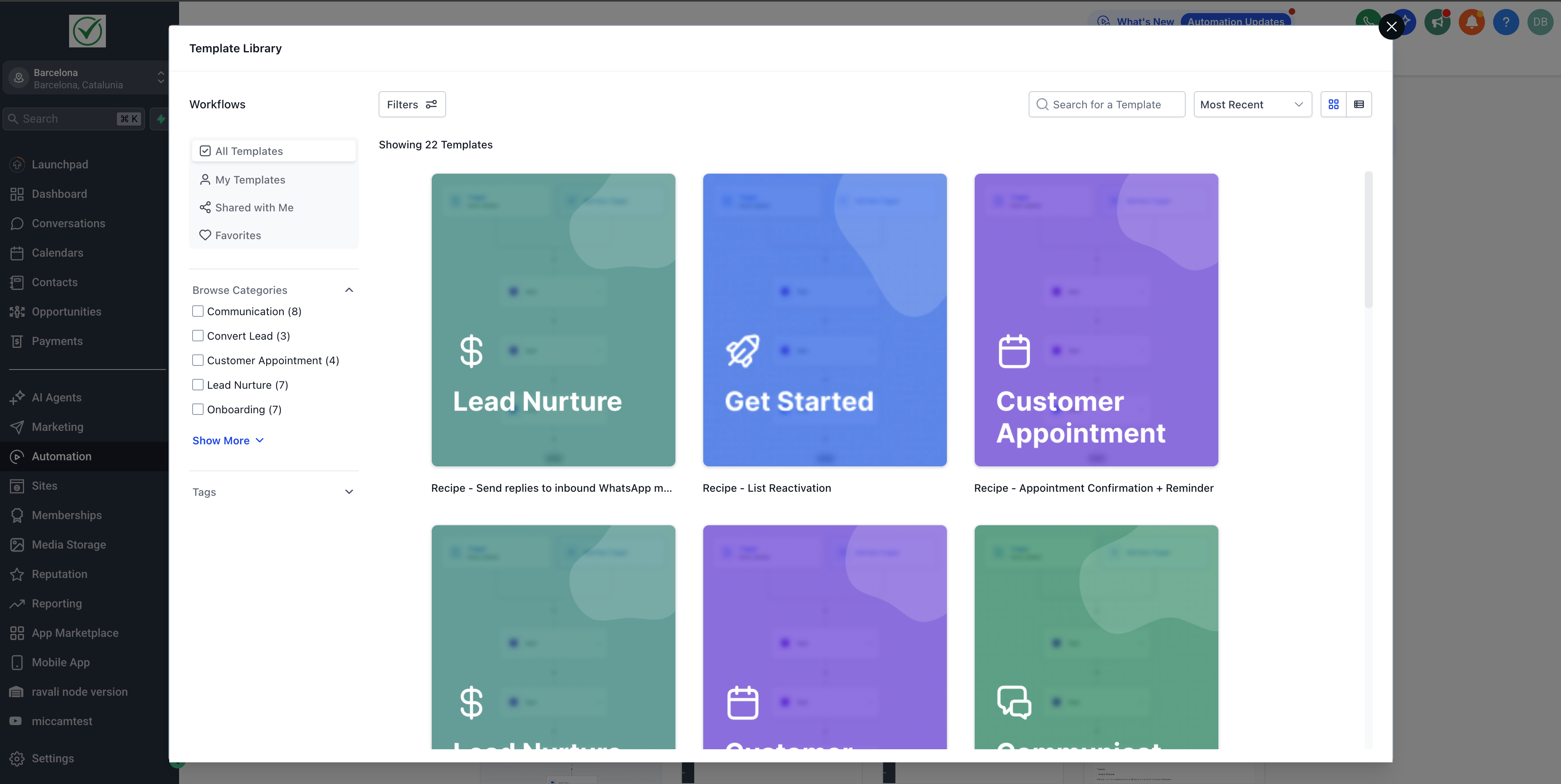
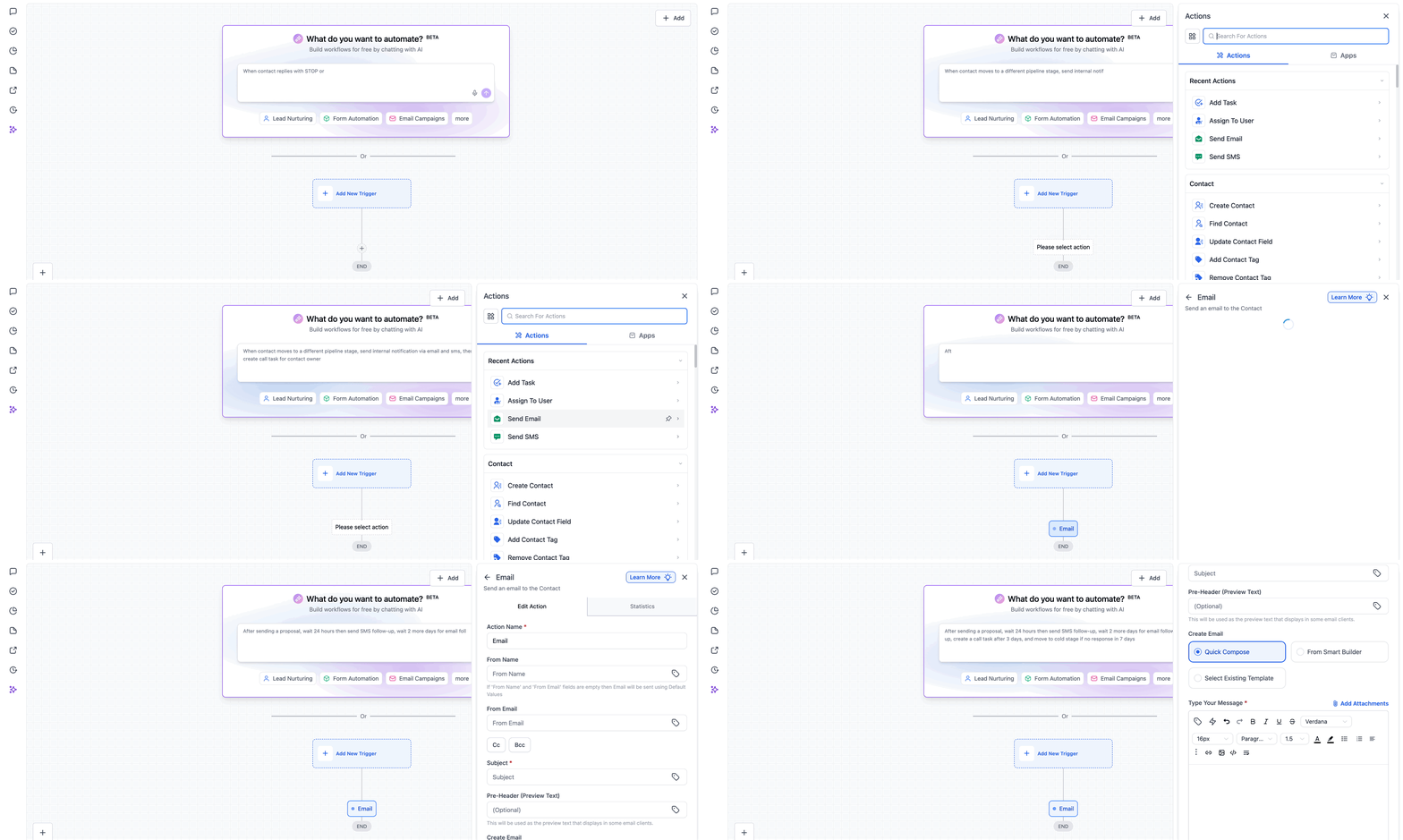
The landing page redesign puts AI Builder front and center, letting users type a description of the automation they need. The AI then drafts the workflow steps, which can be saved or edited. Below the prompt, quick start suggestions and industry templates appear, matching the niche chosen during onboarding.
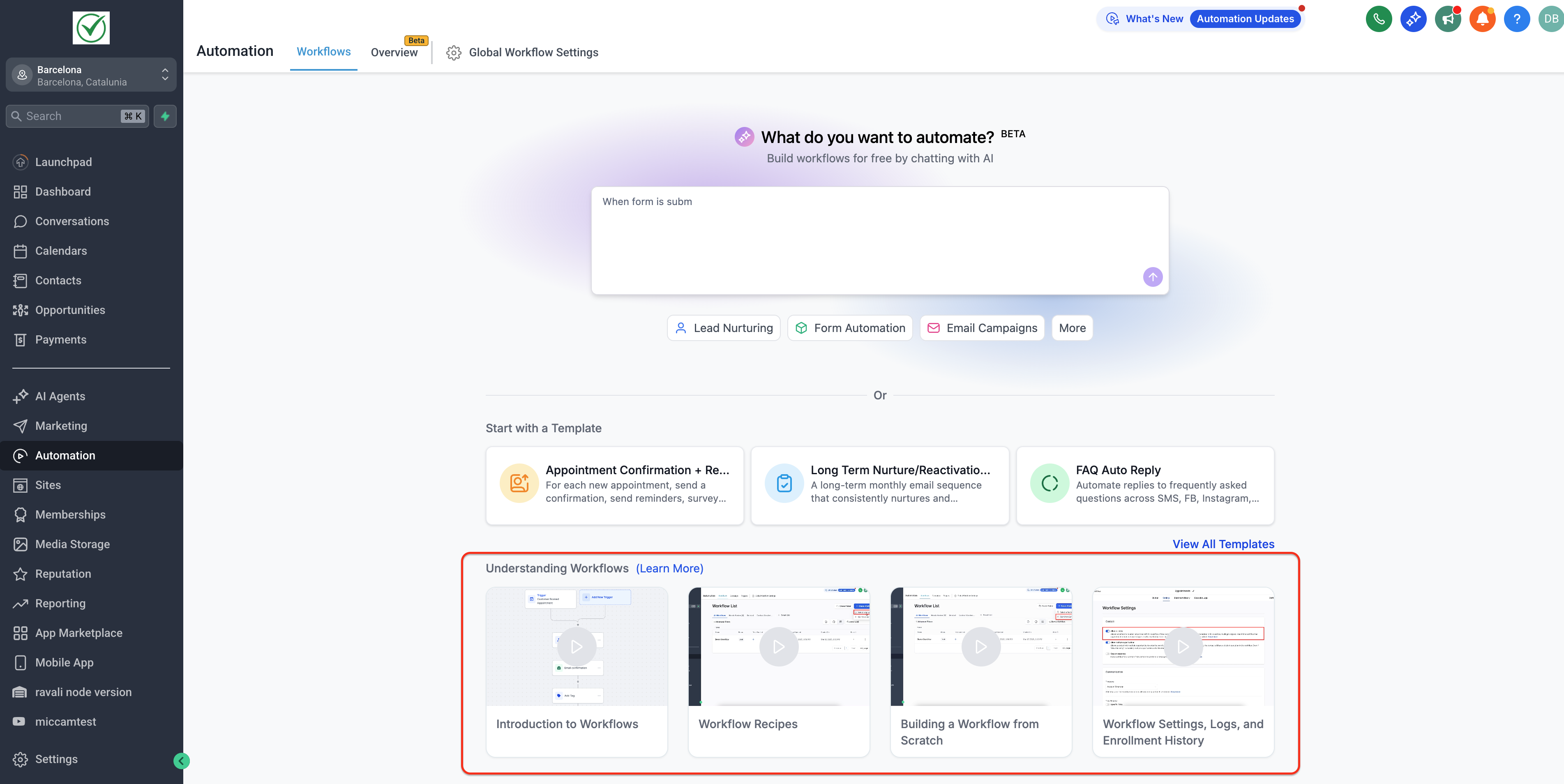
Triggers and actions can be placed on the canvas by dragging them from the sidebar. A highlighted placeholder shows where the step will land. After dropping, the step is configured and the workflow is saved. The page also includes video tutorials and a link to view all templates.
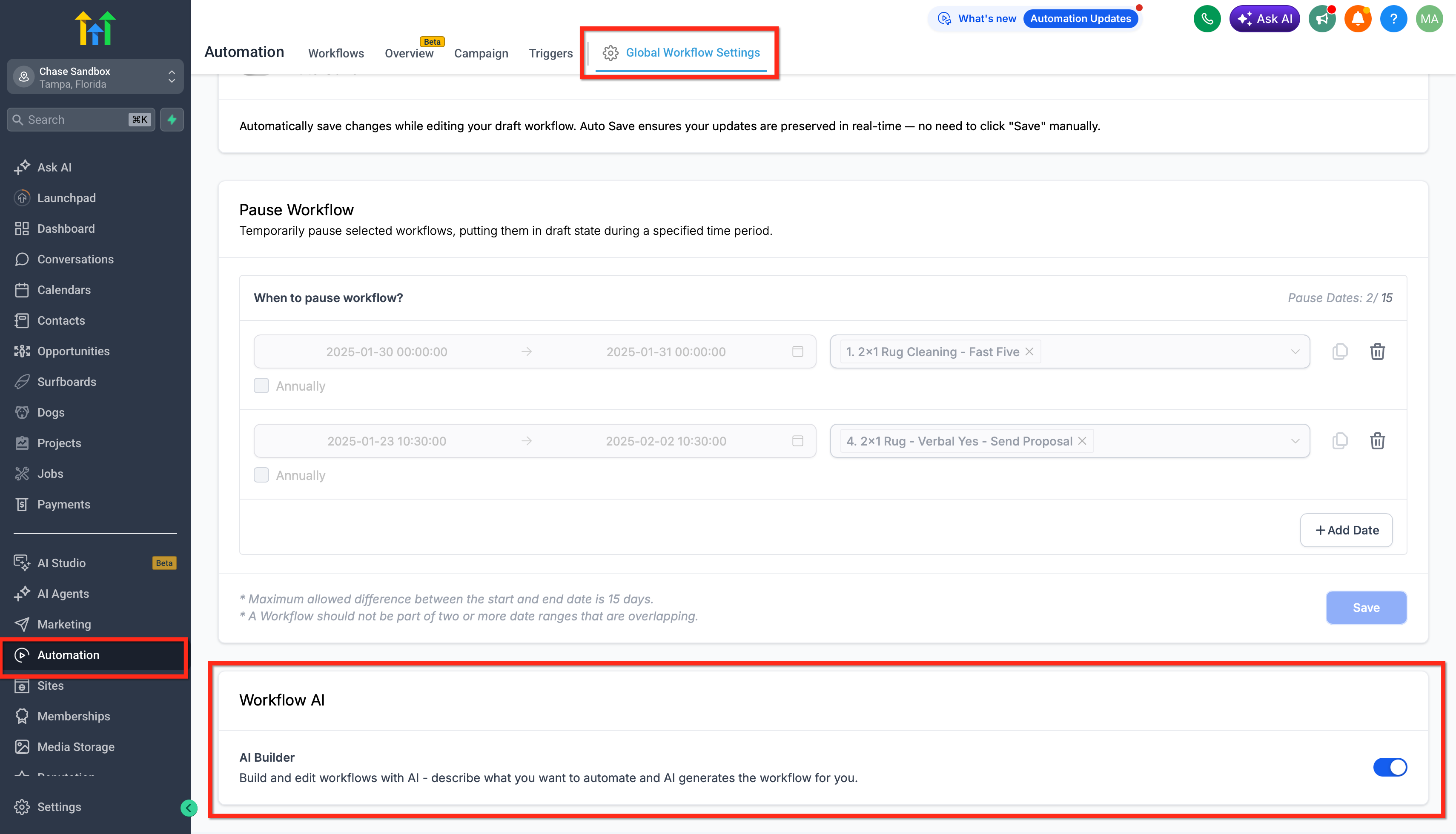
The AI Builder feature is turned on by default for agencies via Labs. It can be turned off for an entire agency or for a single location through the Settings > Labs toggle or the Automations > Global Workflow Settings > Workflow AI switch.
03How businesses use workflows landing page
- Education startup. The Founder types “when a new student signs up, send a welcome email and assign them to the Intro course” into the AI Builder prompt. The generated workflow is saved and then tweaked with a tag action to segment students.
- Finance advisory firm. A consultant selects the finance niche template for client onboarding, drags an additional “Create task” action onto the canvas, and configures it to assign the task to a senior advisor.
- Real estate agency. An agent opens a pre built property inquiry template, adds a custom trigger for “new property listing” by dragging it onto the canvas, and saves the workflow to automate follow up calls.
04The numbers and rules that matter
- Ready made workflow templates are available for Education, Health, Finance, and Real Estate.
- Quick start suggestions include Lead Nurturing, Form Automation, and Email Campaigns.
05Before you start
- Workflow AI Builder must be enabled in Settings > Labs before the new onboarding experience appears.
06How to set up and use workflows landing page in HighLevel
Create a workflow with AI Builder
- Open the Workflows landing page.
- Locate the "What do you want to automate?" input field at the top.
- Enter a plain language description of the desired automation.
- Submit the description to let the AI generate the workflow steps.
- Review the generated workflow and click Save to create it.
Disable AI Builder for an agency
- Navigate to Settings > Labs.
- Find the toggle labeled Workflow AI Builder.
- Switch the toggle off to disable the feature for the agency.
Add a trigger or action via drag and drop
- Open the workflow you want to edit.
- Open the Triggers or Actions sidebar.
- Click and hold the desired trigger or action.
- Drag it onto the canvas and hover over a + marker until a placeholder appears.
- Release to drop, configure the step, and save the workflow.
07What it looks like in HighLevel
08Settings that matter
- Workflow AI Builder. Controls whether the AI Builder prompt appears on the Workflows landing page for the agency.
- Workflow AI. Enables or disables the AI Builder at a specific location under Automations > Global Workflow Settings.
09Things to know before you rely on it
- AI Builder is enabled by default for all agencies via Labs, but can be turned off at agency or location level.
- If the workflow canvas is closed without saving, any dragged trigger or action is discarded.
- The new onboarding layout only appears when AI Builder is active in Labs.
10If something goes wrong
- The new onboarding experience does not appear in a subaccount.. Go to Settings > Labs and enable the Workflow AI Builder feature.
- A dragged trigger or action disappears after exiting the workflow.. Save the workflow before leaving the editor; otherwise the step is not added.
11How it connects to the rest of HighLevel
- Learn the basics of workflow automation and how to set up triggers and actions. Workflow basics
- Find out how to enable or disable premium workflow features, including AI Builder. Enable workflow premium features
- Review available pricing tiers for the Workflow Pro plan and other HighLevel subscriptions. HighLevel pricing
Michael's take

I think the new onboarding layer can help agencies get up and running more quickly, especially if they don’t already have a large library of custom workflows. The AI Builder and niche specific templates give a ready starting point without building everything from scratch.
If a team already relies heavily on hand crafted logic and has a mature set of workflows, the additional AI driven suggestions might feel redundant, and the time spent learning the new landing page may not be justified for them.