
01Who this is for
- Agencies that run many client subaccounts benefit because they can deploy a standard workflow to each account with a single API call.
- Developers building integrations can automate workflow creation and monitoring directly from their own systems.
02Workflows API, explained
The Workflows API provides endpoints for full lifecycle management of HighLevel workflows. You can fetch supported step types, validate a workflow definition, create the workflow in draft mode, update its definition, change its publish status, and delete it when no longer needed.
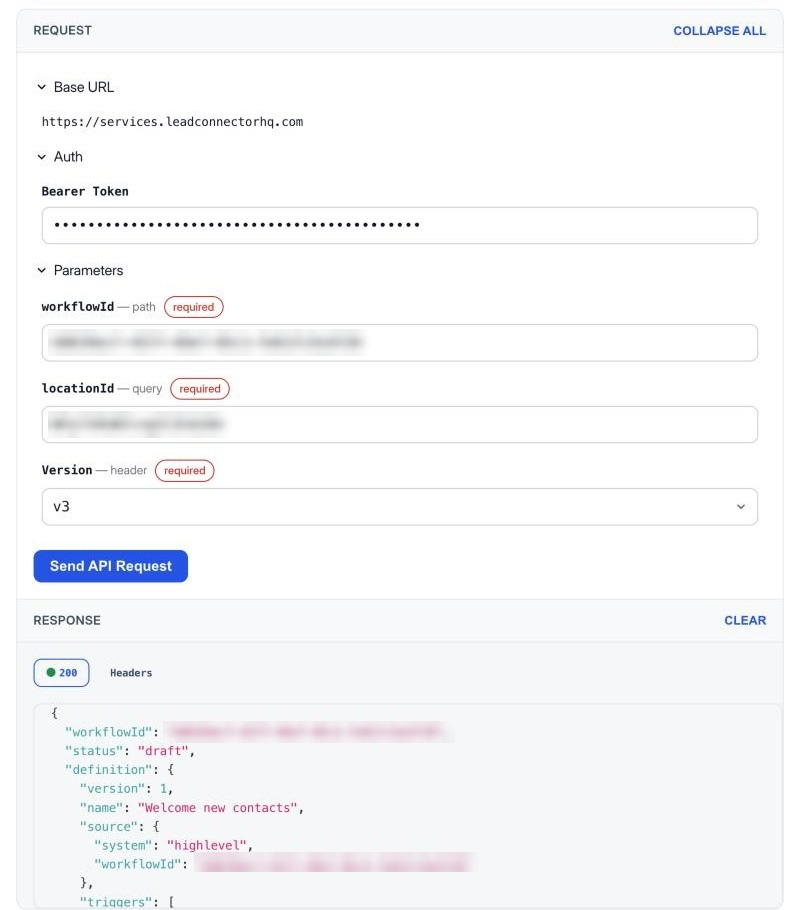
The API lives in the HighLevel platform under the private integrations area. After enabling the appropriate scopes and generating an access token, you send requests to the services.leadconnectorhq.com domain with a v3 version header. Responses include workflow IDs, version numbers and validation details that guide further actions.
03How businesses use the Workflows API
- Marketing agency. The agency enables the Workflows API for each client subaccount, pulls a template definition, creates a matching workflow via the API, and publishes it. This lets the agency roll out identical lead nurture automations across all clients without manual setup.
- SaaS startup. When a new customer signs up on the startup's website, the integration builds a custom onboarding workflow definition, validates it, creates the workflow in draft, and publishes it through the API, delivering a ready to run sequence for each user.
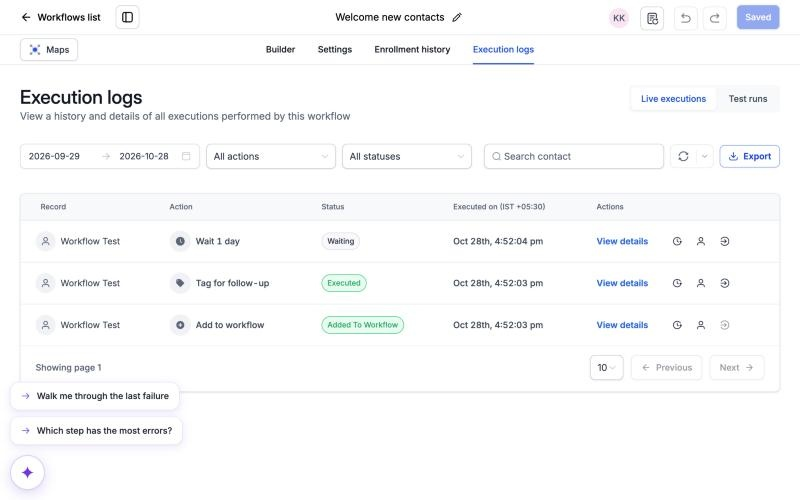
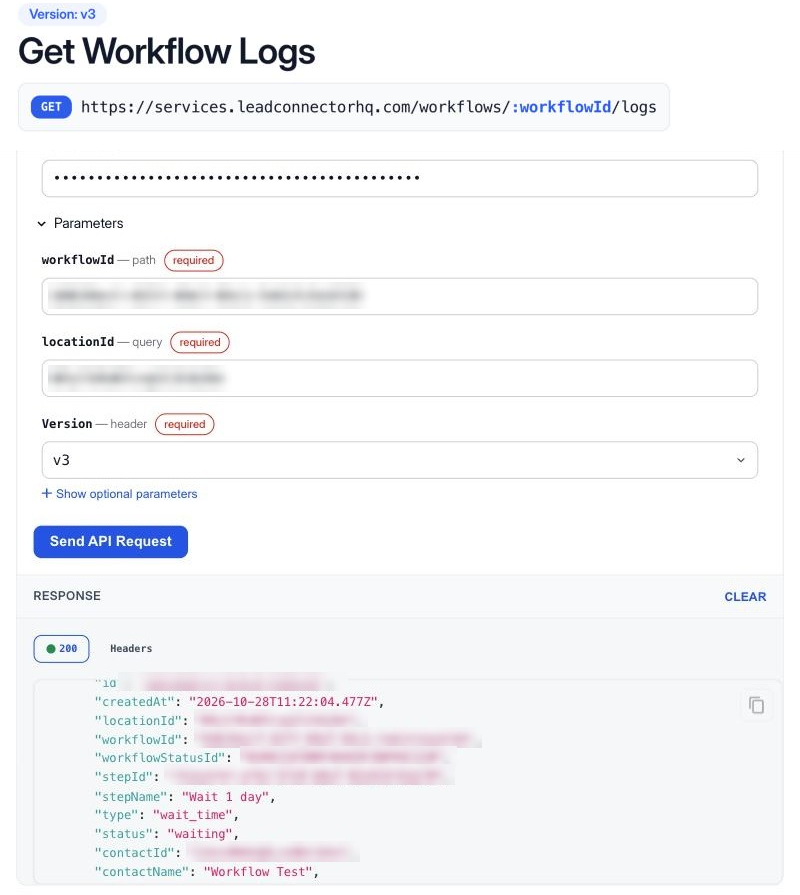
- Real estate brokerage. The brokerage's internal system calls the Get Workflow Logs endpoint each night to retrieve execution records. It then uses the aggregated statistics endpoint to generate a report of step failures, helping the team address automation issues promptly.
04The numbers and rules that matter
- Private beta access required; otherwise a 403 error with code WORKFLOW_API_NOT_ENABLED_FOR_LOCATION is returned.
- Version header required: V3.
- Rate limits: Standard public API 100 requests per 10 seconds and 200,000 per day per subaccount.
- Workflow reads 30 requests per 10 seconds per subaccount.
- Workflow writes 10 requests per 10 seconds per subaccount.
- Workflow logs 20 requests per 10 seconds and 60 per minute.
- Workflow log statistics 5 requests per 10 seconds, 10 per minute, and 1,000 per day.
- Execution log date filters limited to 30 day ranges; history up to 60 days.
05Before you start
- Confirm the subaccount is part of the private beta for the Workflows API.
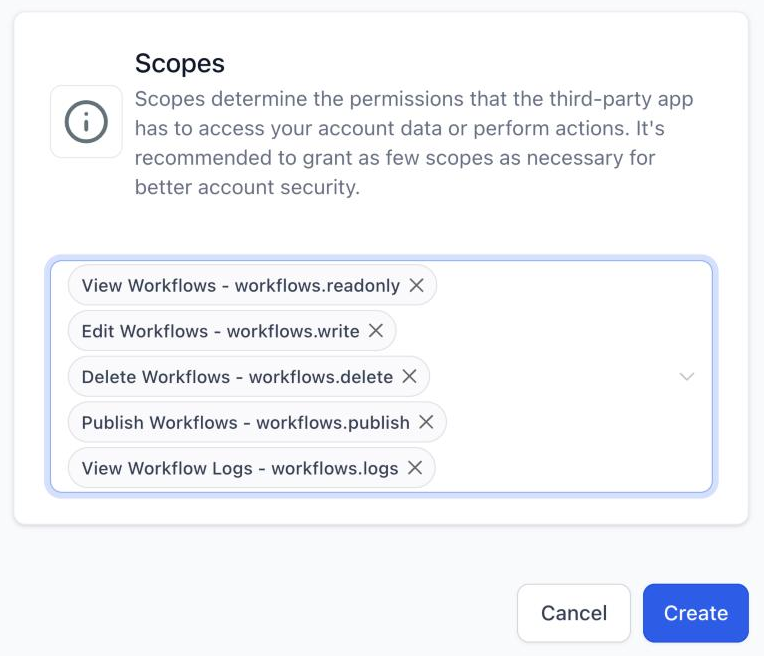
- In Settings > Private Integrations, create a private integration and enable the required workflow scopes.
- Generate an access token and store it securely.
06How to set up and use the Workflows API in HighLevel
Create and publish a workflow using the API
- Call the Get Step Types endpoint to list all supported triggers, actions and required properties.
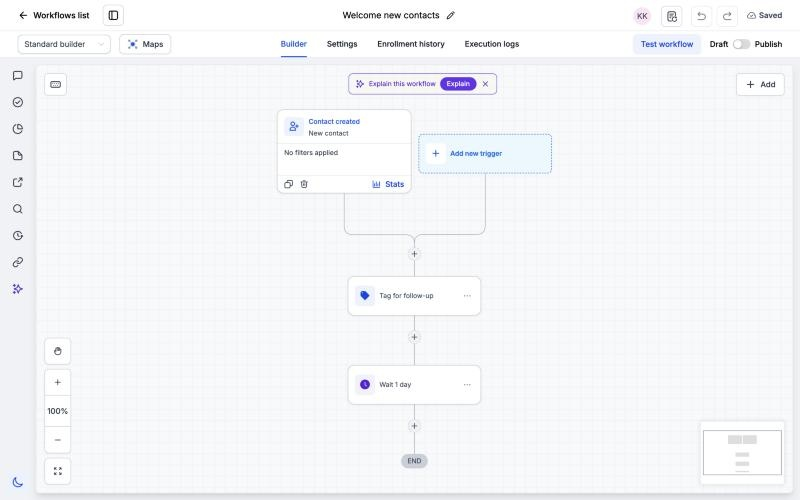
- Assemble a workflow definition that includes the name, selected triggers, actions, connections and any settings.
- Submit the definition to the Validate Workflow Definition endpoint and review any errors or warnings.
- Send the definition to the Create Workflow endpoint; the workflow is saved as a draft.
- Change the workflow status to "published" via the Update Workflow Status endpoint.
07What it looks like in HighLevel
08Settings that matter
- View Workflows. Allows read only access to workflow details and the list of available step types.
- Edit Workflows. Grants permission to create new workflows, validate definitions and modify existing ones.
- Publish Workflows. Enables changing a workflow’s status between draft and published.
- Delete Workflows. Permits removal of existing workflows from the account.
- View Workflow Logs. Provides access to execution logs and detailed run information for a workflow.
09Things to know before you rely on it
- The API is in private beta; only selected subaccounts receive access, otherwise a 403 error with code WORKFLOW_API_NOT_ENABLED_FOR_LOCATION is returned.
- Standard public API limits are 100 requests per 10 seconds and 200,000 per day per subaccount.
- Workflow reads are limited to 30 requests per 10 seconds; writes are limited to 10 requests per 10 seconds per subaccount.
- Log requests allow a maximum date range of 30 days and pull data from the most recent 60 day history.
- Version conflict protection rejects updates that do not include the latest workflow version.
10If something goes wrong
- Receiving a 403 response with WORKFLOW_API_NOT_ENABLED_FOR_LOCATION. Verify that the subaccount has been granted private beta access to the Workflows API.
- HTTP 429 response indicating rate limit exceeded. Reduce request frequency to stay within the documented limits and implement retry logic with back off.
11How it connects to the rest of HighLevel
- Learn the basics of HighLevel workflow automation Workflow basics
- Set up an inbound webhook trigger for workflows Inbound webhook trigger
- View pricing details for accessing advanced workflow features Pricing
- Start a 30 day trial of HighLevel Free trial
- Explore the Founder Plan for unlimited feature access Founder Plan
Michael's take

When you need to roll out the same automation to dozens of client accounts, doing it manually in the builder becomes a bottleneck. The Workflows API lets you push a template workflow to every subaccount with a single call.
The first setting I would lock down is the scope permissions in Settings > Private Integrations. Make sure the integration only has the read, write or publish scopes it truly needs. That prevents accidental deletions or unwanted changes while you get the automation up and running.