
01Who this is for
- Ecommerce Founders who use Shopify can re engage visitors who leave items in their carts, reducing lost sales.
- Marketing managers can automate reminder messages without manual monitoring, freeing time for other campaigns.
- Customer support teams receive internal notifications for high value abandoned carts, enabling timely personal outreach.
02Abandoned checkout triggers, explained
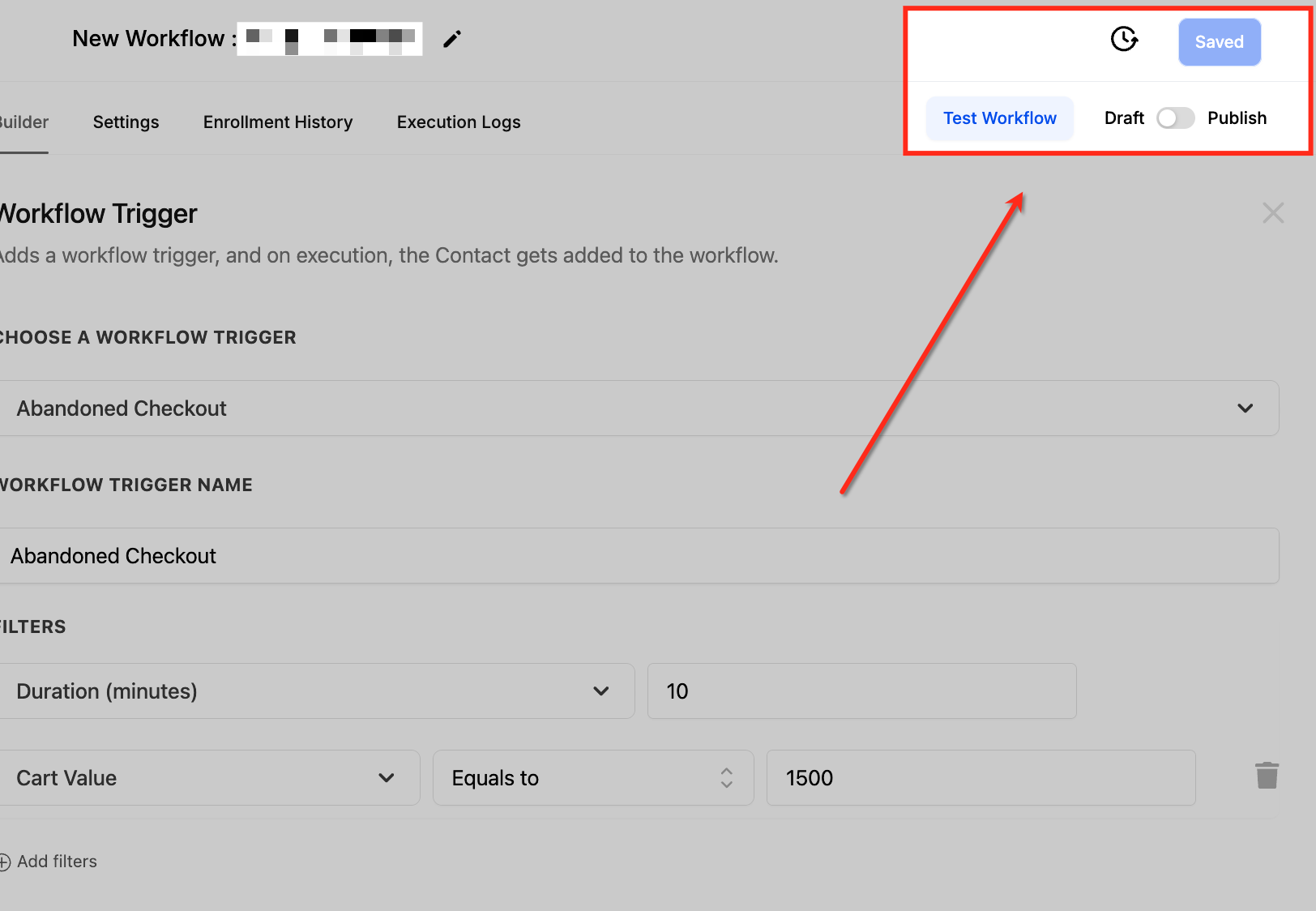
The Abandoned Checkout Trigger lives inside the Workflow Builder under Automation. When a cart remains idle longer than the defined duration, the trigger starts the workflow. You can narrow the audience further by applying a cart value condition, choosing from operators such as greater than, less than, equal to, or empty.
After the trigger fires, any workflow actions you add, email, SMS, tag, internal notification, run automatically. The trigger works only with Shopify integrations; it does not evaluate individual products. Each time a shopper meets the duration and cart value rules, the workflow runs again, so you can handle multiple abandoned carts per customer.
03How businesses use the abandoned checkout trigger
- Online apparel retailer. The retailer sets a 15 minute duration filter and a cart value filter of greater than $100. When a shopper abandons a high value cart, the workflow sends a reminder email with a link back to checkout (per HighLevel's help center, checked November 2026).
- Handmade crafts boutique. The boutique applies a 30 minute duration and a cart value less than or equal to $50. An SMS reminder follows, encouraging the customer to finish the purchase before the offer expires (per HighLevel's help center, checked November 2026).
- Digital product seller. The seller uses a 24 hour duration filter and no cart value condition. An internal notification alerts the sales team to follow up personally on any abandoned checkout.
04The numbers and rules that matter
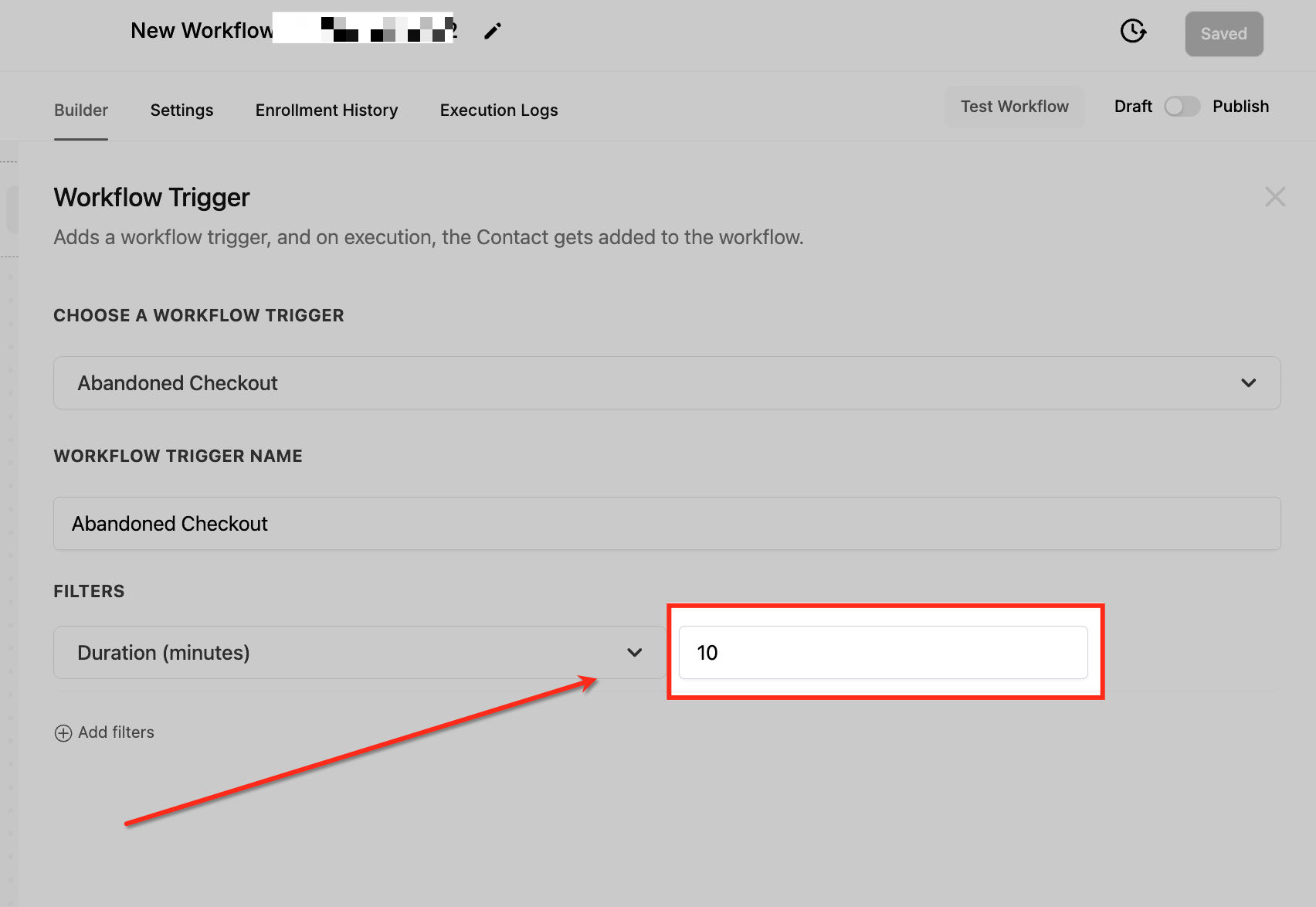
- Duration filter is set in minutes (example: 10 minutes).
- Recommended duration: 15 to 30 minutes for fast moving purchases, up to 24 hours for high value items.
- Discount codes can be added after a set number of follow ups, such as a 10% off coupon after 24 hours.
05Before you start
- A Shopify integration must be connected to HighLevel.
06How to set up and use the abandoned checkout trigger in HighLevel
Set up abandoned checkout trigger
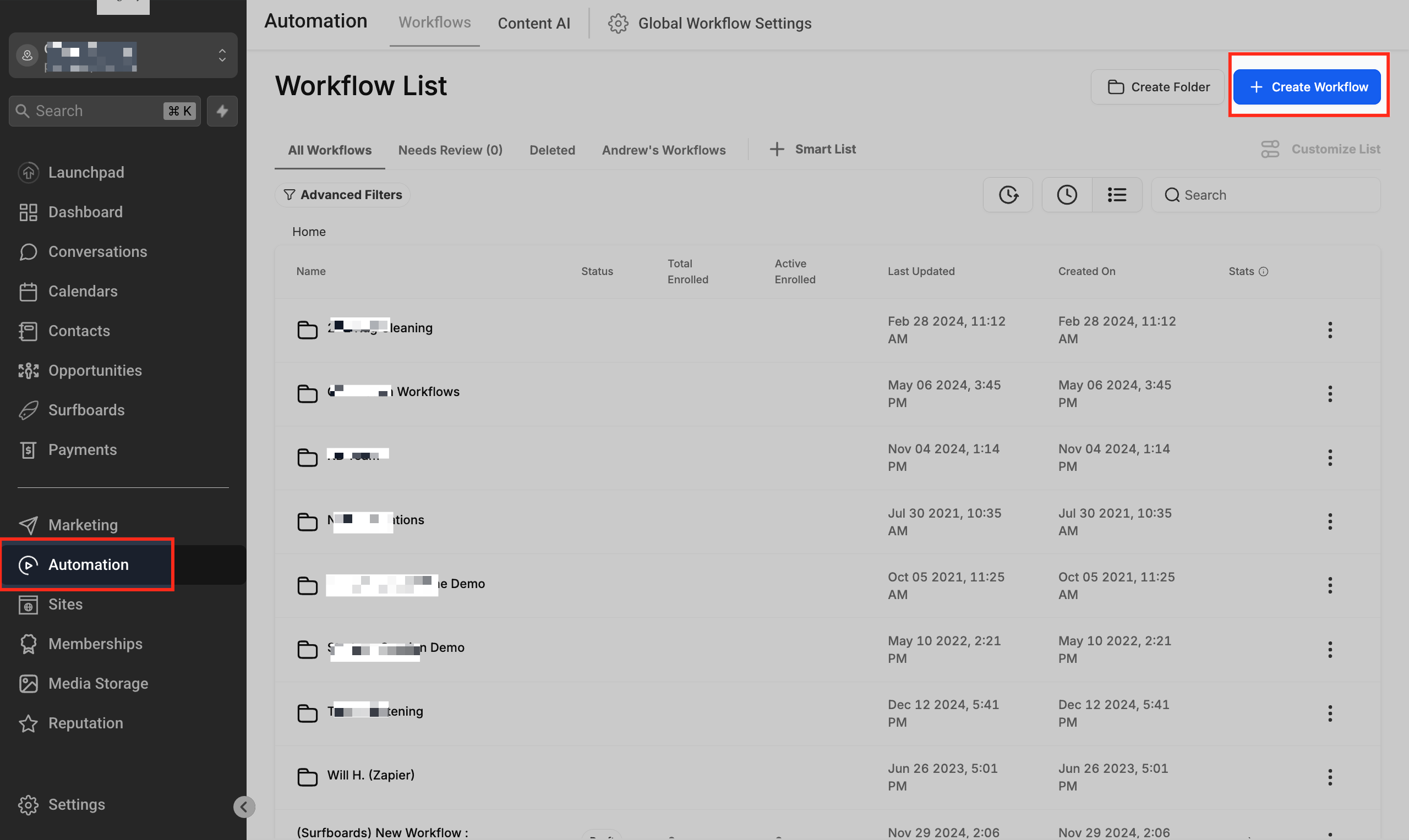
- Open Automation and select Workflow Builder.
- Create a new workflow or open an existing one.
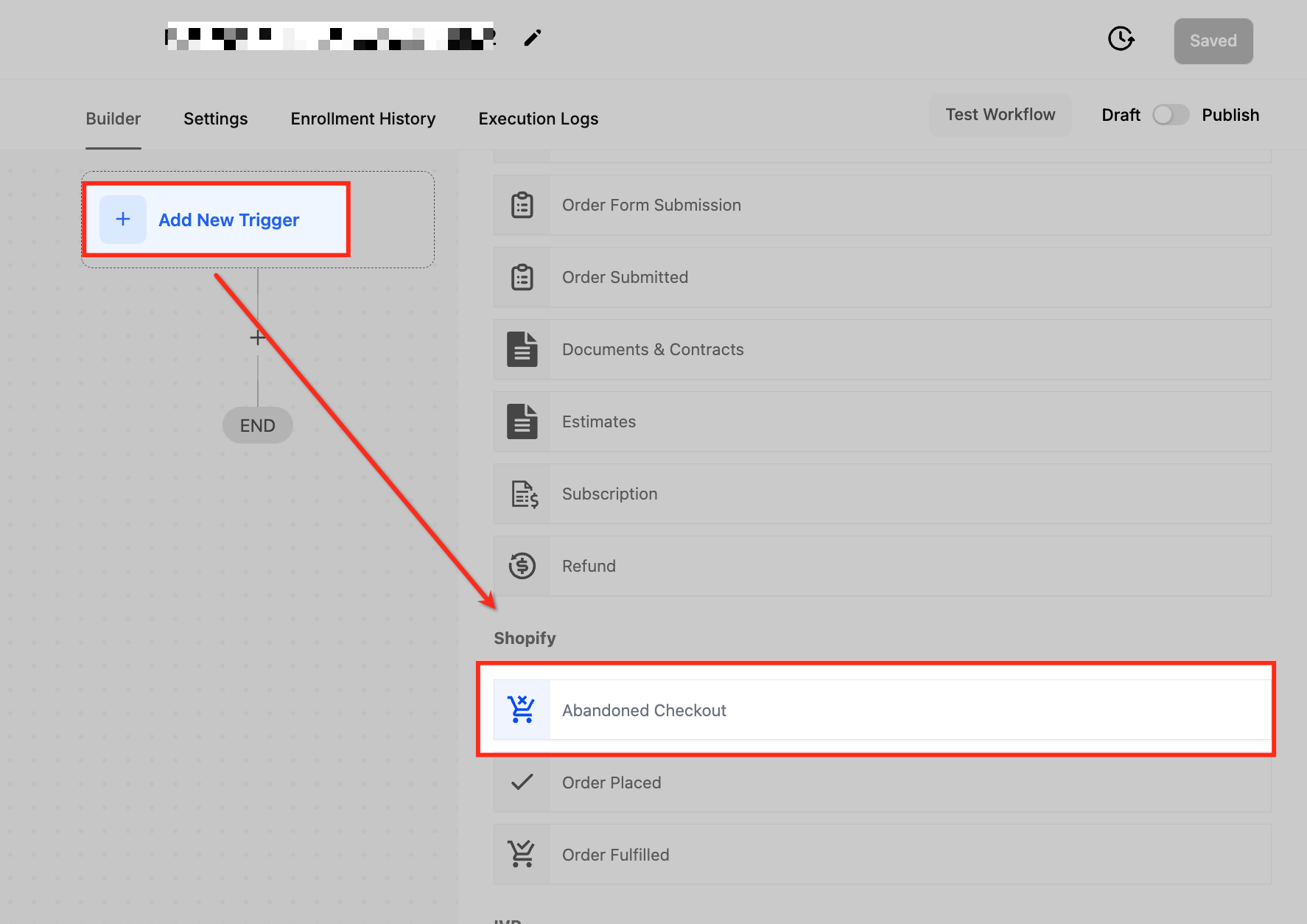
- Click Add New Trigger.
- Search for “Abandoned Checkout” and select it.
- Enter the desired duration in minutes for the Duration Filter.
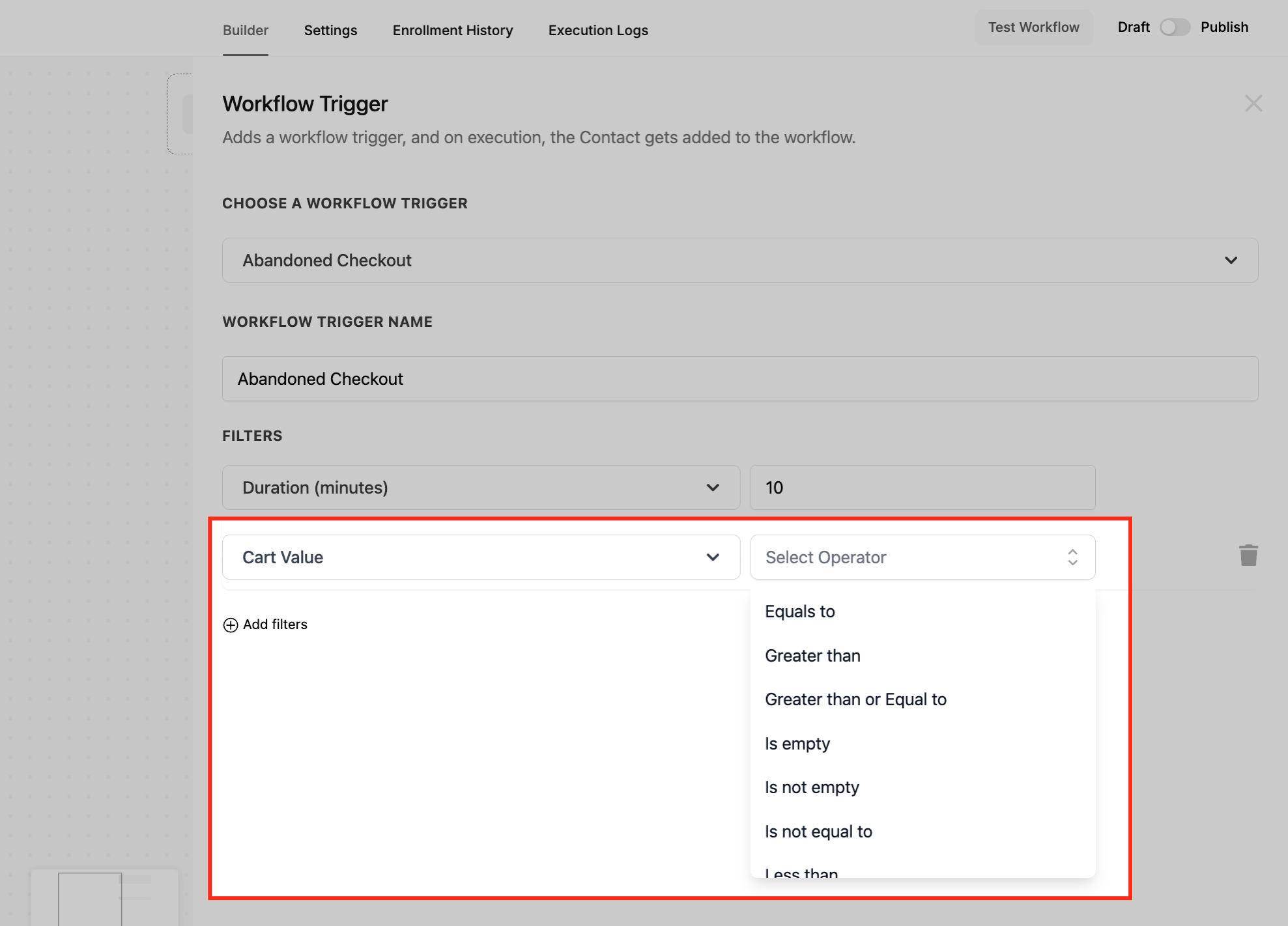
- Choose a Cart Value operator and set the amount for the Cart Value Filter.
- Save the trigger to apply the filters.
- Add workflow actions such as Send Email, Send SMS, Add Tag, or Internal Notification.
- Save the workflow to store all changes.
- Toggle Publish to activate the workflow and run a test checkout to confirm it works.
07What it looks like in HighLevel
08Settings that matter
- Duration Filter. Defines how many minutes must pass after a cart is idle before the trigger treats it as abandoned.
- Cart Value Filter. Sets conditions based on the total value of items in the cart, using operators like greater than, less than, or is empty.
09Things to know before you rely on it
- The trigger does not support product specific conditions; it only filters by cart value and duration.
- It fires each time a customer abandons a cart that meets the set filters, so multiple activations per customer are possible.
- Best practice duration ranges are 15 to 30 minutes for fast purchases and up to 24 hours for high value items.
10How it connects to the rest of HighLevel
- Workflow creation: triggers, filters, actions Workflow guide
- All Workflows features Workflows overview
- HighLevel pricing and plans Pricing page
Michael's take

The first setting I would get right is the duration filter. Set it to match how quickly your customers decide. A tight window for fast moving items and a longer wait for big ticket purchases gives you the best chance to reengage at the right moment.