
01Who this is for
- Social media managers benefit by automating responses to specific Instagram comments, keeping engagement timely.
- Customer support teams can route comment content into follow up actions, improving issue handling.
- Marketing analysts can capture phrase matched comments for segmenting audiences and measuring campaign impact.
02Instagram comment(s) on a post, explained
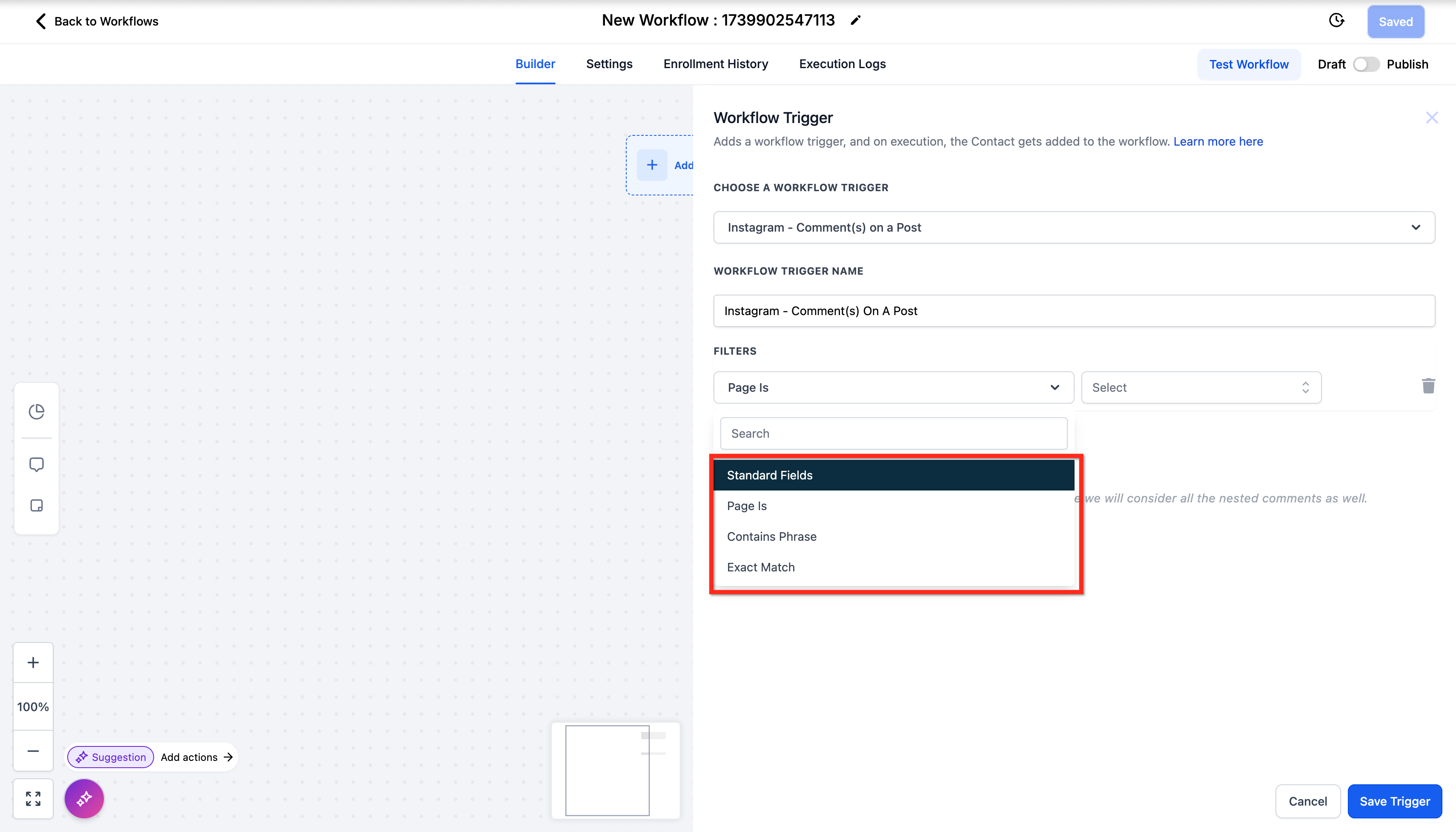
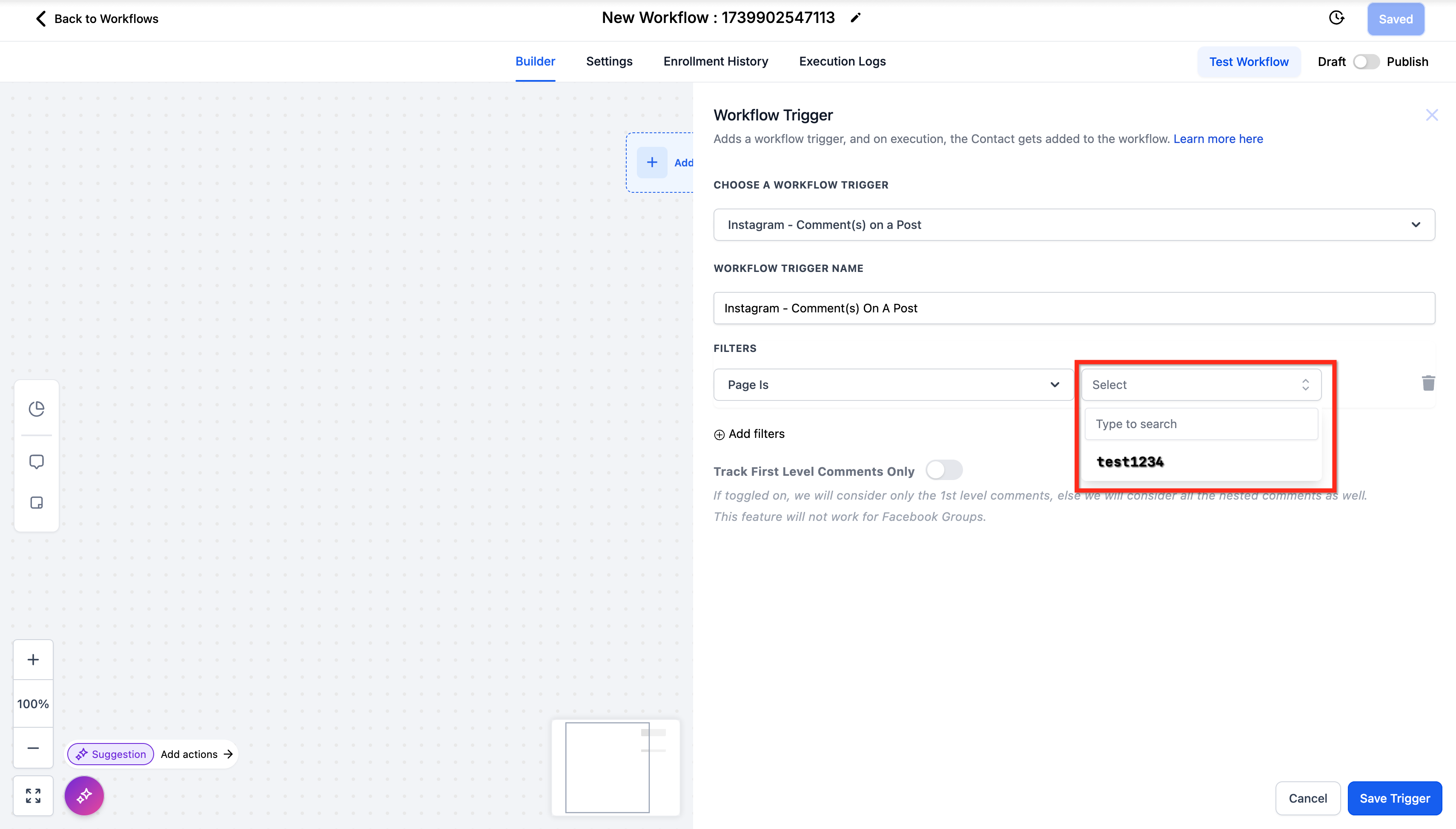
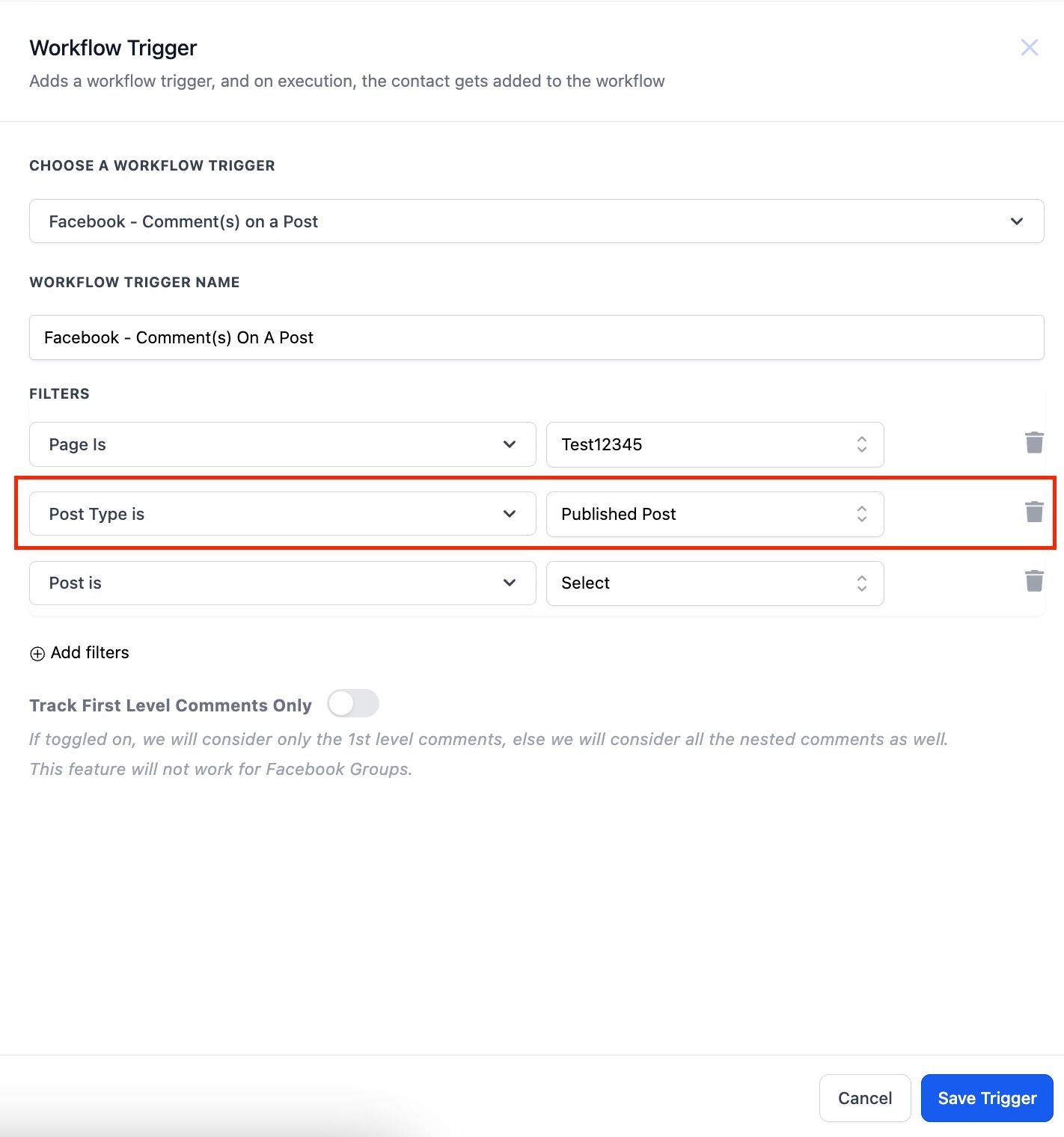
The trigger monitors Instagram posts for new comments. When a comment meets the filters you set, the workflow fires. Filters include page selection, post type, specific post, and text matching either by containing a phrase or an exact match.
You can decide whether the trigger reacts only to top level comments or to any nested replies using the Track First Level Comments Only toggle. This gives control over comment depth handling.
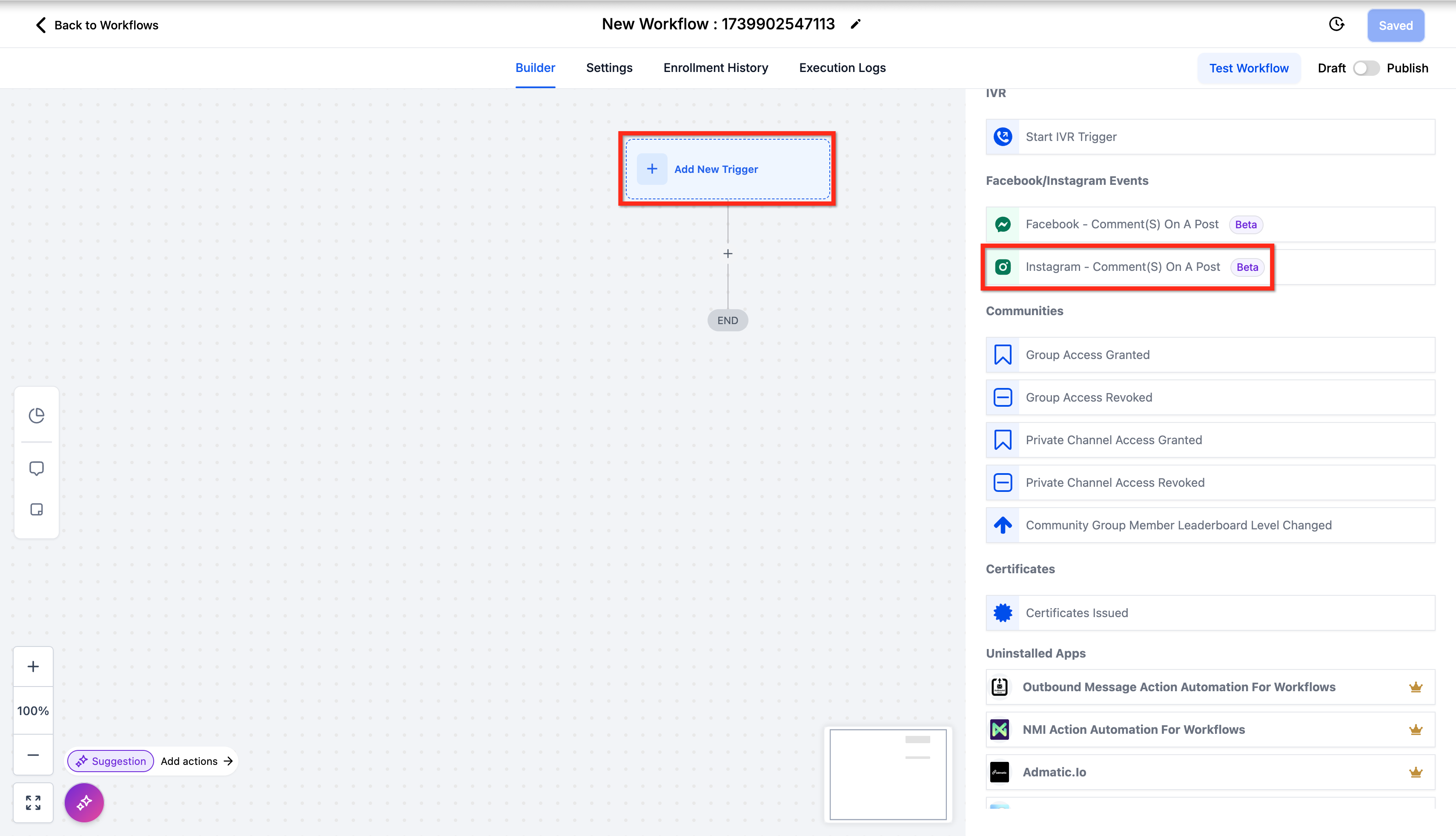
The trigger is found in the workflow builder under Automations > Workflows > Workflow Builder > Triggers > Facebook/Instagram Events. It is part of HighLevel's workflow automation suite.
03How businesses use Instagram comment(s) on a post
- Retail boutique. Add a Contains Phrase filter for "size" on product posts. When a comment includes the word, the workflow sends an Instagram direct message with a size guide.
- Fitness studio. Use an Exact Match filter for "join" on class promotion posts. When a user comments exactly "join", the workflow enrolls the contact into the class email list.
- Real estate agency. Enable Track First Level Comments Only on property listings. Top level inquiries trigger a follow up email sequence without reacting to reply chains.
04The numbers and rules that matter
- Track first level comments only: Toggle on/off to limit to top level comments or include nested comments.
05How to set up and use Instagram comment(s) on a post in HighLevel
Set up Instagram comment trigger
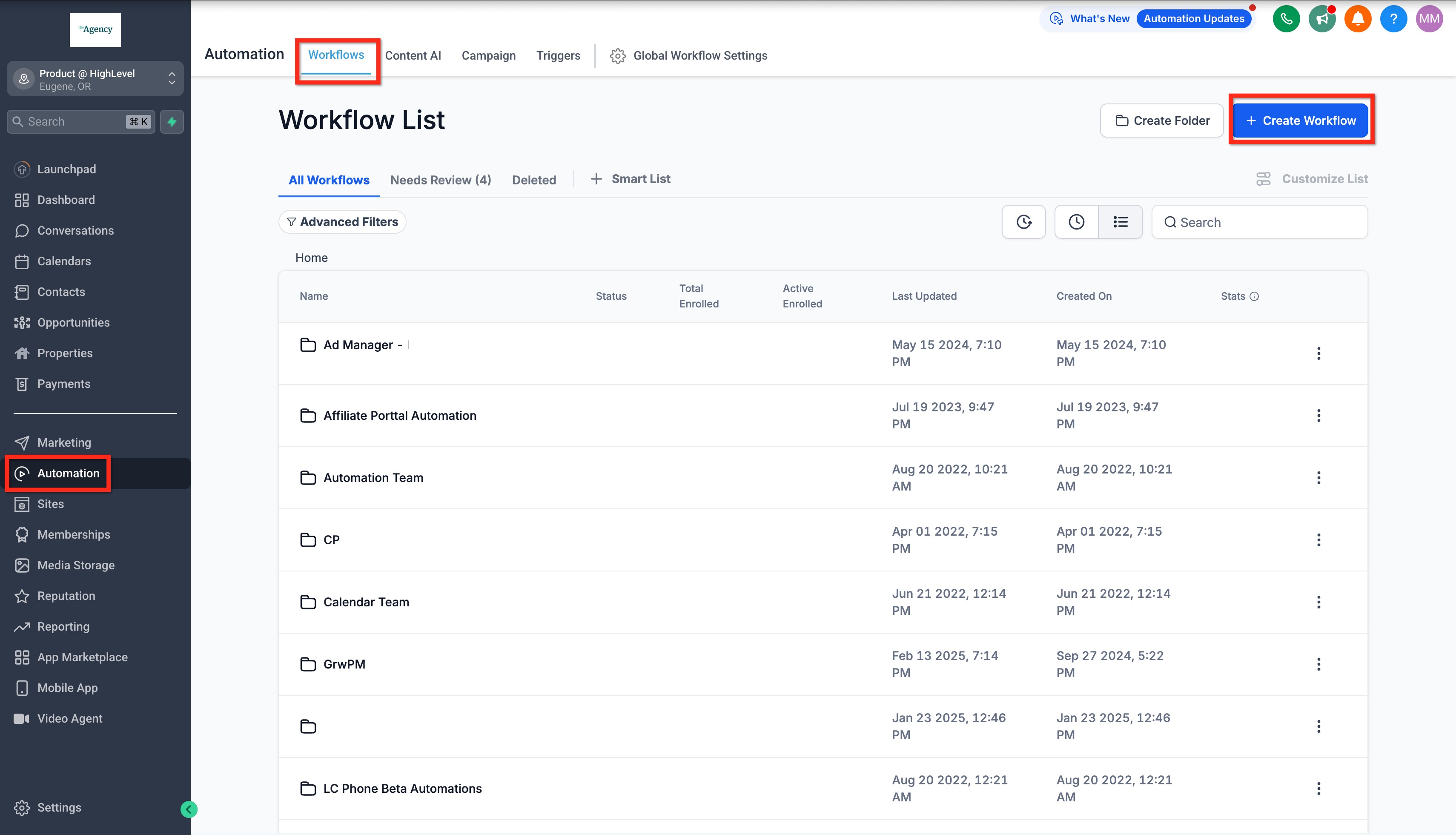
- Open HighLevel and go to Automations > Workflows.
- Click Workflow Builder to enter the workflow editor.
- Select Facebook/Instagram Events in the Triggers pane.
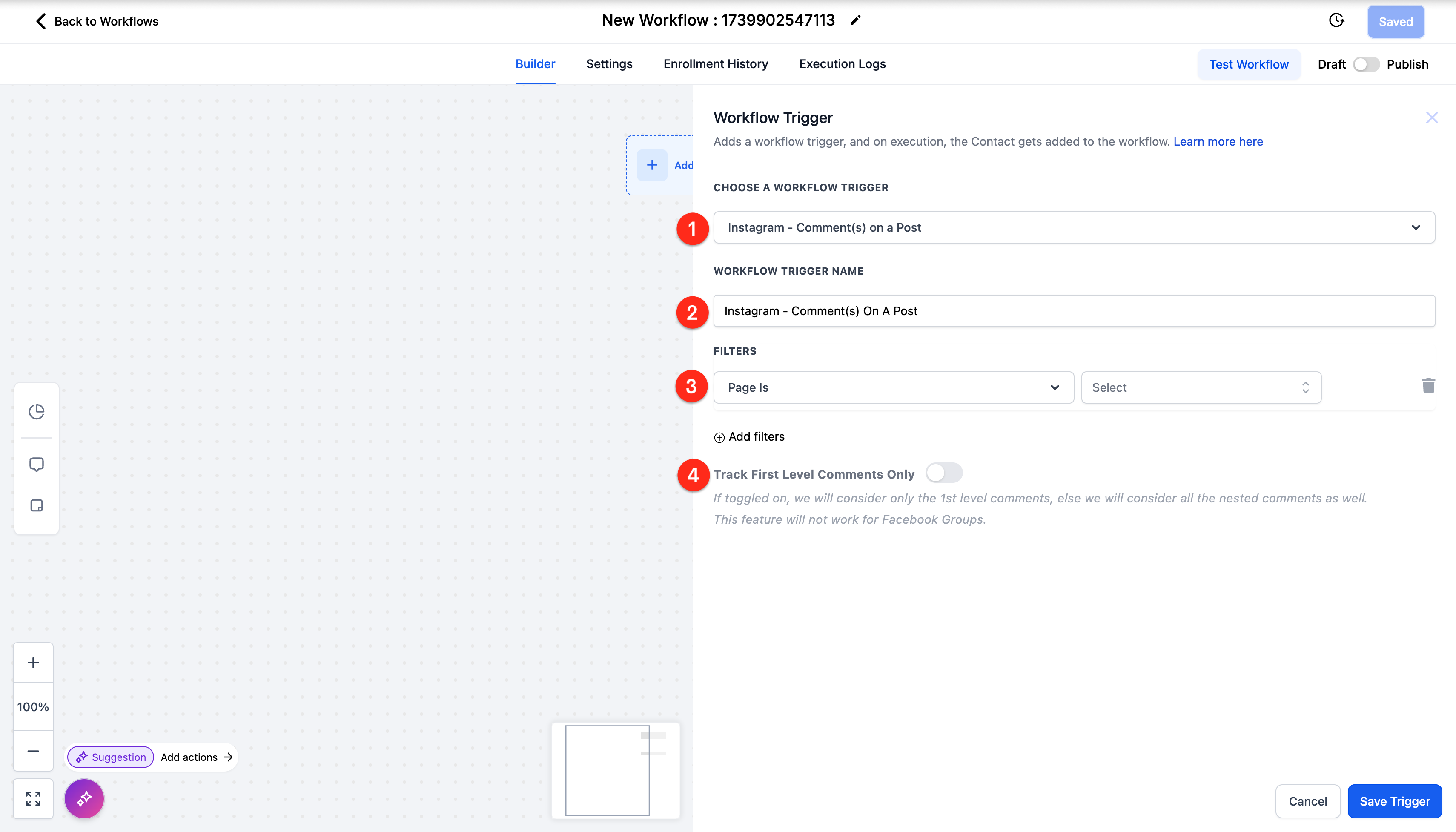
- Choose the Instagram Comment(s) On A Post trigger (it is the default).
- Edit the Workflow Trigger Name if a clearer label is needed.
- Set Page Is, Post Type, and Post Is filters to select the target post.
- Add a Contains Phrase or Exact Match filter with the desired text strings.
- Toggle Track First Level Comments Only on or off to control comment depth.
06What it looks like in HighLevel
07Settings that matter
- Workflow Trigger Name. Defines the label shown in the workflow for easy identification.
- Filters. Specifies the criteria such as Page Is, Post Type, Post Is, and text matching that must be met for the trigger to fire.
- Track First Level Comments Only. Determines whether the trigger fires only for top level comments or for all nested comments.
08Things to know before you rely on it
- The trigger works only for Instagram comments; it does not fire for Facebook.
- Comments generated automatically by workflow actions are ignored, preventing infinite loops.
09How it connects to the rest of HighLevel
- HighLevel workflow creation: triggers, filters, actions Workflow guide
- Facebook comment(s) on a post trigger in HighLevel Facebook trigger
- Start a 30 day HighLevel trial Free trial
Michael's take

I find the Instagram comment(s) on a post trigger handy for anyone who wants to automate reactions to Instagram comments.
In my experience, it reduces the need to manually watch every comment and lets the workflow handle the reply logic.