
01Who this is for
- Marketers who run paid lead ads on Facebook and need an automatic way to move new contacts into their nurture sequences.
- Sales teams that want each incoming lead right away owned by an agent and placed in the correct pipeline stage.
02Facebook lead form submitted triggers, explained
This trigger watches any Lead Ad that is linked to a Facebook Page you have connected inside HighLevel. When a user submits the instant form, the platform receives the contact details and fires the selected workflow. The trigger can be narrowed with filters so it only reacts to a specific Page and a specific Form.
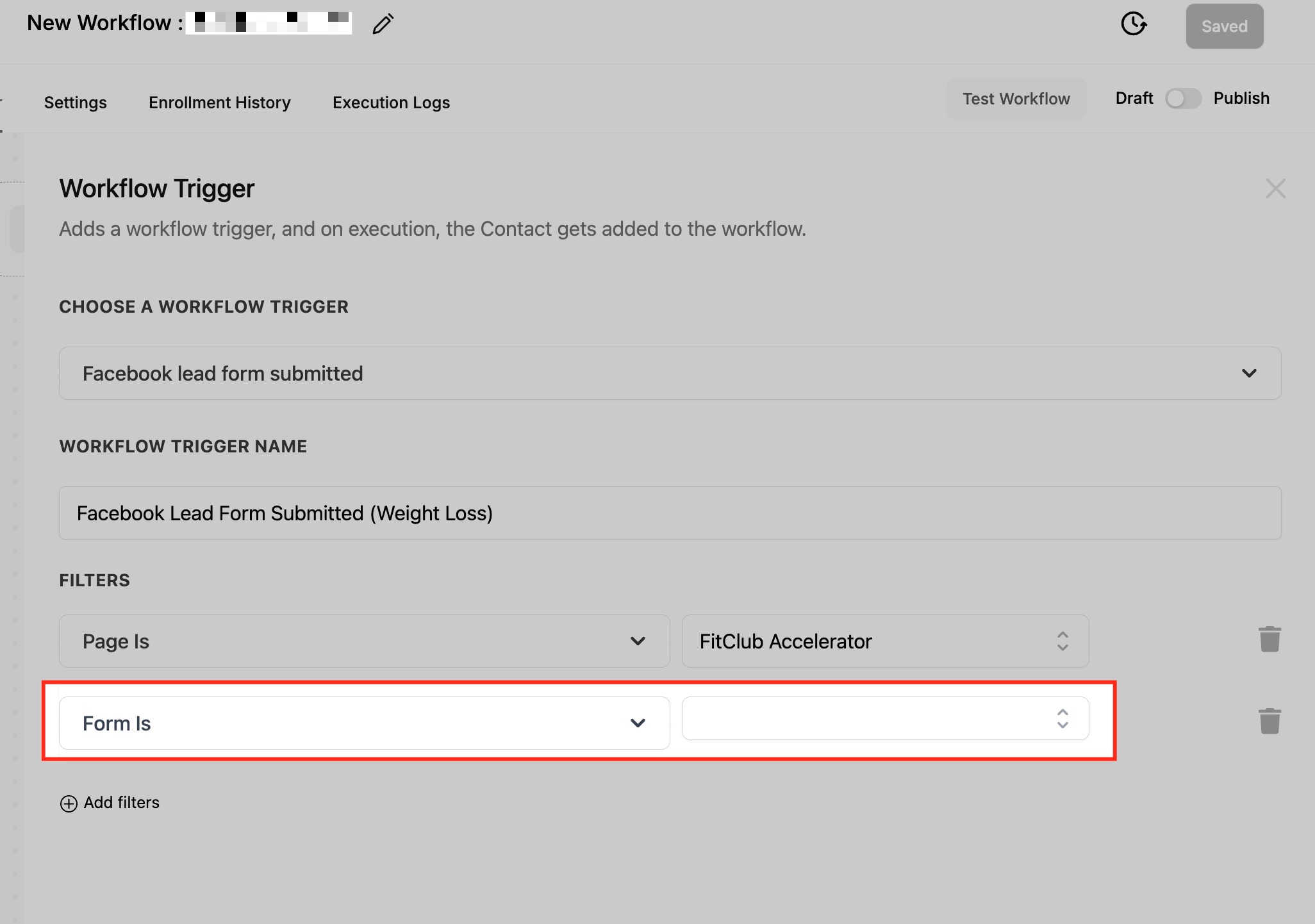
The configuration lives inside the workflow builder. After selecting the trigger type, you label it, apply the Page and Form filters, and then save. The rest of the workflow can include any actions HighLevel supports, such as creating or updating an opportunity, assigning a user, sending an email, or posting an internal notification.
03How businesses use Facebook lead form submitted workflow trigger
- Real estate agency. The agency adds the trigger, filters for the Page that runs its property showcase ads and the form that captures buyer interest. When a prospect submits the form, the workflow creates a new lead, tags it "home buyer," assigns it to an agent, and sends a thank you email.
- Fitness gym. The gym configures the trigger for the Page promoting a free trial offer and the associated sign up form. The workflow then adds the lead to the contacts list, places it in a "New Trial" pipeline stage, and delivers a welcome email with class details.
- Dental practice. The practice selects the lead form used for a teeth whitening promotion. The trigger adds each new patient inquiry to HighLevel, tags it "whitening lead," assigns it to the front desk staff, and sends an appointment booking email.
04The numbers and rules that matter
- Trigger supports one form per filter setup.
05Before you start
- Connect the Facebook Page in Settings > Integrations > Facebook and grant the required permissions.
- Map the fields from the Facebook lead form to HighLevel contact fields via Settings > Integrations > Facebook Form Fields Mapping.
06How to set up and use Facebook lead form submitted workflow trigger in HighLevel
Add Facebook lead form submitted trigger
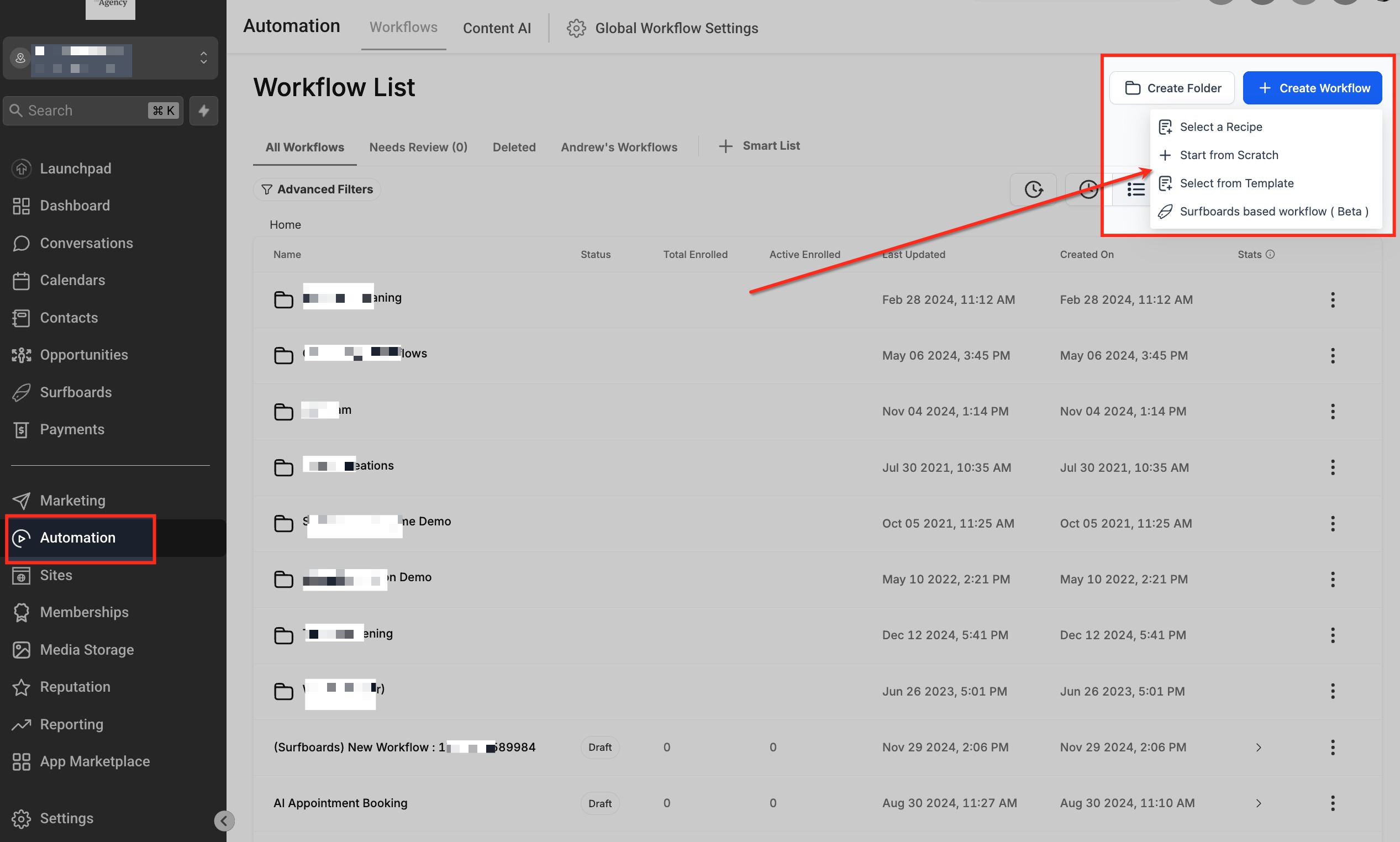
- Open Automation > Workflows and start a new workflow or edit an existing one.
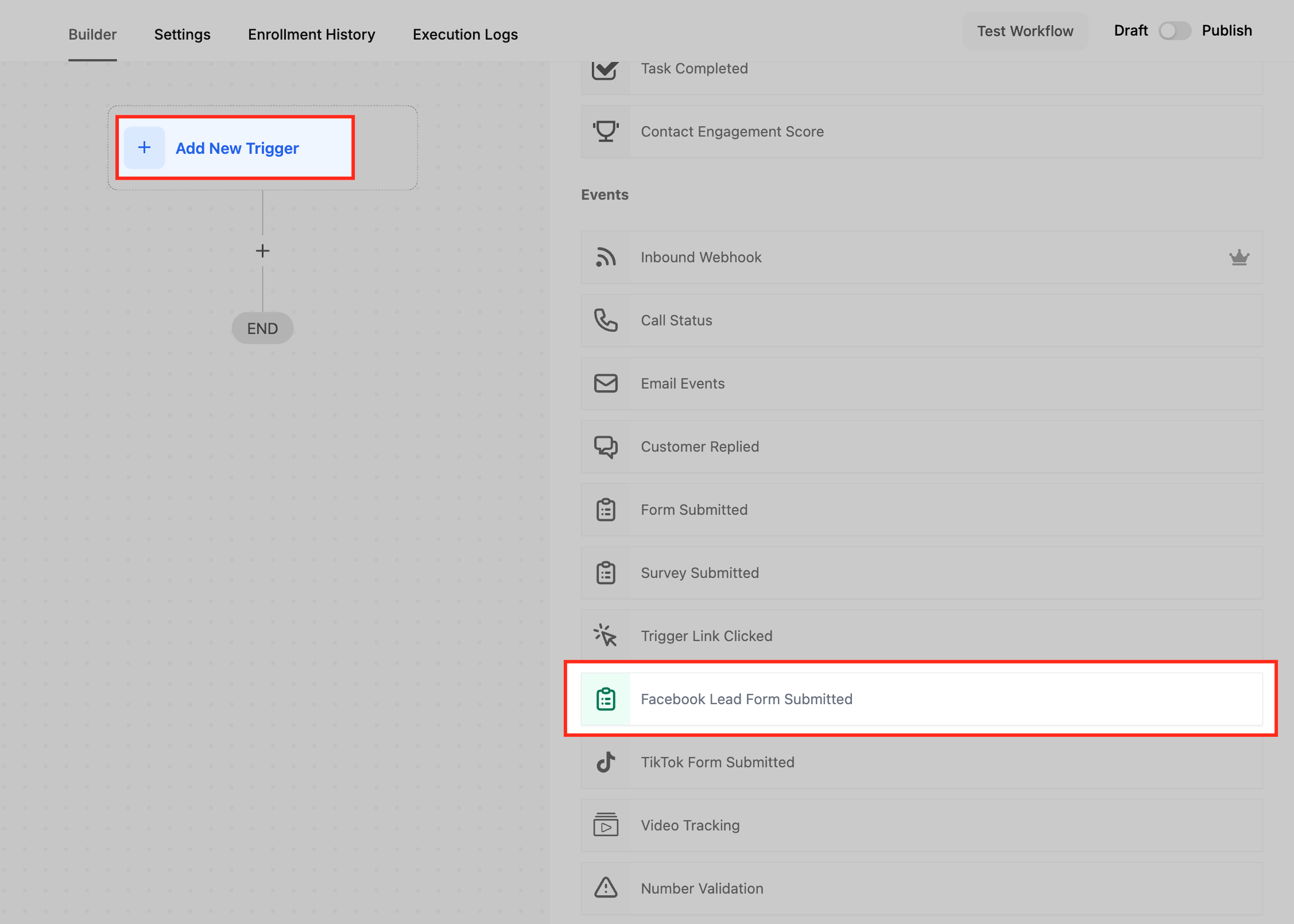
- Click the + Add New Trigger button in the workflow canvas.
- Scroll to the Events section and select Facebook Lead Form Submitted.
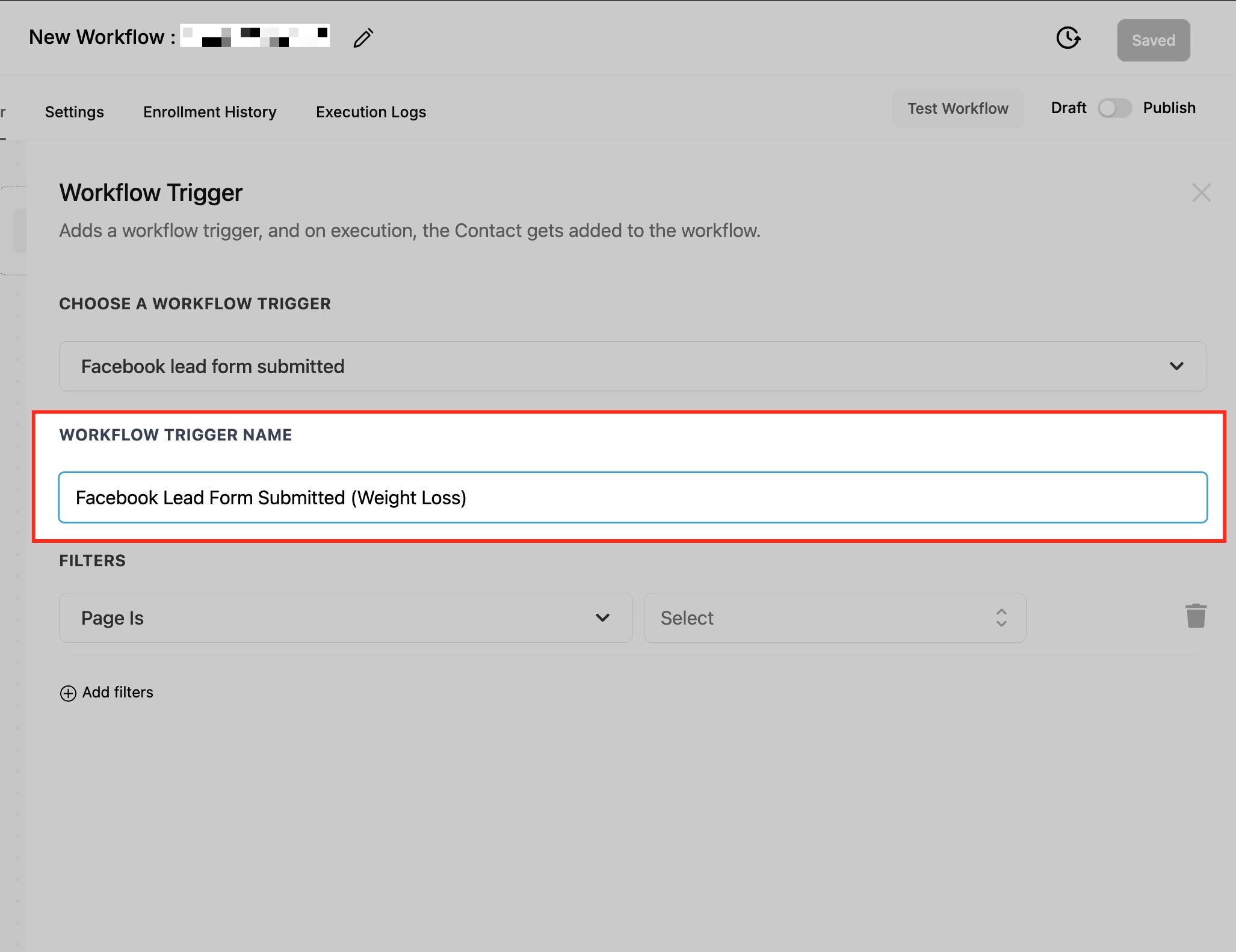
- Enter a descriptive label in the Workflow Trigger Name field.
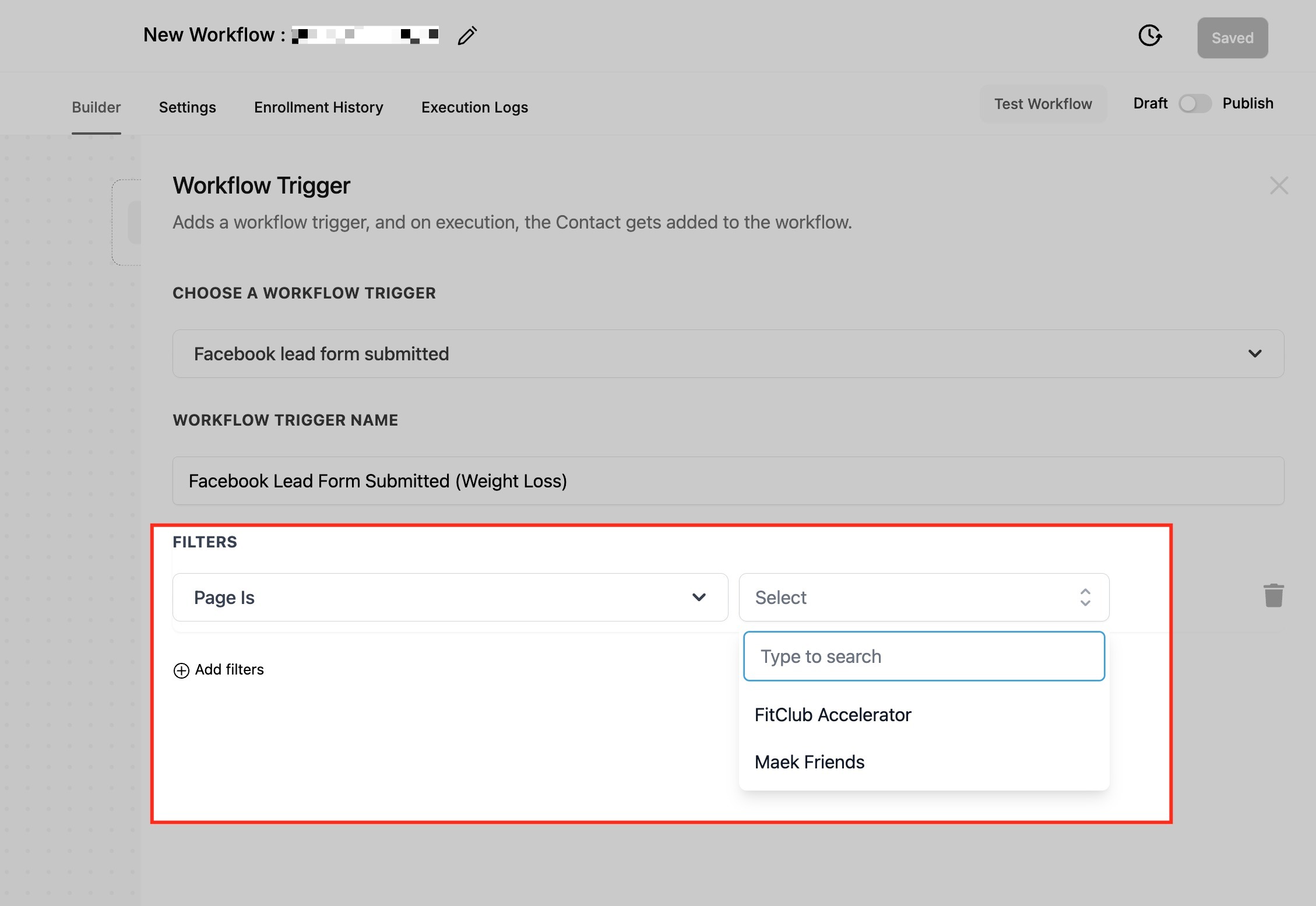
- Add a filter and choose Page Is, then pick the appropriate Facebook Page.
- Add a second filter and choose Form Is, then select the specific lead form.
- Press Save Trigger to store the configuration.
- Add the desired actions such as create opportunity, assign user, or send email.
- Run a test of the workflow to verify it fires correctly.
- Publish the workflow to make the automation live.
07What it looks like in HighLevel
08Settings that matter
- Workflow Trigger Name. Sets the label that identifies this trigger inside the workflow list.
- Page Is. Limits the trigger to fire only when the lead comes from the chosen Facebook Page.
- Form Is. Limits the trigger to fire only when the lead originates from the selected Lead Form.
- Facebook Form Fields Mapping. Defines how each field from the Facebook instant form maps to a contact attribute in HighLevel.
09Things to know before you rely on it
- Only one form can be selected per filter setup; multiple forms require separate triggers or cloned filters.
- If no filters are applied, the workflow will trigger for every lead form submitted on any connected Page.
- Pages or forms will not appear in the dropdown until the Facebook integration is completed and permissions are granted.
10If something goes wrong
- Pages or forms are missing from the dropdown menus.. Confirm the Facebook Page is connected under Settings > Integrations > Facebook and that all required permissions have been approved.
- Lead data does not populate contact fields.. Check that each field from the Facebook form is mapped to a HighLevel contact field in Settings > Integrations > Facebook Form Fields Mapping.
11How it connects to the rest of HighLevel
- Workflow basics and setup guide Workflow basics
- Creating workflows with triggers, filters, and actions Workflow creation
- Start a 30 day HighLevel trial Free trial
Michael's take

When you run Facebook lead ads and need each new prospect to enter the right pipeline without manual export, this trigger can save time. The real time hand off lets your sales team follow up while the lead is still fresh, and the filters keep the right leads in the right places.
If your business doesn’t rely on Facebook lead ads or you already have another system pulling leads in, the added complexity may not be worth the effort. Without proper field mapping or integration permissions, you may see gaps in data and end up fixing more than you automate.