
01Who this is for
- Marketing managers who run frequent Facebook campaigns and need automatic comment replies to keep engagement up.
- Small business owners who want to capture leads from comment keywords without monitoring every post.
- Social media teams that handle multiple client pages and require consistent automated responses.
02Facebook comment(s) on a post trigger, explained
This trigger monitors a selected Facebook Page for new comments on a specific post. When a comment matches the defined filters, the workflow begins. Filters include phrase containment, exact text matching, and the option to limit triggers to first level comments only.
The trigger lives inside the workflow builder under Automations > Workflows. After adding the trigger, you choose the Page, post type, and post identifier, then set any phrase or level filters. Once saved, the workflow can execute actions such as replying in the comment thread or sending a private Messenger message.
Automated replies generated by the workflow are ignored by the trigger, preventing loops. The feature works only for Facebook, not Instagram, and follows Meta’s messaging policies.
03How businesses use Facebook comment(s) on a post trigger
- Real estate agency. The agency sets the trigger to watch a property listing post. When a prospect comments "INFO", the workflow replies with details and sends a private Messenger follow up, saving the agent time.
- Fitness studio. The studio configures the trigger to capture comments containing "class schedule" on a promotion post. The workflow automatically replies with the class timetable and offers a booking link via Messenger.
- Ecommerce store. The store monitors a product launch post. Comments that exactly match "DISCOUNT" trigger a workflow that replies with a discount code in the comment thread and follows up in Messenger.
04Before you start
- A Facebook Page must be connected to HighLevel.
- A workflow must be created and set to published.
- Filters should be defined to match the desired comment content.
05How to set up and use Facebook comment(s) on a post trigger in HighLevel
Set up Facebook comment trigger
- Open Automations > Workflows and either select an existing workflow or create a new one.
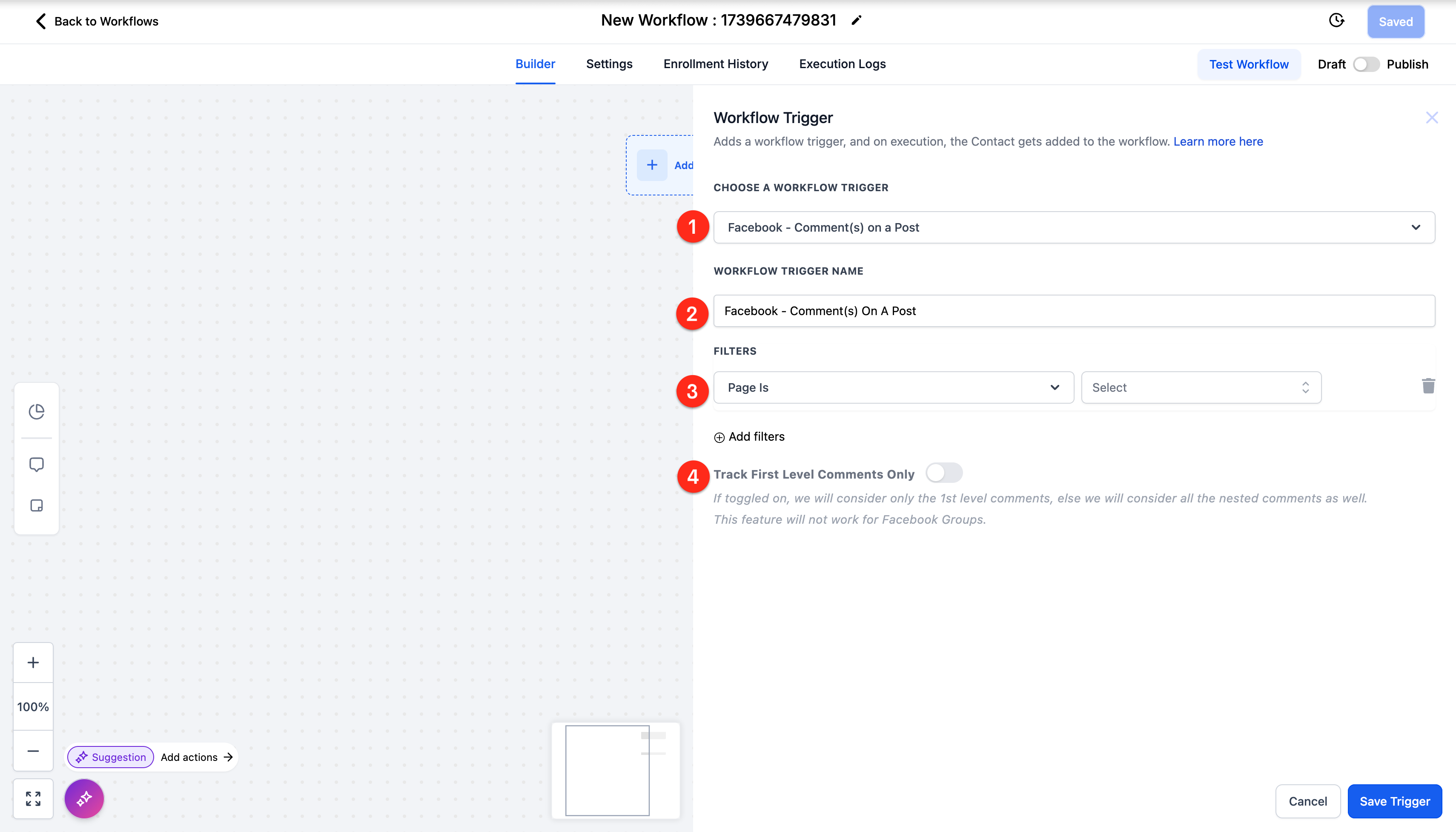
- Click Add Trigger and choose Facebook Comment(s) On A Post.
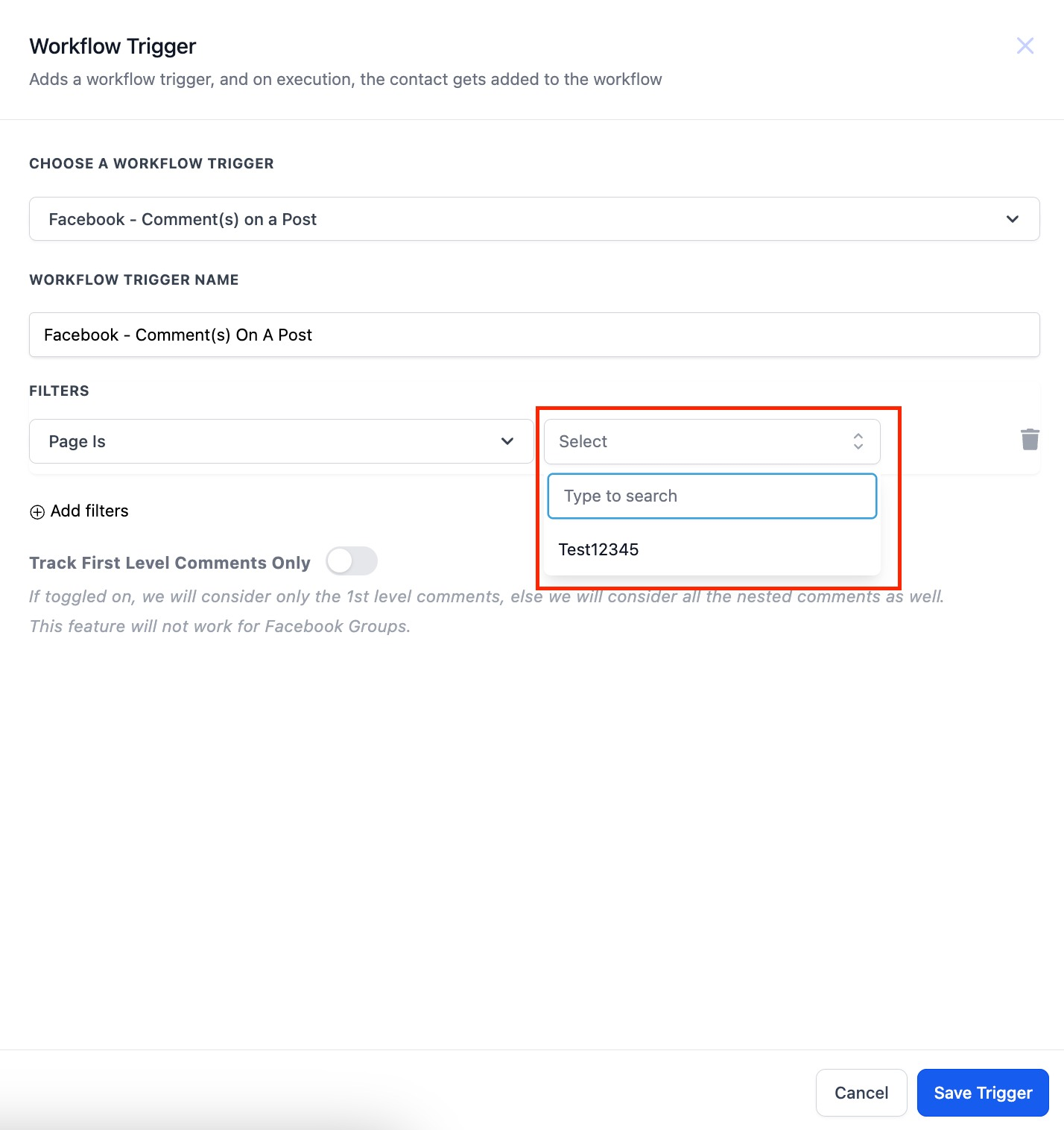
- Select the connected Facebook Page in the Page Is field.
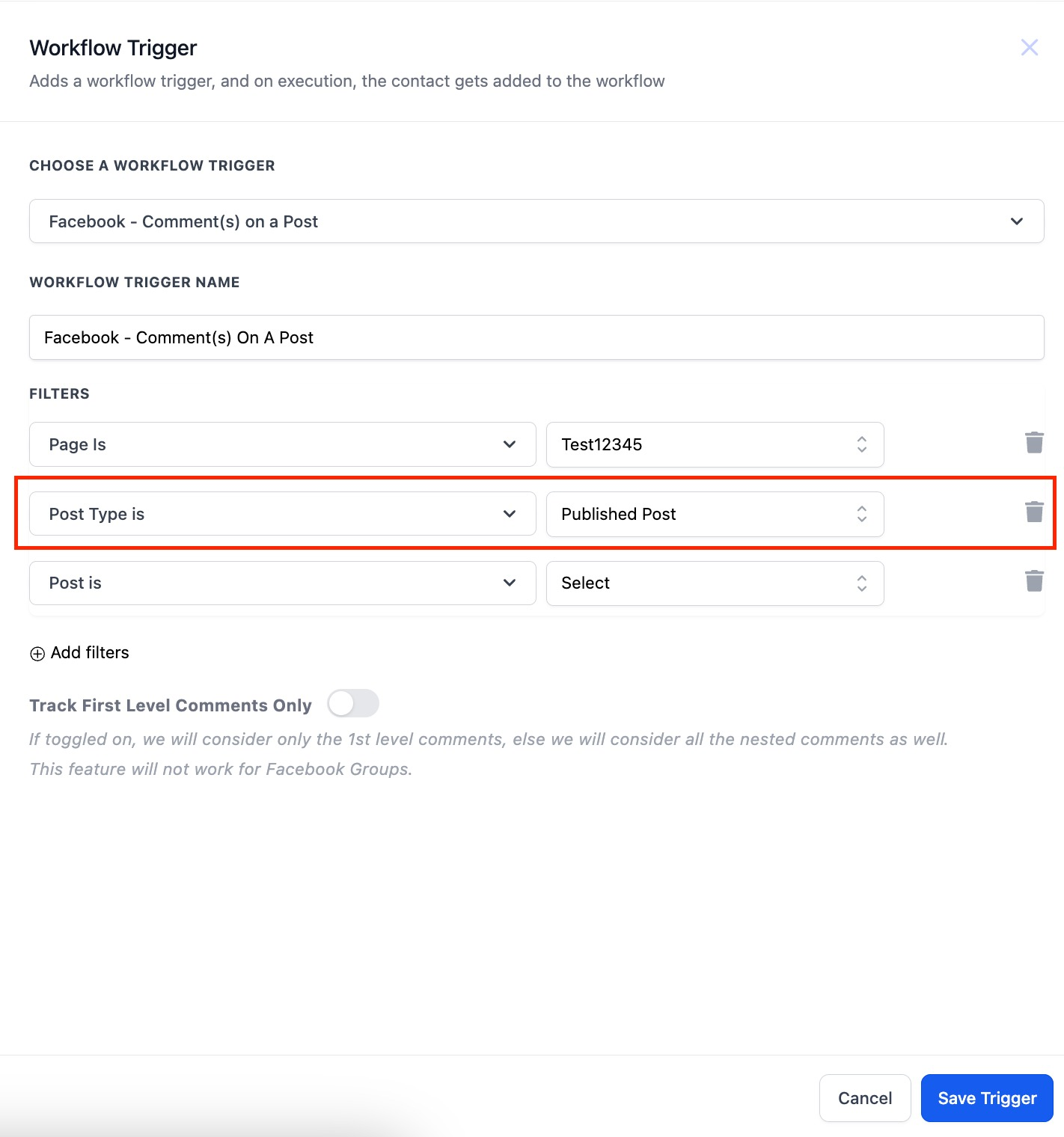
- Choose Published Post or Custom Post, then specify the post using Post Is with its URL or ID.
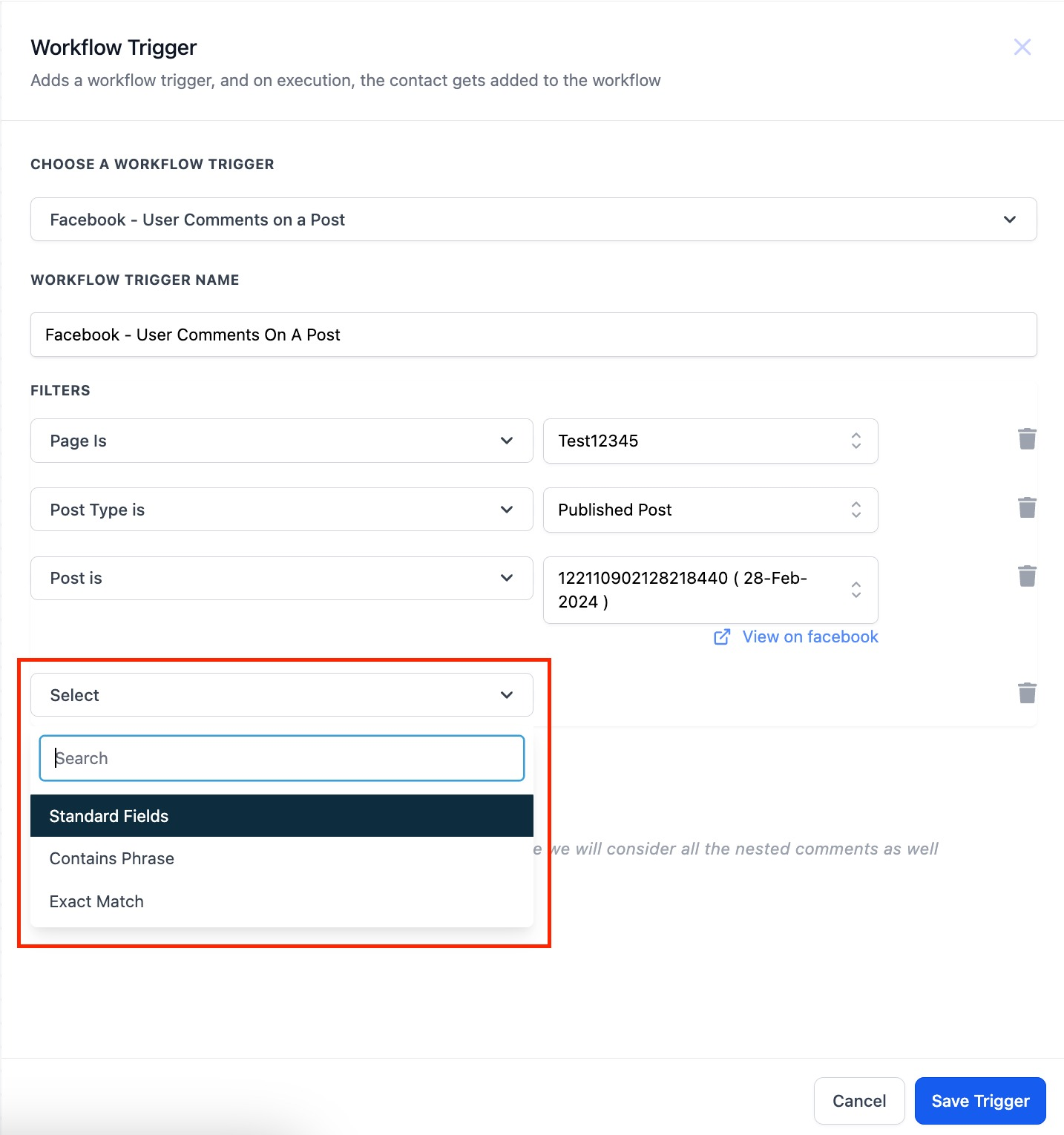
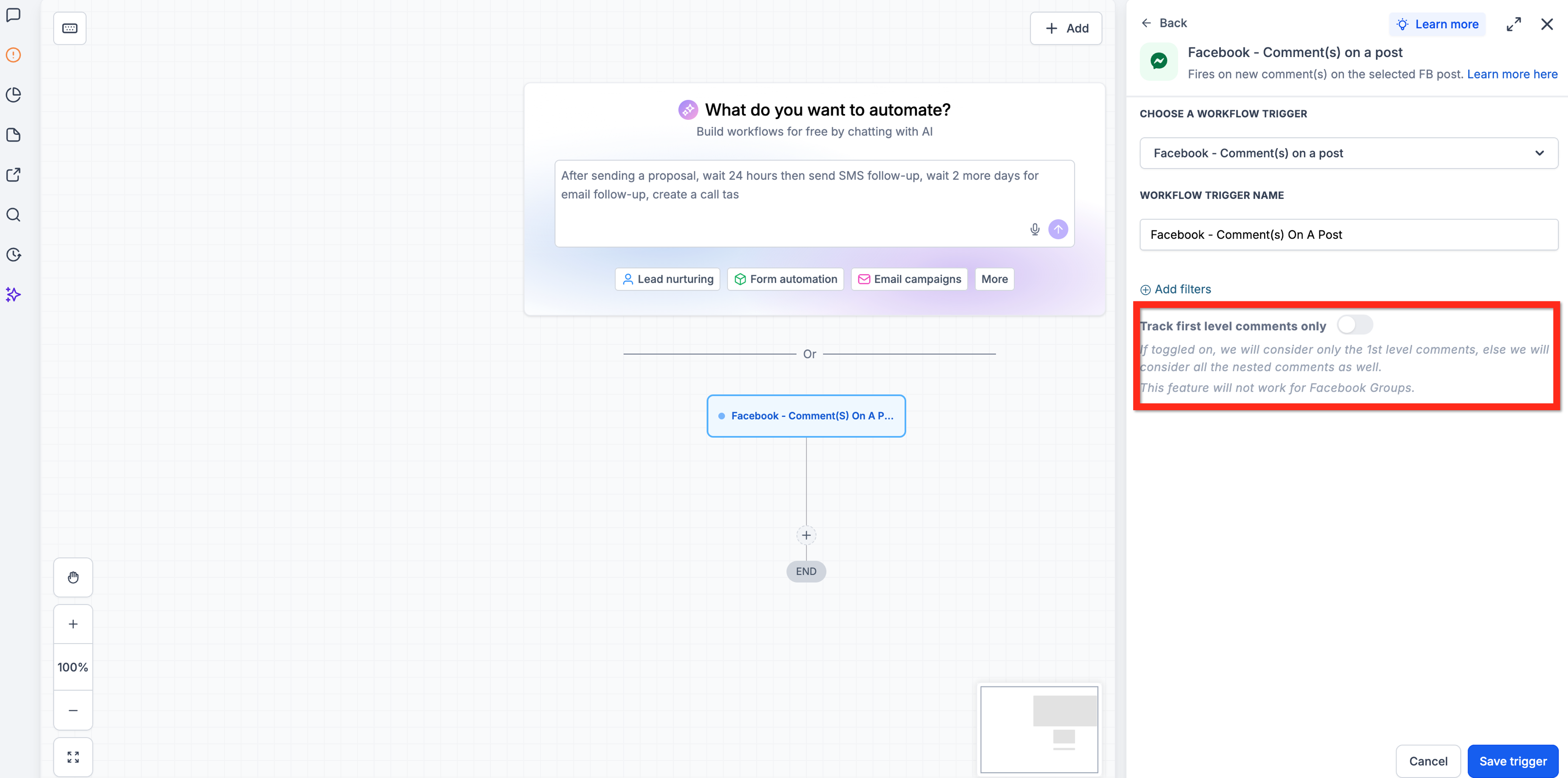
- Optionally set Contains Phrase, Exact Match, or Track First Level Comments Only to define which comments start the workflow.
- Save the trigger configuration.
- Add an action such as Reply In Comments or Facebook Interactive Messenger.
- Save the workflow and publish it.
06What it looks like in HighLevel
07Settings that matter
- Page Is. Specifies which connected Facebook Page HighLevel monitors for comments.
- Post Type. Determines whether the trigger watches a published post or a custom post defined by URL or ID.
- Post Is. Identifies the exact post to track by selecting it or entering its Facebook URL or ID.
- Contains Phrase. Triggers the workflow when a comment includes the entered phrase, even if additional text surrounds it.
- Exact Match. Triggers only when the comment text matches the entered phrase exactly, with no extra characters.
- Track First Level Comments Only. When enabled, only direct comments on the post can start the workflow; when disabled, replies to comments are also monitored.
08Things to know before you rely on it
- The trigger works only for Facebook comments; Instagram comments require a different trigger.
- Comments generated by workflow actions are ignored to avoid automation loops.
- Meta's messaging restrictions apply to private Messenger replies.
09If something goes wrong
- Comment does not trigger the workflow. Verify the Facebook Page is connected, ensure the workflow is published, confirm the comment meets the configured filters, and check the first level comment tracking setting.
10How it connects to the rest of HighLevel
- Learn the basics of HighLevel workflow automation. Workflow basics
- See how to add actions like Reply In Comments or Interactive Messenger. Workflow actions
- Review pricing if you need a plan that includes advanced workflow triggers. Pricing
Michael's take

Wondering if you should waste time manually answering every comment on your Facebook posts? The Facebook Comment(s) on a Post trigger lets HighLevel do that work for you, replying quickly or slipping a private DM into the conversation when a keyword shows up.
I’d start by setting a simple “INFO” phrase, letting the system post a public answer and follow up with a direct message. Test it on a low stakes post first, watch the replies, then roll it out to your bigger campaigns.