
01Who this is for
- Marketing managers who need to confirm that a discount was applied to a finished sale before sending follow up emails.
- Sales teams that want to flag high value customers who used exclusive coupons for targeted outreach.
02Coupon code redeemed triggers, explained
The trigger belongs to the Payments section of the workflow builder. It activates after the order is finalized and payment is recorded, unlike the Coupon Code Applied trigger that runs at checkout. When activated, the workflow can evaluate a range of filters and then execute any actions you add.
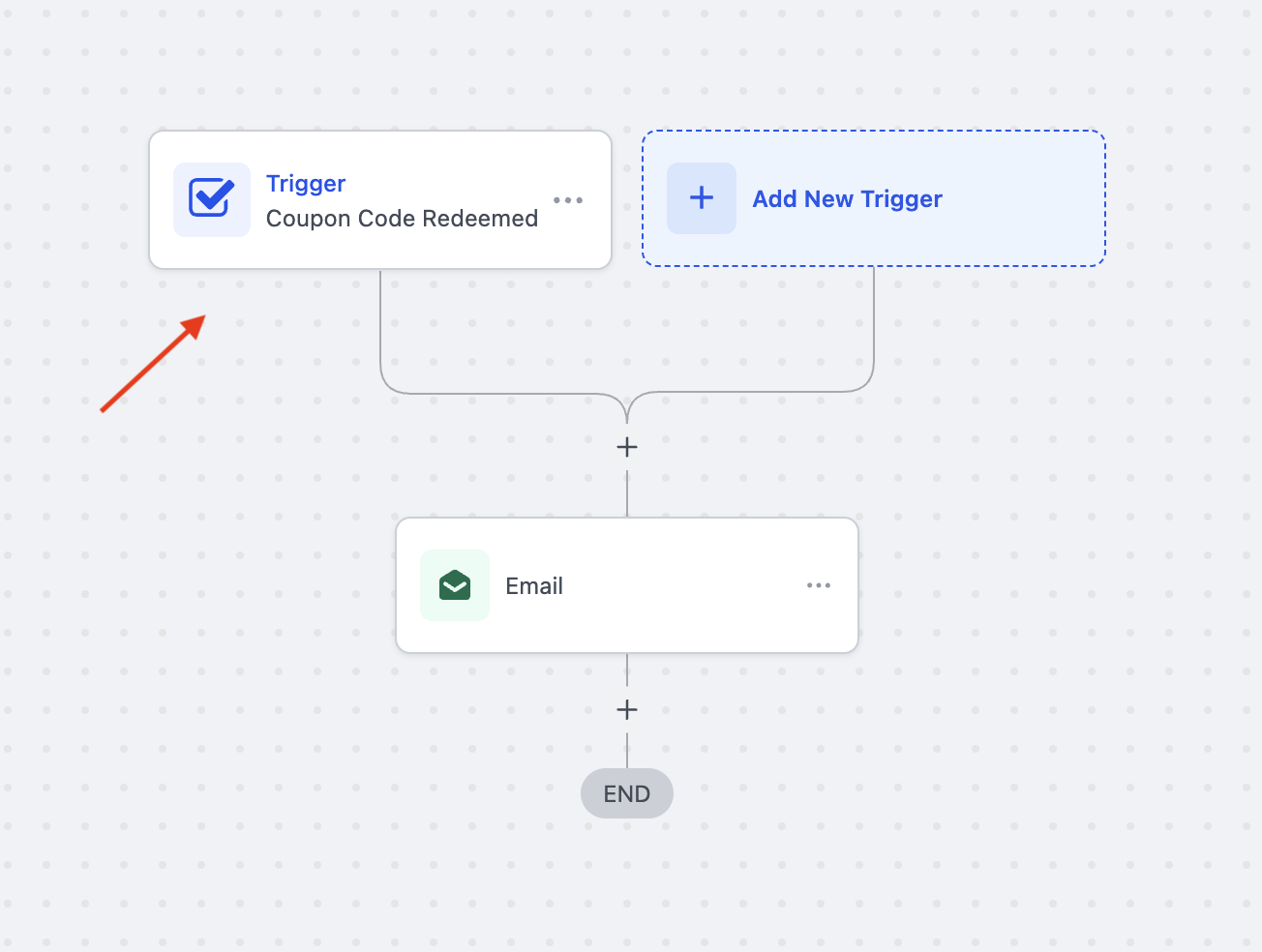
You locate the trigger in Automation > Workflows, add it to a new or existing workflow, and optionally narrow its activation with filters such as Coupon Code, Order Value, or Redemption Count. After saving, you attach actions like sending email, adding a tag, or notifying a team member. The workflow runs in real time whenever the conditions are met.
03How businesses use coupon code redeemed trigger
- Ecommerce store. Create a workflow that sends a thank you email and adds a VIP tag when a customer redeems a holiday discount code in a completed order. The trigger ensures the email only sends after payment is confirmed.
- SaaS subscription business. Set a filter for Coupon Type equal to Percentage and Redemption Count greater than 10 to alert the sales team when a high usage promotional code is redeemed, allowing them to prioritize those accounts.
- Event ticketing company. Use the Product Collection filter to target tickets for a specific event and automatically send an SMS with event details once a coupon for that event is redeemed in a paid transaction.
04The numbers and rules that matter
- Available filters include Contact Email ID, Contact Tag, Coupon Code, Coupon Name, Coupon Type, Coupon Value, Order Value (Before Discount), Product Collection, Product Type, Product(s) in Order, Redemption Count (per coupon), Source.
05How to set up and use coupon code redeemed trigger in HighLevel
Set up coupon code redeemed trigger
- Navigate to Automation > Workflows.
- Create a new workflow or open an existing one for editing.
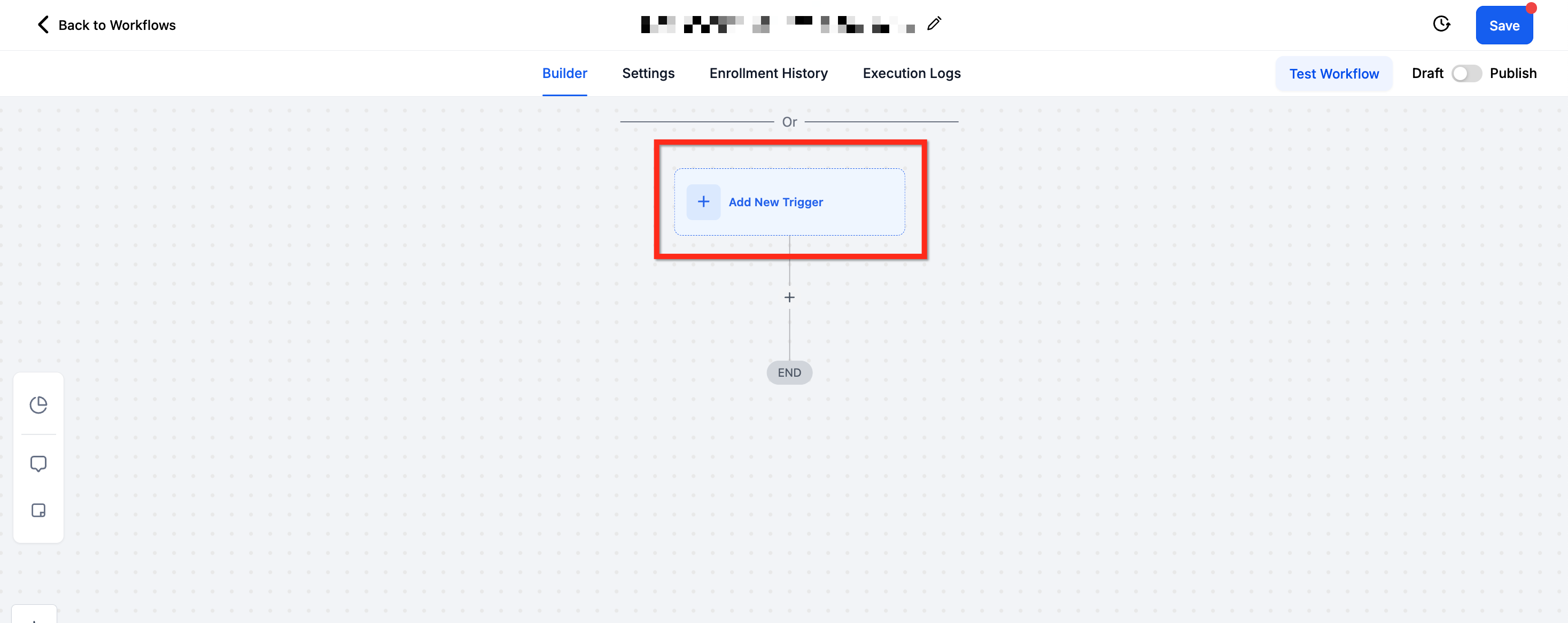
- Click the + Add New Trigger button in the workflow canvas.
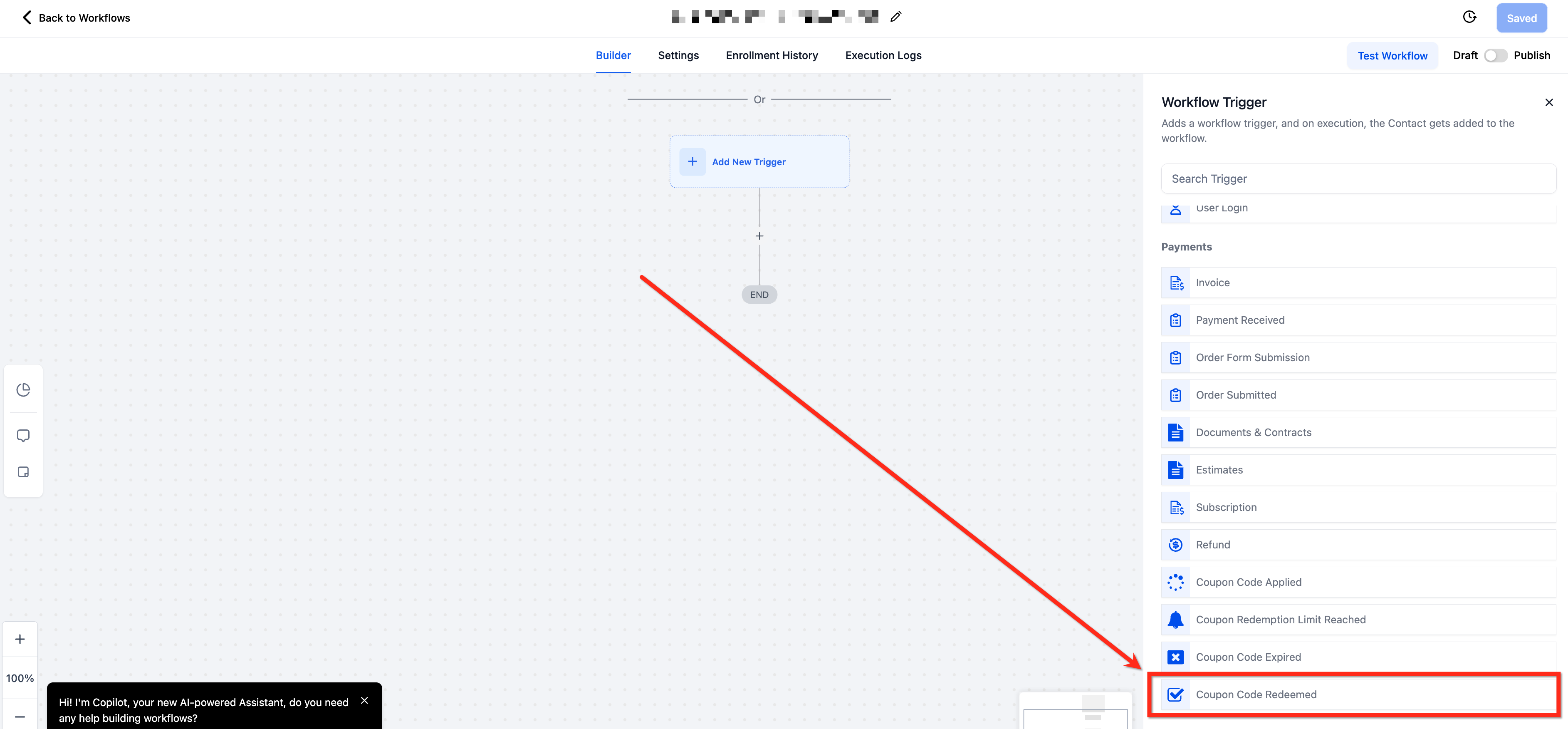
- Scroll down to the Payments section of the trigger list.
- Select the Coupon Code Redeemed option.
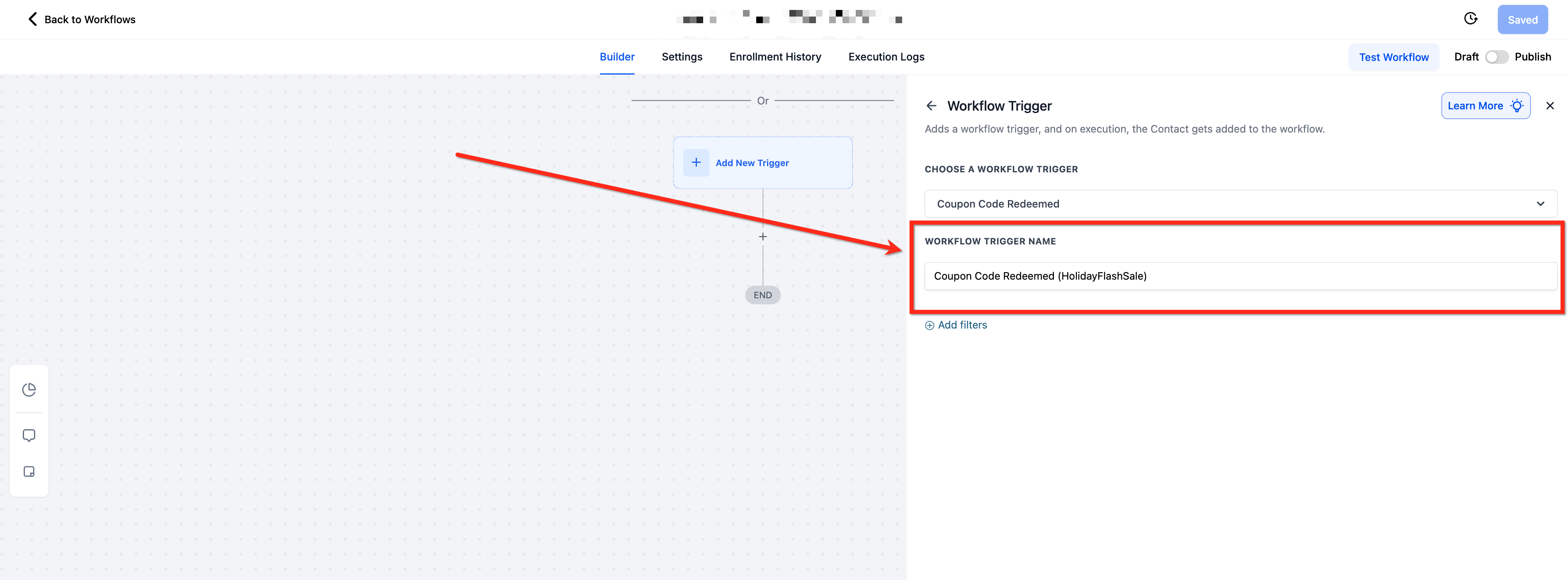
- Enter a descriptive name in the Workflow Trigger Name field.
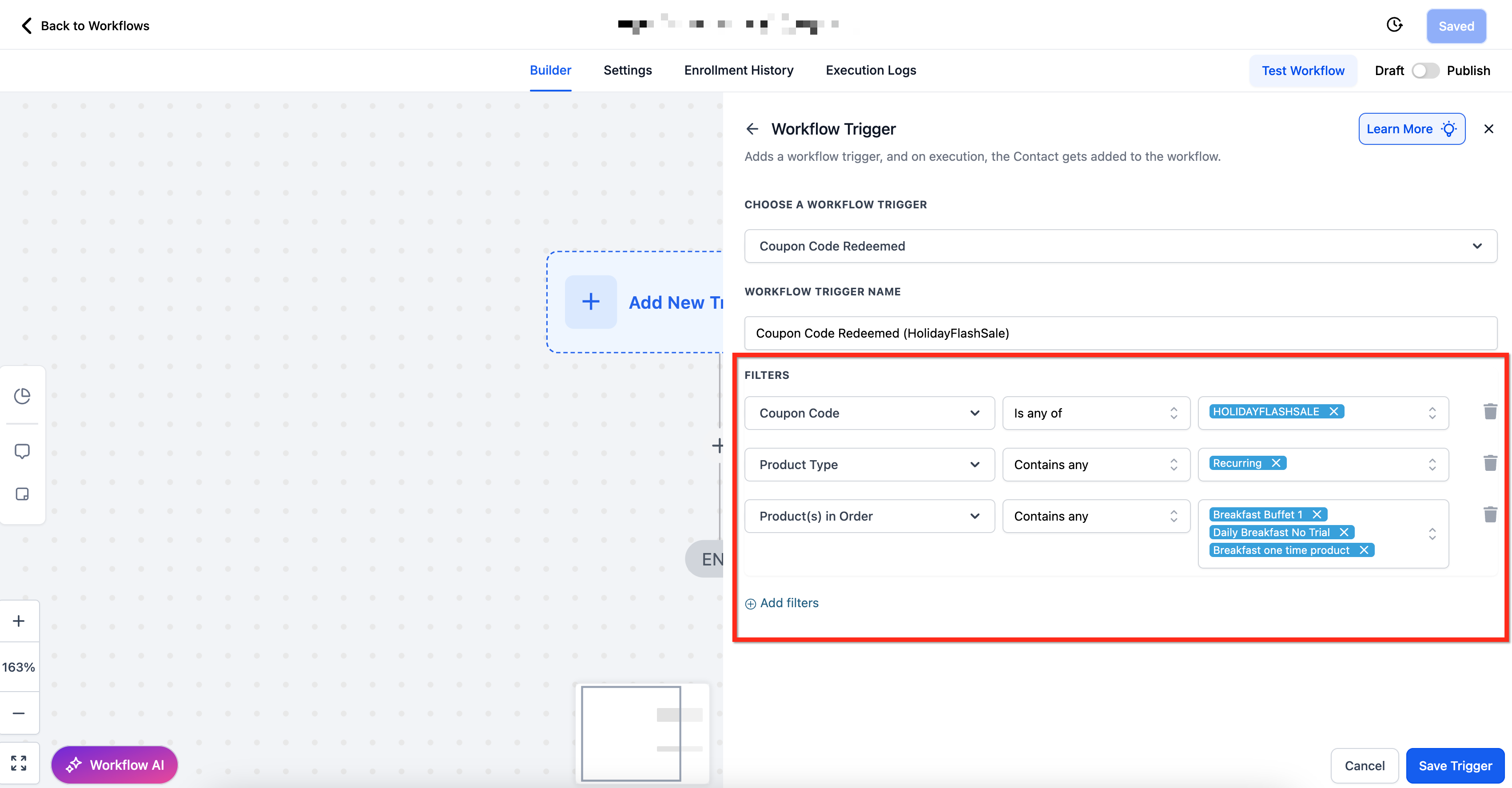
- Click + Add Filters to open the filter panel.
- Choose the desired filter(s) and set the appropriate operator and value.
- Click Save Trigger to confirm the trigger and filter settings.
- Use Test Workflow to confirm everything works as expected.
- Add any actions you need, then publish the workflow to activate it.
06What it looks like in HighLevel
07Settings that matter
- Contact Email ID. Filters contacts by an email address containing a specific phrase or checks that the email field is not empty.
- Contact Tag. Limits the trigger to contacts that have (or do not have) a particular tag.
- Coupon Code. Matches one or more specific coupon codes, or checks for empty or non empty values.
- Coupon Name. Filters based on the name assigned to the coupon in the system.
- Coupon Type. Distinguishes between amount based and percentage based coupons.
- Coupon Value. Compares the monetary value of the coupon using numeric operators such as Greater Than or Equals To.
- Order Value (Before Discount). Evaluates the total order amount prior to applying the coupon.
- Product Collection. Targets coupons applied to products within selected collections.
- Product Type. Filters by whether the redeemed product is a one time purchase or a recurring subscription.
- Product(s) in Order. Matches specific products that were included in the order when the coupon was redeemed.
- Redemption Count (per coupon). Allows actions based on how many times a particular coupon has been used.
- Source. Identifies the origin of the order, such as a website or a specific campaign.
08Things to know before you rely on it
- The trigger fires only after a transaction is completed and payment is confirmed.
- If multiple coupons are used in a single purchase, the trigger evaluates each coupon independently.
- Without filters, the workflow will run for every coupon redemption.
09If something goes wrong
- Trigger does not fire when a coupon is applied but the order is not completed.. Confirm that the order status is marked as completed and payment is recorded; this trigger requires a finished transaction.
10How it connects to the rest of HighLevel
- Payment received trigger details Payment received trigger
- Order submitted trigger guide Order submitted trigger
- HighLevel pricing and plans Pricing
Michael's take

Businesses lose track of which promotions actually convert when they only watch coupon applications at checkout. The coupon code redeemed trigger fixes that by waiting until the sale is final, then kicking off the exact follow up you need.
The first thing I would get right is the filter that isolates the high value coupon you care about. With that in place, you can send a thank you email, tag the buyer and alert your team without ever lifting a finger.