
01Who this is for
- Founders who need automatic onboarding when a new partner company joins.
- Account managers who want to associate contacts the moment a company is added.
- Integration specialists who require new company data to be synced to external systems.
02Company Created triggers, explained
The Company Created trigger initiates a workflow as soon as a new Company record is created in the platform. It reacts to any creation method, including manual entry, imports, form submissions, API calls, or webhooks.
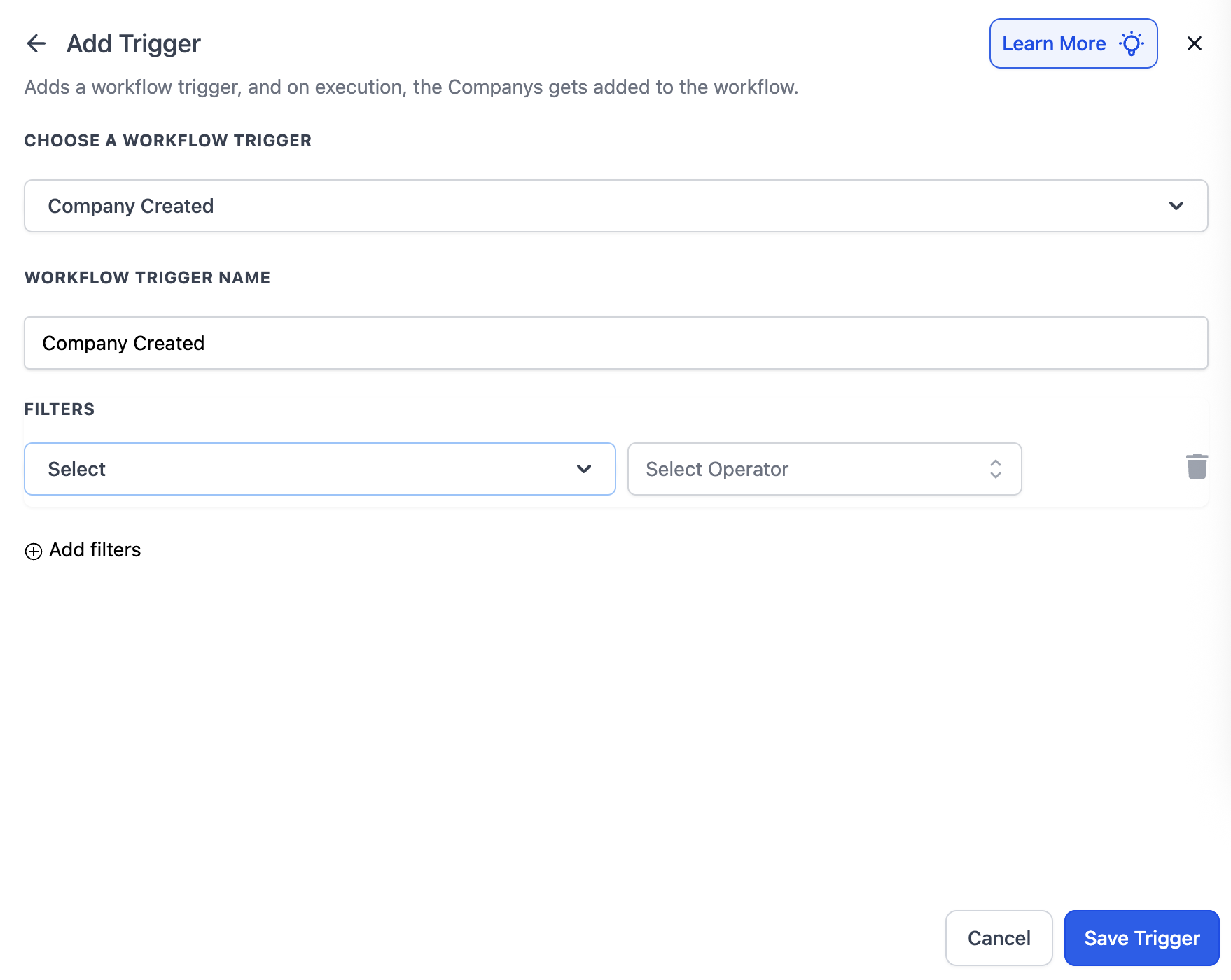
When the trigger fires, the workflow proceeds through any defined actions. Optional filters can be set to restrict the start condition to companies matching certain criteria, such as industry, name pattern, or having an owner assigned.
The trigger is configured inside the workflow editor and is only available for workflows that are Company based. It appears as a starting point when building a new workflow.
03How businesses use Company Created
- Real estate brokerage. Create a Company based workflow, select the Company Created trigger, add a filter for Industry containing "Real Estate", then attach actions like sending a welcome email to the brokerage’s new partners.
- SaaS startup. In the workflow editor, add the Company Created trigger, set a filter where Company Name contains "LLC", and then add steps to assign a default account manager and push the data to a billing system.
- Marketing consultancy. Choose the Company Created trigger in a new workflow, optionally filter out records without an Owner, and configure actions to add the company to a reporting dashboard and notify the sales team.
04Before you start
- The workflow must be set to the Company based type before the Company Created trigger can be added.
05How to set up and use Company Created in HighLevel
Set up Company Created trigger
- Open the workflow editor and add the Company Created trigger as the starting point of a Company based workflow.
- Optionally add filter criteria such as Industry, Company Name, or Owner to limit which company creations start the workflow.
- Save the trigger to activate the workflow.
06What it looks like in HighLevel
07Settings that matter
- Industry contains. Limits the trigger to companies whose Industry field includes the specified text.
- Company Name contains. Starts the workflow only when the Company Name field includes the given string.
- Owner is not empty. Ensures the trigger fires only for companies that have an Owner assigned.
08Things to know before you rely on it
- The trigger is only available for workflows that are Company based.
- It fires for any supported creation method, including manual entry, imports, forms, API calls, or webhooks.
09How it connects to the rest of HighLevel
- Compare with the Company changed trigger. Company changed trigger
- Learn how inbound webhook triggers can add companies. Inbound webhook trigger
- Read the basics of workflow creation. Workflow basics
Michael's take

Most people think the trigger will run for any workflow, but it only works on Company based workflows. If you try to add it to a Contact or Lead based flow, it simply won’t appear.
I’d start by creating a simple Company based workflow that sends a welcome email, then add a filter for a specific industry if I only want to greet certain businesses. Test it with a dummy company record to be sure the email fires before rolling it out to real leads.