
01Who this is for
- Course instructors, need automated follow up emails after learners finish modules.
- Ecommerce managers, want to send cross sell messages when shoppers complete a product category.
- Membership site owners, aim to issue certificates automatically when members complete a certification track.
02Category Completed triggers, explained
The trigger watches a contact's activity and fires when a specified category of products or courses is marked complete. When the condition matches, the workflow begins, allowing any actions such as emails or notifications. Optional filters let you narrow the activation to particular categories or items.
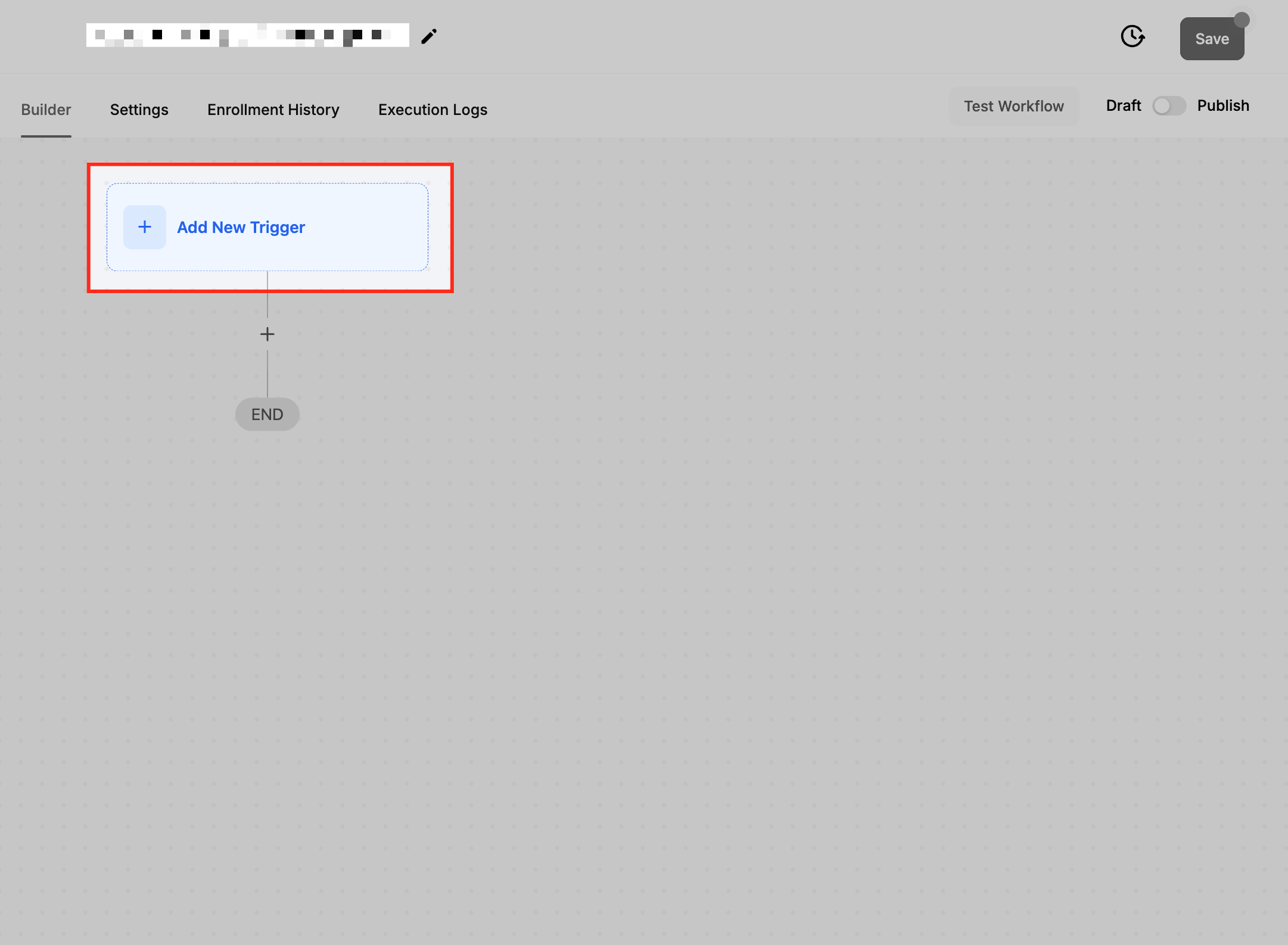
You find the trigger inside the workflow builder under the automation settings. After selecting it, you give the trigger a name, apply any filters you need, save, and then publish the workflow. Once live, the platform monitors completions in real time and launches the workflow each time the criteria are satisfied.
03How businesses use Category Completed trigger
- Online education platform. Create a workflow that sends a congratulatory email and alerts the instructor when a student finishes the first three lessons of a course. The trigger looks for completion of the selected lesson category and runs the actions automatically.
- Ecommerce store. Set up a workflow that emails customers product accessory recommendations after they complete a purchase in the Electronics category. The trigger filters for that category and initiates the follow up message without manual effort.
- Certification program provider. Configure a workflow to issue a digital certificate when a participant completes all modules in a certification track. The trigger monitors the track’s category and delivers the certificate as soon as the final module is marked complete.
04How to set up and use Category Completed trigger in HighLevel
Configure Category Completed trigger
- Open the automation or workflow area in HighLevel.
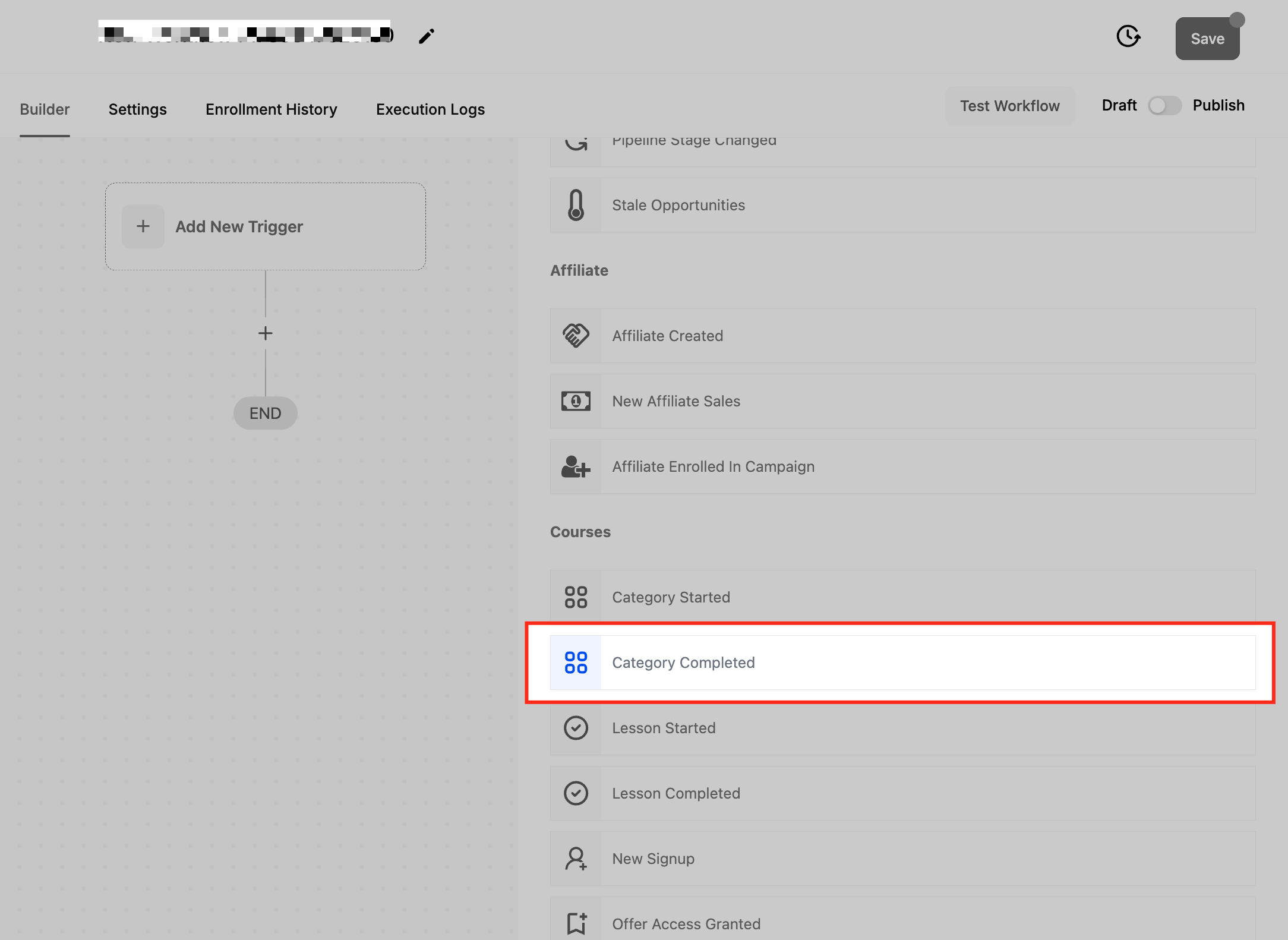
- Select the Category Completed option from the trigger list.
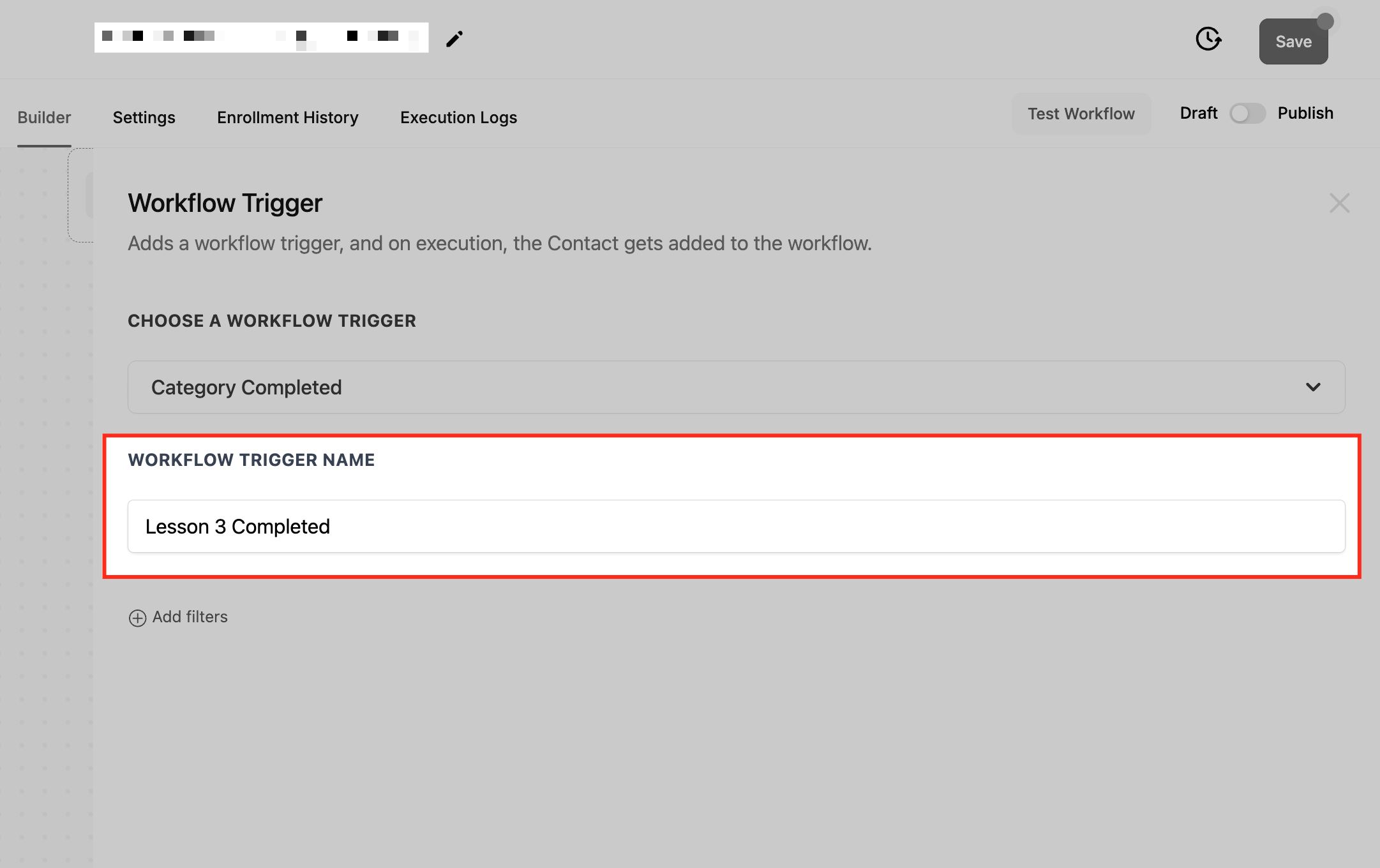
- Enter a descriptive name for the trigger, such as “Course Completion”.
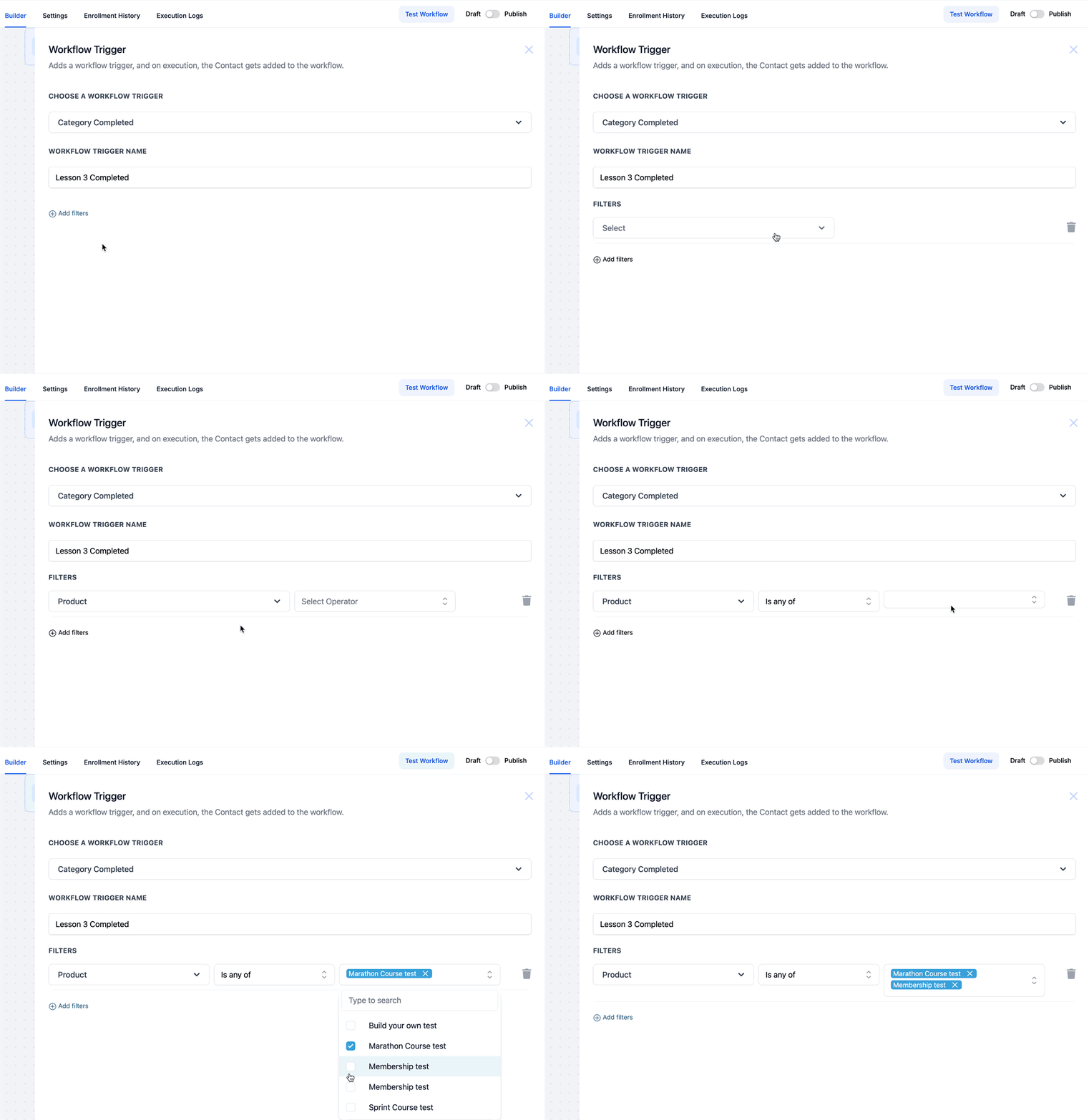
- Define filter conditions to limit the trigger to specific product or course categories.
- Save the trigger configuration.
- Publish the workflow to activate the automation.
05What it looks like in HighLevel
06Settings that matter
- Category Completed. Determines the event that starts the workflow when a contact finishes a chosen category of products or courses.
- Filters. Refines which categories or individual items cause the trigger to fire, allowing precise targeting.
07Things to know before you rely on it
- The trigger fires each time the completion requirements are met, even if a contact repeats a category.
- If a contact completes multiple categories at once, separate workflow instances are created for each matching filter.
08How it connects to the rest of HighLevel
- Learn the basics of building workflows in HighLevel Workflow basics
- Explore the Offer Access Granted trigger for membership automations Offer Access Granted trigger
- Review HighLevel pricing and plan options Pricing
Michael's take

It removes the manual chase after completions, sends certificates or upsell emails right away, and keeps people moving forward without extra effort.
If you only have a handful of occasional completions or your follow up process is already simple, the trigger may add more steps than value. In those cases the time spent setting up filters and testing the workflow can outweigh the automation benefit.