
01Who this is for
- Affiliate managers, because they can automate removal of partners from campaigns when they opt out.
- Ecommerce owners, because they maintain clean affiliate lists without manual updates.
- Marketing teams, because they can tie the action to exit forms for smooth workflow.
02Remove from Affiliate Campaign, explained
The Remove From Affiliate Campaign action is a workflow step that removes an existing affiliate’s association with a selected affiliate campaign. When the action runs, the affiliate no longer belongs to that campaign and cannot use its referral link.
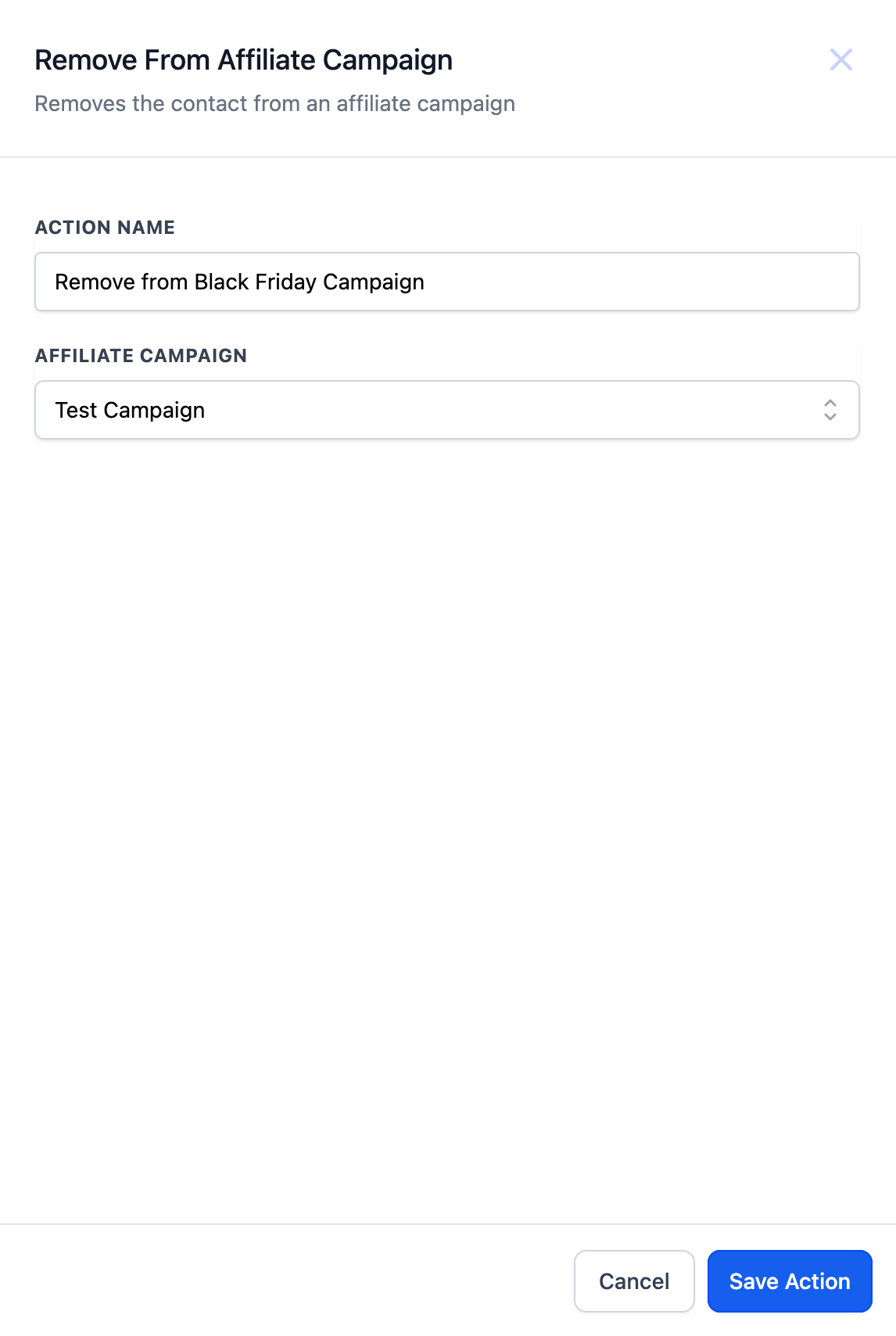
You add the action to a workflow, give it a descriptive name, and choose the target campaign from a dropdown. The action is located in the workflow builder among the available actions and is configured directly in the step’s settings panel.
03How businesses use Remove From Affiliate Campaign
- Affiliate exit handling. When an affiliate submits an exit form, the workflow triggers on the form submission, filters for the exit form, and runs the Remove From Affiliate Campaign action to take the affiliate out of the specified campaign.
- Maintaining active affiliate lists. A workflow can run periodically or based on other triggers to ensure only affiliates who have not opted out remain in a campaign, removing any that have signaled departure.
- Preventing unauthorized referrals. By removing affiliates who are no longer authorized, the action stops them from using the campaign’s referral link to generate commissions.
04How to set up and use Remove From Affiliate Campaign in HighLevel
Set up Remove From Affiliate Campaign action
- Select "Remove From Affiliate Campaign" from the list of workflow actions.
- Enter a descriptive name for the action, such as "Remove from Black Friday Campaign".
- Choose the affiliate campaign to remove the affiliate from using the dropdown menu.
05What it looks like in HighLevel
06Settings that matter
- Campaign. Specifies which affiliate campaign the affiliate will be removed from when the action runs.
07How it connects to the rest of HighLevel
- Add affiliates to a campaign with the Add to Affiliate Manager action Add to Affiliate Manager
- Add contacts to an affiliate campaign using another workflow action Add to Affiliate Campaign
- Update affiliate details with the Update Affiliate workflow action Update Affiliate
Michael's take

The convenience of a single action that pulls an affiliate out of a campaign can keep your affiliate program tidy without extra manual steps. It’s a modest automation that prevents outdated links from still earning money.
A small ecommerce store that runs seasonal affiliate pushes fits well. When a holiday campaign ends, the owner can set a form for affiliates to opt out, and the workflow will remove them, keeping the next season’s list clean.