
01Update Affiliate, explained
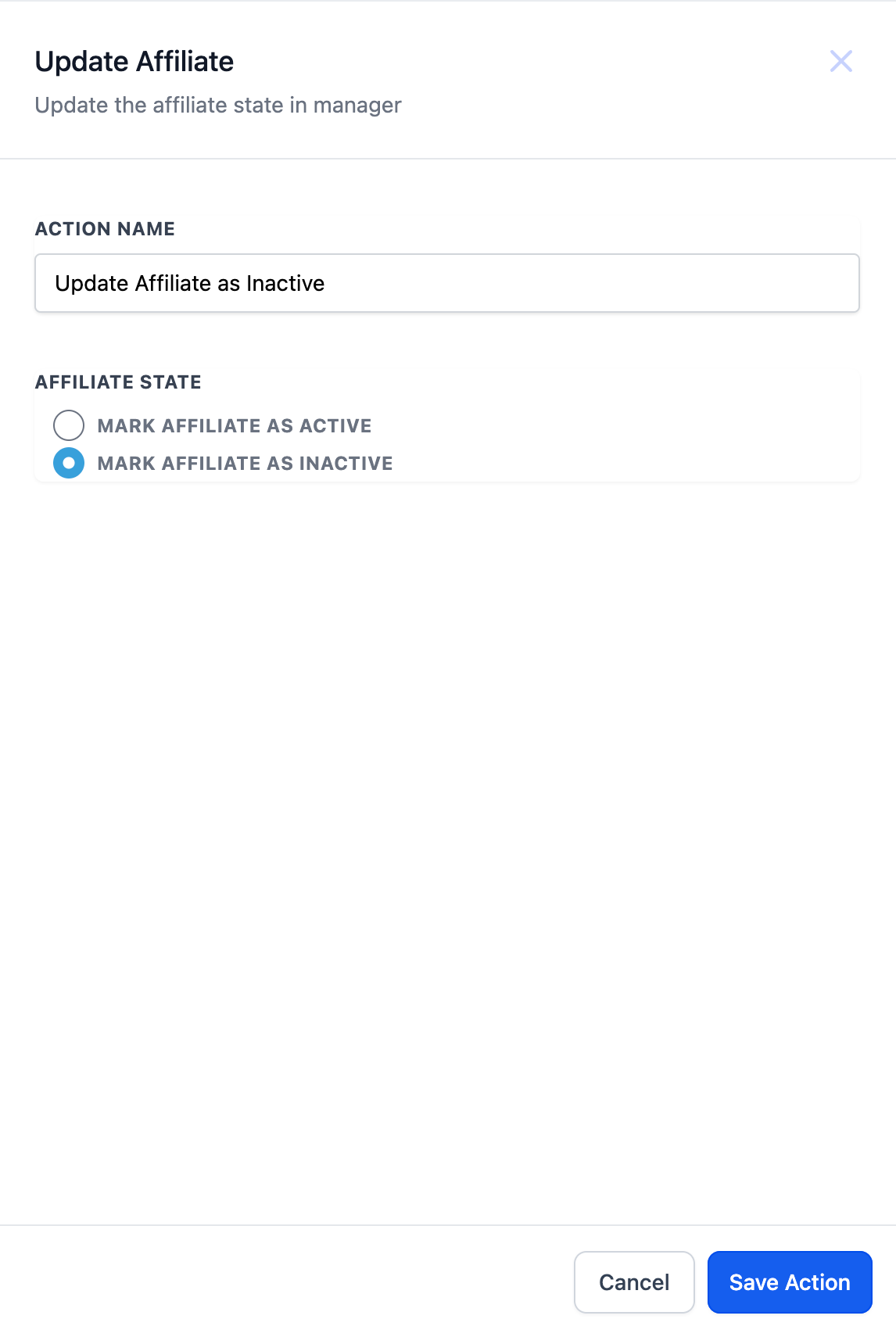
The Update Affiliate action is a workflow step that changes the status of an affiliate record. You can set the status to either active or inactive, which controls whether the affiliate can earn commissions.
02How businesses use Update Affiliate
- Mark affiliates as inactive on exit. Create a workflow that triggers when an affiliate submits an exit form. Add the Update Affiliate action and select inactive. Each time the form is submitted, the affiliate’s profile is marked inactive so they can no longer generate commissions.
03How to set up and use Update Affiliate in HighLevel
Set up Update Affiliate action
- Choose the Action Type: Select "Update Affiliate" from the list of available actions.
- Name Your Action: Enter a descriptive name, such as "Update Affiliate as Inactive".
- Select the Status: Choose either active or inactive.
04What it looks like in HighLevel
Michael's take

Michael ReimerFounder of CRM Pros, HighLevel Commander and Certified Admin
Wondering how to keep affiliates from earning commissions once they leave your program? The Update Affiliate action lets you flip their status to inactive when they fill an exit form, so you don’t have to hunt down each record manually.
If I were building an affiliate onboarding flow, I’d add this action right after the exit form trigger. It gives me confidence the list stays clean without extra admin work.
Get More InformationOpens on HighLevelPublished November 2, 2026 · Updated November 3, 2026