
01Who this is for
- Sales managers can clean up deal follower lists to keep only the owner after a sale closes.
- Customer success teams use the action to ensure only active support reps stay as followers on open opportunities.
- Agency owners employ it to remove team members from projects that have moved to a completed stage.
02Remove Followers from Opportunity, explained
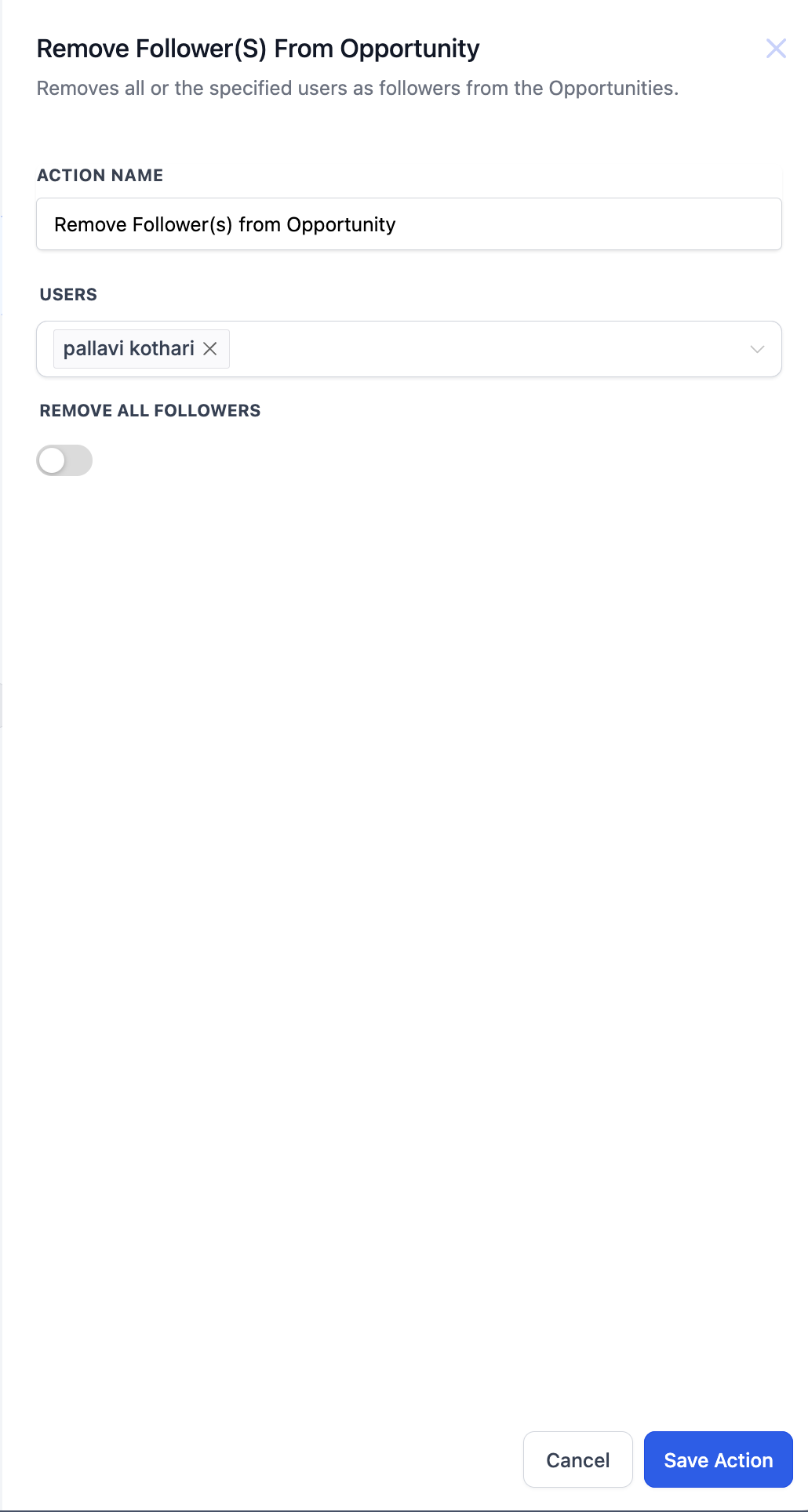
This action removes one or more specified users from the follower list of a single opportunity. If the optional Remove All Followers toggle is turned on, every follower is removed regardless of the user list.
The action only runs when an opportunity is present in the workflow context, such as after a Find Opportunity step or an opportunity triggered workflow. When no opportunity is found, the step is ignored.
03How businesses use Remove Followers from Opportunity
- Real estate brokerage. When a property deal moves to closed, the brokerage runs a workflow that finds the deal and removes all agents except the listing owner. The Remove Follower(s) action clears the specified agents from the follower list.
- SaaS startup. After a subscription upgrade reaches the “Completed” stage, the startup's workflow deletes members of the sales squad from the opportunity, leaving only the account manager as a follower. The action targets those users by name.
- Digital marketing agency. The agency sets up a workflow to strip junior marketers from a campaign opportunity once it is archived. By enabling the Remove All Followers toggle, the action wipes the entire follower list in one step.
04Before you start
- A Find Opportunity step or an opportunity triggered workflow must supply the opportunity context before this action runs.
05How to set up and use Remove Followers from Opportunity in HighLevel
Remove followers from opportunity
- Open the desired workflow and add a new action.
- Select the “Remove Follower(s) From Opportunity” action from the list.
- Enter a unique label in the Action Name field.
- If you want to target specific users, list them in the Users field.
- Toggle Remove All Followers on to clear every follower, or leave it off to keep the user list active.
- Save the workflow.
- Ensure a preceding Find Opportunity step provides the opportunity context; if no opportunity is in context, the action will be skipped.
06What it looks like in HighLevel
07Settings that matter
- Action Name. A required label that identifies this step inside the workflow.
- Users. Optional list of one or more users to be removed; ignored when Remove All Followers is enabled.
- Remove All Followers. Optional toggle; when turned on, all followers are removed regardless of the Users field.
08Things to know before you rely on it
- If the workflow lacks an opportunity in its context, the action is skipped.
- When multiple opportunities match a preceding Find step, only one (the earliest or latest) will be affected.
- Specifying a user who is not currently a follower results in no change for that user.
- Enabling Remove All Followers overrides any users listed in the Users field.
09How it connects to the rest of HighLevel
- Add follower(s) to an opportunity Add followers
- Find Opportunity action for workflow context Find Opportunity
- Remove Opportunity action Remove Opportunity
Michael's take

People often think the Remove Followers action will work on any opportunity in the account, but it only runs when a single opportunity is already in the workflow’s context. Without that context the step is simply ignored.
I would first make sure my workflow includes a Find Opportunity step that pulls the exact record I want to clean up. Then I’d use the action with the specific users listed, or turn on Remove All Followers if I need a fresh start.