
01Who this is for
- Sales managers who need to turn qualified leads into pipeline items automatically, ensuring every lead receives a tracked opportunity.
- Marketing teams that want to capture form submissions as opportunities without manual entry, keeping campaign data linked to sales pipelines.
02Create Opportunity actions, explained
The Create Opportunity action lives inside a workflow step. When the workflow trigger provides a contact, the action creates a new opportunity record in the selected pipeline and stage. You can fill standard fields such as opportunity name, source, status and value, and also map any custom fields you have defined.
If the pipeline or stage is left blank, the system uses the first stage of the chosen pipeline and defaults the name to the contact’s name. Duplicate creation is optional: when disabled, the action checks the contact ID and skips creating another opportunity if one already exists for that contact.
03How businesses use Create Opportunity
- Construction firm. When a prospect fills out a project request form, the workflow runs the Create Opportunity action. The firm selects the Projects pipeline, sets the stage to New Lead, and maps the prospect’s name into the opportunity name field. This adds the request directly to the sales board.
- Digital marketing agency. A new website audit request triggers a workflow that creates an opportunity in the Sales pipeline. The agency records the request source as "Website" and tags the opportunity with a custom field for service type, allowing the sales team to prioritize leads.
- Real estate brokerage. When a buyer registers interest via a landing page, the workflow generates an opportunity in the Deals pipeline. The broker sets the duplicate option to disabled so only one active opportunity exists per buyer, preventing duplicate entries.
04The numbers and rules that matter
- Opportunity Value. Optional, defaults to 0.
05Before you start
- A workflow trigger that supplies a contact record must be present; without a contact, the action cannot create an opportunity.
- At least one pipeline must exist in the Opportunities & Pipelines settings to select for the new record.
06How to set up and use Create Opportunity in HighLevel
Set up Create Opportunity action
- Open the workflow where the action will be added.
- Add a new action step and choose "Create Opportunity" from the list.
- Enter a unique label for Action Name.
- Select the Pipeline in which the new opportunity should be created.
- Choose a Pipeline Stage or leave blank to default to the first stage.
- Provide an Opportunity Name or leave blank to use the contact’s name.
- Enter an Opportunity Source value or leave blank for no source.
- Set the Status for the new opportunity or leave blank to default to "Open".
- Toggle the Duplicate Opportunity setting to enable or disable duplicate creation.
- Enter a numerical value for Opportunity Value or leave blank to default to 0.
- Configure any additional custom fields you want to populate.
07What it looks like in HighLevel
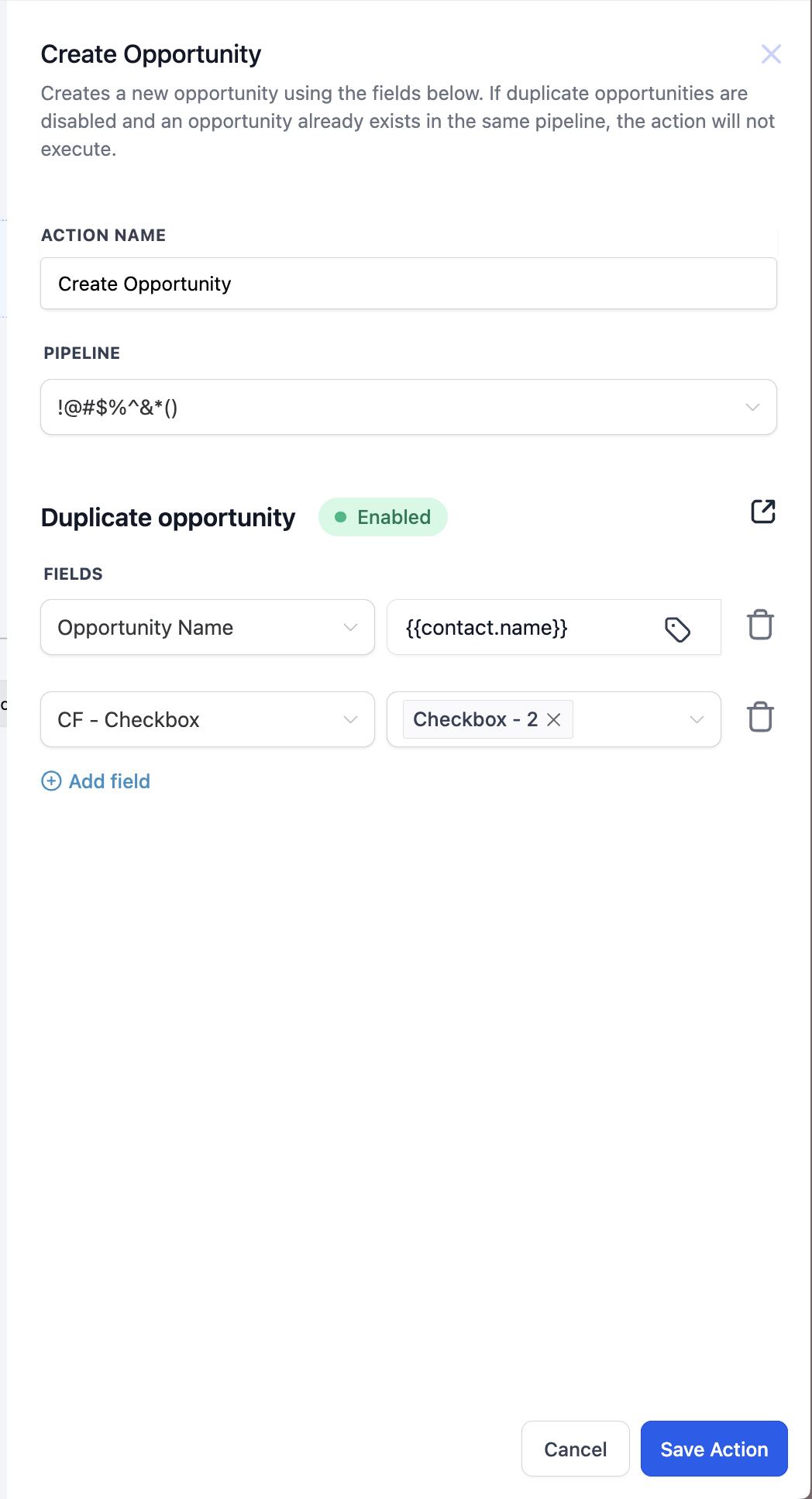
08Settings that matter
- Action Name. A label used to identify this step within the workflow.
- Pipeline. The sales pipeline where the opportunity will be placed.
- Pipeline Stage. The specific stage inside the chosen pipeline for the new opportunity.
- Opportunity Name. The title of the new opportunity; defaults to the contact’s name if empty.
- Opportunity Source. Information about where the opportunity originated, such as "Website" or "Referral".
- Status. The initial status of the opportunity; defaults to "Open" when not set.
- Duplicate Opportunity. Controls whether a new opportunity can be created if the contact already has one.
- Opportunity Value. A numeric estimate of the opportunity’s potential value; defaults to 0.
- Ownership Settings. Determines if the opportunity owner is automatically set to the contact’s owner.
- Other Custom Fields. Any additional fields you want to fill when the opportunity is created.
09Things to know before you rely on it
- If the contact lacks a first or last name, the system uses another identifier like email for the opportunity name.
- When no contact is associated with the workflow, the action cannot create an opportunity.
- Duplicate checks are based on contact ID only; disabling duplicates prevents a new record for the same contact.
10How it connects to the rest of HighLevel
- Update Opportunity action Update Opportunity
- Find Opportunity action Find Opportunity
- Remove Opportunity action Remove Opportunity
Michael's take

Michael ReimerFounder of CRM Pros, HighLevel Commander and Certified Admin
Don't forget to check the duplicate setting, or you’ll end up with a cluttered pipeline.
Get More InformationOpens on HighLevelPublished November 2, 2026 · Updated November 16, 2026