
01Who this is for
- Workflow owners, they can end IVR calls early to improve caller experience.
- Call center supervisors, they gain control to prevent callers from hearing endless elevator music.
02End IVR call, explained
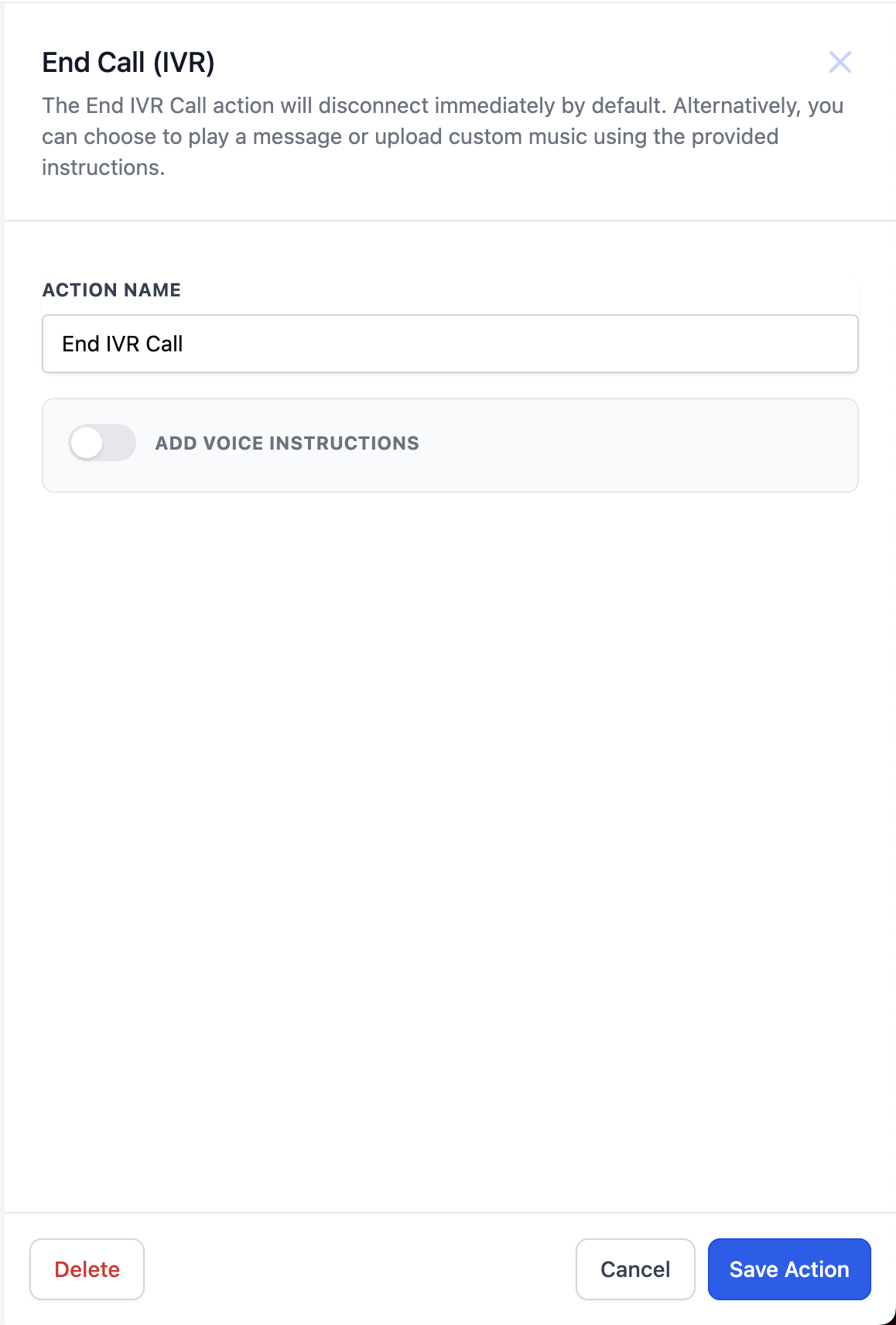
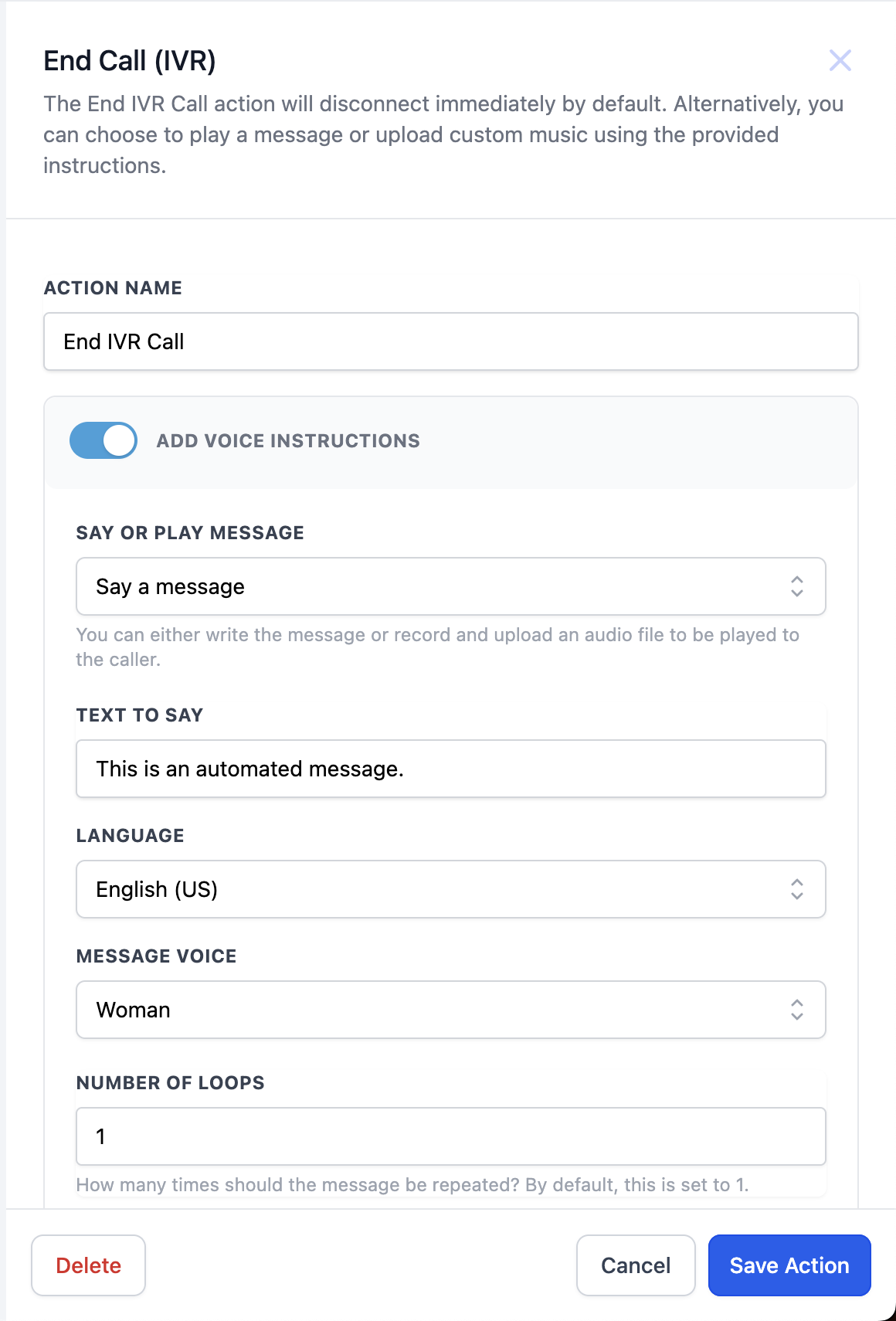
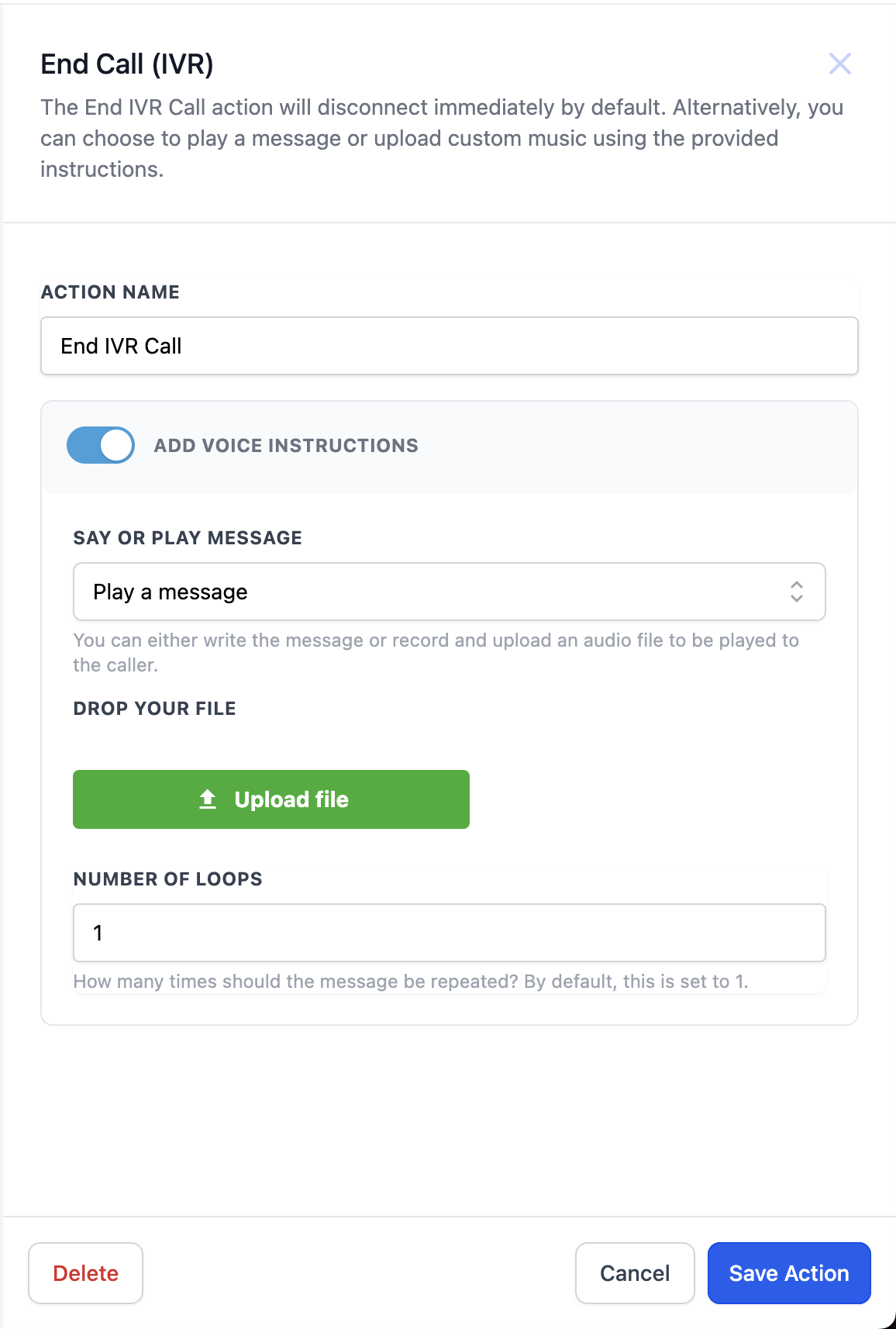
The End IVR call action is a new workflow action that terminates an ongoing IVR call. When added, the call can end right away, or after playing a text to speech message or a custom audio file for a set number of loops. Any IVR actions placed after this action are ignored, but the workflow continues with any non IVR actions.
You find the action inside the workflow editor, alongside other IVR steps such as Gather, Say/Play, or Record. Selecting the action opens a panel where you choose the termination mode and supply optional content. After configuring, you save the workflow and the new termination behavior takes effect during execution.
The feature is not marked as a premium action, so it is available in standard workflow plans. It provides optionality that previously did not exist, allowing owners to end calls without leaving callers on hold.
03How businesses use end IVR call
- Healthcare clinic. The clinic adds the End IVR call action after the appointment reminder IVR segment. They select the text message option to thank the patient and set a single loop before the call ends. This stops the call once the reminder is delivered, eliminating unnecessary hold time.
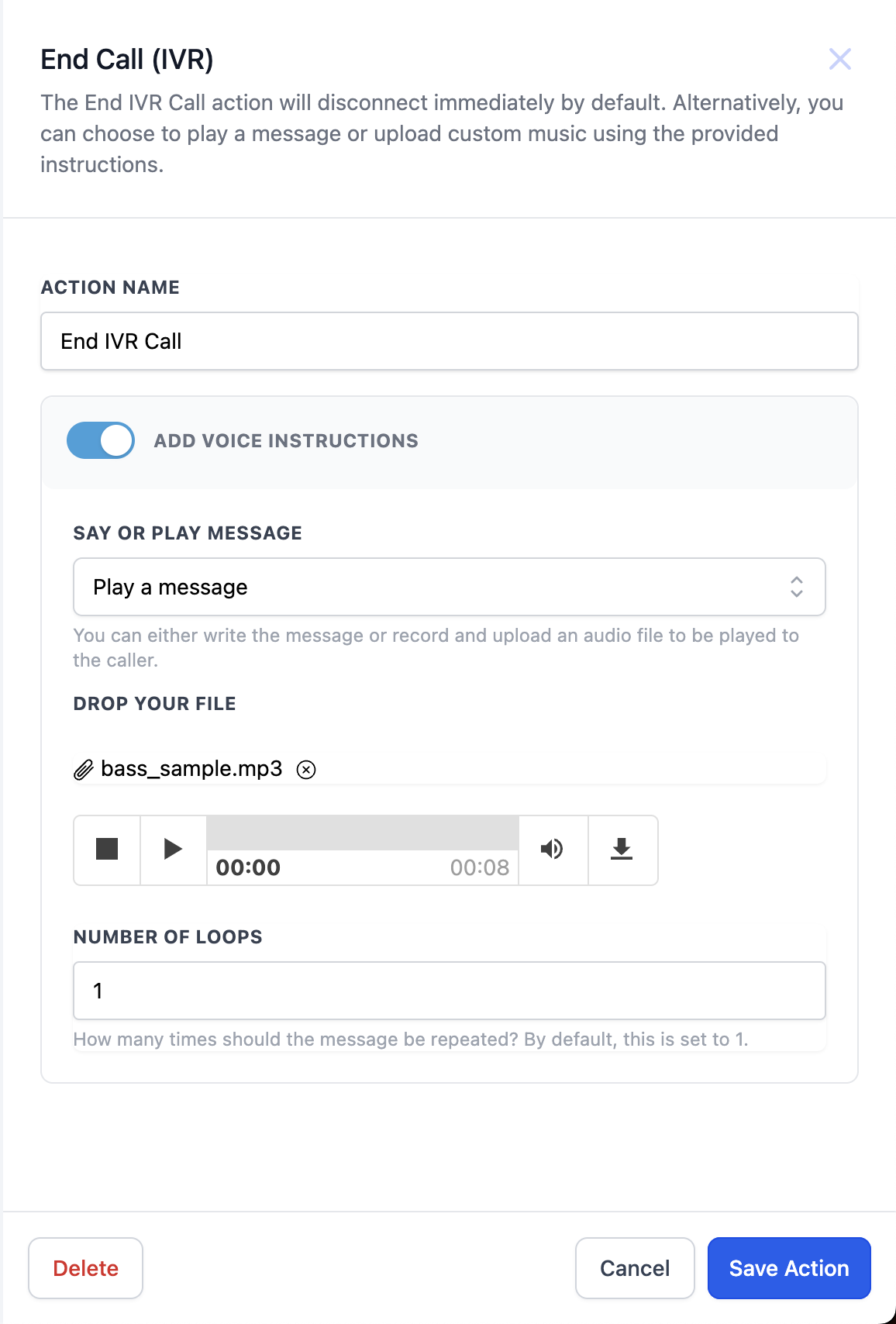
- Real estate agency. The agency inserts the End IVR call action after a property listing IVR menu. They upload a branded voice clip as the custom music option and choose three loops. After the clip plays, the call ends, and the workflow proceeds with follow up email actions.
- Technical support service. Support engineers place the End IVR call action directly after a troubleshooting IVR sequence. They select the abrupt termination (default) so the call ends immediately once the IVR steps finish, while the workflow continues to create a support ticket.
04Before you start
- A workflow that already contains at least one IVR action such as Gather, Say/Play, or Record.
05How to set up and use end IVR call in HighLevel
Add End IVR call action to a workflow
- Select the workflow that contains the IVR action you want to terminate.
- Click the + button that appears after the chosen IVR action (for example Gather, Say/Play, or Record).
- Search for the action named "End IVR call" in the action list.
- Choose a termination option, End abruptly (default), Text message, or Custom music, and set any required loops or content.
- Click Save to store the changes in the workflow.
06What it looks like in HighLevel
07Settings that matter
- End abruptly. Terminates the IVR call right away without playing any additional message.
- Text message. Plays a typed text to speech message for the specified number of loops before ending the call.
- Custom music. Plays an uploaded audio file such as a voice recording or branded music for the defined number of loops prior to call termination.
08Things to know before you rely on it
- IVR actions placed after the End IVR call action are skipped.
- Non IVR actions in the workflow continue to run even after the call ends.
- The action is not a premium feature; it is available in standard workflow plans.
09How it connects to the rest of HighLevel
- Learn how to create and edit workflows in HighLevel. Workflow creation guide
- Explore the full list of workflow actions, including where End IVR call appears. Workflow actions list
- Adjust workflow timing and contact handling settings. Workflow settings overview
Michael's take

Wondering if you really need a way to cut off the hold music in your IVR flows? The End IVR call action gives you that control, letting you end the call cleanly or with a branded goodbye, so callers aren’t left listening to silence forever.
If I were building a new IVR sequence, I’d drop an End IVR call right after the last prompt I need. That way the experience feels finished, and I still get my follow up automations running behind the scenes.