
01Custom code AI, explained
Custom code AI is a beta feature that generates JavaScript snippets for workflow steps. Instead of writing code from scratch, you type a plain language description and the AI builds the code for you.
The AI also incorporates relevant input properties from previous steps, so you don’t have to map them manually. After reviewing the generated code you can place it directly into the workflow.
02How businesses use custom code AI
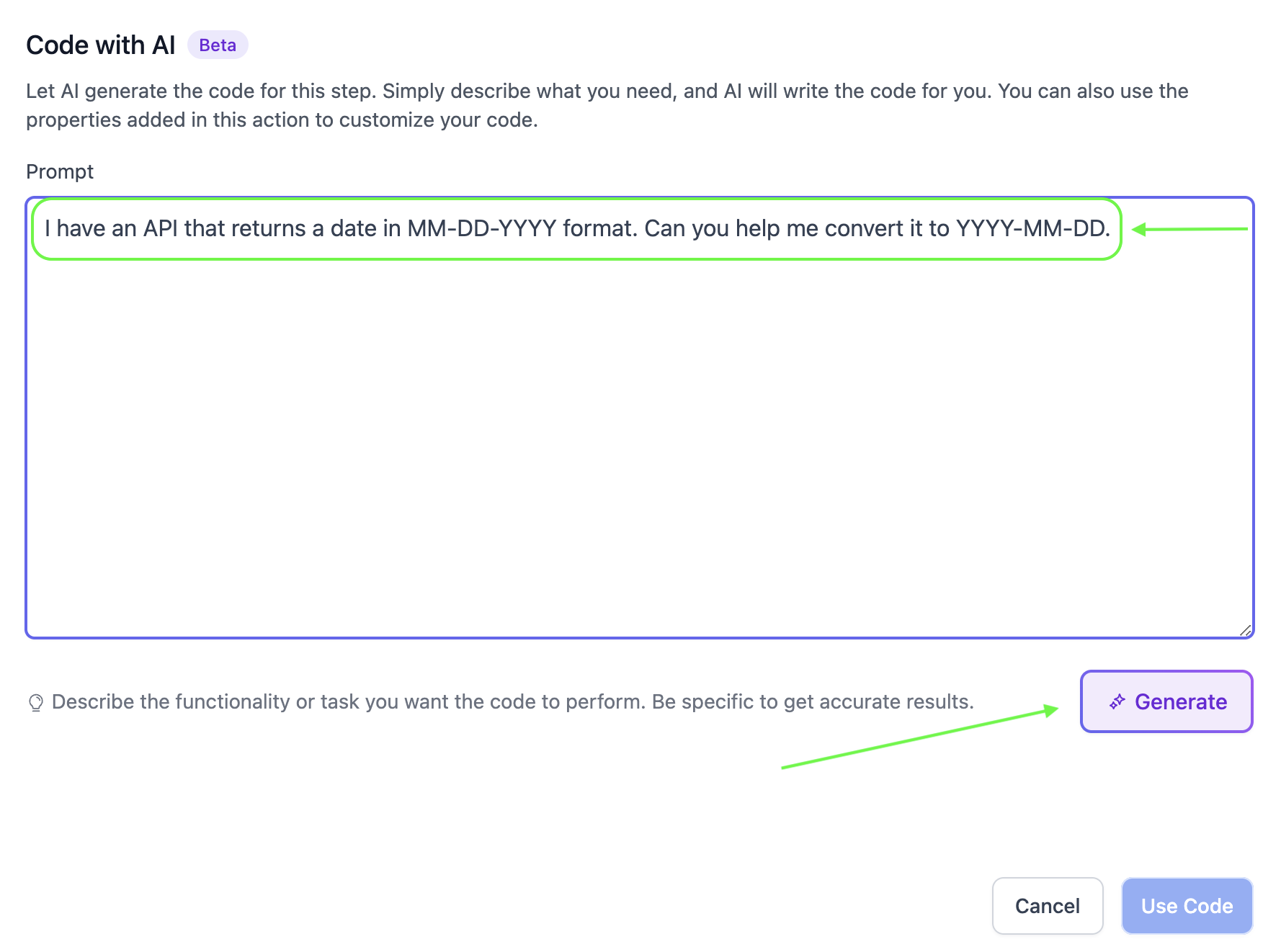
- Data formatting. A business can ask the AI to reformat dates or phone numbers. The AI returns code that converts the values, which the workflow then applies.
- API integration. If a company needs to call an external service, it describes the request in the prompt. The AI produces the HTTP call code, which the workflow runs.
03Before you start
- Creating custom code within workflows previously required writing JavaScript code from scratch.
- Users had to manually map input properties from previous workflow steps.
- Code had to be tested and debugged manually before implementation.
- The process demanded a significant investment of time and technical skill.
04How to set up and use custom code AI in HighLevel
Generate custom code with AI
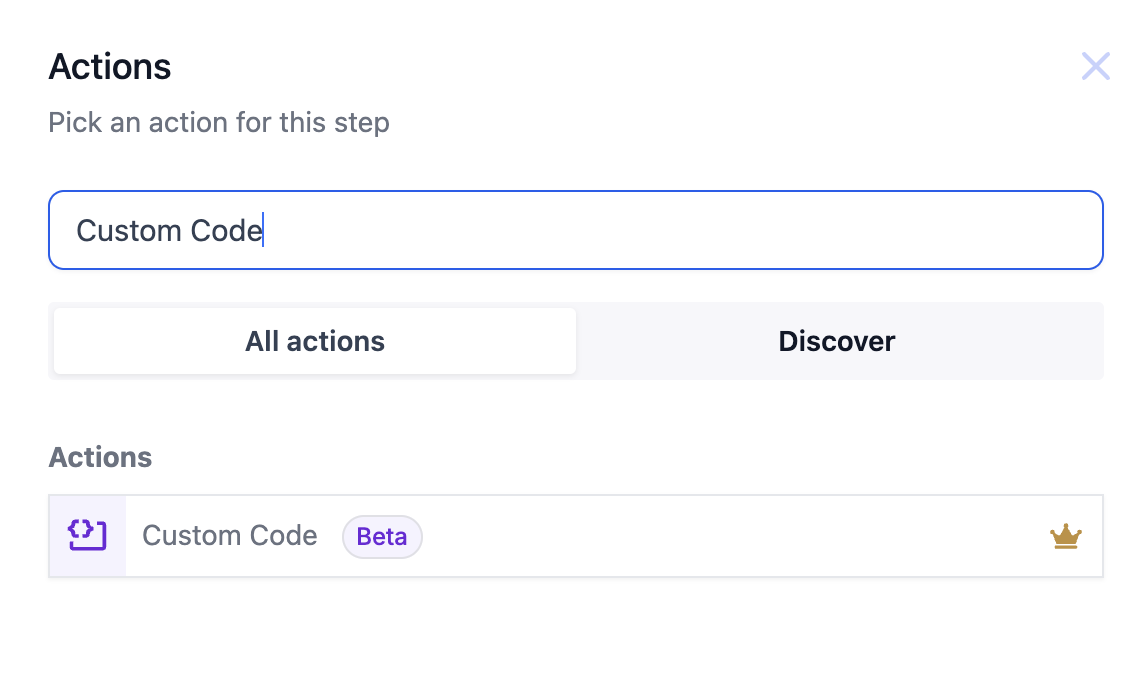
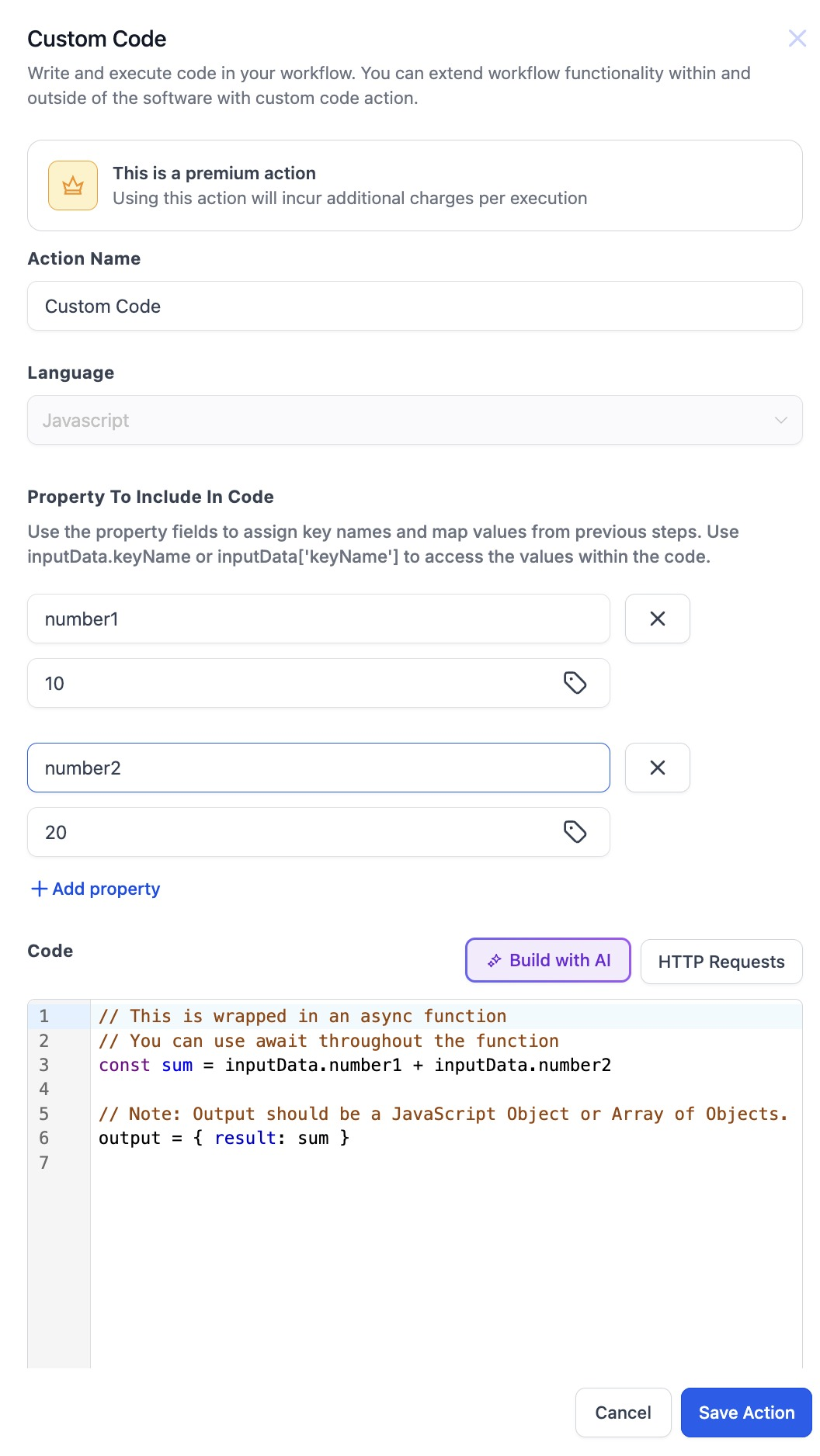
- Select: Choose Custom Code action in your workflow.
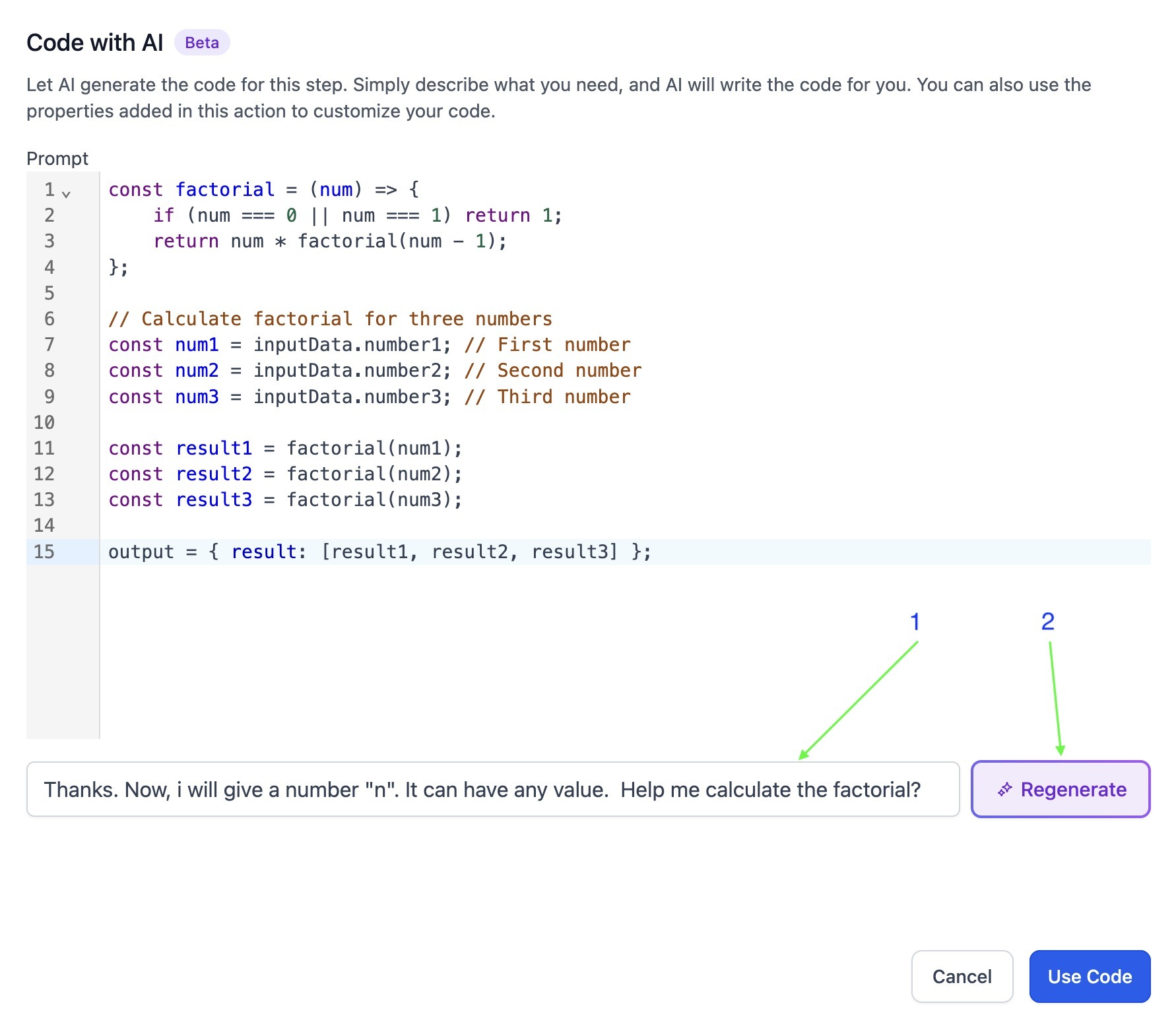
- Activate AI: Click "Build with AI" to open the AI assistant.
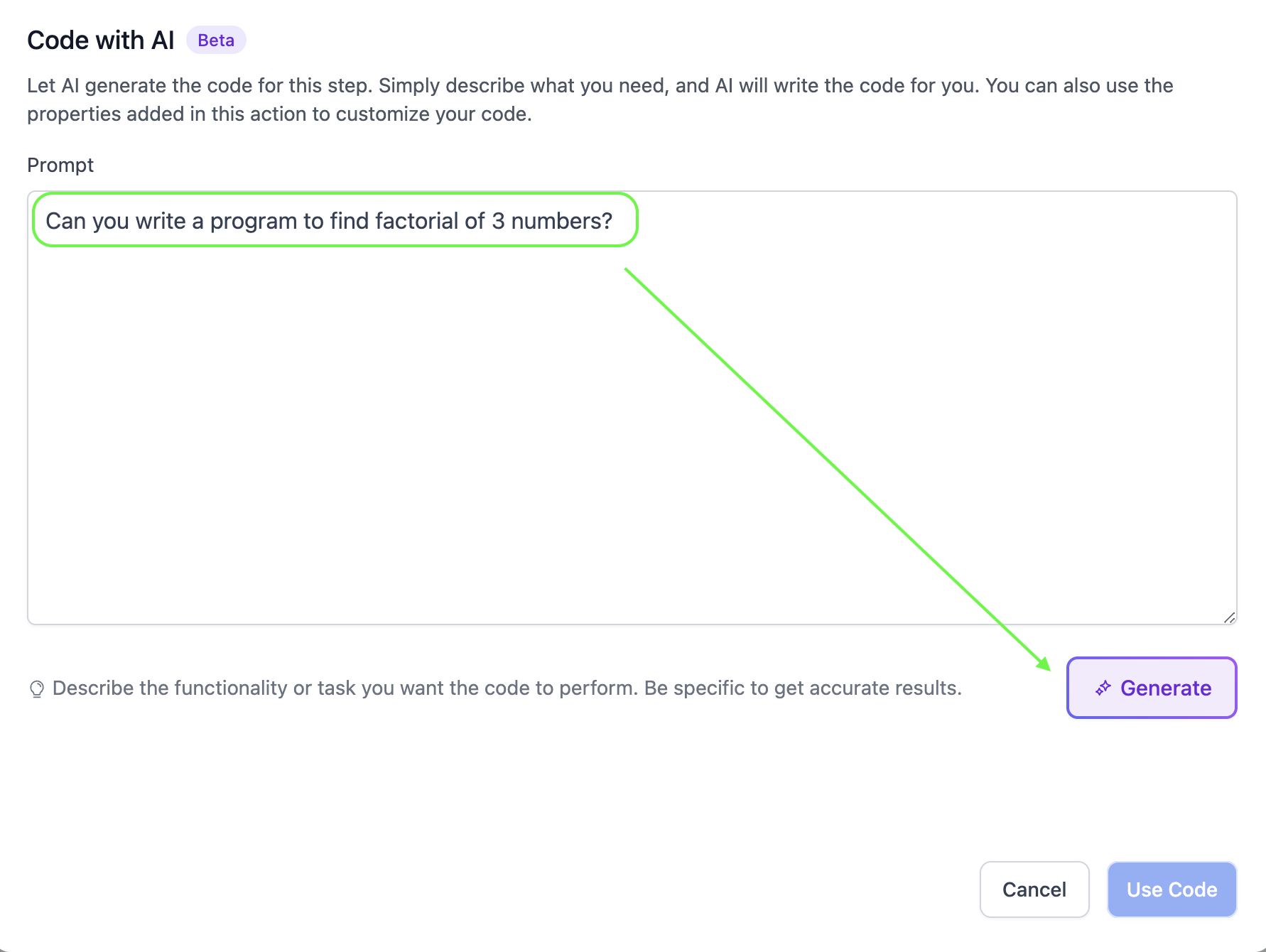
- Describe: Input your desired functionality.
- Generate: Click Generate and let AI craft the code for you.
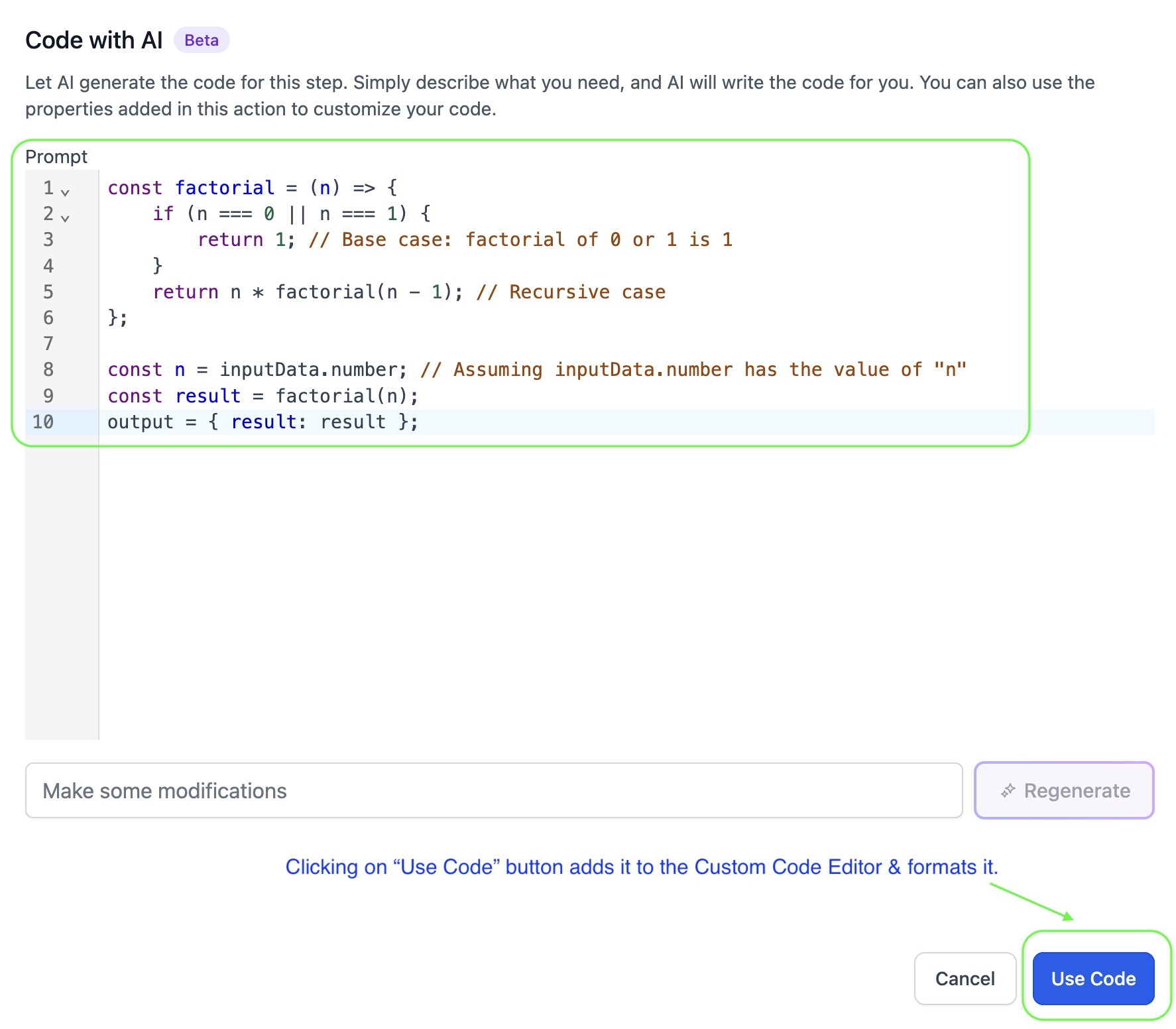
- Regenerate: Mention any changes in the text box and click "Regenerate" if you want a new version.
- Implement: Review the output and click Use Code to insert it into your workflow.
05What it looks like in HighLevel
06Things to know before you rely on it
- The feature is in Beta, so it may be subject to change.
Michael's take

People often think the AI will read their mind and spit out perfect code on the first try. In reality, the prompt needs detail, and you should scan the result before you trust it.
If I were setting up a new workflow, I’d start by writing a clear, step by step description of the task. Then I’d let the AI generate the snippet, give it a quick look, and drop it into the flow.