
01Who this is for
- Users who build automation workflows can automatically create Company records or associated Contacts, eliminating manual data entry.
- Teams that receive inbound webhook data can ensure that new Companies and their related Contacts are created and linked right away.
02Create company or associated contact, explained
The Create Company or Associated Contact action is a workflow step that creates a new Company record or a new Contact linked to an existing Company. It works inside the platform’s workflow builder, where you add the action to a flow and configure its settings.
When the workflow runs, the action reads data from the trigger, such as an inbound webhook or a form submission, and uses the field mappings you define to populate the new record. If you chose Associated Contact, the new Contact is automatically attached to the Company that started the workflow.
You find this action in the workflow editor under the list of available actions. After selecting it, you set the record type, map fields, add any extra mappings, and save the configuration.
03How businesses use create company or associated contact
- Lead capture automation. Add the action to a workflow that triggers on a webhook, select Company as the record type, and map webhook fields to Company Name, Domain, and Industry. Each new lead automatically creates a Company record.
- Employee onboarding. Configure the action to create an Associated Contact, map first name, last name, and email fields from the inbound payload, and save. The new employee appears under the existing Company’s Associated Contacts section.
- Two step property owner flow. First use the action to create a Company for a property owner, then add a second action to create an Associated Contact for the owner’s agent, pulling values from the webhook payload. The contact links automatically to the newly created Company.
04How to set up and use create company or associated contact in HighLevel
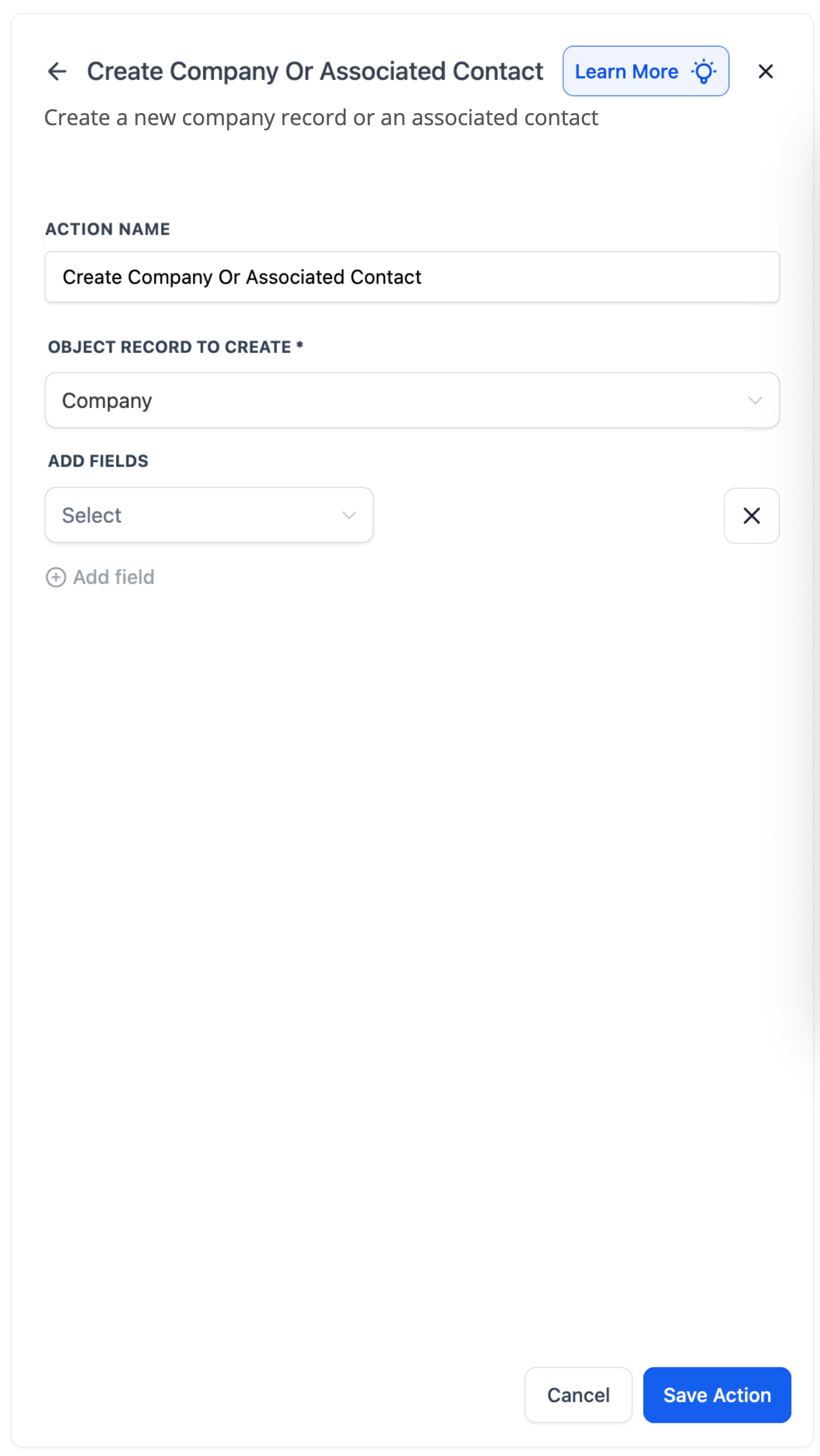
Set up Create Company or Associated Contact action
- Open the workflow editor and add a new action.
- Select “Create Company or Associated Contact” from the action list.
- Choose the record type to create, either Company or Associated Contact.
- Map each required field by selecting a field and assigning a value or placeholder.
- Click “+ Add Field” to include additional field value mappings if needed.
- Press “Save Action” to store the configuration.
05What it looks like in HighLevel
06Settings that matter
- Object Record to Create. Specifies whether the workflow will generate a new Company record or a new Contact linked to the current Company.
- Field Mapping. Defines which workflow data or static text fills each field of the record being created.
- Add Field. Adds extra rows so additional field mappings can be defined beyond the initial set.
07How it connects to the rest of HighLevel
- Update action for company or associated contact Update action
- Clear fields of company or associated contact Clear fields action
- Workflow basics and setup guide Workflow basics guide
Michael's take

When leads arrive from a webhook, setting up proper field mapping is important.
From there I would test a single record creation, confirm the contact appears under the right company, and then scale the automation.