
01Who this is for
- Sales managers who need to reset contact status when a company changes its relationship.
- Marketing agencies that want to clear custom fields after a contract ends to prepare for new projects.
- Customer support teams that must remove obsolete phone numbers or tags when a company becomes inactive.
02Clear fields of company or associated contact, explained
This workflow action wipes the values of selected standard or custom fields from either the current company record or all contacts tied to that company. You pick the object type, add one or more fields, and the platform empties those fields each time the workflow runs.
The action runs only in company based workflows. If a company has no associated contacts, the step is skipped. Clearing fields does not delete the contact or company records, nor does it break any existing associations.
03How businesses use clear fields of company or associated contact
- Sales consultancy. Add the action to a workflow that triggers when a client’s contract ends, select the company object, and choose custom fields like Renewal Date and Contract Value to be cleared. The fields are emptied automatically when the trigger fires.
- Real estate brokerage. Create a workflow that activates when a property listing becomes inactive. Choose the associated contact object and add the Contact Status field. All agents linked to the listing will have their status cleared.
- IT services firm. Set up a workflow that runs when a client’s support tier changes. Pick the company object and select the Tier field along with any custom tag fields. The selected fields are reset for the company record each time the tier update occurs.
04Before you start
- A company based workflow must be created before adding this action.
05How to set up and use clear fields of company or associated contact in HighLevel
Set up clear fields action
- In a company based workflow, add the Clear Fields of Company or Associated Contact action.
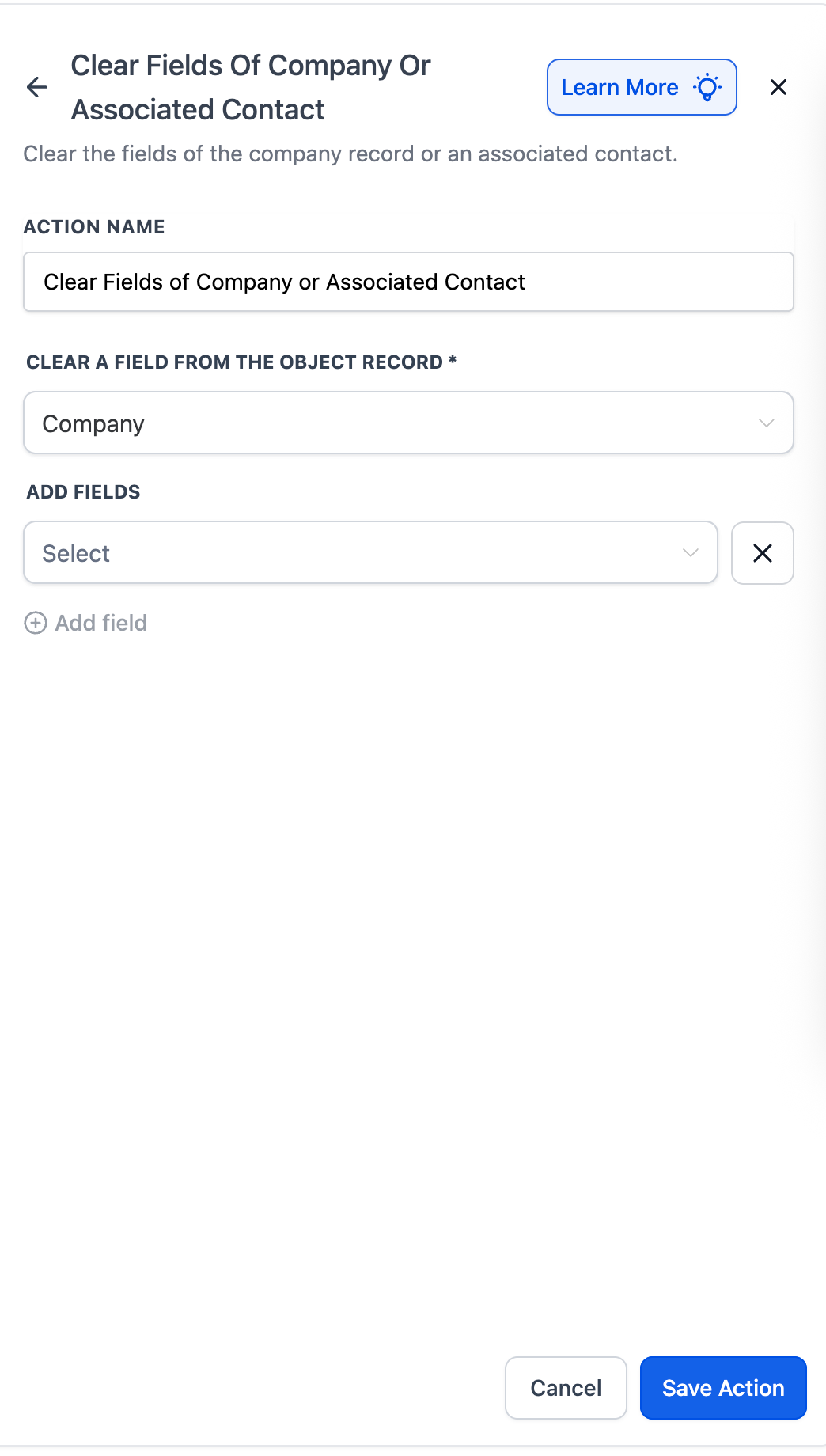
- Select whether the fields will be cleared from the Company record or from the Associated Contact(s).
- Use the dropdown to pick one or more fields to clear and click + Add Field for additional selections.
- Click Save Action to store the configuration.
06What it looks like in HighLevel
07Settings that matter
- Clear a Field From the Object Record. Determines whether the fields to be cleared belong to the company itself or to its associated contacts.
- Add Fields. Lets you choose one or multiple editable standard or custom fields on the selected object to be emptied.
- Clear Behavior. Specifies that the chosen fields will be reset (emptied) when the workflow runs; the action skips if no contacts are linked.
08Things to know before you rely on it
- The action is available only in company based workflows.
- If a company has no associated contacts, the step is automatically skipped.
- To clear fields in a contact based workflow, use the Clear Associated Company Fields action instead.
- When multiple contacts are linked, the selected fields are cleared for each contact.
09How it connects to the rest of HighLevel
- Learn how to create a workflow with triggers, filters, and actions. Workflow creation guide
- Explore all workflow features available in HighLevel. All Workflows features
- Review pricing options and plan details for using workflow actions. HighLevel pricing and plans
Michael's take

People often think the action will delete the contact or company entirely, but it only empties the chosen field values. The record stays intact and all other data remains untouched.
If I were setting this up, I’d first map out which fields become stale during a lifecycle change, then add the clear action right after the status switch. A quick test on a sandbox record confirms the fields reset as expected without affecting other data.