
01Who this is for
- Users of custom objects linked to contacts, need a way to reset field values without deleting the record.
- Marketers who run automated processes, want to clear temporary or outdated data after a trigger.
02Clear fields of associated record for contact, explained
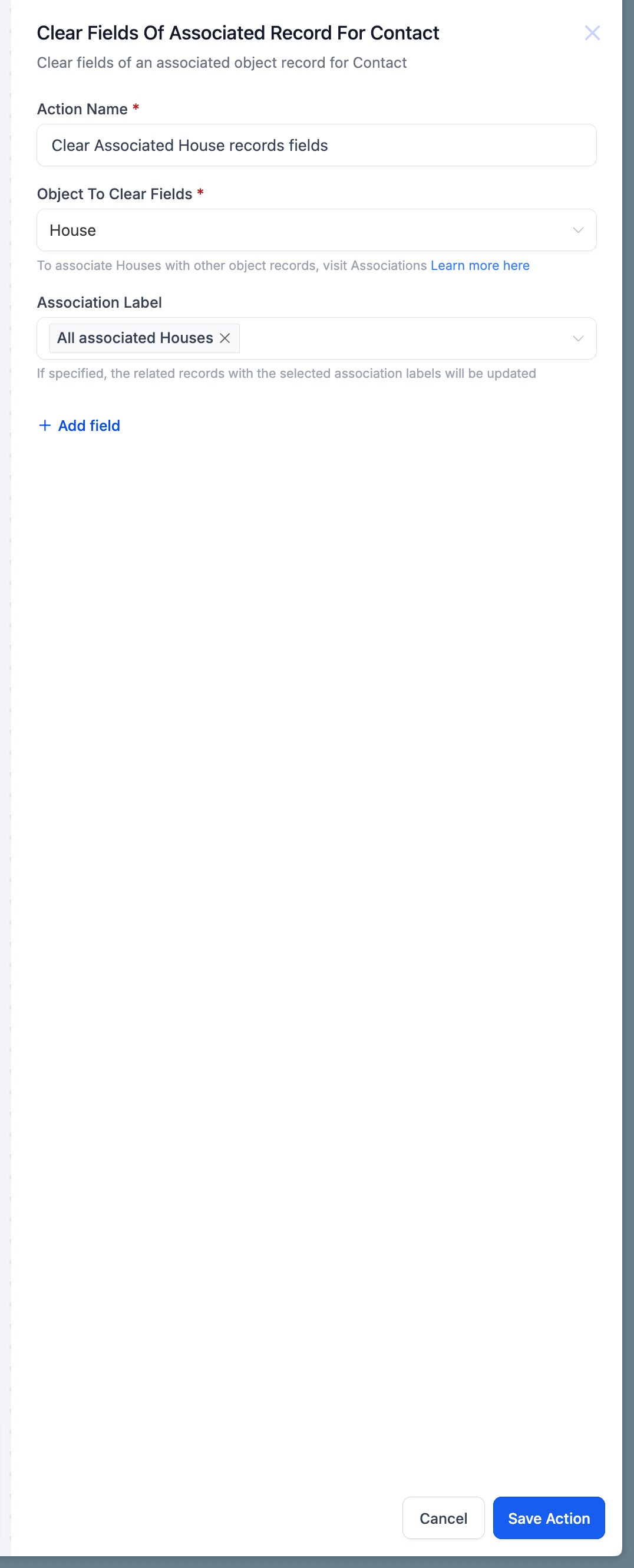
The action appears inside the workflow builder. It lets you pick a custom object, choose the association label that connects that object to a contact, and select one or more fields whose values will be erased. The record remains in the system; only the chosen fields are emptied.
The feature works only after a custom object exists in the subaccount and an association label links that object to contacts. A workflow must trigger the action; when it runs the selected fields are set to blank values, leaving the rest of the record unchanged.
03How businesses use clear fields of associated record for contact
- Retail loyalty program. Create a Loyalty Program custom object and link it to contacts with a Customer Rewards label. In a redemption workflow add the Clear Fields action, choose the Loyalty Points and Last Redemption Date fields, and run the workflow when a redemption request is processed. The fields are reset while the loyalty record stays.
- Real estate agency. Set up a Property Interest custom object associated to contacts via an Interest label. When a property sale is recorded, a workflow clears the Showings Scheduled and Follow up Notes fields. This removes old interest data but preserves the property interest record for reporting.
- Health clinic. Use a Patient Visit custom object linked to contacts with a Visits label. After an appointment, a workflow runs the Clear Fields action to empty the Pre appointment Questionnaire and Symptom Summary fields. The patient’s visit record stays intact for future reference.
04Before you start
- Custom objects must be created in the subaccount.
- An association label must connect the custom object to contacts.
- At least one association between a contact and the object is required.
05How to set up and use clear fields of associated record for contact in HighLevel
Clear selected fields in an associated custom object
- Confirm that the needed custom object exists in the subaccount.
- Create or verify an association label that links the object to contacts.
- Open the workflow builder and add the "Clear Fields of Associated Record for Contact" action.
- Select the custom object to update.
- Choose the appropriate association label.
- Pick the fields that should be cleared.
- Save and activate the workflow.
06What it looks like in HighLevel
07Settings that matter
- Object to Update. Specifies which custom object’s record will have its fields cleared.
- Association Label. Identifies the link between the chosen custom object and the contact, determining which records are targeted.
- Fields to Clear. Lists the individual fields whose values will be erased when the action runs.
08Things to know before you rely on it
- The action works only after custom objects are created in the subaccount.
- An association label between the custom object and contacts is required.
- At least one association must exist for the contact; otherwise the action will not operate.
- Multiple fields can be selected for clearing in a single action.
- The record itself is not deleted; only the selected fields are reset.
09How it connects to the rest of HighLevel
- See all workflow actions and how they fit together. All Workflows features
- Learn how to update an associated record, another action that works alongside clearing fields. Update associated record
- Get a step by step guide to building workflows in HighLevel. Workflow setup guide
Michael's take

People often think the action will delete the whole custom object when they just need to wipe a field. That assumption leads to missing data and broken workflows. The action only removes the values you pick, leaving the record untouched.
If I were setting this up, I’d first confirm the custom object and its association label exist, then add the action to a workflow that fires at the exact moment the data should be cleared, like after a redemption request. That way the record stays clean and ready for the next cycle.