
01Who this is for
- Affiliate managers can log offline transactions and ensure affiliates receive correct commissions.
- Founders of ecommerce brands can capture sales not tracked by the platform and keep commission records accurate.
- Marketing teams running partner programs can reward non monetary contributions by adding manual sales entries.
02Add manual sales for an affiliate, explained
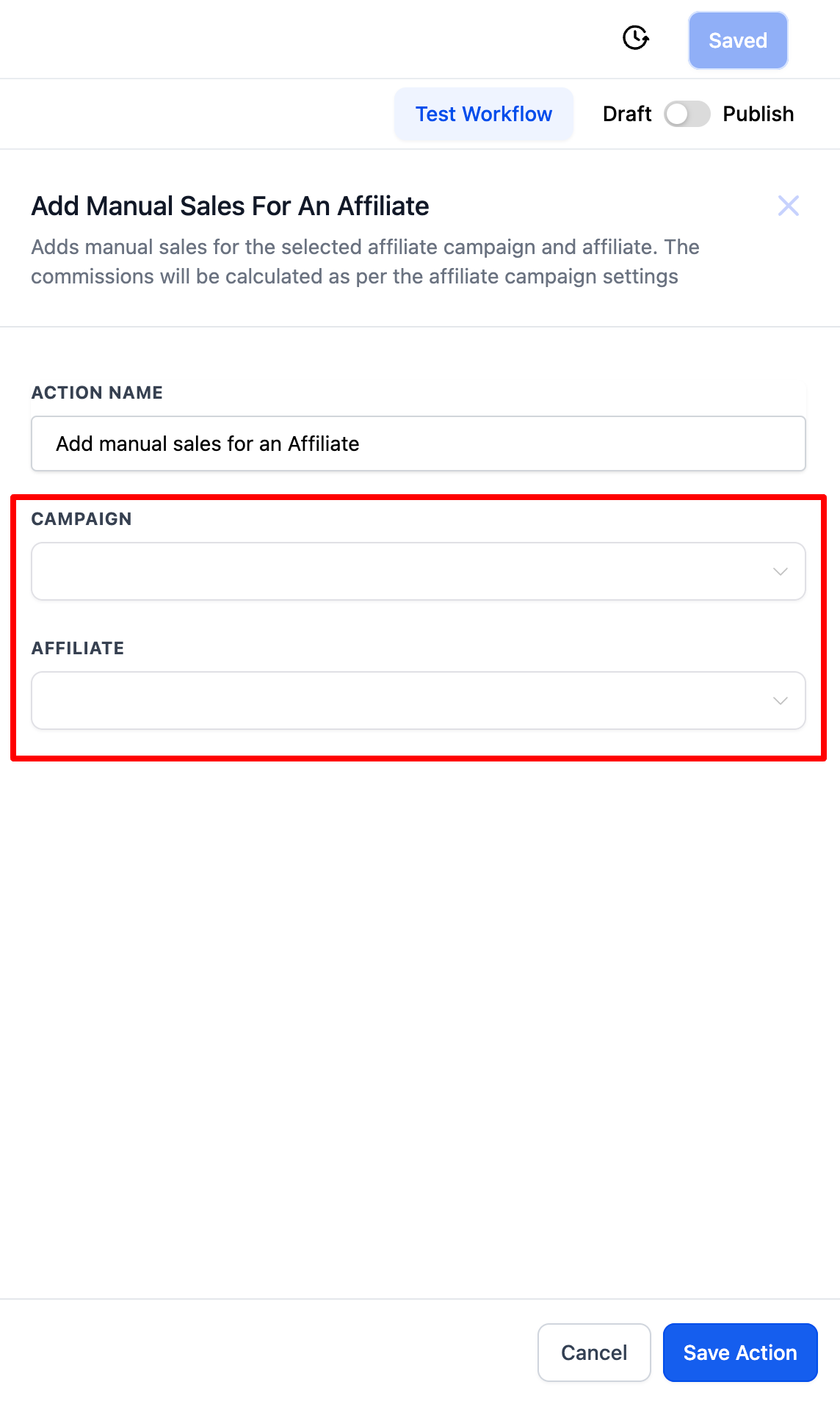
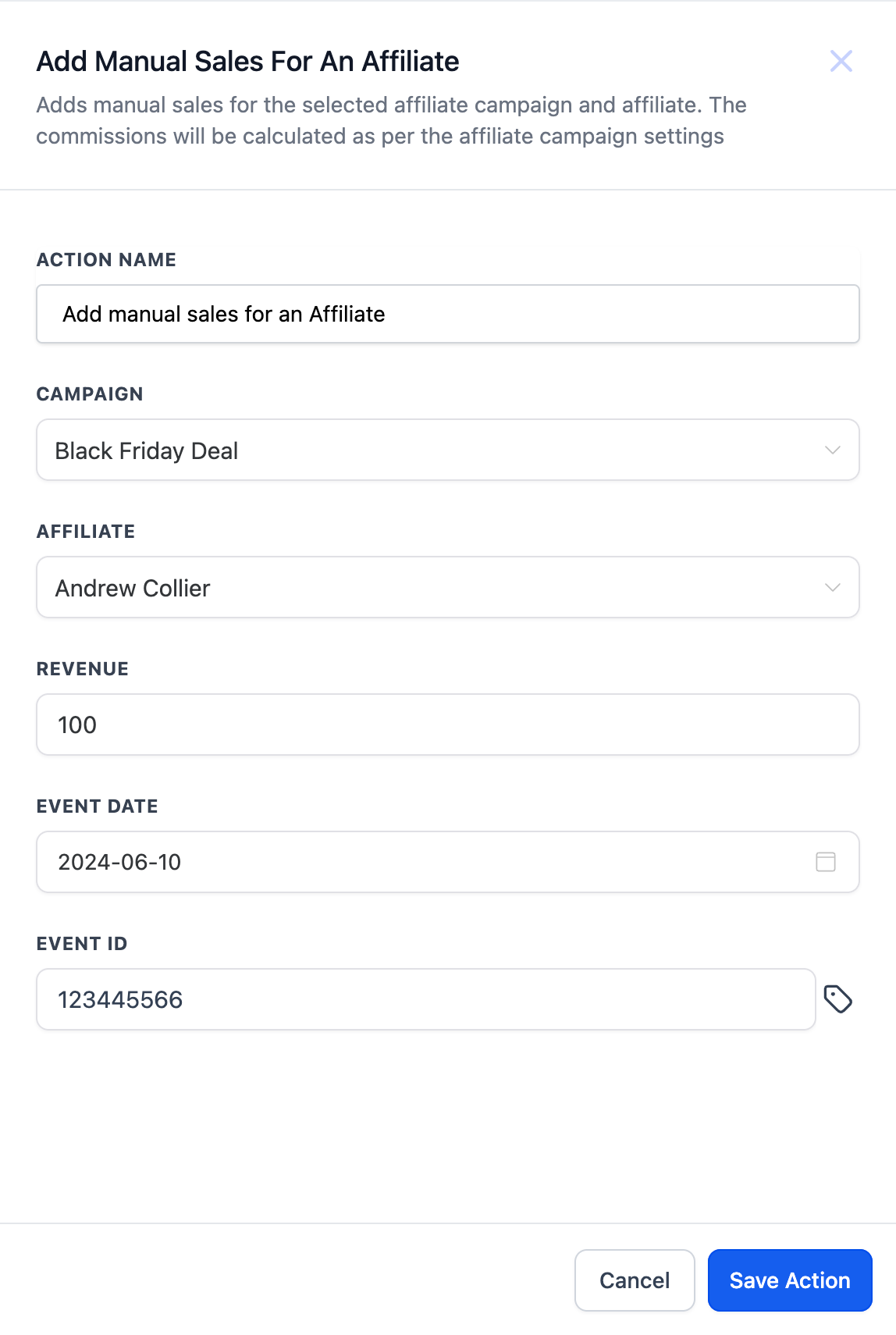
The action lives inside the workflow builder. When you add it to a workflow, you select a specific affiliate campaign and then an affiliate that belongs to that campaign. After choosing the affiliate, you provide the revenue amount and may include an event date and a reference ID. When the workflow runs, the system registers the sale and computes the commission based on the default commission settings of the selected campaign.
This action does not alter any other records besides creating the manual sale entry. The commission calculation follows the campaign’s preset rules, ensuring consistency with automatically tracked sales. The action is useful for sales that occur outside the normal tracking channels.
03How businesses use add manual sales for an affiliate
- Digital marketing agency. The agency adds the action to a workflow that runs after a client submits an offline lead form. They enter the revenue and transaction ID so the affiliate who referred the lead receives the correct commission.
- Retail store with in person sales. At the end of each day, the store manager creates a workflow that includes the action, inputs the total offline sales amount for each affiliate, and lets HighLevel calculate commissions automatically.
- Software startup offering referral bonuses. When a partner earns a badge for community support, the startup logs a manual sale with a zero revenue amount and a custom event ID to award the affiliate a bonus commission.
04How to set up and use add manual sales for an affiliate in HighLevel
Add manual sales for an affiliate
- Select the Add Manual Sales For An Affiliate action in the workflow editor.
- Choose the affiliate campaign from the dropdown, then select the affiliate associated with that campaign.
- Enter the revenue amount and, if needed, the event date and event ID for the sale.
- Save the action to complete the setup.
05What it looks like in HighLevel


06Settings that matter
- Affiliate Campaign. Determines which campaign’s default commission rules will be applied to the manual sale.
- Affiliate. Specifies the individual affiliate who will receive the calculated commission.
- Revenue. The monetary amount of the manual sale used for commission calculation.
- Event date. Optional date indicating when the sale actually occurred.
- Event ID. Optional reference identifier for the transaction, such as a receipt number.
07Things to know before you rely on it
- The action only creates a manual sale; commission amounts follow the selected campaign’s default commission settings.
08How it connects to the rest of HighLevel
- How to create a workflow in HighLevel Workflow creation guide
- Complete list of workflow actions in HighLevel Workflow actions list
- Workflow settings overview for timing and contact control Workflow settings
Michael's take

This action lets you capture sales that aren’t automatically tracked and ensures affiliates receive commissions calculated with the campaign’s default settings.
Don’t forget to verify the affiliate belongs to the selected campaign before saving.