
01Who this is for
- Marketing managers who run affiliate programs can ensure leads are linked to the correct partner.
- Product owners building internal routing tools can manually direct incoming contacts to designated affiliates.
02Add leads under an Affiliate, explained
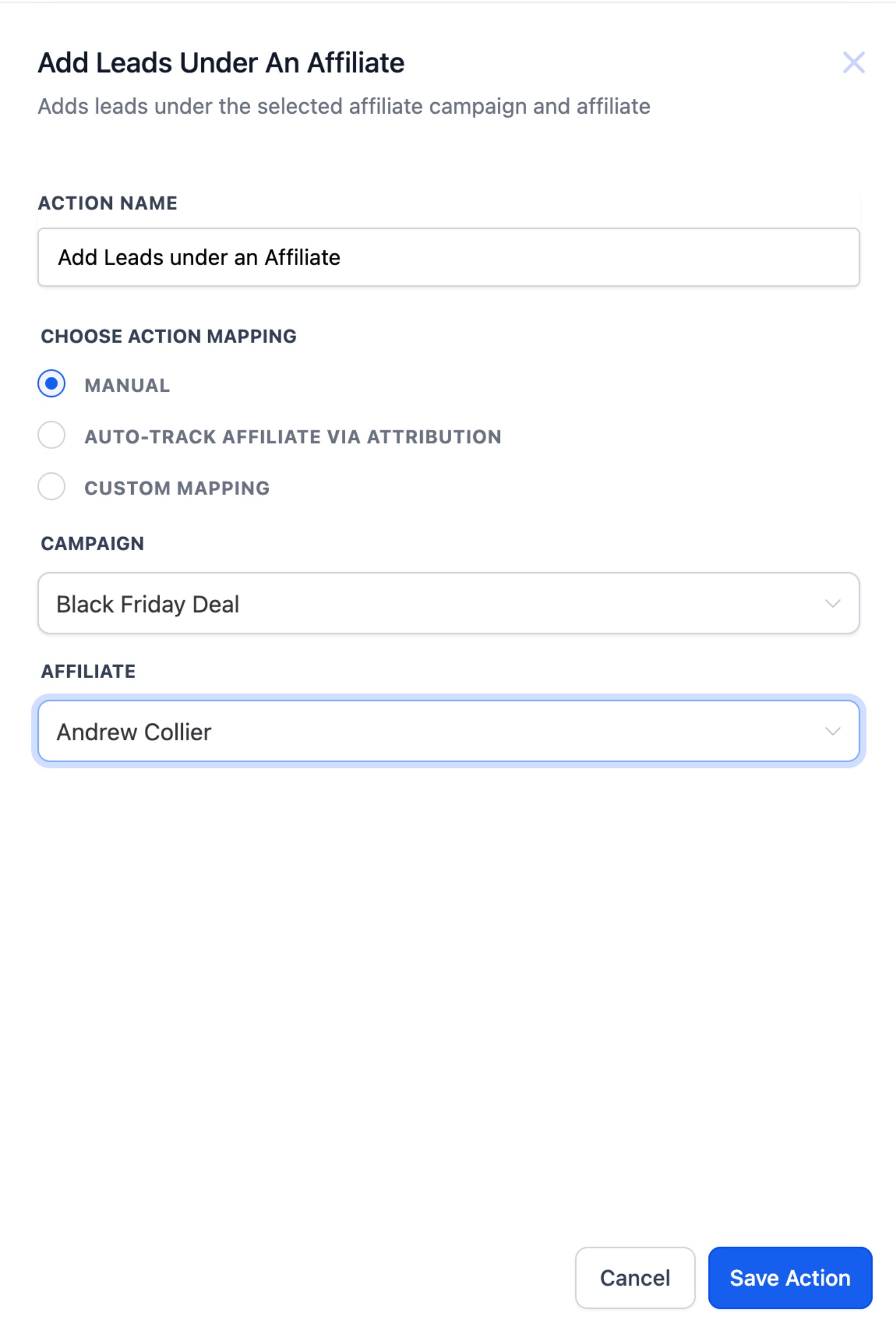
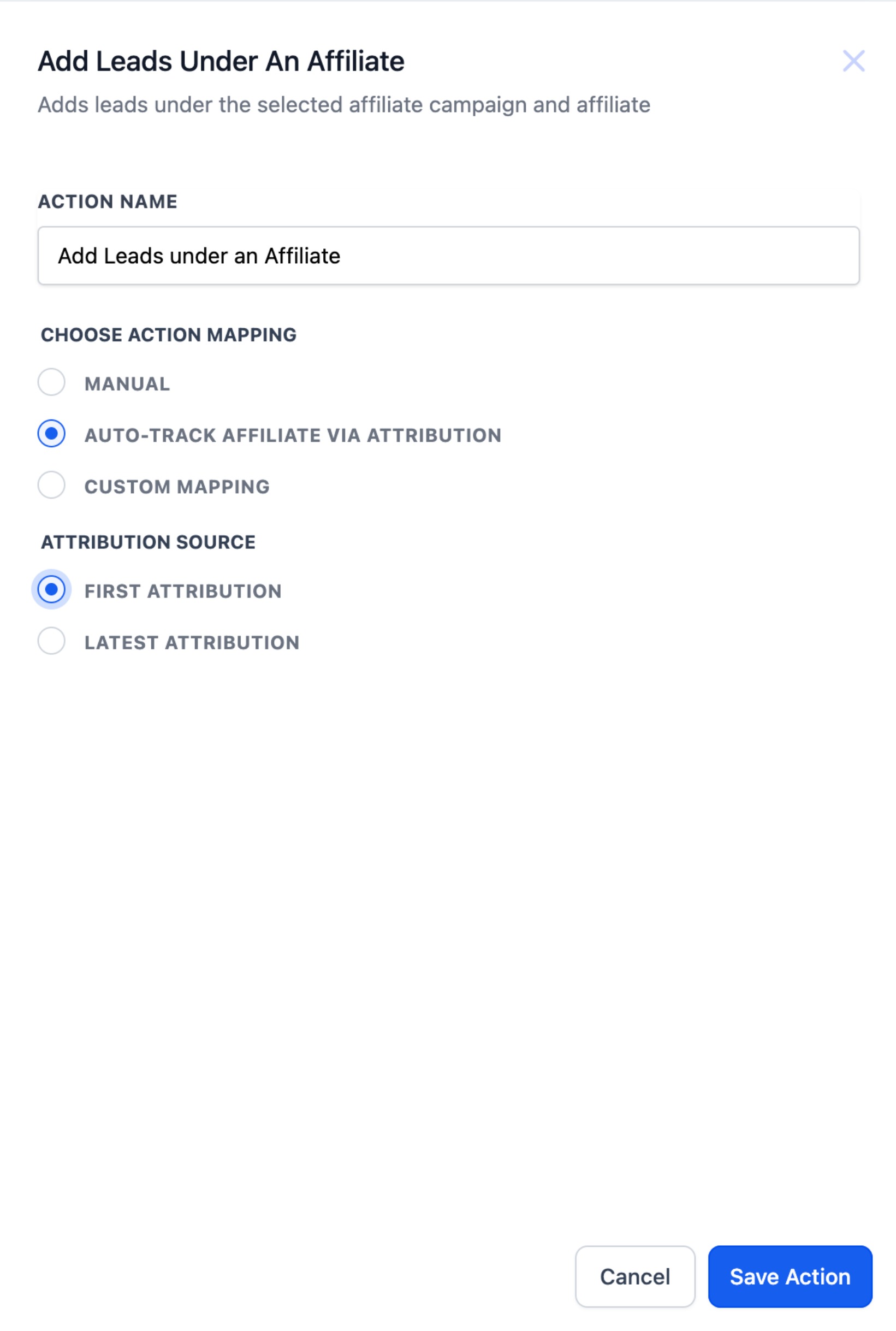
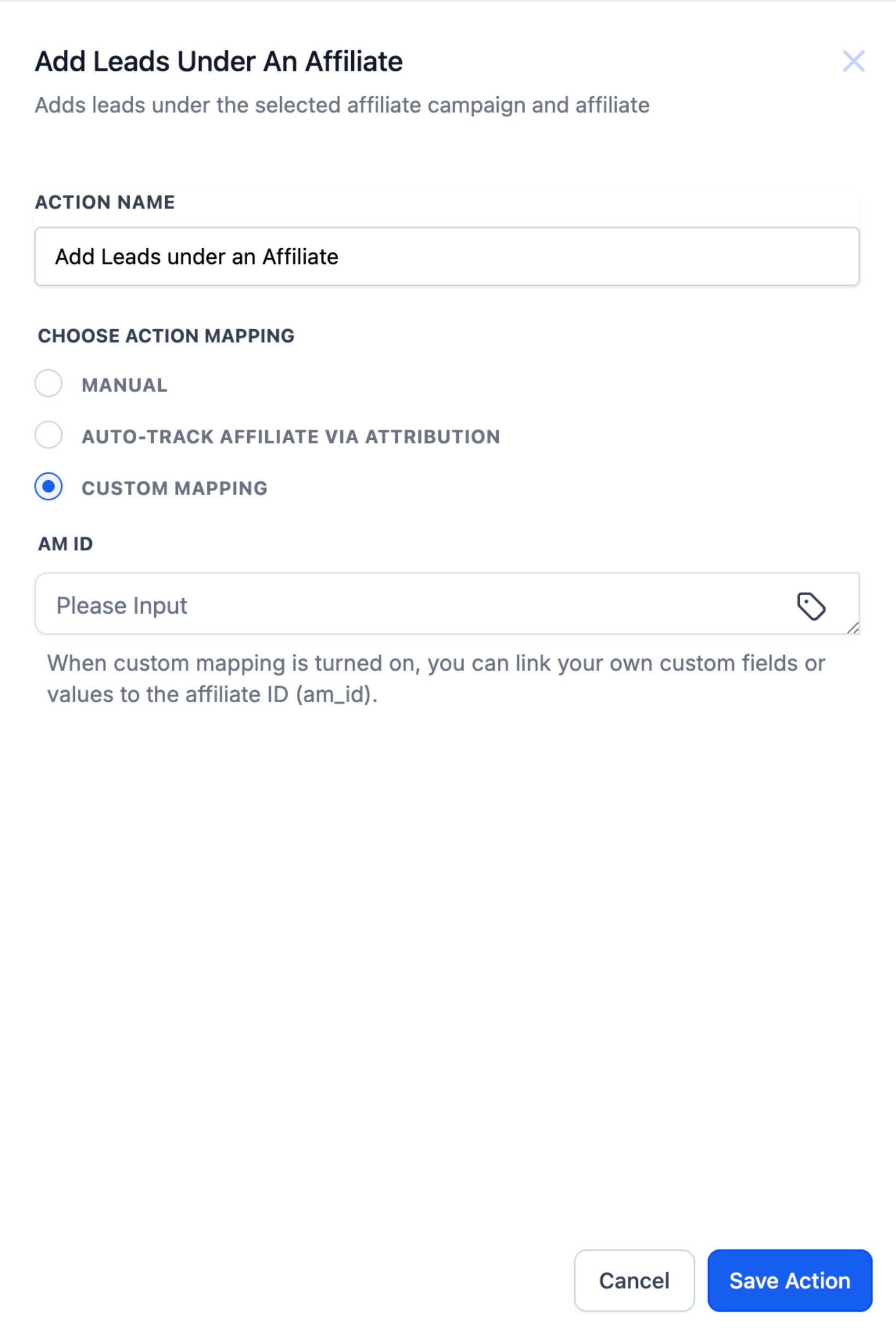
This action lives inside the workflow builder. When you add it, you choose one of three assignment approaches. The manual option lets you pick a campaign and then an affiliate that belongs to that campaign. The auto (attribution) option watches for an am_id parameter in the URL and assigns the lead based on first click or last click rules. The custom mapping option reads an affiliate identifier from a custom field or a value set earlier in the workflow.
The chosen method determines which additional fields appear. After filling those fields, you save the workflow and make it active. When a contact reaches this step, HighLevel records the affiliate and campaign relationship, allowing the platform to credit the correct partner.
03How businesses use add leads under an Affiliate
- Form submission routing. Use the manual method to select a campaign and affiliate for each lead submitted through a form.
- Affiliate link tracking. Apply the auto attribution method to capture the am_id parameter from affiliate URLs and credit the appropriate affiliate.
- API or third party integration. Employ custom mapping to read an affiliate ID stored in a custom field or passed as a workflow value and assign the lead accordingly.
04How to set up and use add leads under an Affiliate in HighLevel
Add leads under an affiliate action
- Open the workflow editor and insert the action named Add Leads under an Affiliate.
- Pick the assignment method you need, Manual, Auto (Attribution), or Custom Mapping.
- Enter the required information for the selected method, such as campaign, affiliate, attribution type, or mapping source.
- Click Save and then Publish the workflow to activate the assignment step.
05What it looks like in HighLevel
06Settings that matter
- Assignment Method. Determines whether the lead is linked manually, through URL based attribution, or via a custom field/value.
- Campaign. Specifies which affiliate campaign the lead will belong to when using the manual method.
- Affiliate. Selects the exact affiliate within the chosen campaign for manual assignment.
- Attribution Method. Chooses between first click or last click credit when the auto method reads an am_id from the URL.
- Mapping Source. Indicates whether the affiliate ID comes from a custom field or a workflow value for the custom mapping method.
07Things to know before you rely on it
- Auto attribution works only if an am_id parameter is passed earlier in the funnel.
- Custom mapping requires the affiliate identifier to exist in a defined custom field or workflow value.
- Manual assignment needs a campaign that already contains the target affiliate.
08How it connects to the rest of HighLevel
- Step by step instructions for adding any workflow action in HighLevel. Add workflow action guide
- Overview of workflow triggers, filters, and actions to build complete automations. Workflow creation guide
- Details on configuring workflow timing and contact controls. Workflow settings overview
Michael's take

Skipping over how affiliate credit is recorded can lead to missed payouts and confused reporting, especially when multiple sources drive leads. Make sure the right method is selected so the system knows which affiliate to tag.
In my experience, the workflow assigns leads to the selected affiliate and campaign, which helps keep the affiliate program organized.