
01Who this is for
- Agency owners who build client automations can capture form leads right away and route them to contact records.
- Marketers running survey campaigns can trigger follow up emails or notifications as soon as a response arrives.
- Small business Founders can automate task creation in tools like ClickUp when a Typeform order is submitted.
02Typeform triggers and actions, explained
The integration adds a Typeform trigger called New Entry (Instant). When a respondent submits a form, HighLevel receives the data via a webhook and fires the workflow in real time. The trigger can be added from the trigger menu after the Typeform account is linked.
Three premium actions let HighLevel act on Typeform objects. Create Empty Form starts a new blank form, Duplicate Existing Form copies an existing one, and Search Responses In A Form pulls stored answers from a selected form. Each action is billed per execution.
All trigger and action options appear in the workflow builder after a successful OAuth connection. The connection can also be created from Settings > Integrations if it does not already exist.
03How businesses use typeform triggers and actions
- Digital marketing agency. The agency links its Typeform account, adds the New Entry (Instant) trigger for a lead capture form, and maps the name and email fields to workflow variables. The workflow then creates a new contact in HighLevel and notifies the sales team.
- Online retailer. The retailer connects Typeform, selects the New Entry (Instant) trigger for an order form, and uses the Search Responses In A Form action to check for existing customer entries before creating a new order record in HighLevel.
- Consulting practice. The practice links Typeform, adds the Duplicate Existing Form action to produce a personalized onboarding questionnaire for a new client, and sends the duplicated form link via email from the workflow.
04How to set up and use typeform triggers and actions in HighLevel
Connect a Typeform account to HighLevel
- Search for “Typeform” in the Workflows area.
- Open the HighLevel workflow builder.
- Search for “Typeform” in the trigger or action menu.
- If the account is not yet connected, click Connect Now and complete the OAuth authorization to link the Typeform account.
- Alternatively, go to Settings > Integrations, locate Typeform, and complete the authorization process.
Set up a Typeform trigger in a workflow
- Open your workflow builder and locate the Typeform trigger menu.
- Select the New Entry (Instant) trigger.
- Choose the specific Typeform form to monitor.
- Click Test Trigger to fetch a sample entry.
- Map the Typeform fields to HighLevel workflow variables.
05What it looks like in HighLevel
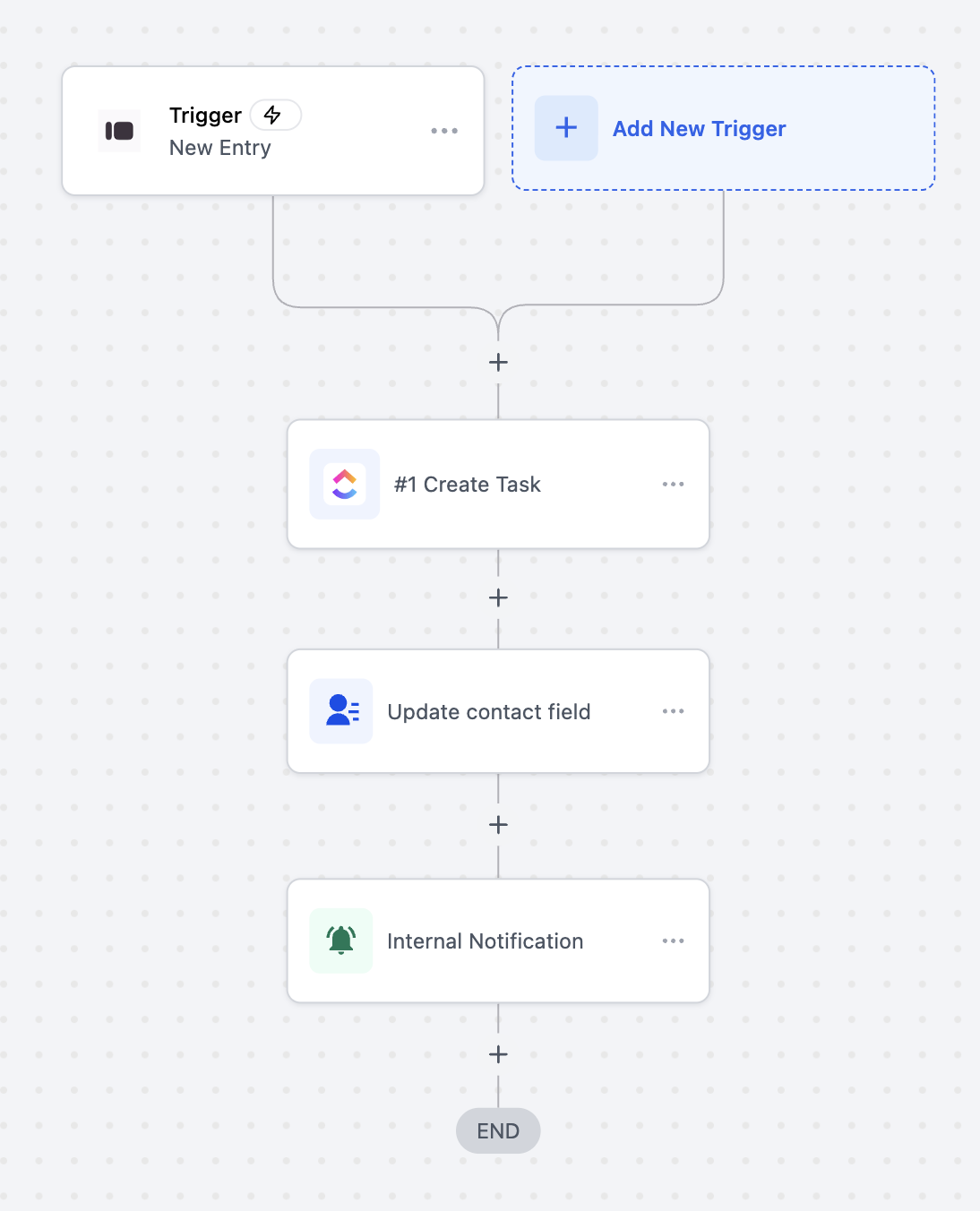
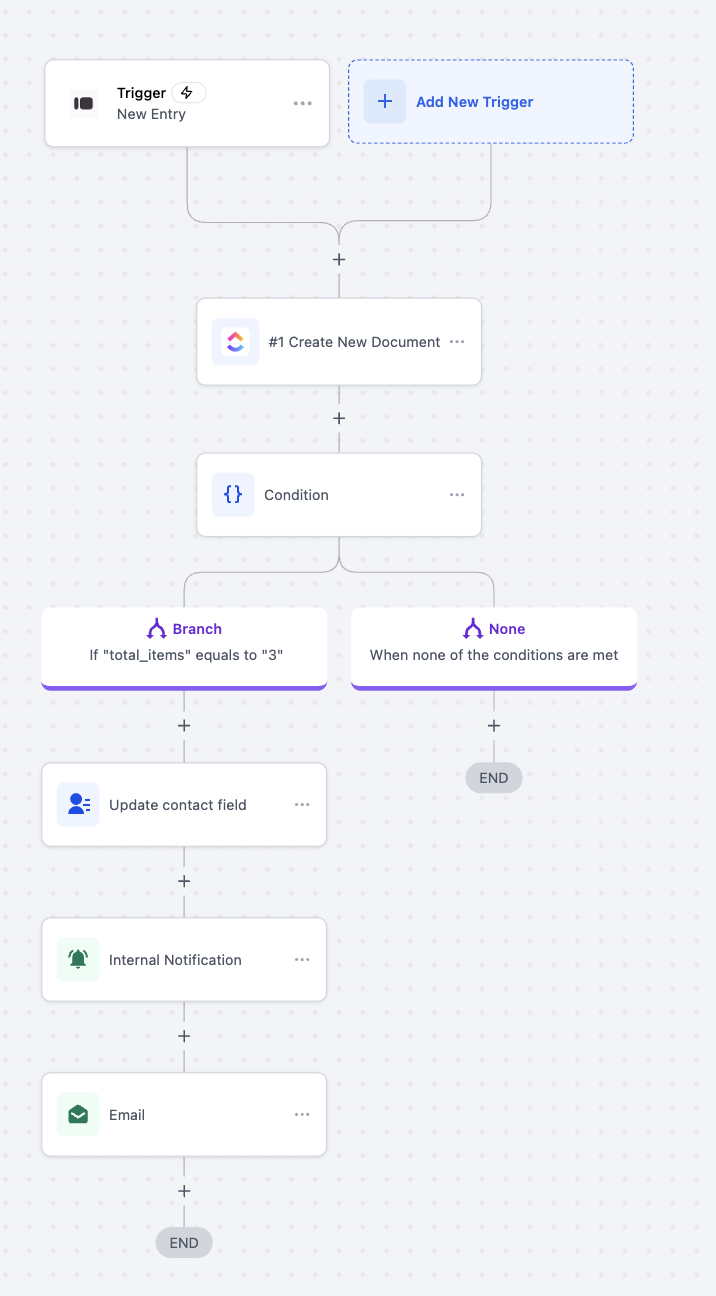
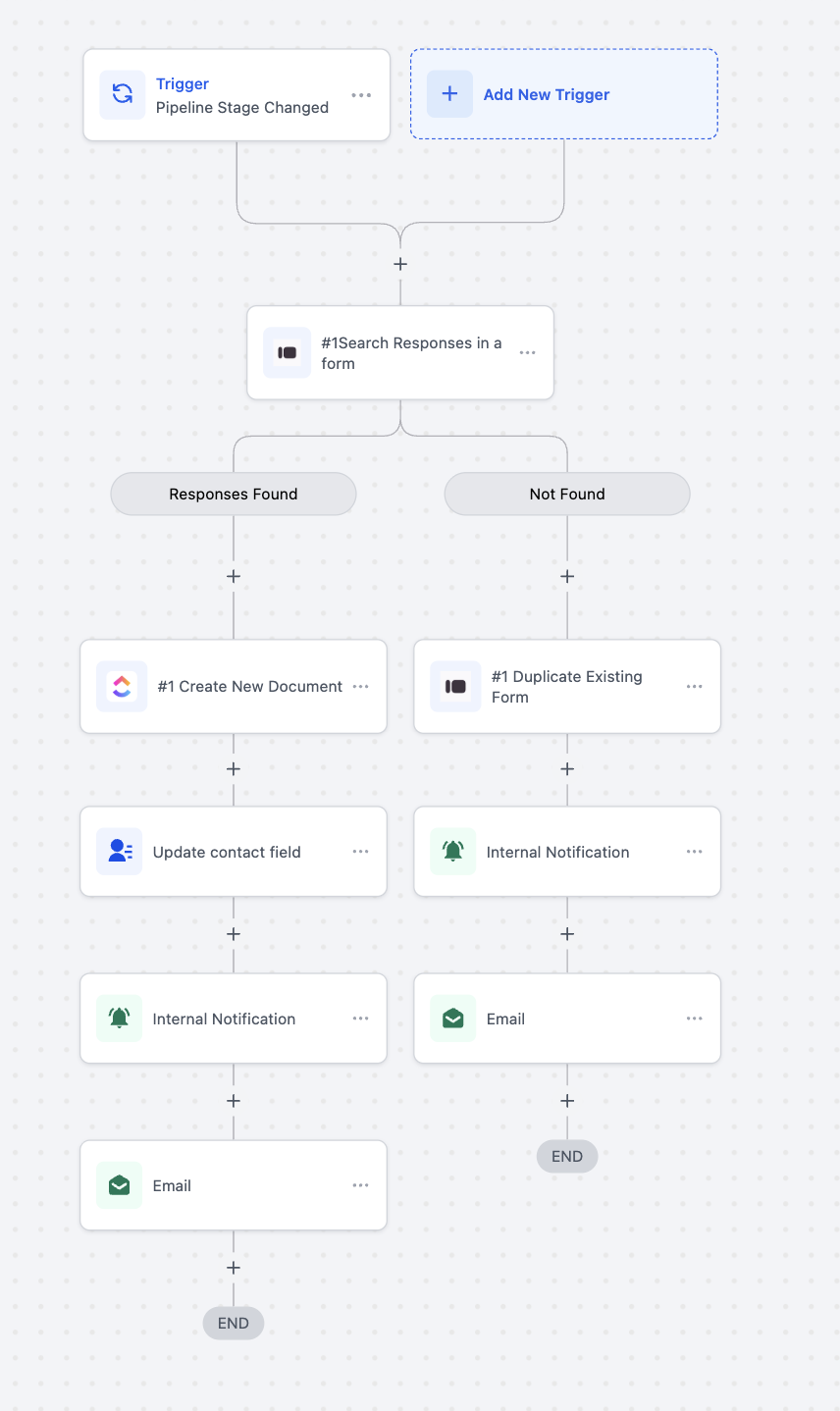
06Settings that matter
- New Entry (Instant). Defines the instant trigger that fires when a new Typeform response is submitted.
- Create Empty Form. Creates a new blank form in Typeform when the action runs.
- Duplicate Existing Form. Makes a copy of a selected Typeform form, preserving its questions and layout.
- Search Responses In A Form. Queries a chosen Typeform form for existing responses and returns the matching data.
07Things to know before you rely on it
- The Typeform trigger operates in real time, delivering data to the workflow within seconds of a submission.
- All Typeform actions are premium and billed according to HighLevel’s standard rate per execution.
- The integration works with both free and paid Typeform accounts; feature availability depends on the Typeform plan.
08How it connects to the rest of HighLevel
- Learn the basics of building workflows in HighLevel. Workflow basics
- Understand pricing for workflow premium features. Workflow pricing
- Find out how to enable and rebill premium workflow features. Enable premium features
Michael's take

In my experience, the instant webhook shows each new submission in automations quickly, keeping the pipeline fresh.
I let the instant trigger run on a pilot form first to watch the data flow and confirm the mapping before scaling it across all surveys.