
01Who this is for
- Salon owners can automatically notify managers when a haircut note is added, ensuring quick follow up.
- Any organization can use the trigger to alert staff whenever a new note is added to a contact record.
02Note added triggers, explained
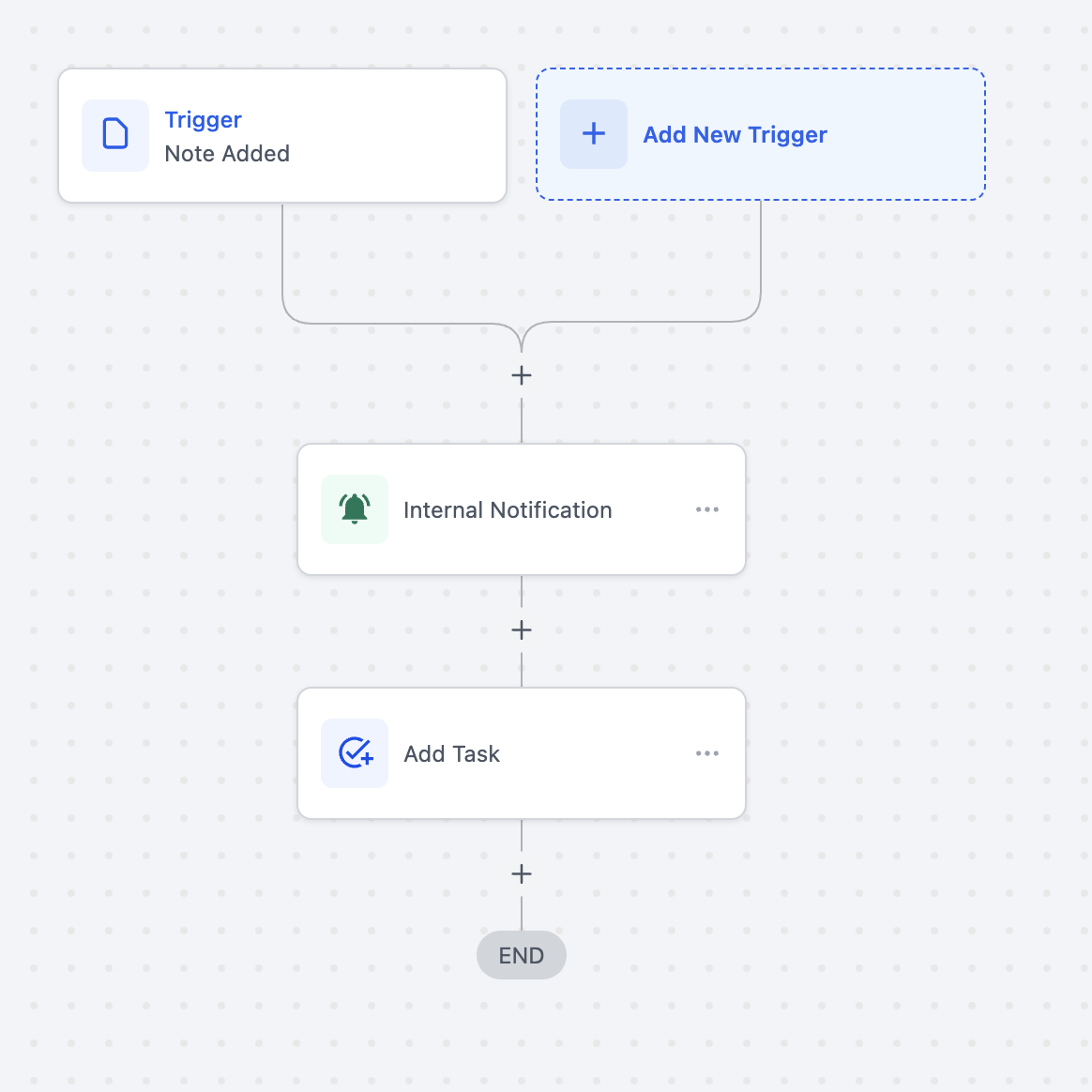
The Note Added trigger is part of the platform's workflow engine. It monitors contact records and starts a workflow each time a note appears. The trigger can be combined with any subsequent workflow actions, such as internal notifications, task creation, or data updates.
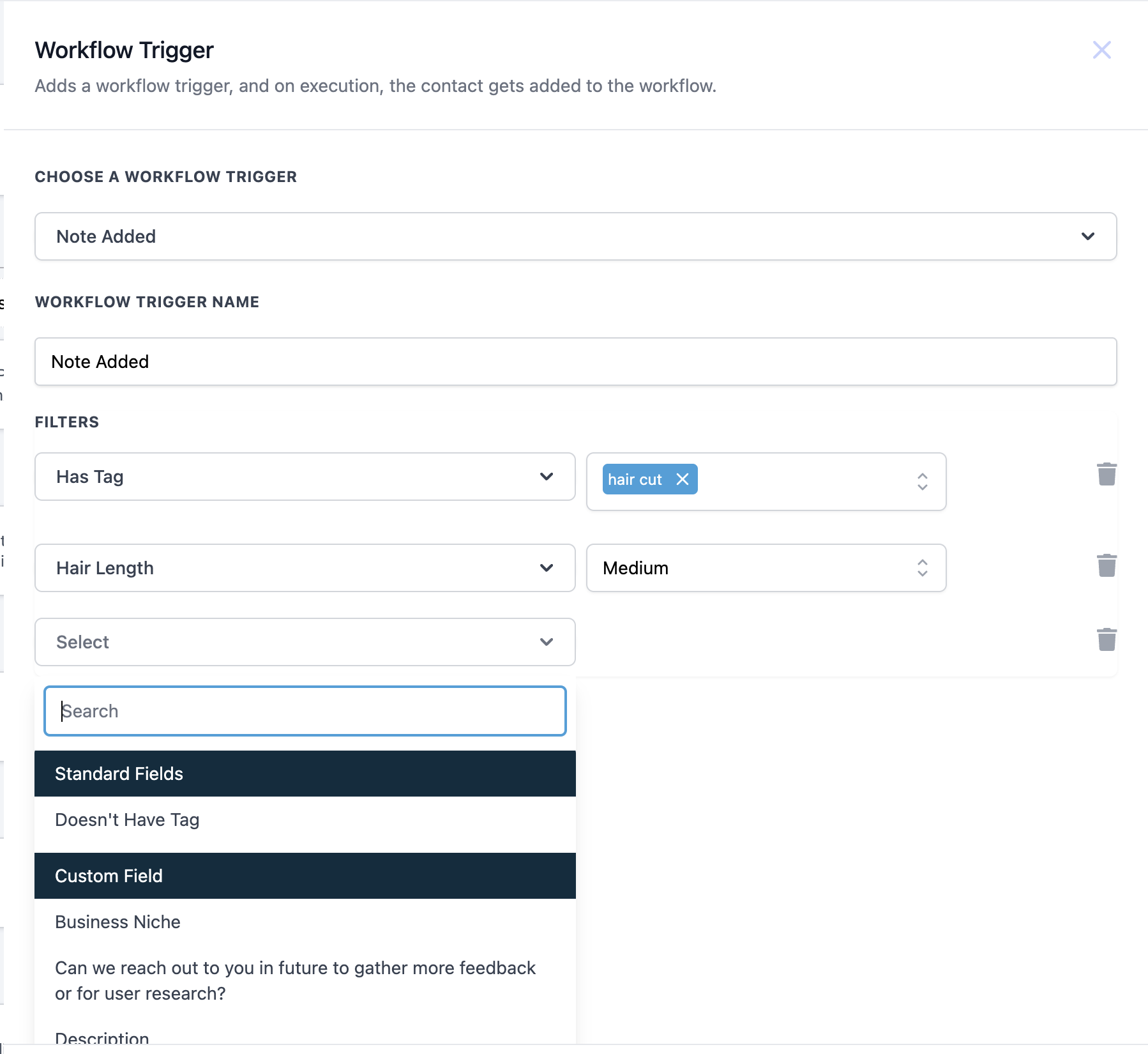
Configuration occurs in the Workflow Triggers area. You select the trigger type, give it a name, and optionally apply filters based on tags or custom fields. When the conditions are met, the workflow runs in real time.
03How businesses use note added trigger
- Salon. Select the Note Added trigger, name it "Haircut Note Alert," and add a filter for the tag "Haircut." Attach a workflow that sends an internal notification and creates a task for the manager.
- General internal alert. Create a Note Added trigger with no filters and link a workflow that sends an internal notification to a designated team whenever any note is added.
- Task creation. Configure a Note Added trigger and connect a workflow that automatically creates a task for the responsible user each time a note is added.
04How to set up and use note added trigger in HighLevel
Set up Note Added trigger
- Navigate to Workflow Triggers.
- Select "Note Added" from the list of available triggers.
- Enter a descriptive name for the trigger, such as "Note Added."
- Optionally add filters like Has tag or Doesn't have tag to narrow when the trigger fires.
05What it looks like in HighLevel
06Settings that matter
- Choose a Workflow Trigger. Selects the type of event that starts the workflow; set this to "Note Added."
- Workflow Trigger Name. Provides a label for the trigger so you can identify it later; any descriptive text can be used.
- Filters. Optional criteria such as Has Tag or Doesn't Have Tag that limit the trigger to specific notes.
07How it connects to the rest of HighLevel
- Learn the basics of workflow automation in HighLevel. Workflow basics
- Step by step instructions for building workflows. Workflow setup guide
- Overview of all workflow features available in the platform. All workflows features
Michael's take

Will a note based trigger help my team stay on top of client updates? Absolutely. If I were a salon owner, I’d use it to flag any note marked with a service tag, like "Haircut," so the manager gets an instant alert and a task to review.
The key is to keep the filter simple. Just target the tag you care about. Once it’s live, watch the internal notifications pop up and make sure the task assignments line up with your staff’s workflow. A quick check of a few notes will confirm everything is routing as expected.