
01Who this is for
- Marketing agencies can automatically capture lead data into Notion project boards, keeping client work visible to the whole team.
- Consultants can sync appointment outcomes to Notion logs, creating an auditable record of every meeting.
- Small businesses can generate proposal pages in Notion whenever a deal moves to the won stage, streamlining delivery.
02Notion integration, explained
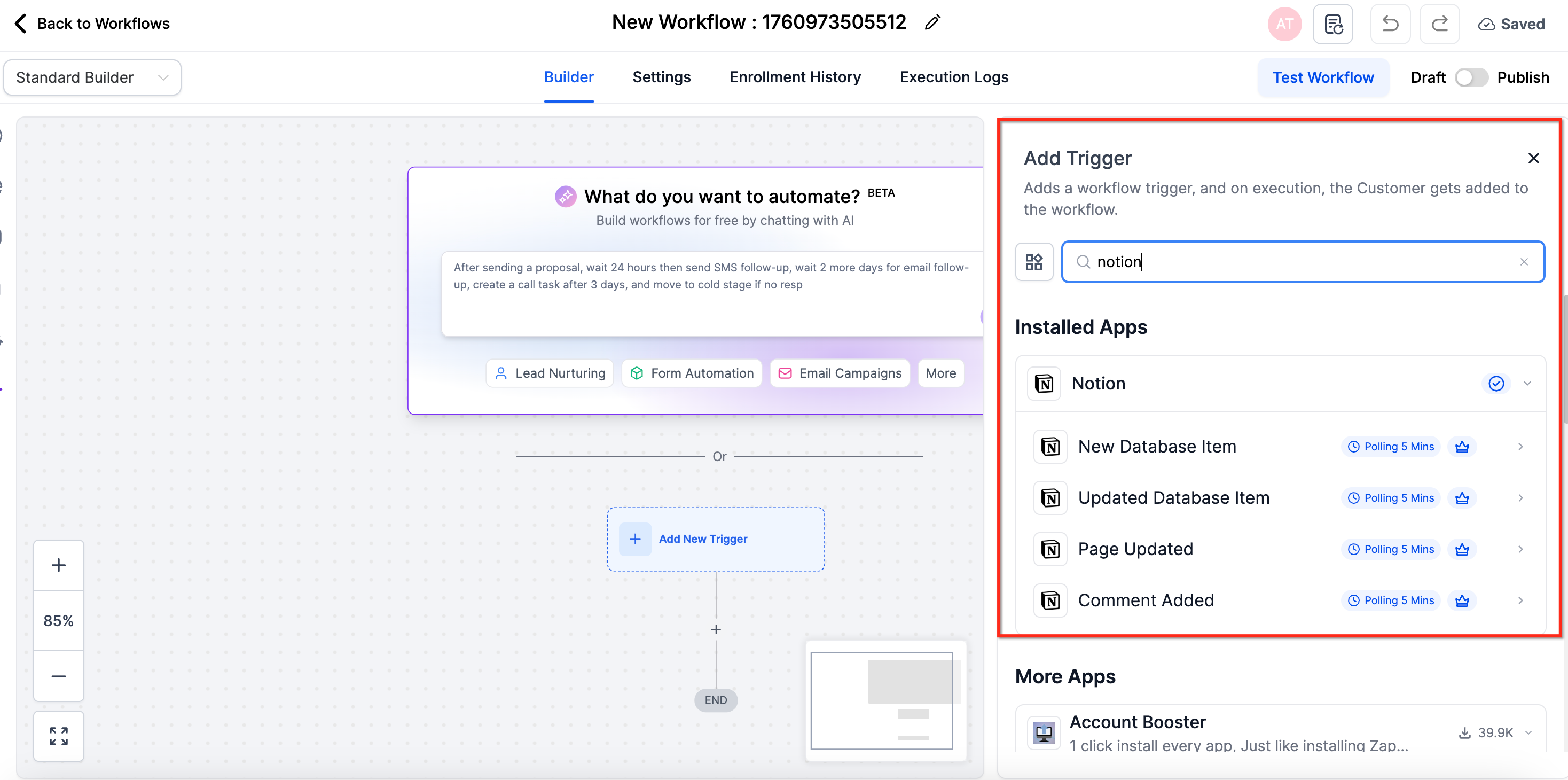
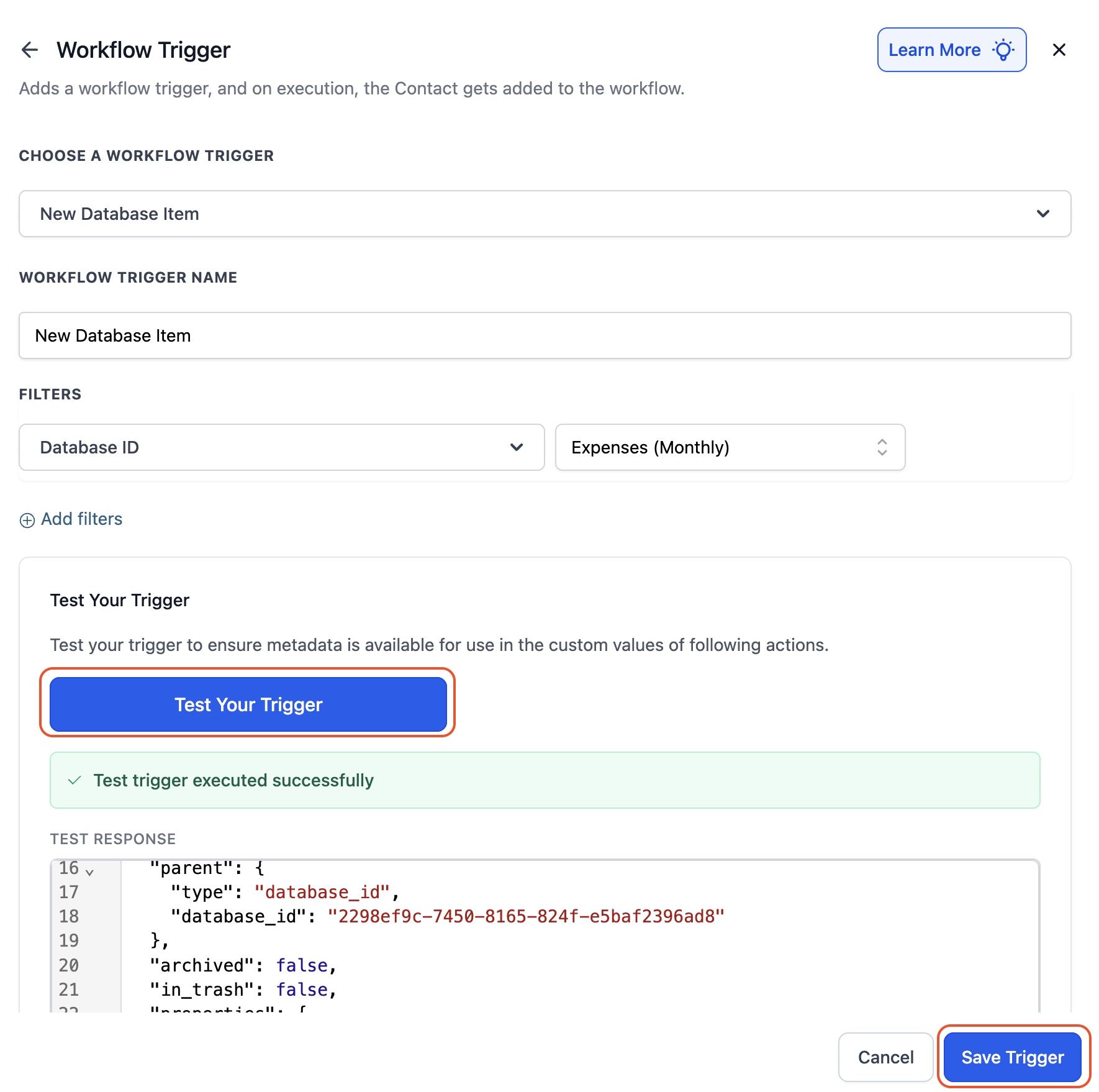
The integration adds native Notion triggers and actions to the HighLevel workflow builder. Triggers fire when a Notion database item is added or updated, or when a page changes. Actions let you create, update, archive, or retrieve database items, pages, comments, and block content. All of this lives inside the workflow editor, where you can search for Notion elements and drag them into your automation.
Polling runs about every five minutes, so HighLevel checks Notion for changes on that schedule. The integration respects both your HighLevel plan limits and Notion’s API rate limits. No webhooks or third party services are required.
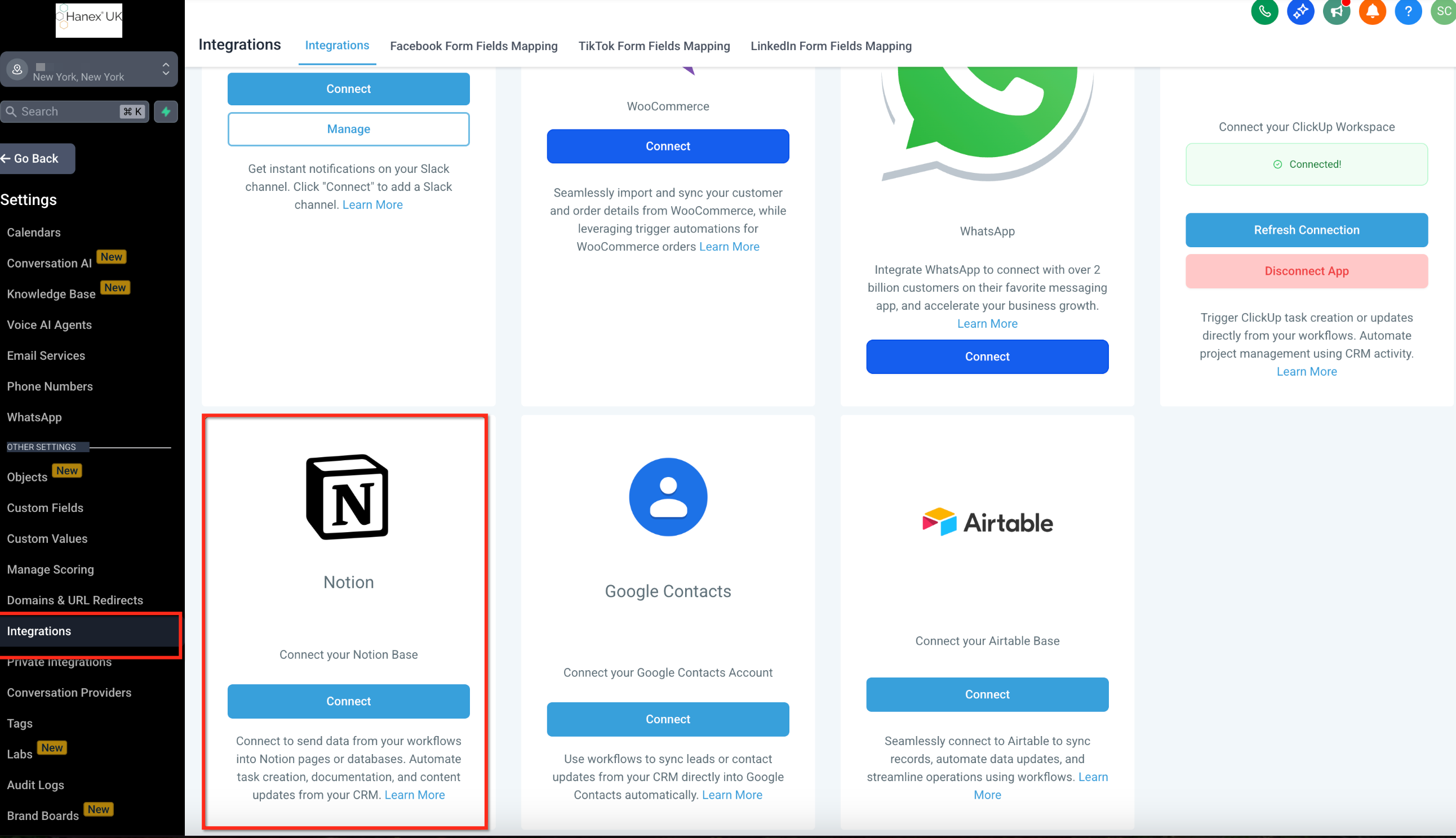
Configuration appears in two places: directly in a workflow when you add a Notion trigger or action, and in Settings > Integrations for a one time workspace connection.
03How businesses use notion integration
- Marketing agency. Add a Notion "Create Database Item" action after a form submission trigger. The workflow writes each new lead into a Notion database, keeping the agency’s campaign tracker up to date without manual entry.
- Consulting firm. Use the "Updated Page" trigger to start a workflow when a client’s meeting notes page changes. Then add an "Update Database Item" action to log the outcome in a Notion log database.
- Small business. Configure a pipeline stage change trigger and follow it with a "Create Page" action. When a deal moves to the won stage, HighLevel creates a proposal page in Notion and adds a comment with next steps.
04The numbers and rules that matter
- Replaces Zapier/n8n stacks with one native connection.
- Polling interval is ~5 minutes.
- Respects Notion’s official API rate limits.
05Before you start
- A Notion account must be available.
- Access to the HighLevel workflow builder is required.
06How to set up and use notion integration in HighLevel
Connect Notion account
- Open the HighLevel workflow builder and search for Notion actions or triggers.
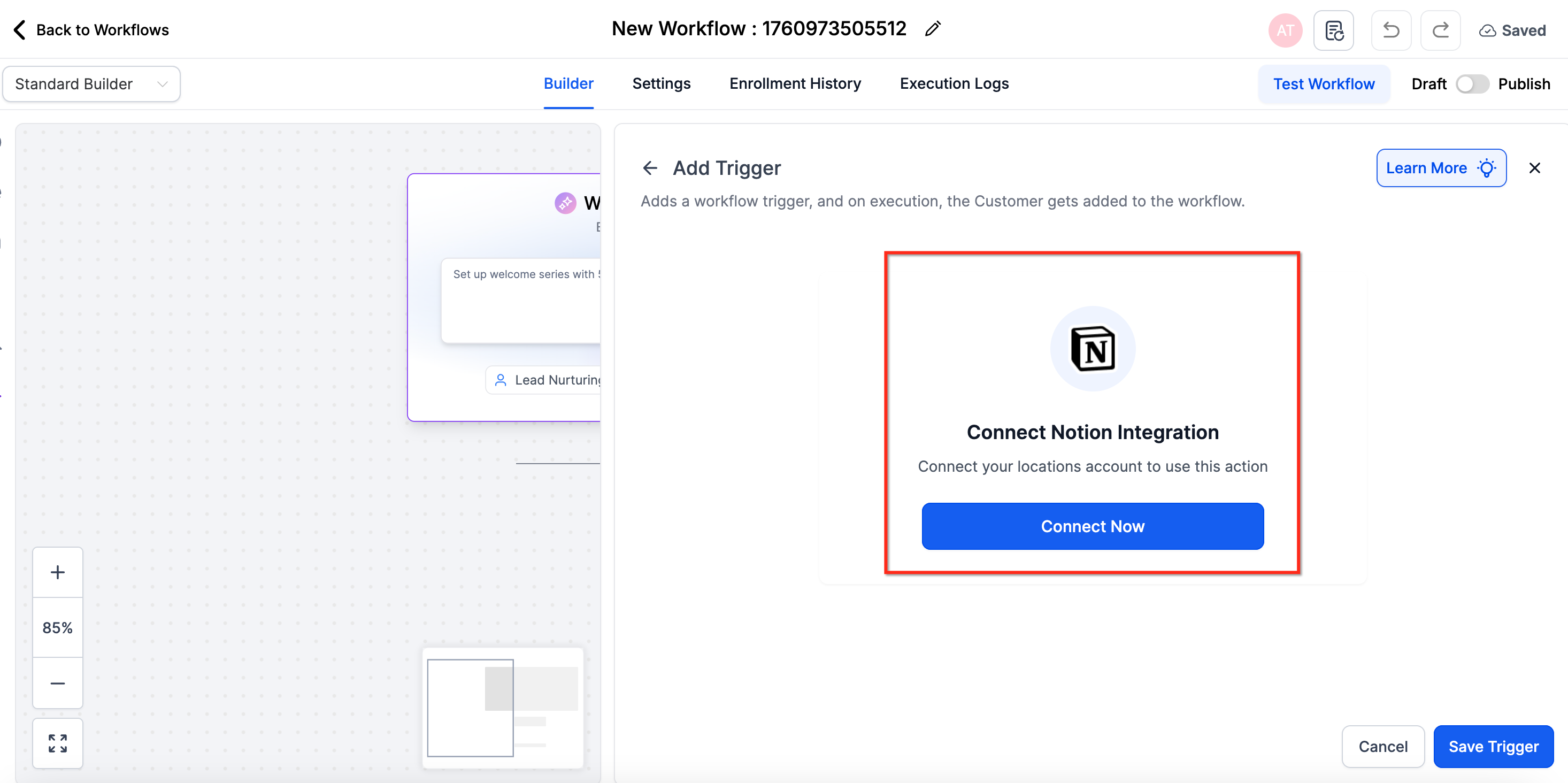
- If Notion is not linked, click the Connect Now button shown in the configuration pane.
- Complete the Notion OAuth authorization flow to grant access.
- Alternatively, go to Settings > Integrations, locate Notion, and connect the workspace.
07What it looks like in HighLevel
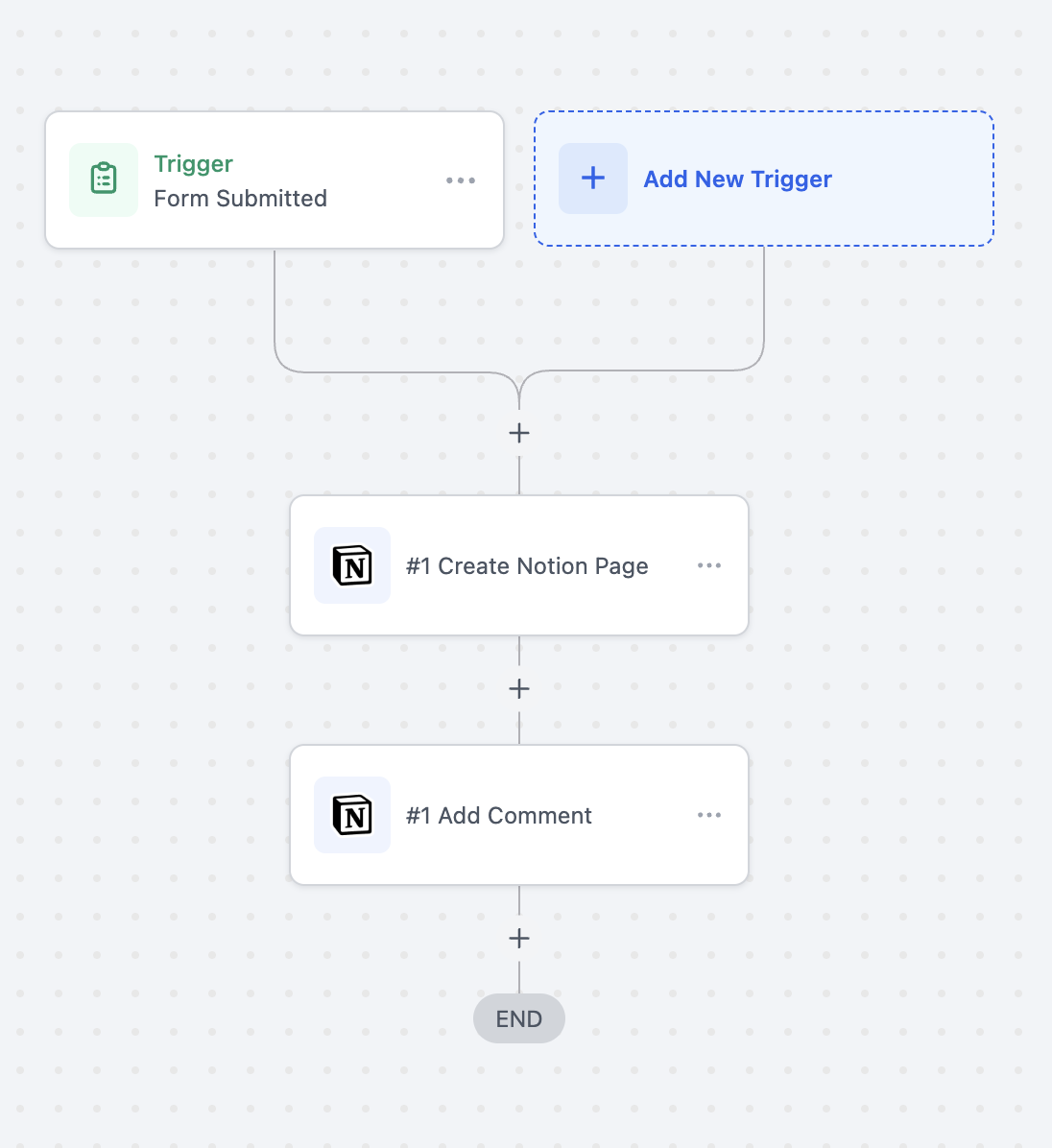
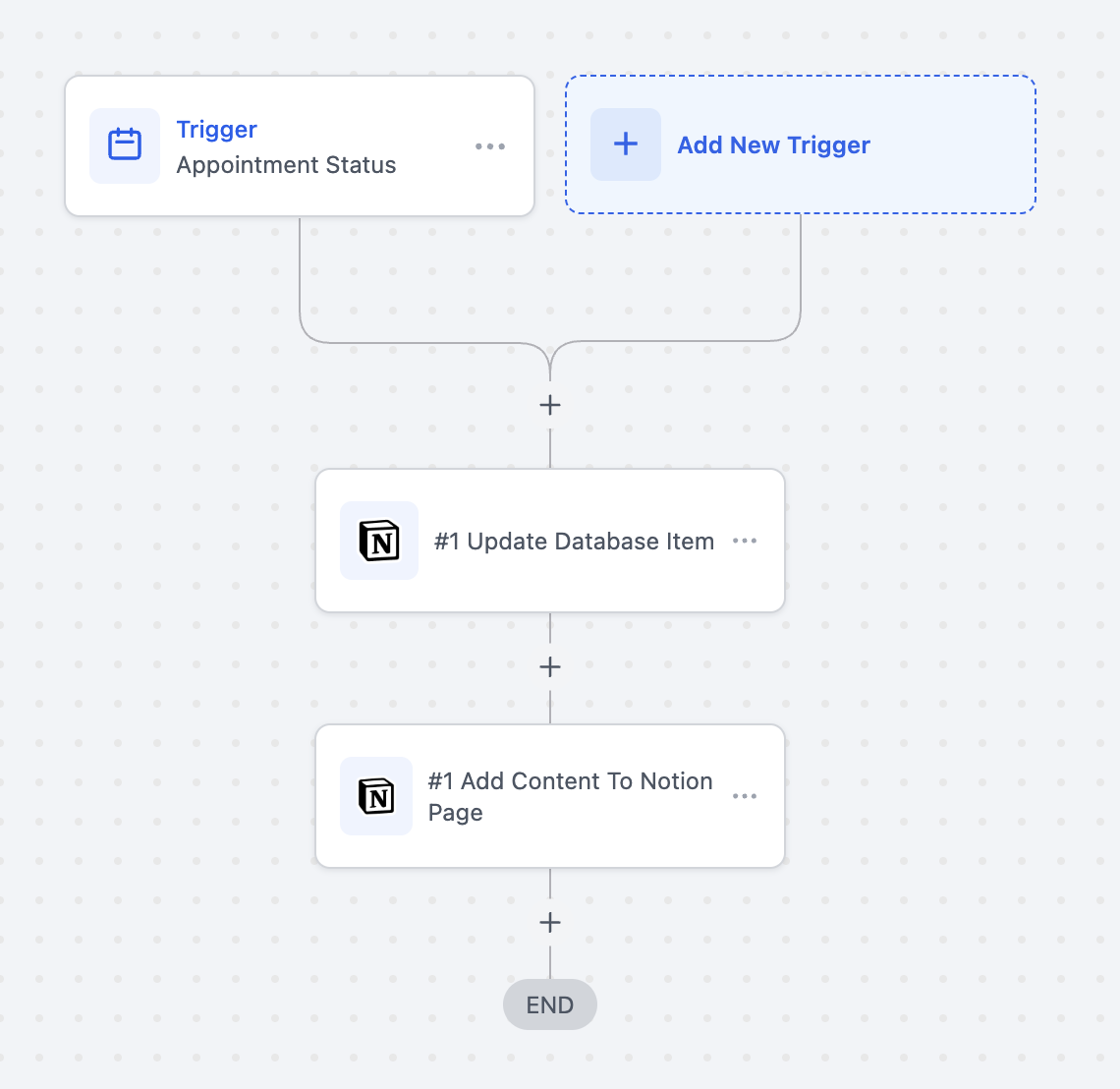
08Things to know before you rely on it
- Triggers use polling that runs roughly every five minutes.
- Workflow quantity is limited by the HighLevel subscription plan.
- The integration follows Notion’s official API rate limit rules.
09How it connects to the rest of HighLevel
- Start building automations with the workflow basics guide. Workflow basics
- Review the different types of triggers available in HighLevel. Triggers overview
- Learn how to add actions and notes within a workflow. Actions and notes guide
Michael's take

The Notion integration is a cost saving shortcut for any small business that already uses Notion for documentation. It removes the need for Zapier, lets you keep client data, project notes, and meeting logs in sync, and frees up time for real work.
Don’t forget that triggers run on a five minute poll, so you can’t rely on instant updates.