
01Who this is for
- Founders who design automated workflows can combine several filter values into one trigger, simplifying setup.
- Marketing teams using Facebook comment triggers can capture any of multiple keywords without duplicating triggers.
02Multi select for forms, surveys, contains phrase and exact match, explained
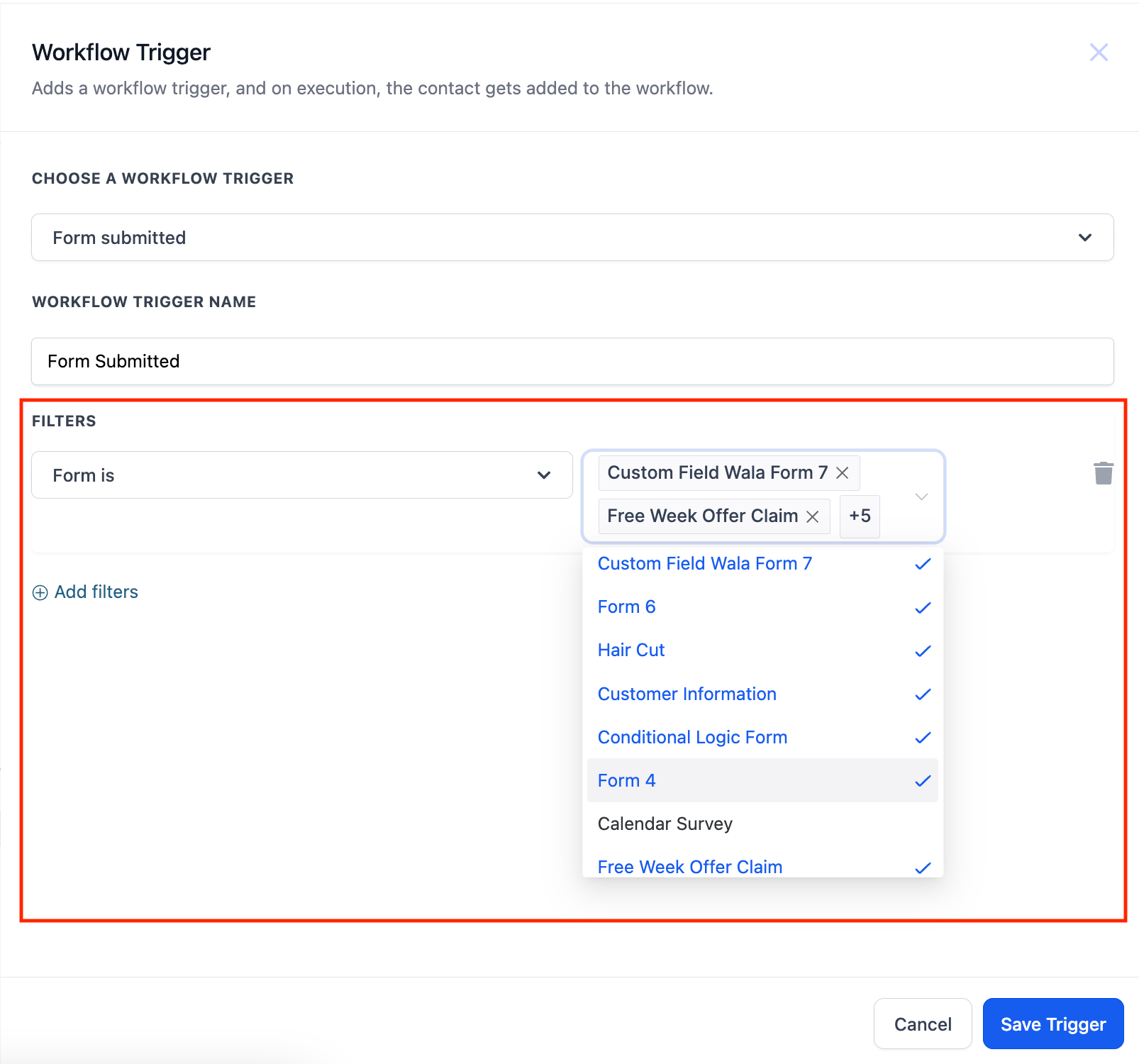
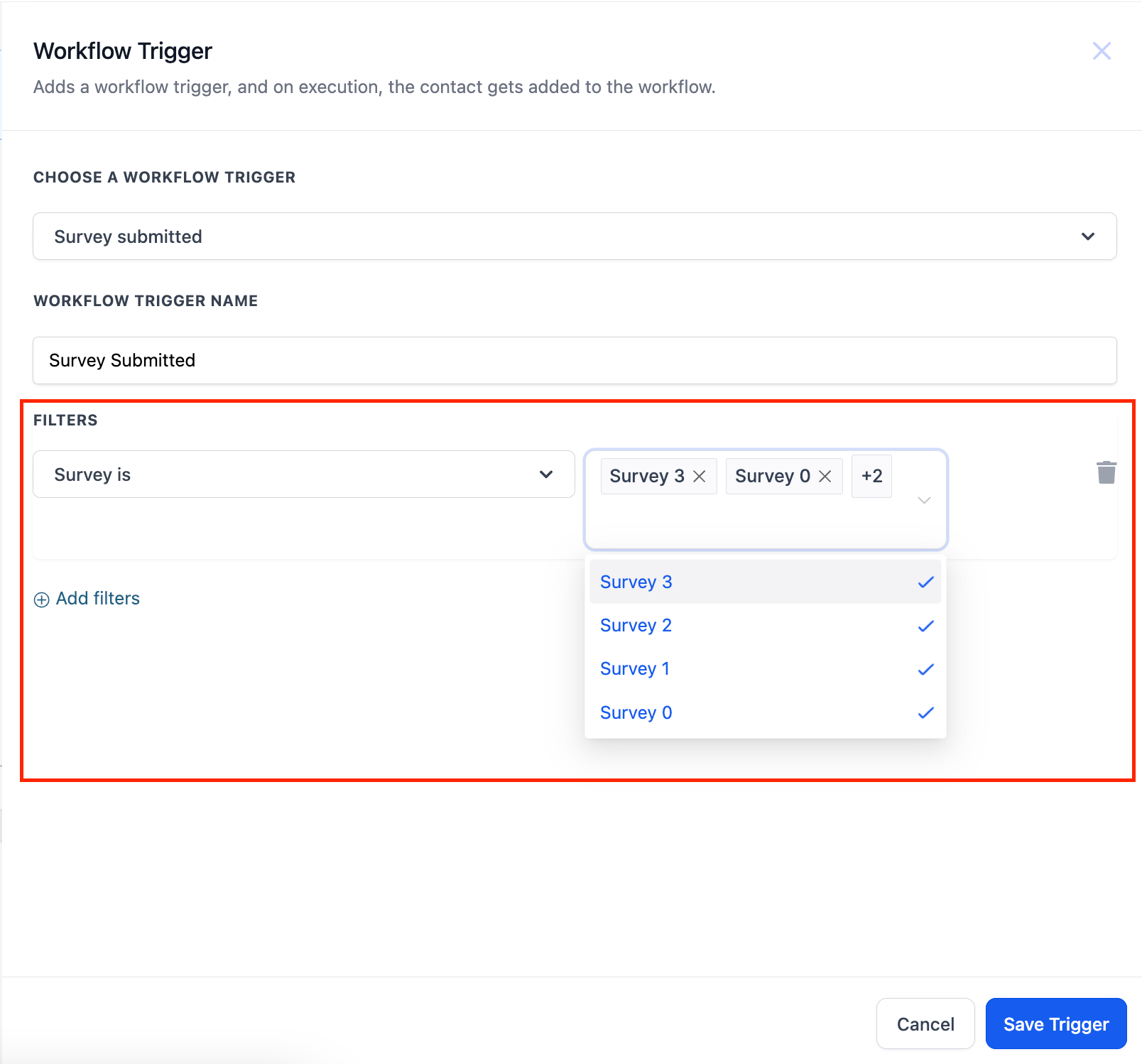
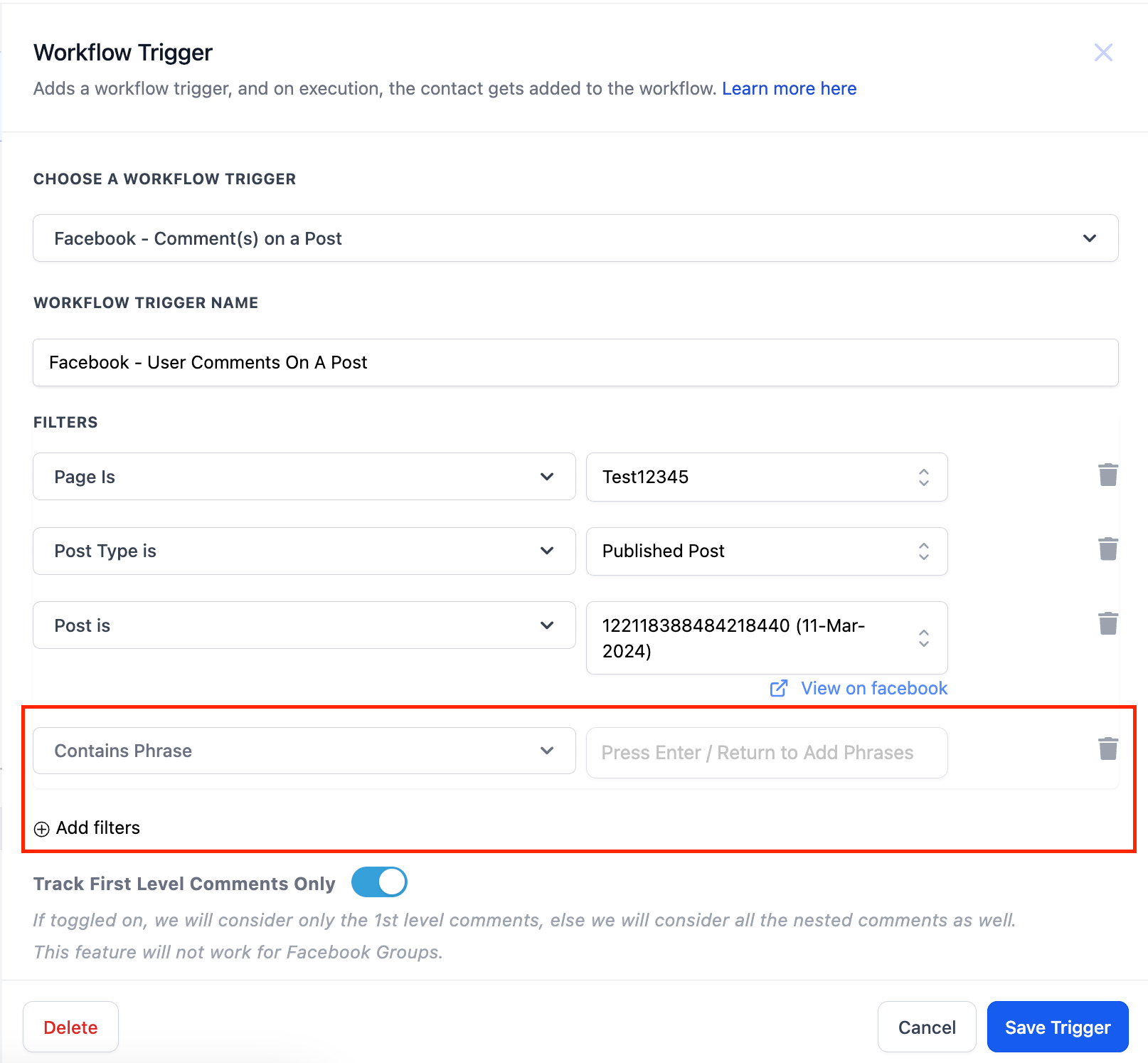
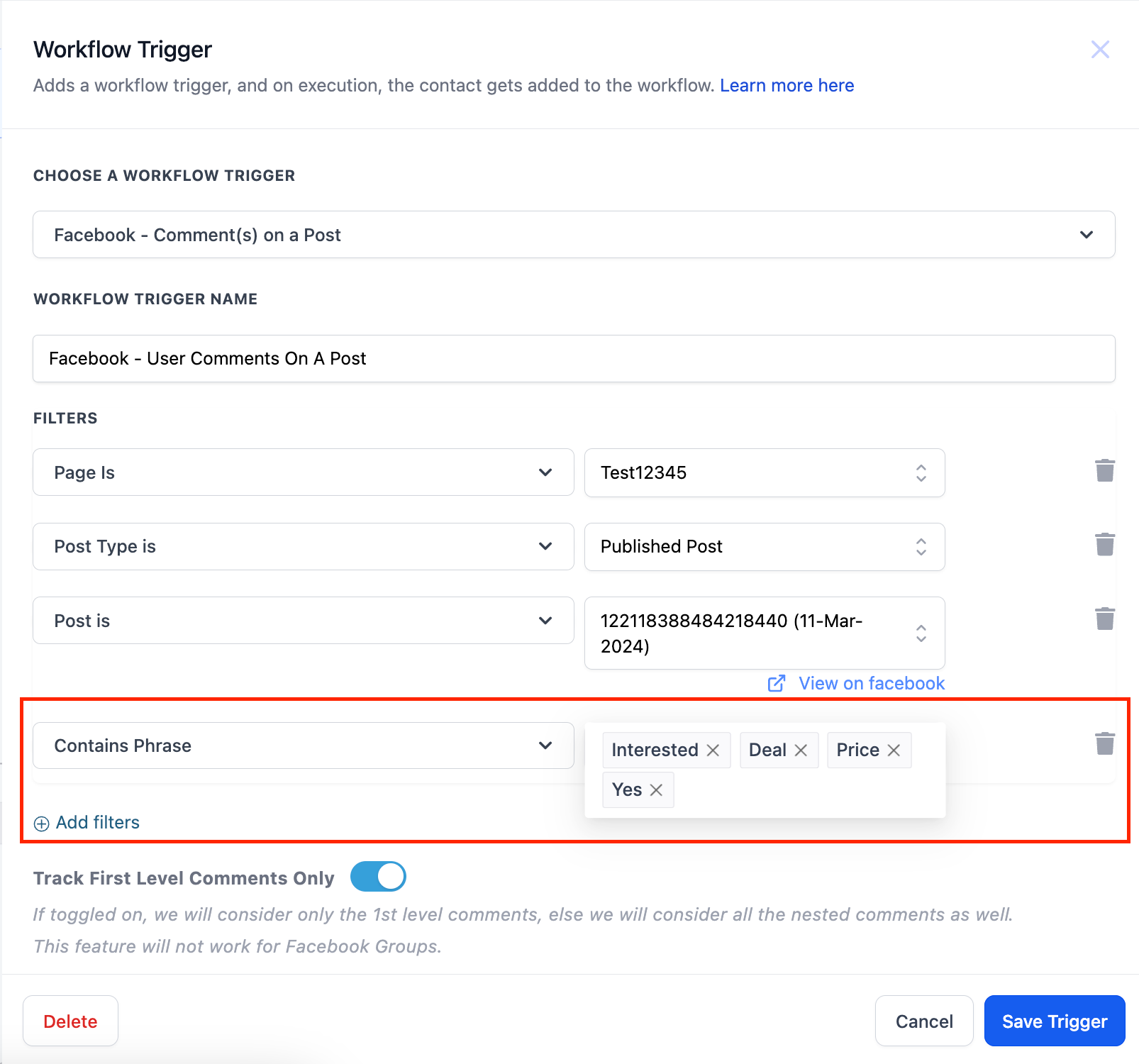
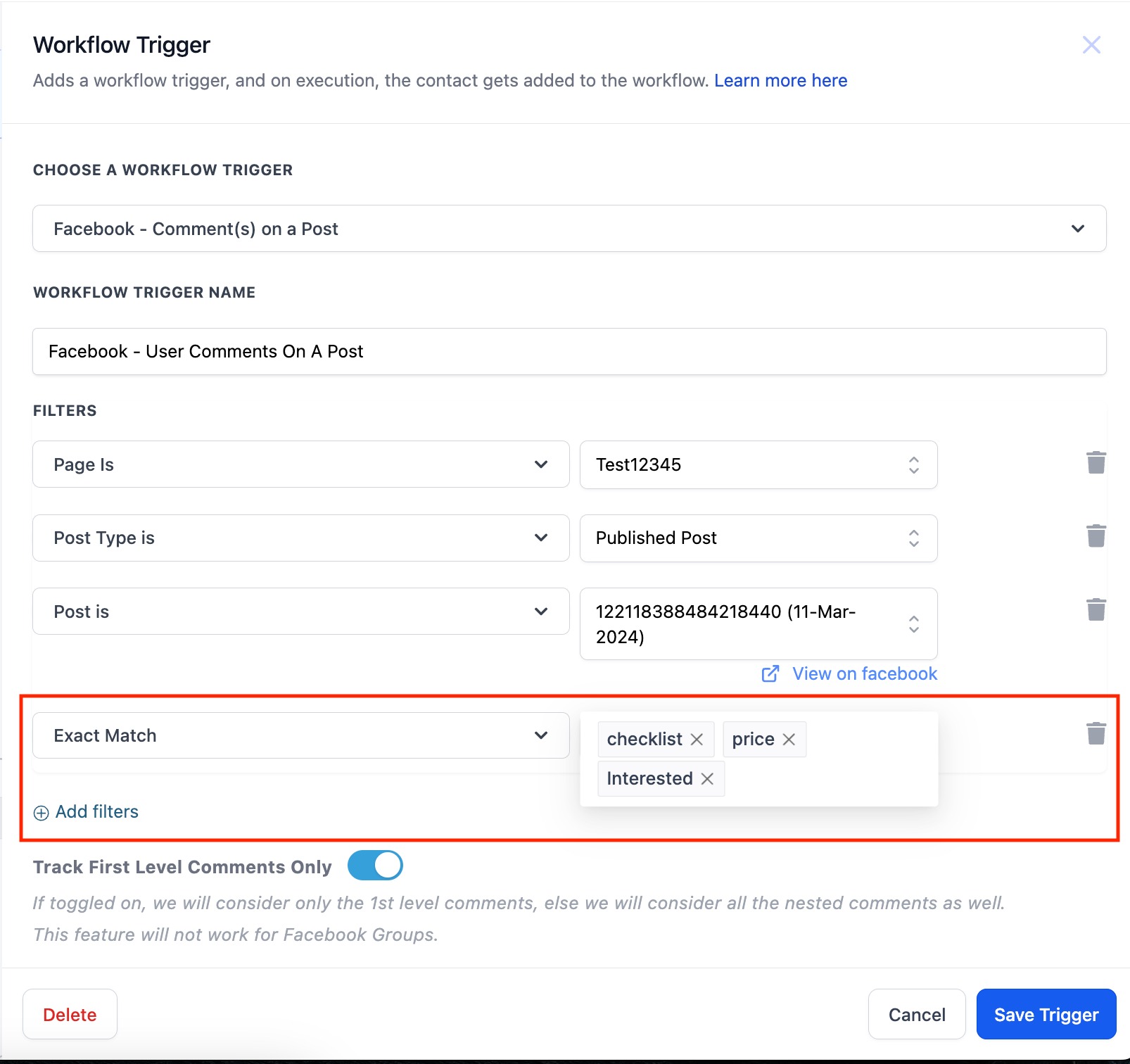
The new multi select feature expands filter options in workflow triggers. In Forms and Surveys filters, a dropdown now lets you click multiple entries. For Contains Phrase and Exact Match filters, you can add several texts by typing each one and pressing Enter. The platform treats the selected items with OR logic, so the trigger activates if the contact meets any one of the chosen criteria. This functionality resides within the trigger configuration screen of any workflow that includes those filter types.
03How businesses use multi select for forms, surveys, contains phrase and exact match
- Fitness studio. Create a workflow trigger on a class sign up form. In the Forms filter, click the dropdown and select all class types the studio offers. The workflow starts when a lead chooses any of the selected classes.
- Ecommerce retailer. Set up a Facebook comment trigger. In the Contains Phrase filter, type each product keyword and press Enter after each. The workflow launches when a comment contains any of the entered keywords.
- Real estate agency. Add a trigger on a property interest form. In the Surveys filter, select multiple property categories from the dropdown. The automation runs when a prospect selects any of the chosen categories.
04How to set up and use multi select for forms, surveys, contains phrase and exact match in HighLevel
Select multiple options in forms and surveys
- Open the workflow trigger that contains a Forms or Surveys filter.
- Click the dropdown list for that filter.
- Click each option you want to include; each will be added to the selection.
Select multiple options in contains phrase and exact match
- Open the workflow trigger that contains a Contains Phrase or Exact Match filter.
- Type the first phrase you want to match.
- Press Enter or Return to add the phrase.
- Type the next phrase you want to match.
- Press Enter or Return again to add the second phrase.
05What it looks like in HighLevel
06Things to know before you rely on it
- The multi select works as an OR condition; the trigger fires if any chosen option matches.
- Previously, users had to create separate triggers to handle multiple values.
07How it connects to the rest of HighLevel
- Learn how to create a workflow and add triggers. Workflow creation guide
- Explore the different trigger types available in HighLevel. Trigger overview
- Adjust workflow timing and contact handling settings. Workflow settings
Michael's take

Many people try to copy a trigger for each possible answer or phrase, thinking the platform can’t handle more than one selection. That creates a tangled web of duplicate triggers.
I would simply use the new multi select option. Pick all the answers or phrases at once and let the single trigger handle the OR logic. It keeps the workflow clean and reduces maintenance.