
01Who this is for
- Sales teams, they can call prospects with a familiar local number without manually selecting a caller ID.
- Customer support agents, consistent caller IDs help contacts recognize the business on repeat calls.
- Real estate agencies, agents can reach buyers using numbers that match the buyer’s local area.
02Local Presence dialing, explained
Local Presence Dialing examines the numbers you own in a subaccount and selects the one that best matches a contact’s location. It follows a hierarchy that starts with ZIP or postal code, then area code, overlay code, the nearest number by distance, the same region, and finally the account default.
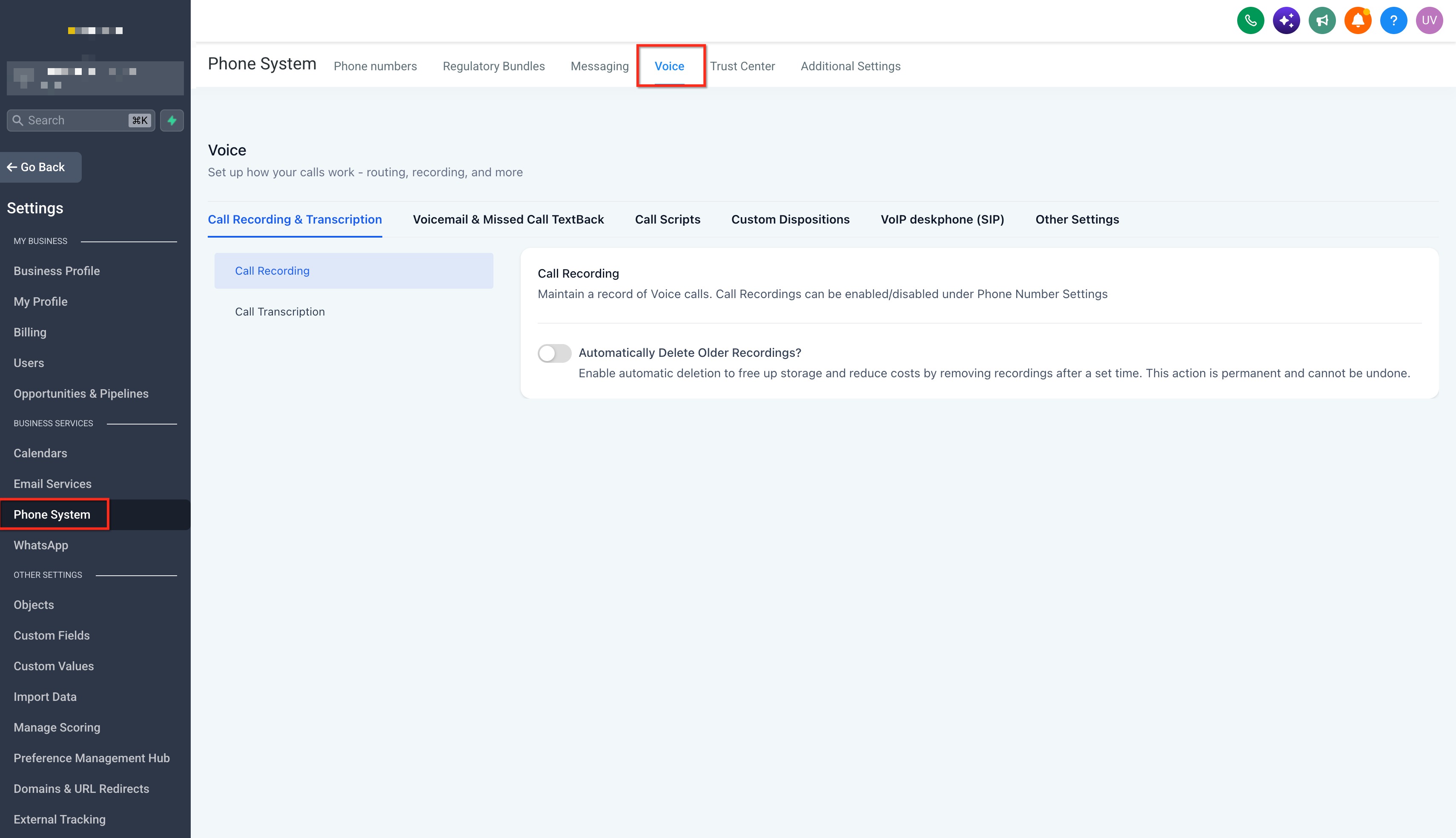
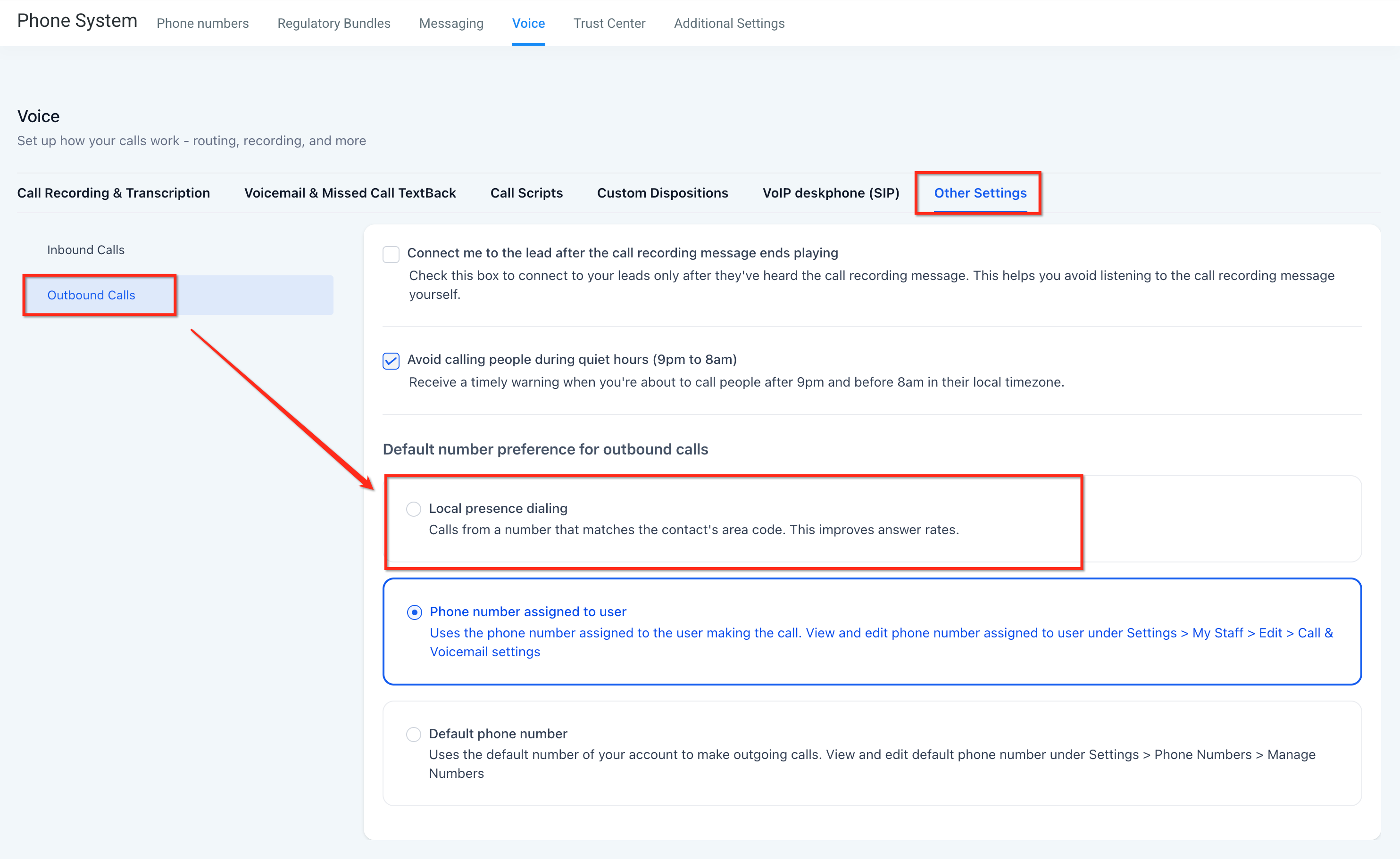
The settings are found under Settings > Phone System > Voice > Other Settings > Outbound calls. In the Local presence dialing section you enable the feature and adjust its options. The engine works for outbound calls placed from the Web Dialer, the HighLevel mobile app, or desk phones.
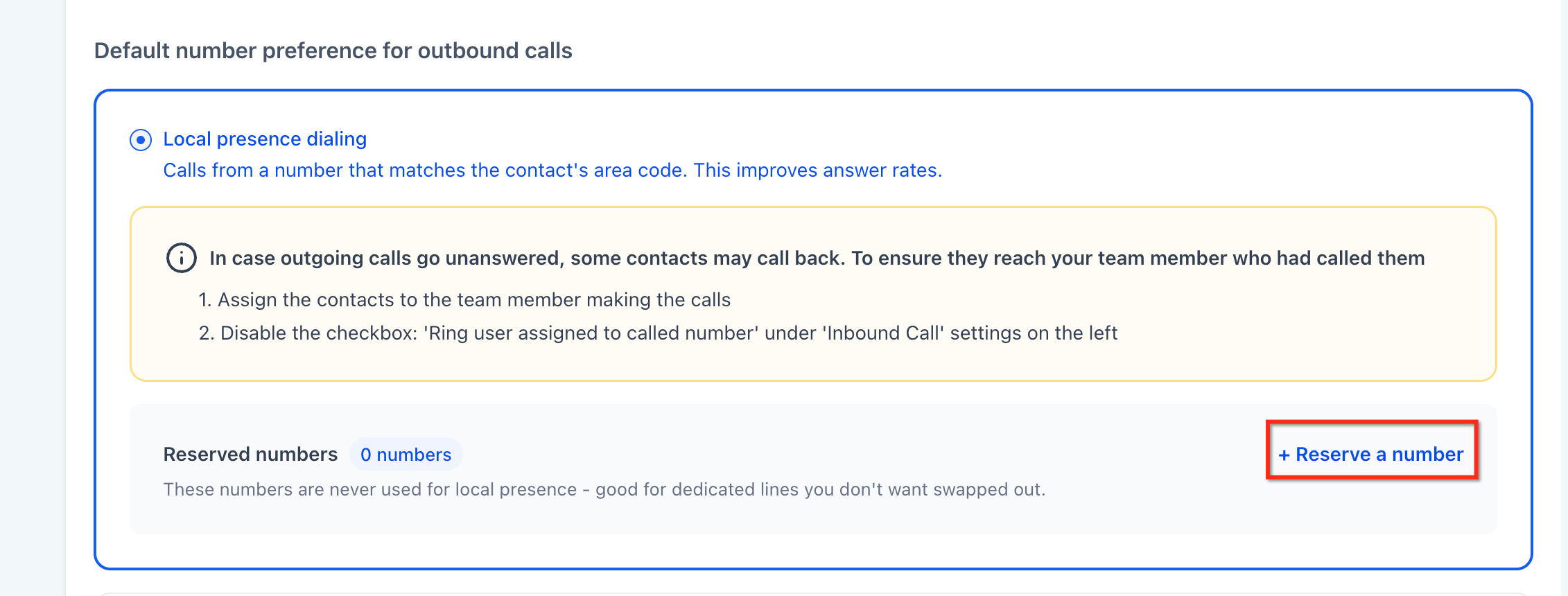
You can reserve up to 50 numbers per subaccount so they are excluded from automatic selection but remain available for manual dialing. If no suitable match is found, the call falls back to the account default, ensuring the call still goes through.
03How businesses use local presence dialing
- Real estate agency. When an agent calls a potential buyer, the platform selects a caller ID that matches the buyer’s ZIP code or area code. The same number is used for any follow up calls, keeping the ID consistent.
- Dental practice. A receptionist can reserve the clinic’s main office number so Local Presence never picks it automatically. For each patient call, the system then chooses a nearby number, making the call appear local while the main line stays free for manual use.
- SaaS startup. During outbound outreach, the startup enables Local Presence so prospects see a number that shares their region. The startup can still manually dial a specific verified caller ID when a campaign requires a dedicated number.
04The numbers and rules that matter
- Location based matching is available in the United States, Canada, the United Kingdom, and Australia.
- You can reserve up to 50 numbers per subaccount.
05Before you start
- Add at least one phone number or verified caller ID to the subaccount.
- Ensure the subaccount has the phone system feature enabled.
06How to set up and use local presence dialing in HighLevel
Enable Local Presence Dialing
- Open Settings in the platform.
- Select Phone System.
- Navigate to Voice > Other Settings > Outbound calls.
- Scroll down to the Local presence dialing section.
- Adjust the Local Presence Dialing options as needed and enable the feature.
Reserve numbers from automatic selection
- Open Settings and go to Phone System.
- Navigate to Voice > Other Settings > Outbound calls.
- In the Local presence dialing section, locate the Reserved numbers area.
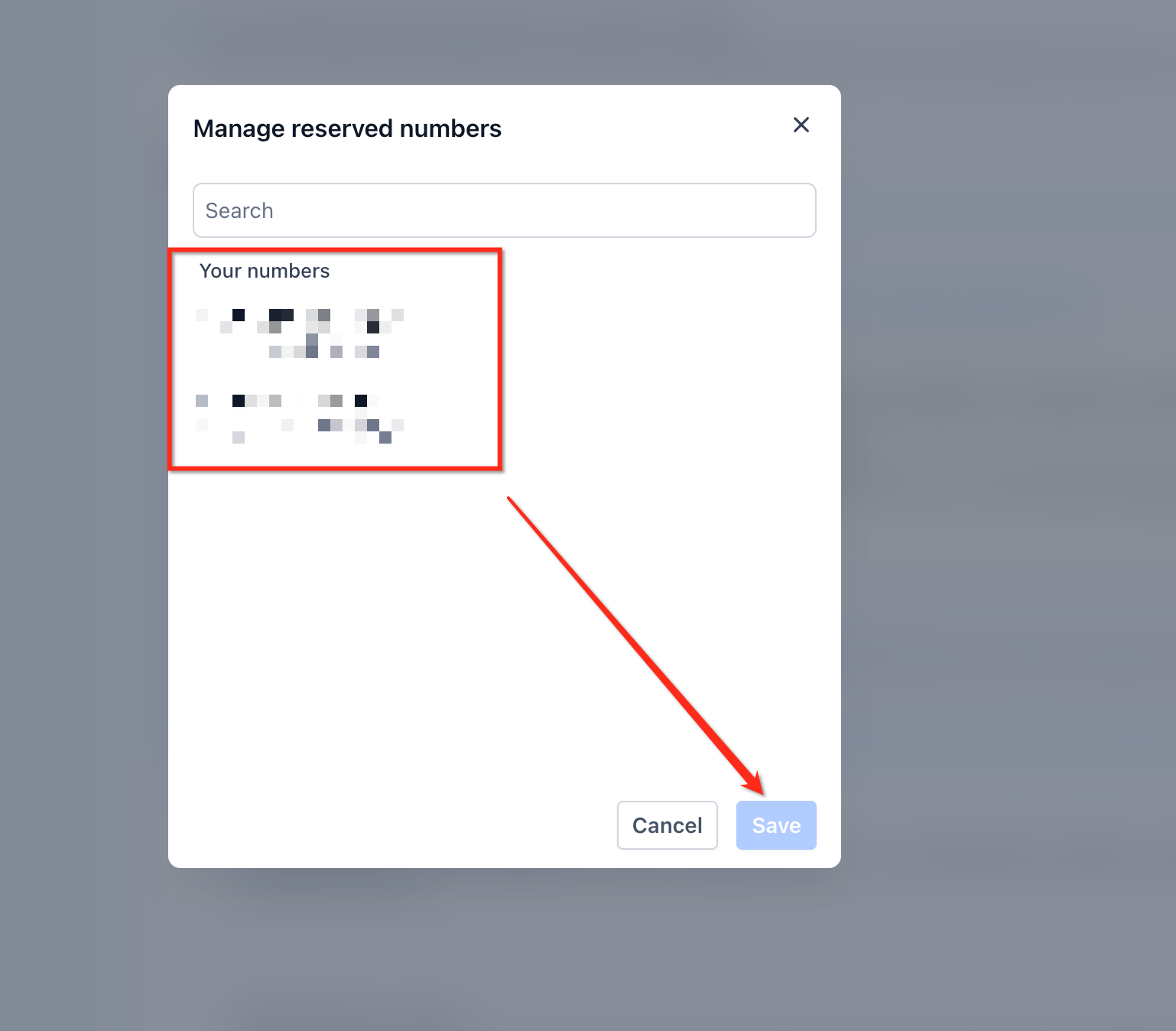
- Add the numbers you wish to reserve (up to 50 per subaccount).
- Save the changes; reserved numbers will no longer be chosen automatically but remain available for manual dialing.
07What it looks like in HighLevel
08Settings that matter
- Local presence dialing. Controls automatic selection of the outbound caller ID based on the contact’s location using the matching hierarchy.
- Reserved numbers. Specifies numbers that are excluded from automatic selection; up to 50 numbers can be reserved per subaccount.
09Things to know before you rely on it
- Location based matching works only in the United States, Canada, the United Kingdom, and Australia.
- You can reserve a maximum of 50 numbers per subaccount.
- There is no separate pool limit for Local Presence numbers; the overall phone number limit for the subaccount applies.
- If no suitable local number is found, the call uses the account default.
- Verified Caller IDs are supported by Local Presence Dialing.
- The feature is configured at the subaccount level, not per individual user.
10How it connects to the rest of HighLevel
- Check which pricing tier includes the phone system before enabling Local Presence. HighLevel pricing and plans
- Start a trial to test Local Presence Dialing before committing to a plan. Start a 30 day HighLevel trial
- Founders can access additional settings and support through the Founder Plan. The HighLevel Founder Plan
Michael's take

I find that the automatic local caller ID can simplify outbound call workflows, especially for teams that dial to many regions.
If your business only calls within a single city or you already use a single number, the benefit may be less pronounced, and the reserved number limits might not be necessary.