Home/HighLevel/Features/Workflows/Using the email template builder in HighLevel workflow send email action

Workflows and Automation

Using the email template builder in HighLevel workflow send email action

In short

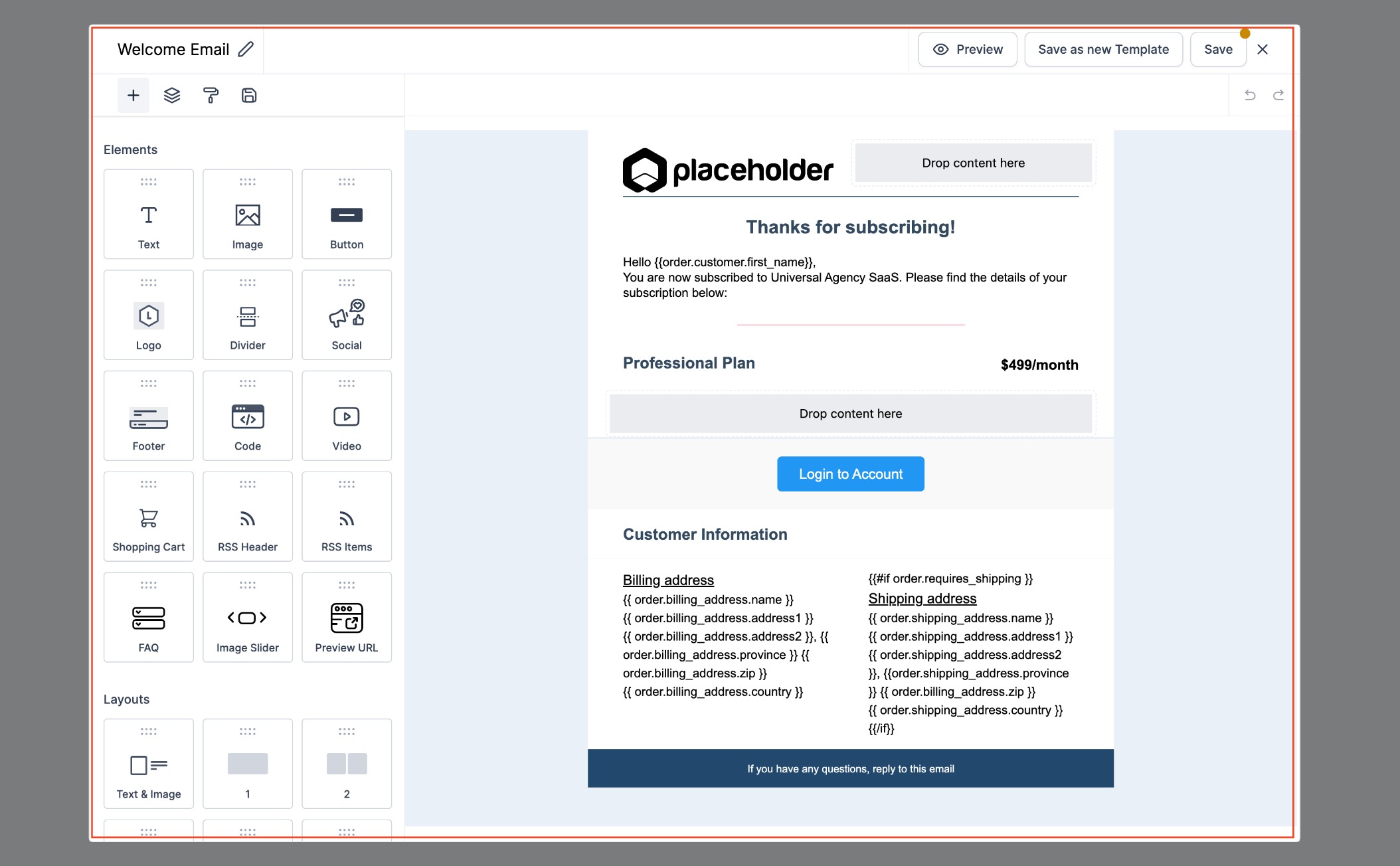
The email template builder lets you view and edit email templates within the workflow, eliminating the need to switch tabs.

AreaWorkflows · Workflow Builder
Used forEdit templates while building a workflow, Create consistent email content
Guide typeOverview
Last updatedNovember 3, 2026

01Email template builder, explained

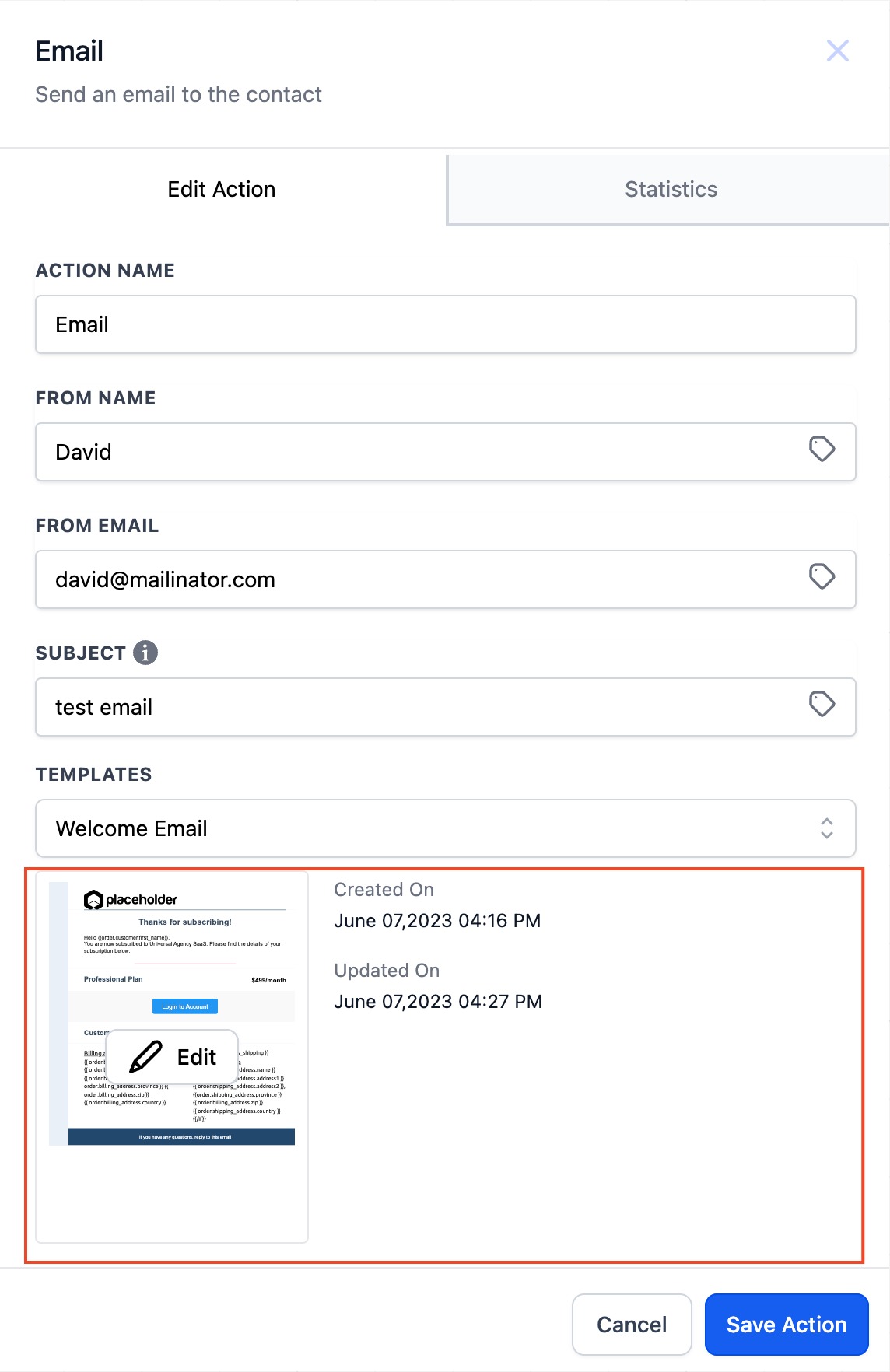
The email template builder is now part of the Send Email action in the workflow editor. When you add a Send Email step, you can open the template right there and make changes without leaving the workflow screen.

By editing templates directly in the workflow, you avoid the back and forth between the template library and the Workflow Builder, helping ensure swift and efficient execution of automated email sequences.

02How businesses use email template builder

  • Edit templates while building a workflow. Add a Send Email action, open the template, and make changes on the spot. This lets you fine tune the message as you design the automation.
  • Create consistent email content. Because you can see the template inside the workflow, you can ensure the email matches the surrounding steps and logic, reducing errors and improving consistency.

03What it looks like in HighLevel
Michael's take

Michael Reimer
Michael ReimerFounder of CRM Pros, HighLevel Commander and Certified Admin

Having the ability to edit email templates right inside a workflow keeps the focus on building the automation.

Get More InformationOpens on HighLevelPublished November 2, 2026 · Updated November 3, 2026

Common questions

Common questions about email template builder.

What does the email template builder do in a workflow?

It lets you view and edit an email template directly within the Send Email action, so you don’t have to leave the workflow editor.

How can I edit an email template in a workflow?

Add a Send Email step, then click to open the template. Make your changes and save; the updated template is used when the workflow runs.

Why should I use the email template builder in workflows?

It streamlines the experience by removing the need to switch between the template library and the Workflow Builder.

Next step

Pick the features that matter. Then get the plan that unlocks them.

Explore the features you want, start with the five at the top, and upgrade through my link when you are ready. The bonuses and the team come with it.

The features directory explains every HighLevel feature in plain English. Browse it to see what the platform can do.

Back to the FeaturesSee the full details
⌃

Site preview

Explore the next page

This destination is reserved in the page inventory and is not built yet.