
01Who this is for
- Location admins can restore deleted workflows.
- Agency admins can restore deleted workflows.
02Deleted workflows, explained
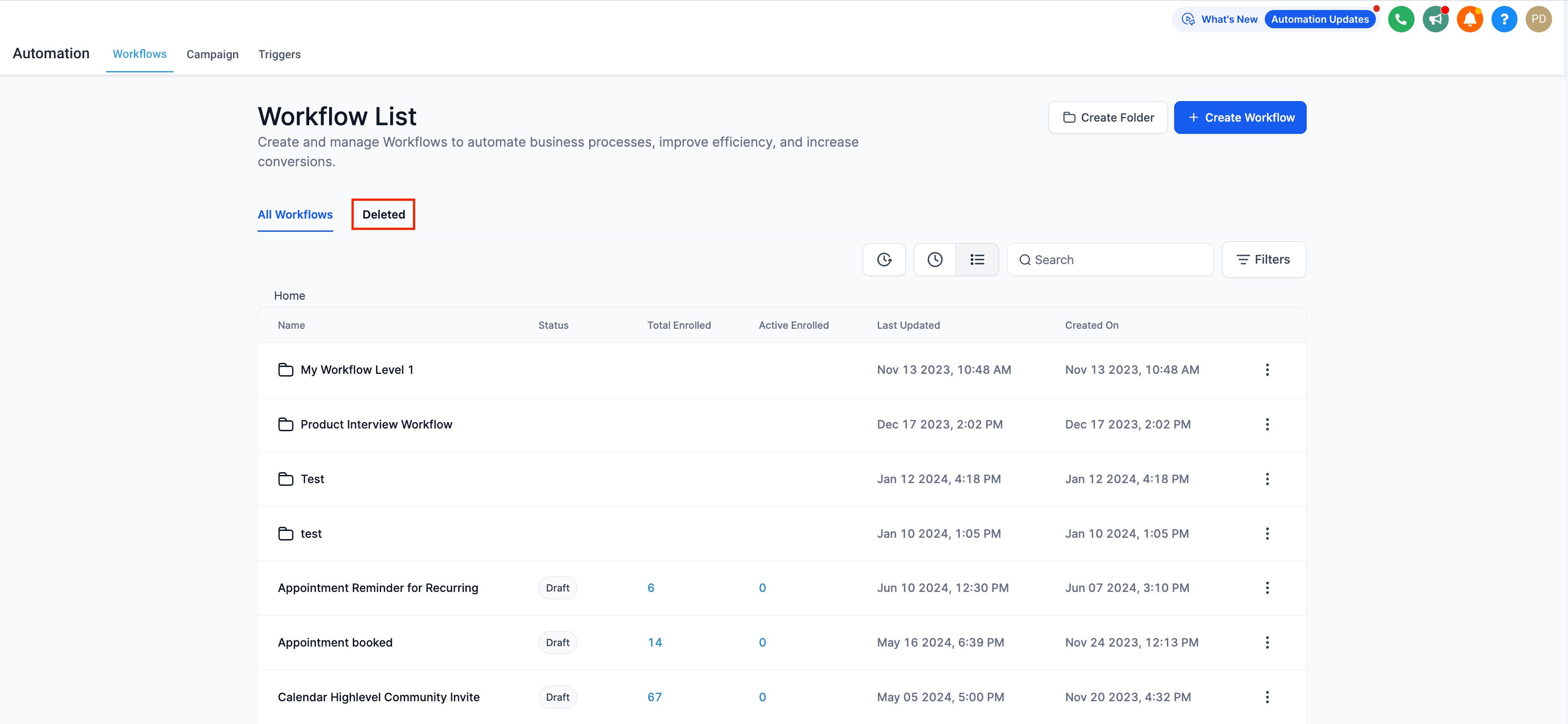
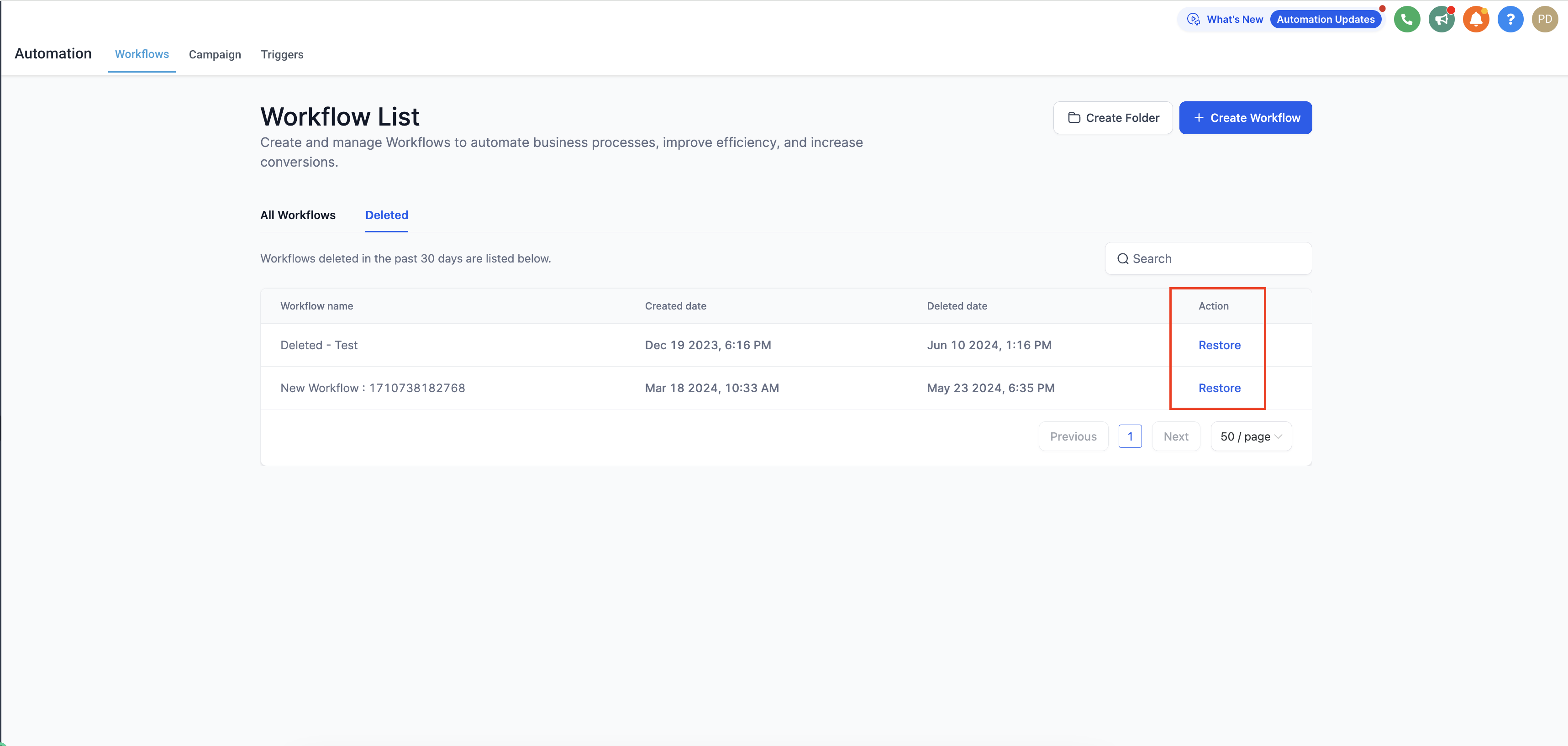
The restore feature adds a Deleted tab to the workflow list page. All workflows that have been deleted appear there, allowing admins to locate and bring them back.
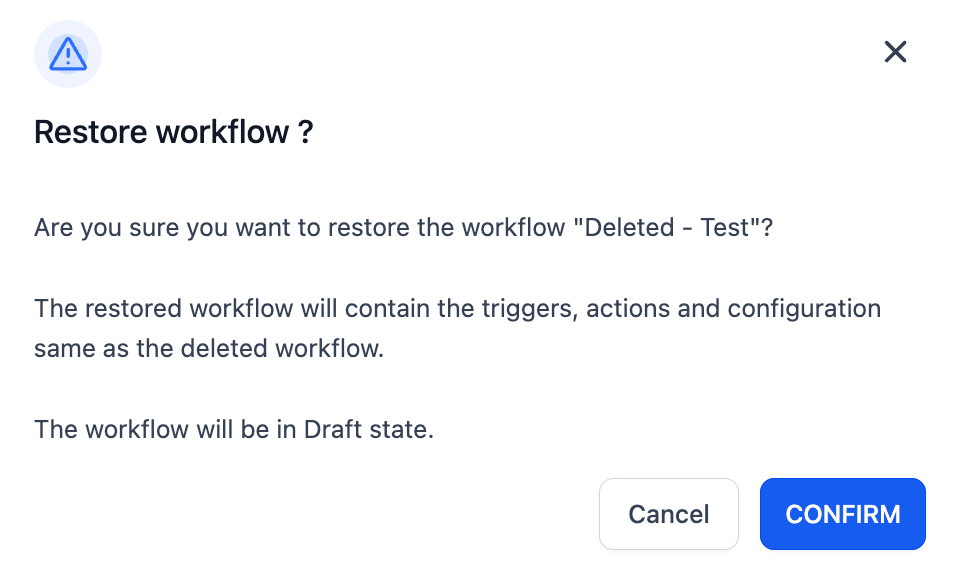
Restored workflows move to the root level, lose their previous permission settings, and are placed in Draft stage. They cannot be deleted for 48 hours and can only be restored after the deleting process has run for about 30 minutes.
Deleted items stay visible for 30 days. After a location transfer, only the deleted workflows belonging to the new location are shown. Contact enrollment history and execution logs remain, but contacts that were in the workflow at deletion are not restored.
03How businesses use deleted workflows
- Location admin. When a site specific workflow is removed, the location admin can open the Deleted tab, restore the workflow, and continue using the original automation at the root level.
- Agency admin. If a client’s funnel workflow is mistakenly deleted, the agency admin can restore it from the Deleted tab and then edit or publish it again without rebuilding triggers or actions.
- Support team. Restoring a workflow preserves enrollment history and execution logs, allowing the support team to review past activity while the workflow returns in Draft mode for further adjustments.
04The numbers and rules that matter
- Workflows are removed from the Deleted tab after 30 days.
- Restored workflows cannot be deleted for the next 48 hours.
- You can restore a workflow after 30 minutes of deleting it.
05Before you start
- A workflow must have been deleted and remain within the 30 day retention period.
- The user must hold a Location Admin or Agency Admin role.
06How to set up and use deleted workflows in HighLevel
Restore a deleted workflow
- Open the workflow list page and select the new Deleted tab that appears.
- View the list of workflows that were deleted and locate the one you need.
- Click the Restore button next to the chosen workflow.
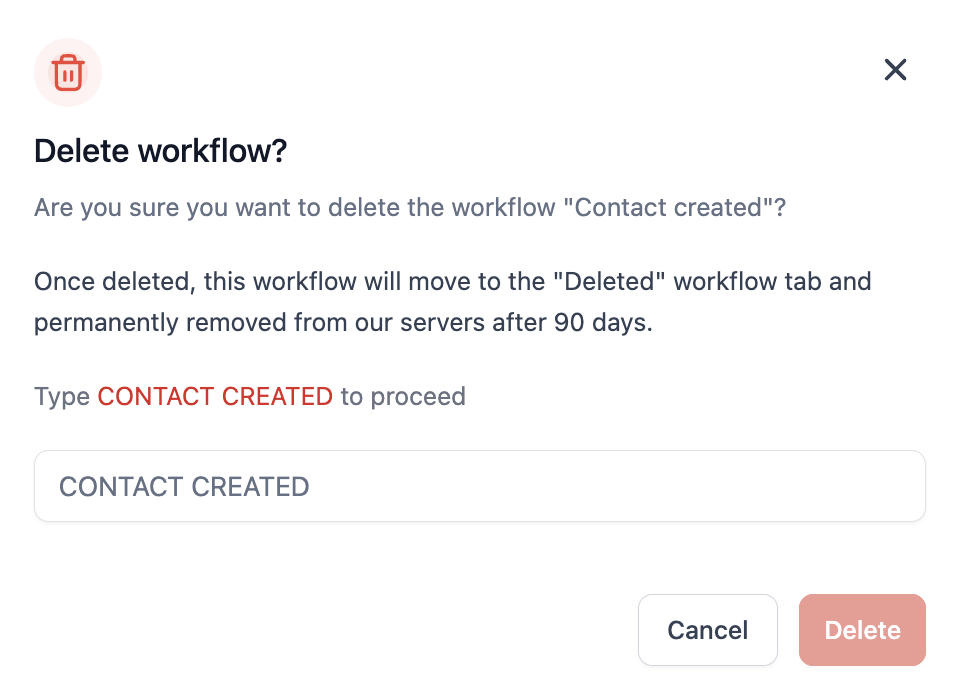
- When deleting a workflow, type its exact name to confirm the action.
07What it looks like in HighLevel
08Things to know before you rely on it
- Deleted workflows are removed from the Deleted tab after 30 days.
- A restored workflow cannot be deleted for the next 48 hours.
- Restoration is allowed only after about 30 minutes have passed since the delete action started.
- The restored workflow is placed in Draft stage, not published.
- The workflow moves to the root level and does not keep its previous permission settings.
- When a location is transferred, only deleted workflows belonging to the new location are displayed.
- Contacts that were in a wait step are removed from that execution after restoration.
- Contacts that were active in the workflow at the time of deletion are not restored.
09If something goes wrong
- Deleted workflow does not appear in the Deleted tab. Verify the workflow was deleted less than 30 days ago and that you are logged in as a Location or Agency Admin.
10How it connects to the rest of HighLevel
- Learn how to create and edit workflows after restoring one Getting started
- Adjust settings for restored workflows at the root level Workflow settings
- Review plan requirements for admin access to restore features Pricing plans
Michael's take

When a workflow is mistakenly deleted, being able to restore it can be helpful. The draft state lets you double check everything before it goes live again, and you keep the history and logs.
If you’re running a clean up of old automations and don’t need to keep every version, the 30 day window and the 48 hour lock on deleting a restored workflow can feel restrictive. In those cases you might decide it’s simpler to recreate the flow rather than wait for the window to expire.