
01Who this is for
- Agency Admins, they have the permission needed to copy workflows between subaccounts.
- Marketing agencies, they can reuse proven automation sequences across client subaccounts.
- Online course providers, they can duplicate enrollment workflows for new course subaccounts.
02Copy workflow, explained
The copy feature creates a duplicate of a chosen workflow in another subaccount. The new workflow is saved as a draft, allowing the destination account to edit or activate it when ready. Assets such as contact tags, custom fields, opportunity pipelines, and text templates travel with the copy, while other references are removed.
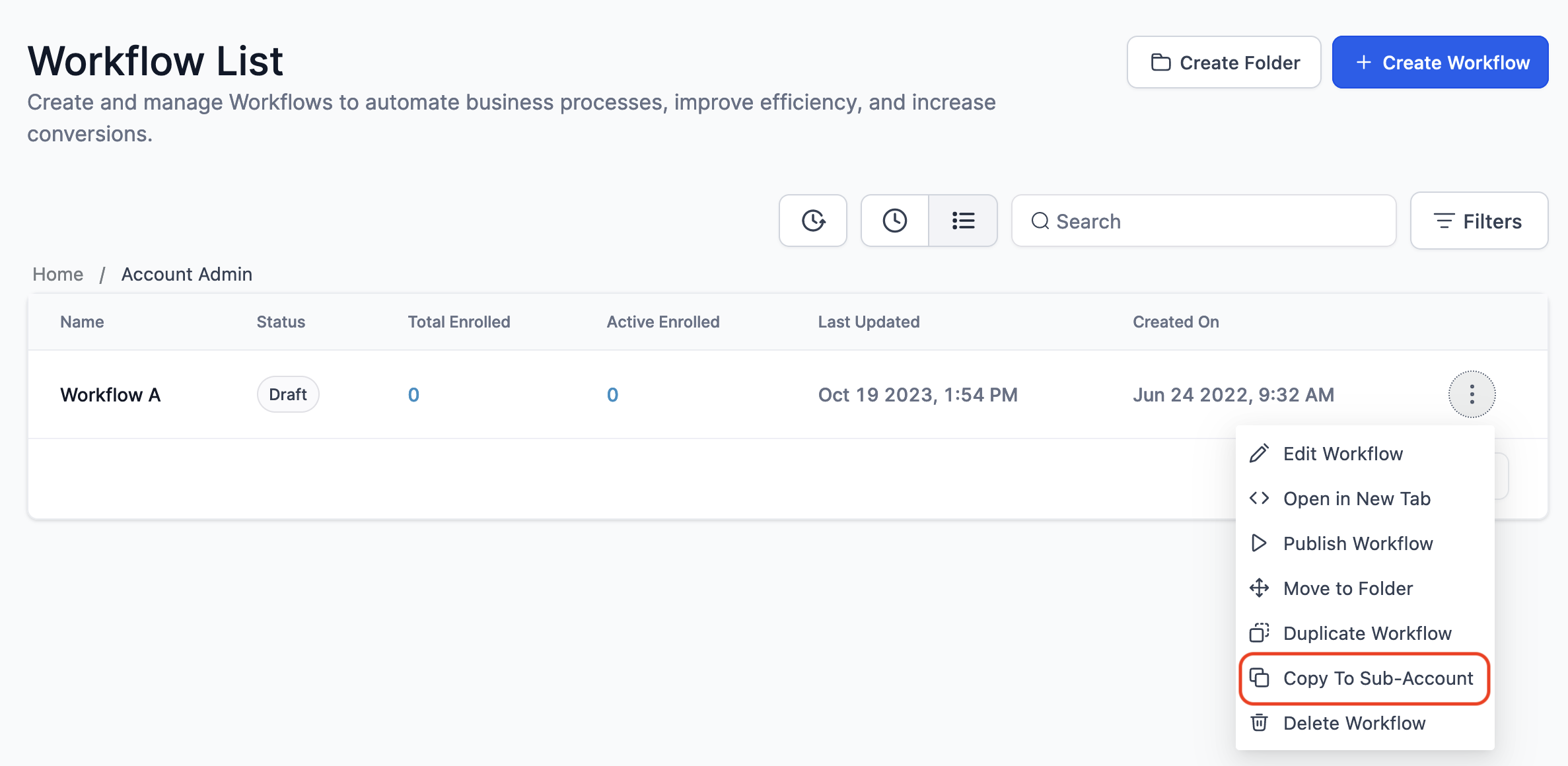
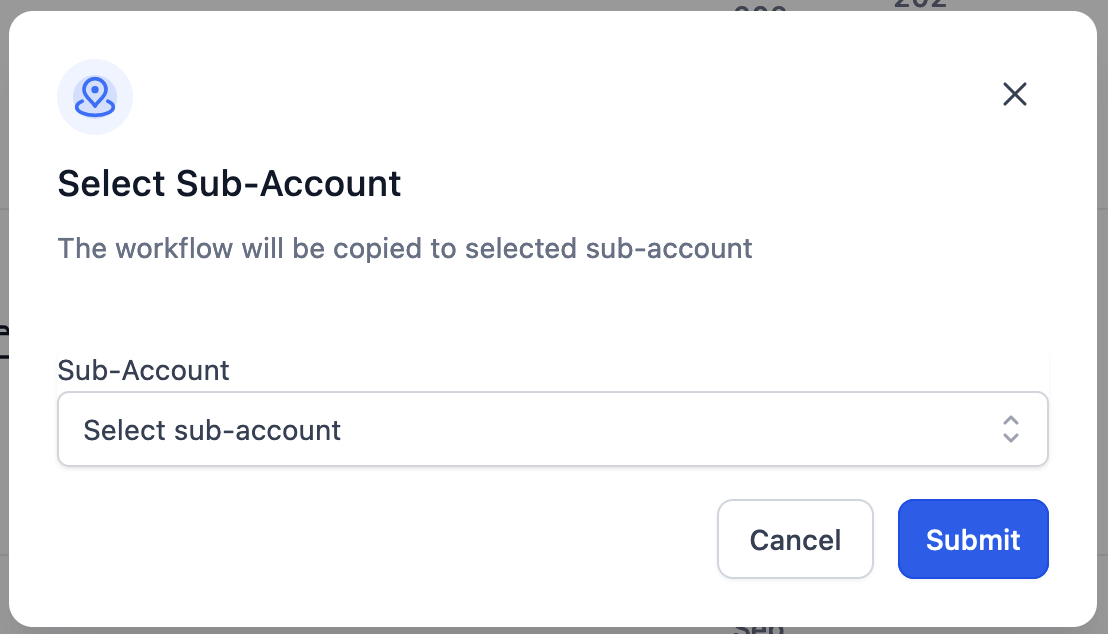
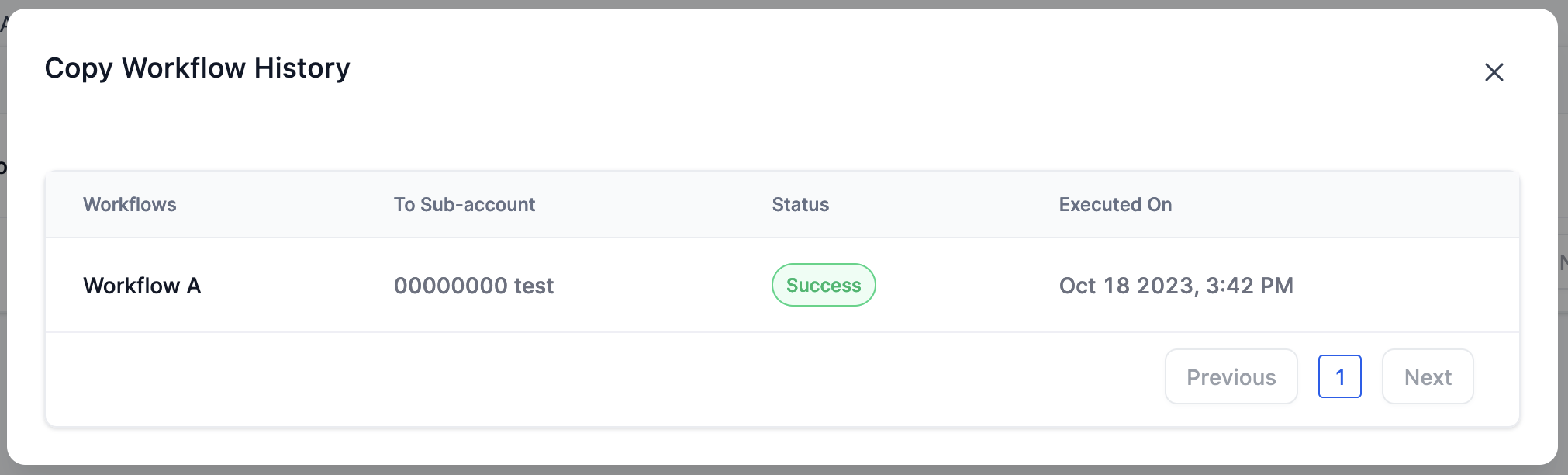
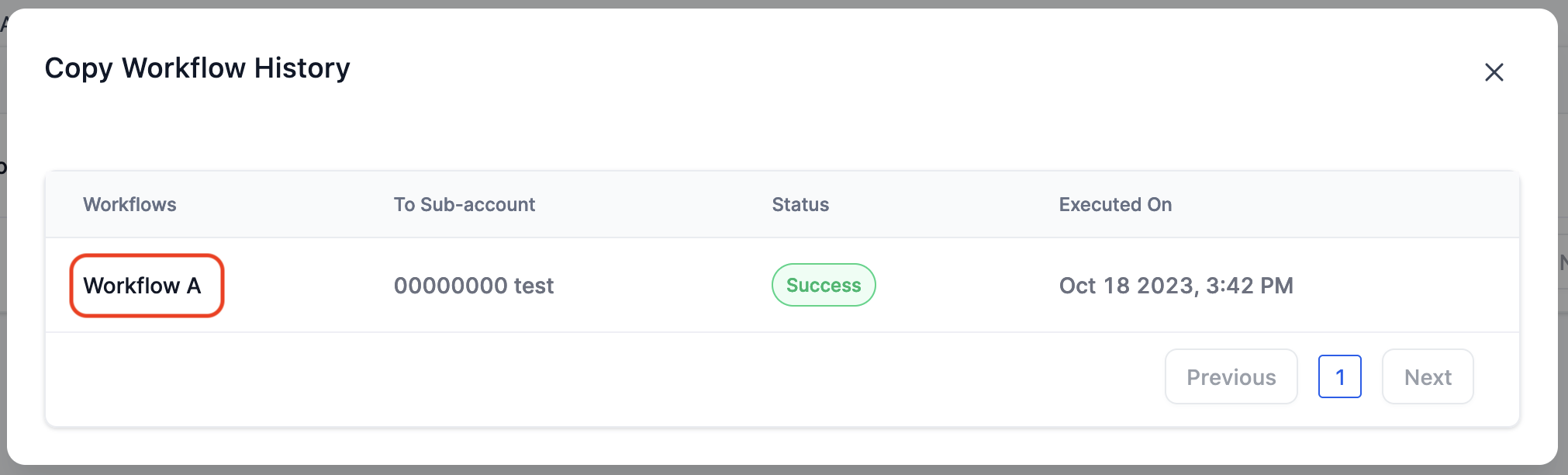
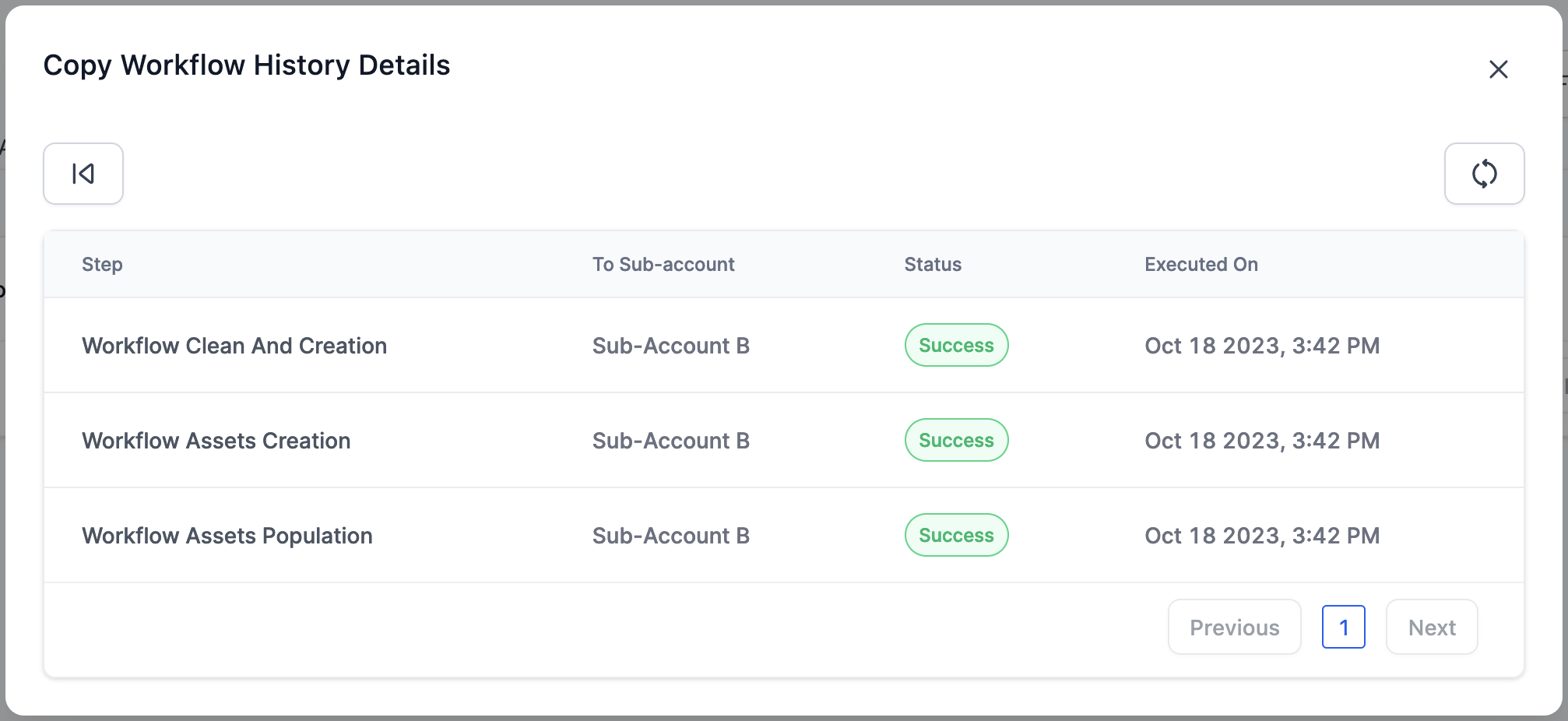
This function is accessed from the workflow interface. After selecting the Copy to Subaccount option, a list of subaccounts you can reach appears. Submitting the choice starts the copy process and records the attempt in a copy history log, where each entry shows its current status and any error details.
03How businesses use copy workflow
- Marketing agency. An agency selects a proven lead nurture workflow, copies it to a client’s subaccount, then tweaks the draft to match the client’s branding. All tags and custom fields needed for the automation are transferred automatically.
- Real estate brokerage. The brokerage copies a property follow up workflow to a new office subaccount. The draft includes the email/SMS templates and opportunity pipeline stages, allowing the new office to activate the workflow without rebuilding it.
- Online course provider. The provider duplicates an enrollment welcome workflow to a newly launched course subaccount. Contact tags and custom fields for student status are copied, while the workflow stays in draft until the course launch date.
04Before you start
- User must be logged in as an Agency Admin.
- User must have access to the target subaccount that will receive the copy.
- Only subaccounts that the logged in user can access are listed for selection.
05How to set up and use copy workflow in HighLevel
Copy workflow to another subaccount
- Open the workflow you want to duplicate.
- Select the Copy to Subaccount option.
- Choose a subaccount from the list that appears.
- Submit the request to create the copy.
View copy workflow history
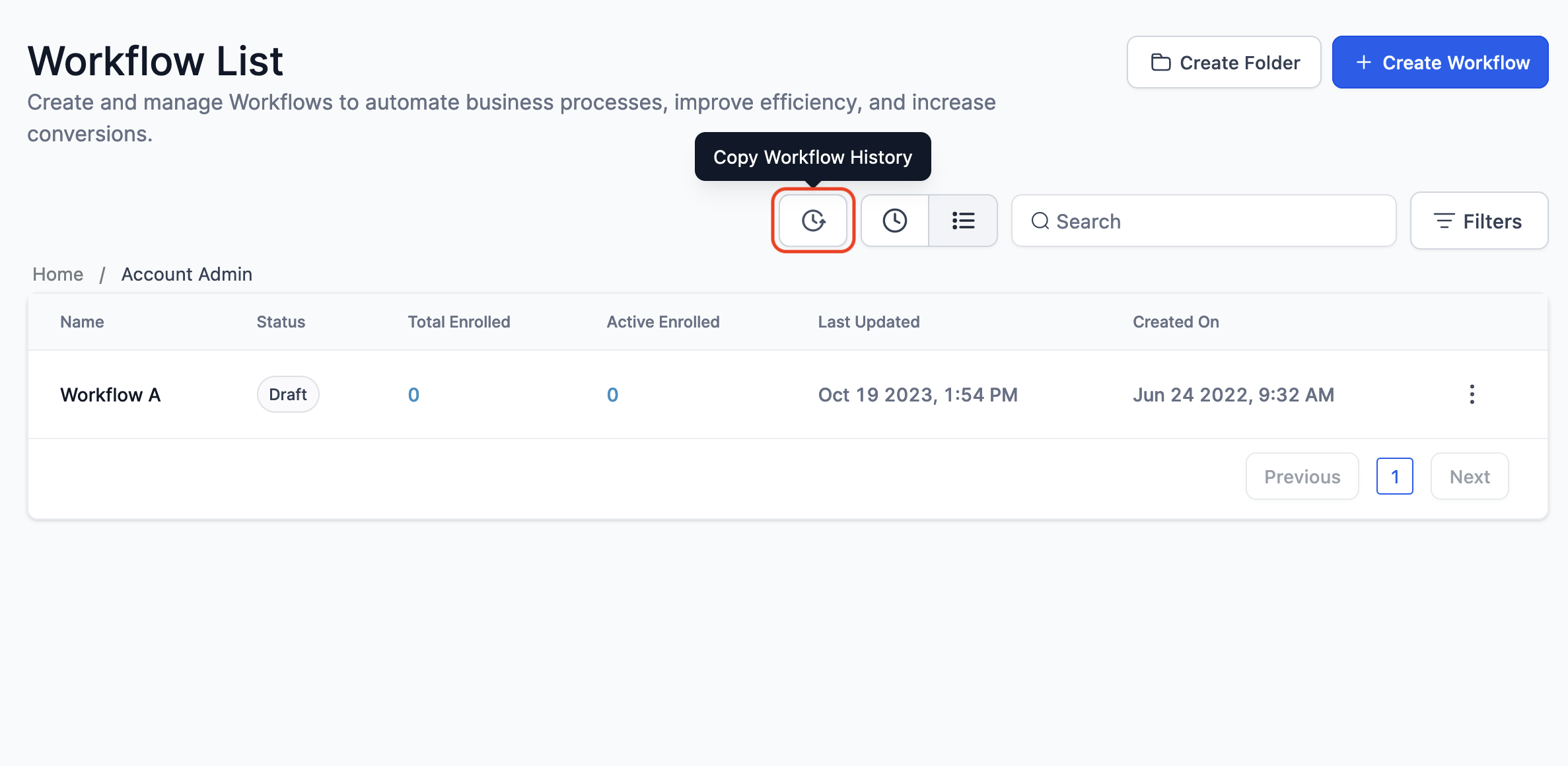
- Open the Copy Workflow History view.
- Review the list that shows each copy attempt and its status.
- Click a history entry to see detailed information, especially if an error occurred.
06What it looks like in HighLevel
07Things to know before you rely on it
- Only Agency Admins can perform a workflow copy.
- Only subaccounts that the logged in user can access appear in the selection list.
- The copied workflow is created in draft state by default.
- Contact tags, custom fields, opportunity pipelines, and text templates are copied; other references are removed.
- Email builder templates are listed as coming soon and are not copied yet.
08If something goes wrong
- Error occurs while copying a workflow. Open the Copy Workflow History, click the problematic entry, and review the detailed error information provided.
09How it connects to the rest of HighLevel
- Workflow creation guide Workflow creation
- Workflow settings overview Workflow settings
- HighLevel pricing and plans Pricing
Michael's take

Wondering if you really need to rebuild a workflow for each new client? You can copy it directly to another subaccount and keep the core pieces. Tags, fields, templates. Intact, then tweak the draft for that client.
I would copy a proven lead gen workflow into a fresh subaccount, review the draft, and adjust any client specific text. Checking the copy history first helps catch any hiccups before they become a problem.