
01Who this is for
- Agency owners who manage multiple client subaccounts and need a quick way to move contact data between them.
- Marketing consultants handling separate campaigns in different subaccounts and requiring consistent contact tagging.
02Copy contacts, explained
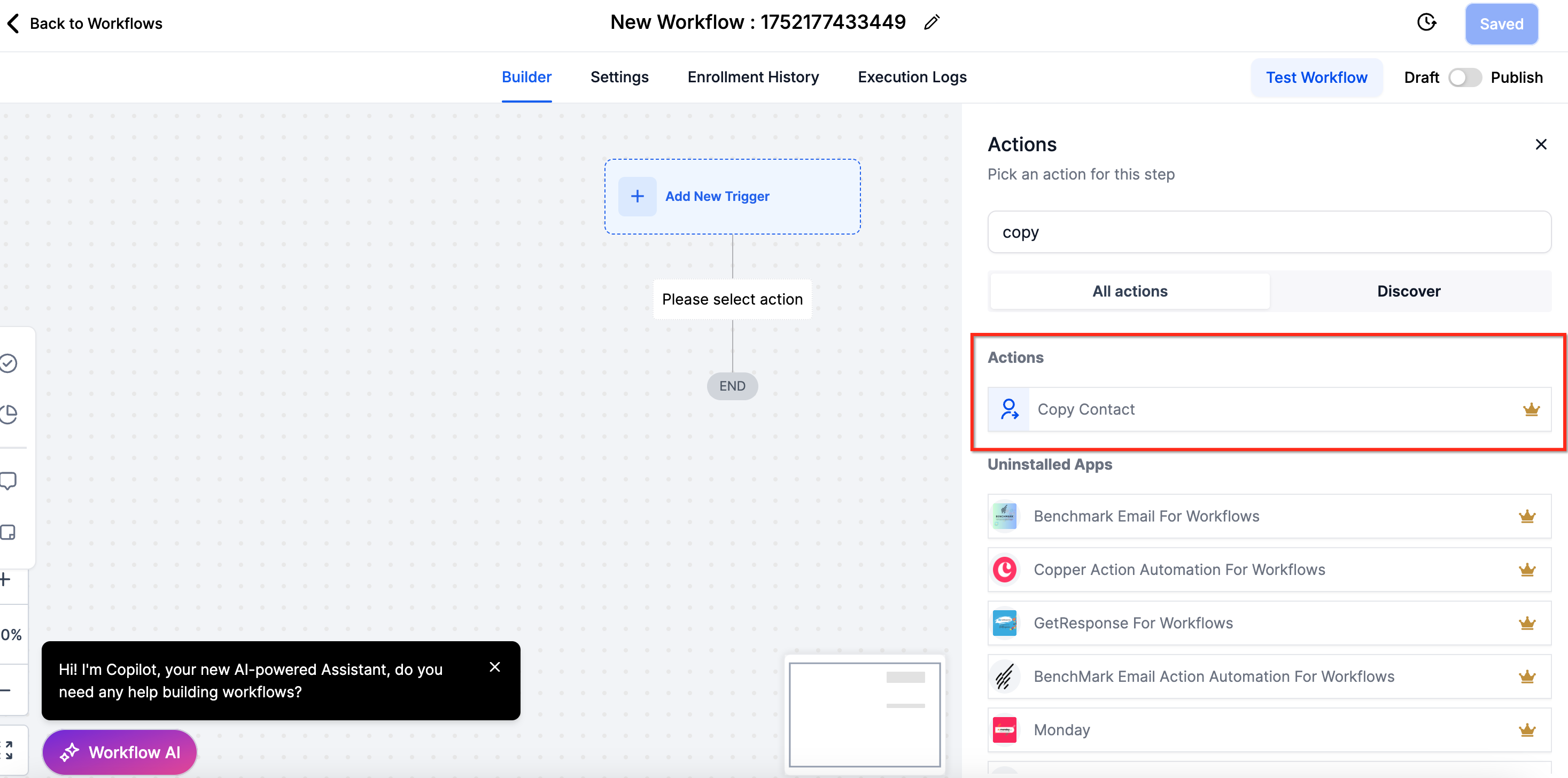
The Copy Contact action is a premium workflow step that creates a duplicate of a selected contact in a target subaccount. It copies basic contact details, tags, and any custom fields that exist in both accounts. The action does not move conversations, activity logs, notes, tasks, appointments, payments, or files.
You add the action inside a workflow built in the Workflow Builder. After selecting the destination subaccount, you can enable toggles for copying tags, copying custom fields, updating an existing contact, or skipping contacts without an email or name. The action runs when the workflow is triggered and respects the premium execution limits.
The feature lives under the workflow actions list and requires LC Premium Triggers & Actions to be turned on in Agency Settings. Each subaccount receives a quota of 100 free executions once premium actions are enabled.
03How businesses use copy contacts
- Digital marketing agency. The agency creates a workflow that triggers on a new lead, adds the Copy Contact action, selects the client’s subaccount, and enables the copy tags toggle to keep the lead’s tagging consistent across accounts.
- Real estate brokerage. When a property inquiry is logged, the brokerage runs a workflow that copies the contact to a regional subaccount, enabling the copy custom fields toggle so property specific custom fields are retained.
- Online course provider. The provider uses a workflow that copies student contacts to a newly created subaccount for each cohort, turning on the update contact if it already exists toggle to keep student records up to date.
04The numbers and rules that matter
- Agencies must be on any HighLevel plan ($97, $297, $497, or their annual equivalents) (per HighLevel's help center, checked November 2026).
- Existing and new subaccounts will have 100 free executions once Premium Actions & Triggers are enabled.
05Before you start
- The agency must be subscribed to any HighLevel plan ($97, $297, $497, or annual equivalents) (per HighLevel's help center, checked November 2026).
- LC Premium Triggers & Actions must be enabled in Agency Settings.
- Each subaccount must have the free execution quota of 100 copies after premium actions are enabled.
- Rebilling must be manually enabled for each existing subaccount within the Agency view to avoid execution costs.
06How to set up and use copy contacts in HighLevel
Copy contact to subaccount
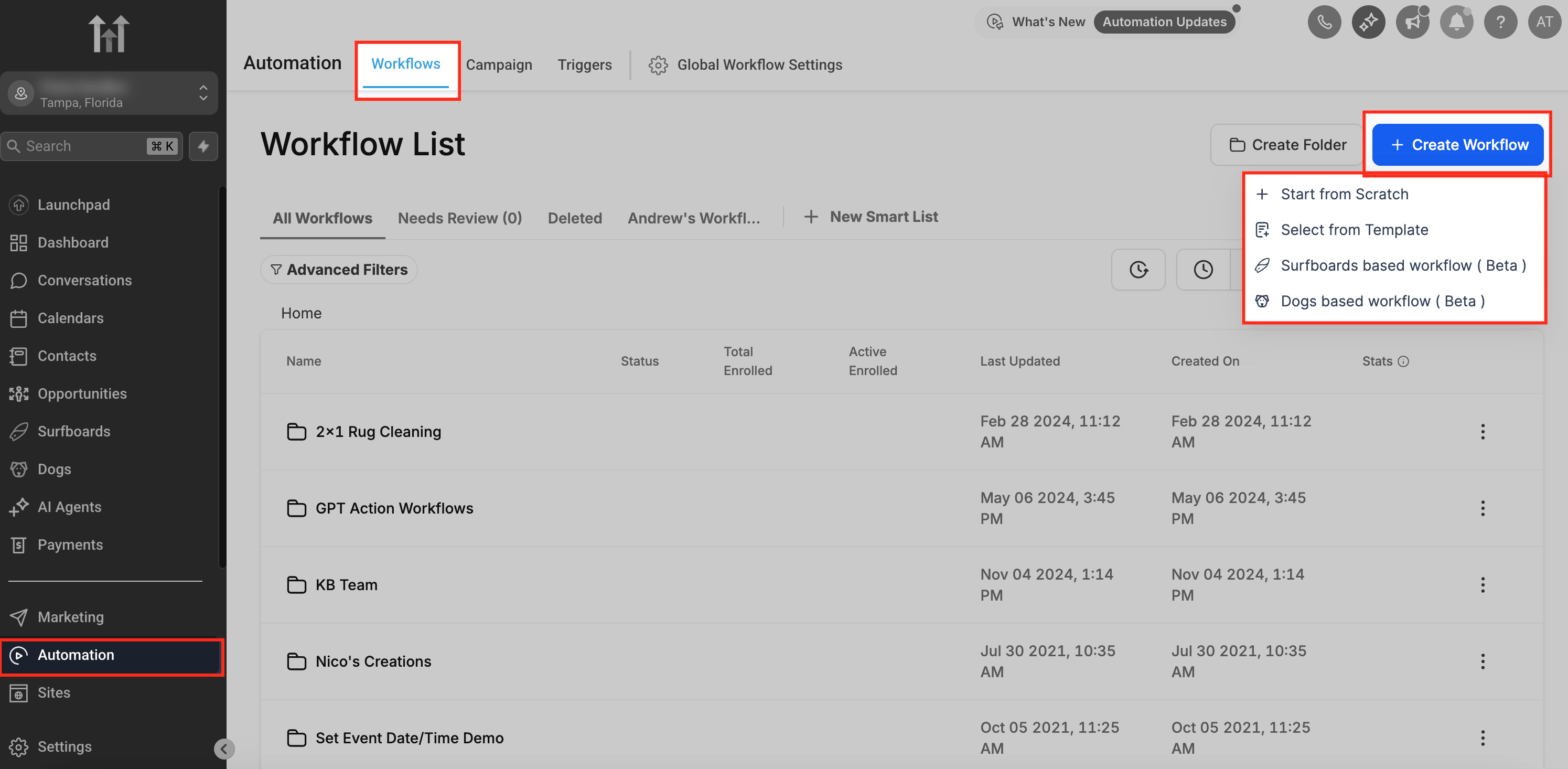
- Open the Workflow Builder from the HighLevel dashboard and start a new workflow or edit an existing one.
- Add the ‘Copy Contact to Subaccount’ action to the workflow canvas.
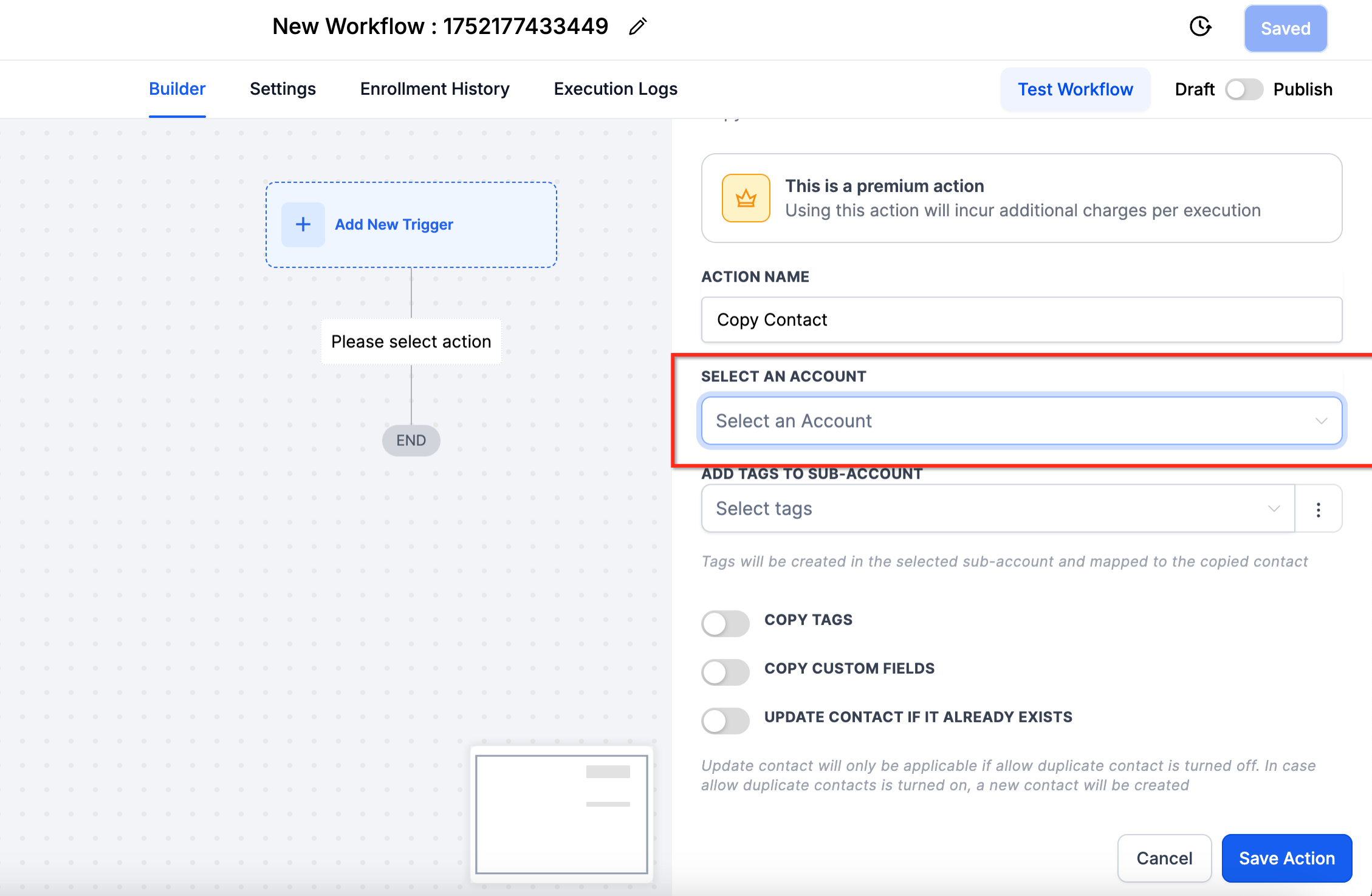
- Select the destination subaccount in the action’s configuration panel.
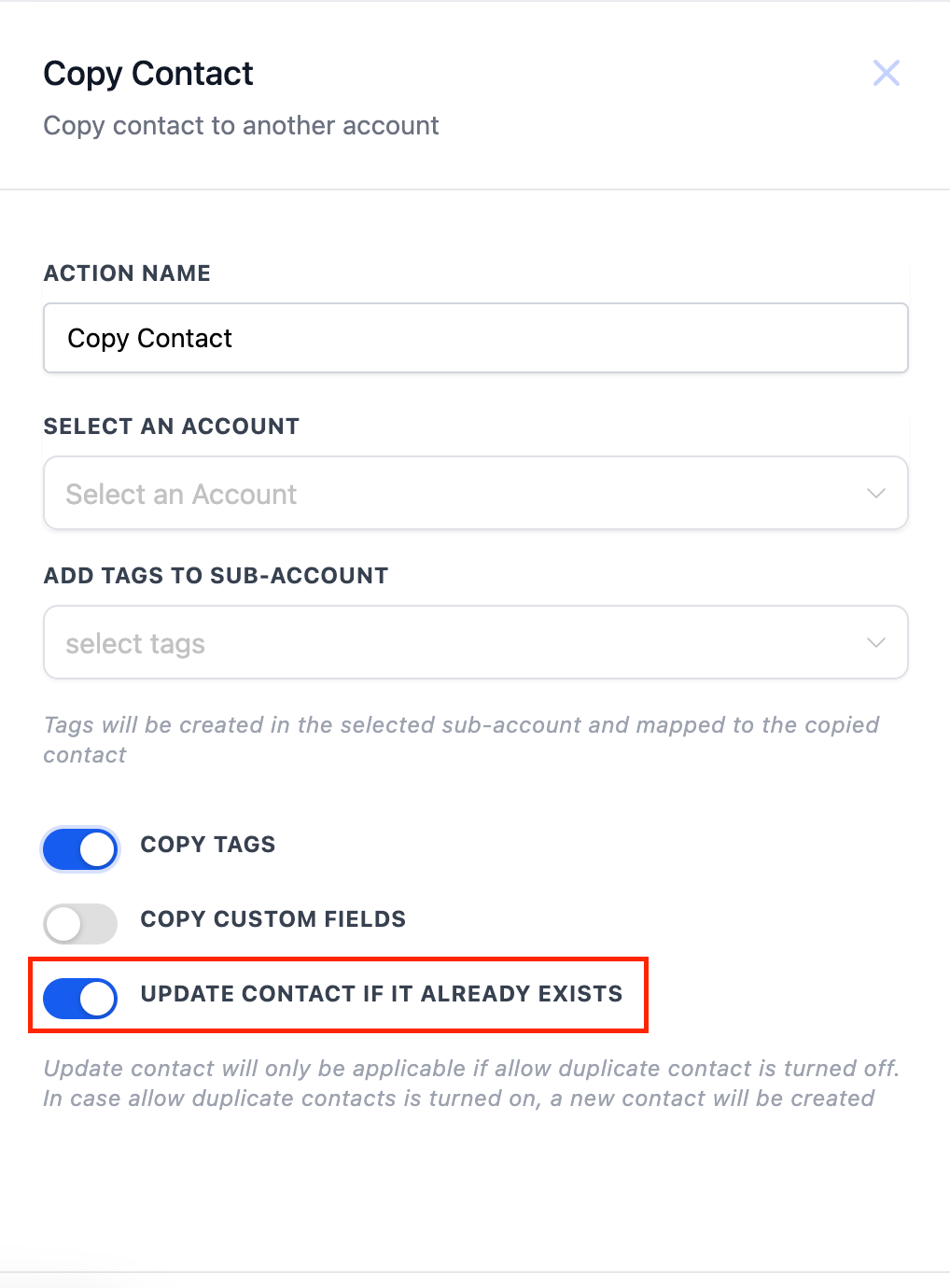
- Optionally turn on the toggles for copying tags, copying custom fields, updating existing contacts, or skipping contacts lacking email and name.
07What it looks like in HighLevel
08Settings that matter
- Copy Tags. When enabled, tags attached to the source contact are duplicated in the target subaccount.
- Copy Custom Fields. Copies values of custom fields that exist in both the source and target subaccounts, provided the field types match.
- Update Contact if it Already Exists. If the contact is found in the target subaccount, its information is overwritten; otherwise a new contact is created.
- Skip Copy if Contact Lacks Email and Name. Prevents the action from copying contacts that do not have both an email address and a name.
09Things to know before you rely on it
- Only contact core info, general info, tags, and custom fields are copied; conversations, activity, notes, tasks, appointments, payments, and files are excluded.
- Custom fields are copied only if the same field exists in the target subaccount with an identical type.
- Files attached to contacts are not transferred; references may become invalid if the source record is deleted.
- Premium actions provide 100 free copy executions per subaccount; additional runs may incur costs.
- Enabling premium actions on the SaaS Configurator automatically enrolls new subaccounts, but existing ones require manual rebilling activation.
10How it connects to the rest of HighLevel
- Learn how to build workflows in HighLevel Workflow creation guide
- Review workflow settings for controlling contacts and timing Workflow settings overview
- Check HighLevel pricing and plans for eligibility Pricing page
Michael's take

Moving a client’s record from one subaccount to another can be done without reentering the details by using the Copy Contact action, which copies the contact, tags and Custom Fields.
I find the ‘Copy Custom Fields’ toggle critical; if the Custom Fields aren’t set up identically in the destination subaccount, the copy won’t bring over the values.