
01Who this is for
- Users who need quick visibility into messaging results can review stats without opening each workflow.
- Team members can compare SMS and email metrics across multiple automations.
02Workflow stats, explained
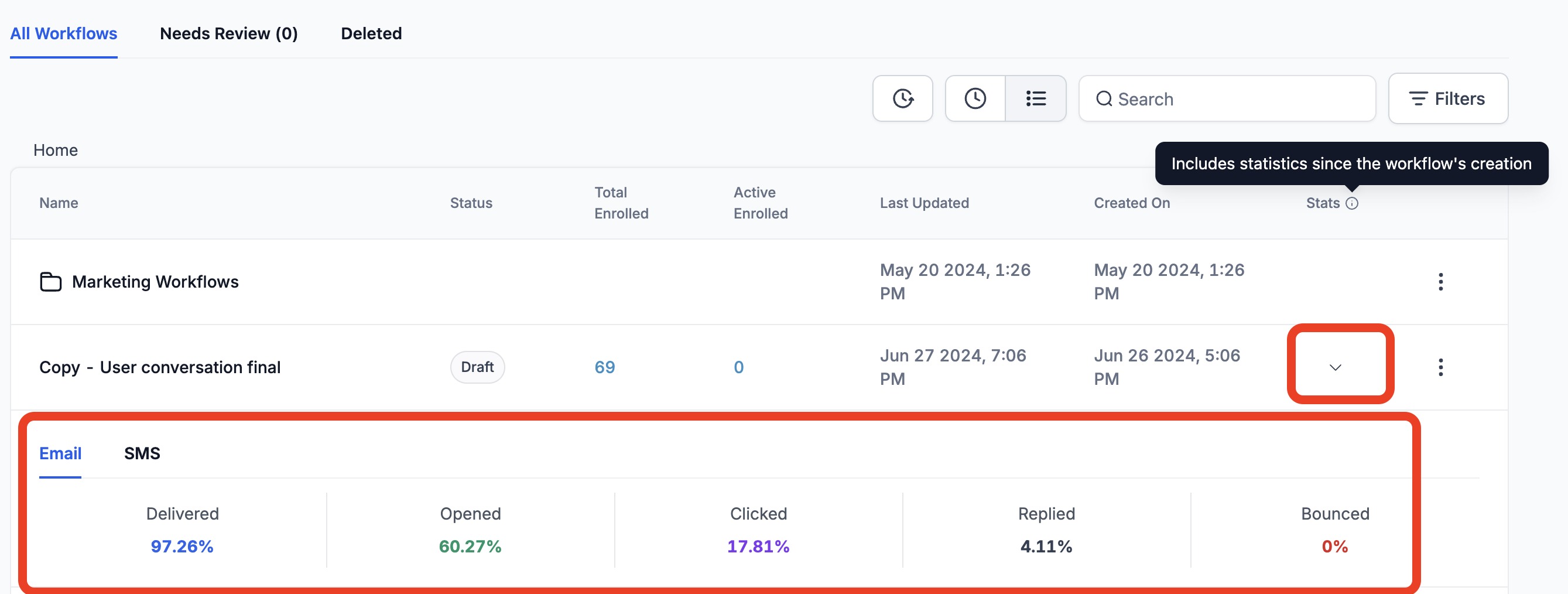
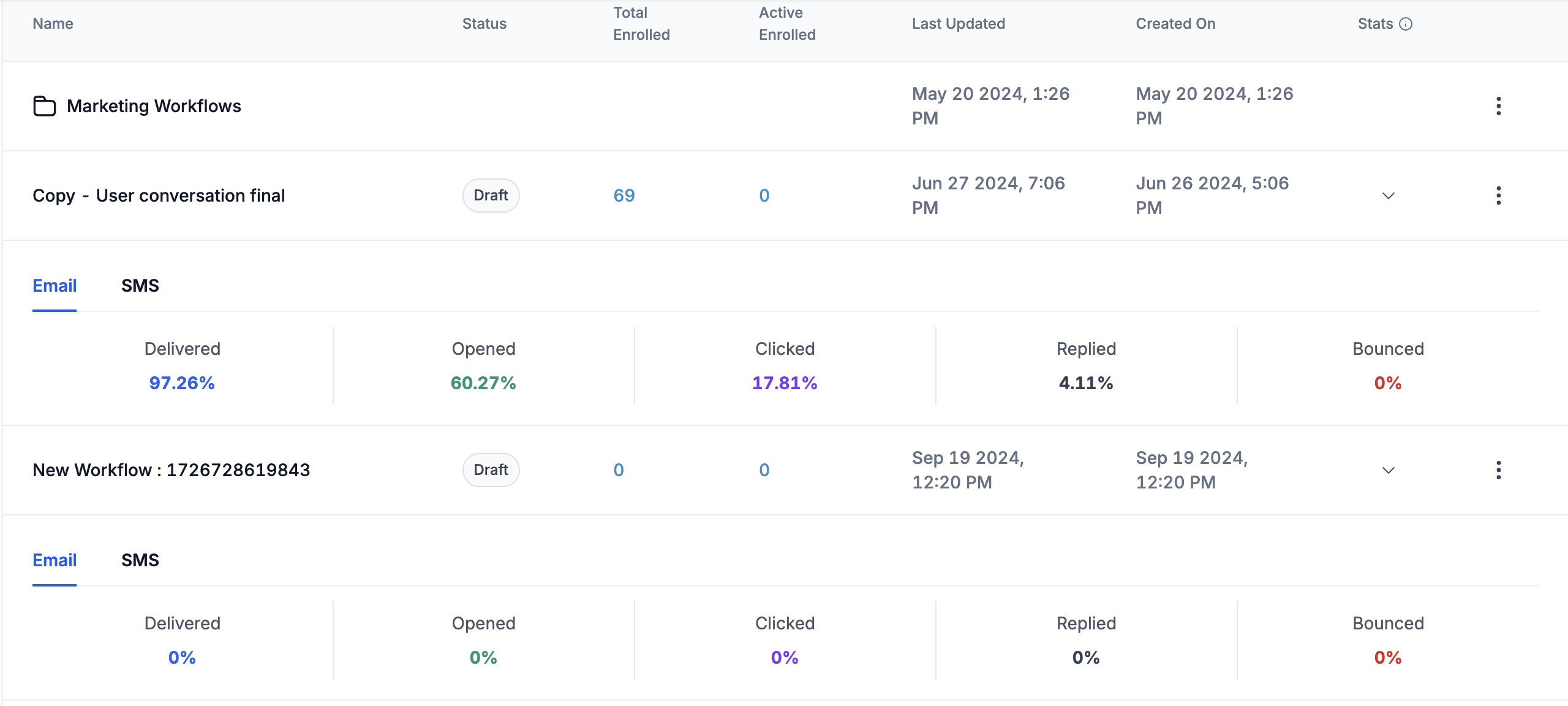
The Stats feature adds a button to each workflow entry on the Workflow List. When you expand a workflow, the button becomes visible and opens a panel that displays SMS and email performance numbers, such as sent counts and response rates.
Statistics are calculated from data recorded after January 1 2023. They include metrics for actions that were once part of the workflow even if those actions have been deleted. The view works only for single workflows; folder level aggregates are not provided.
03How businesses use workflow stats
- Real estate agency. The agency expands a specific lead nurture workflow, clicks the Stats button, and reviews the email open and SMS reply numbers. This lets the team evaluate which messages are resonating with prospects.
- Fitness studio. The studio checks the Stats button for its membership reminder workflow to see how many members responded to SMS prompts versus email alerts, helping decide which channel to prioritize.
- Ecommerce store. The store opens the Stats panel for its abandoned cart workflow, inspects the email click through rates and SMS conversion numbers, and uses the data to fine tune future campaigns.
04The numbers and rules that matter
- Historical Data: Stats will include data from January 1, 2023 onwards.
05How to set up and use workflow stats in HighLevel
View workflow stats
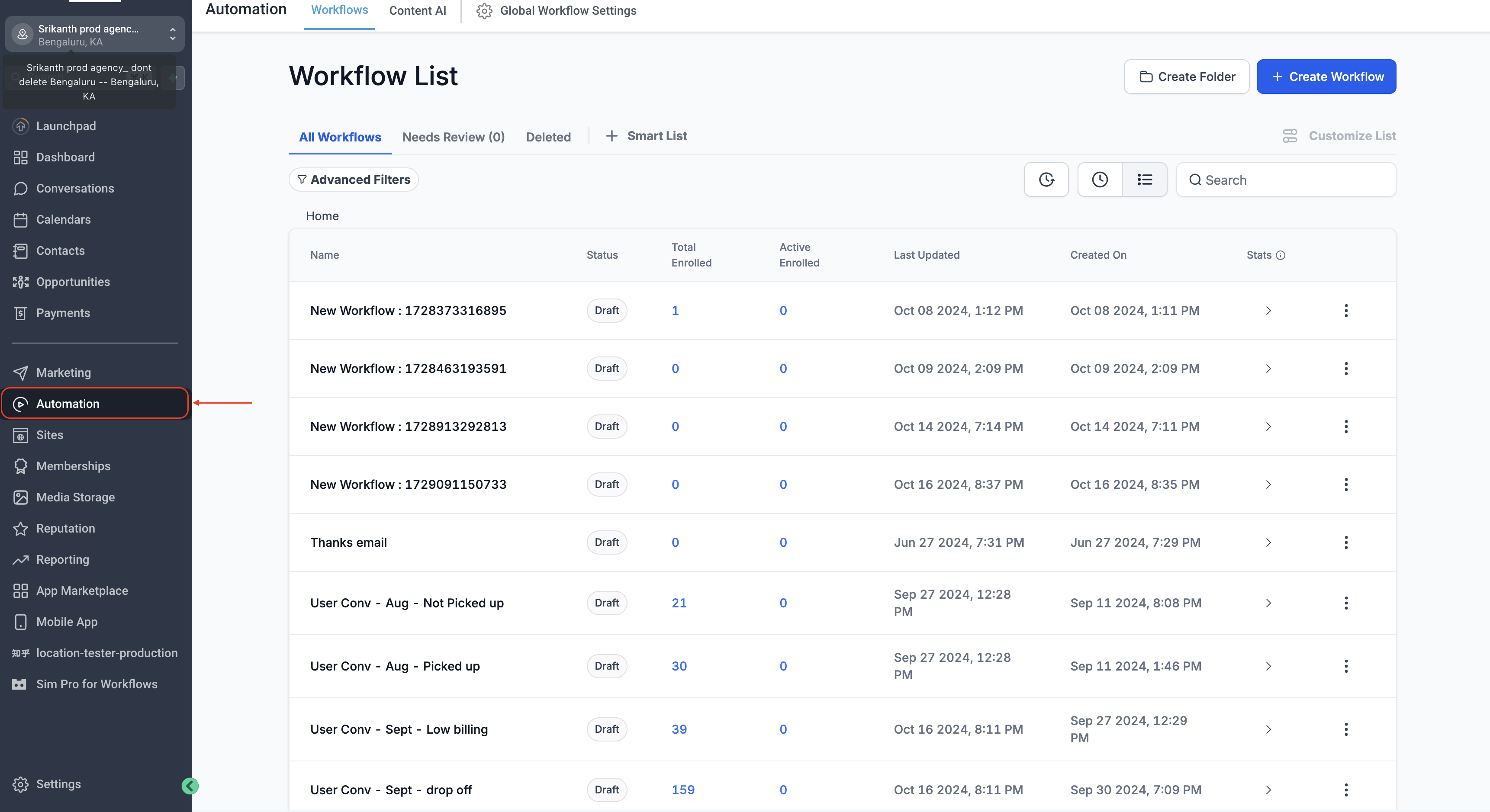
- Open the Automations area from the main navigation.
- Select the Workflow List view that displays all automations.
- Find the workflow you want to analyze in the list.
- Click the accordion icon next to the workflow name to expand its details.
- Notice the newly displayed "Stats" button.
- Press the "Stats" button to open the statistics panel.
- Read the SMS and email performance numbers shown.
06What it looks like in HighLevel
07Things to know before you rely on it
- Stats include data starting only from January 1 2023.
- Metrics are available for individual workflows, not for folders.
- WhatsApp and IVR channels are not supported in the stats view.
- Deleted SMS or email actions still appear in the reports.
08How it connects to the rest of HighLevel
- Basic workflow setup guide Workflow basics
- Workflow Pro Plan pricing details Pro plan pricing
- HighLevel pricing and plan options Pricing page
Michael's take

Michael ReimerFounder of CRM Pros, HighLevel Commander and Certified Admin
Workflow stats are a handy shortcut for getting a quick pulse on your messages.
If you only need high level numbers and don’t dig into folder level reporting, you can probably skip this feature.
Get More InformationOpens on HighLevelPublished November 2, 2026 · Updated November 16, 2026