
01Who this is for
- Agency owners who need to automate client onboarding and reduce manual hand offs.
- Project managers who want new Basecamp projects or tasks generated as deals move to delivery.
- Consultants who require a single click to document client intake forms in Basecamp.
02Basecamp actions & triggers, explained
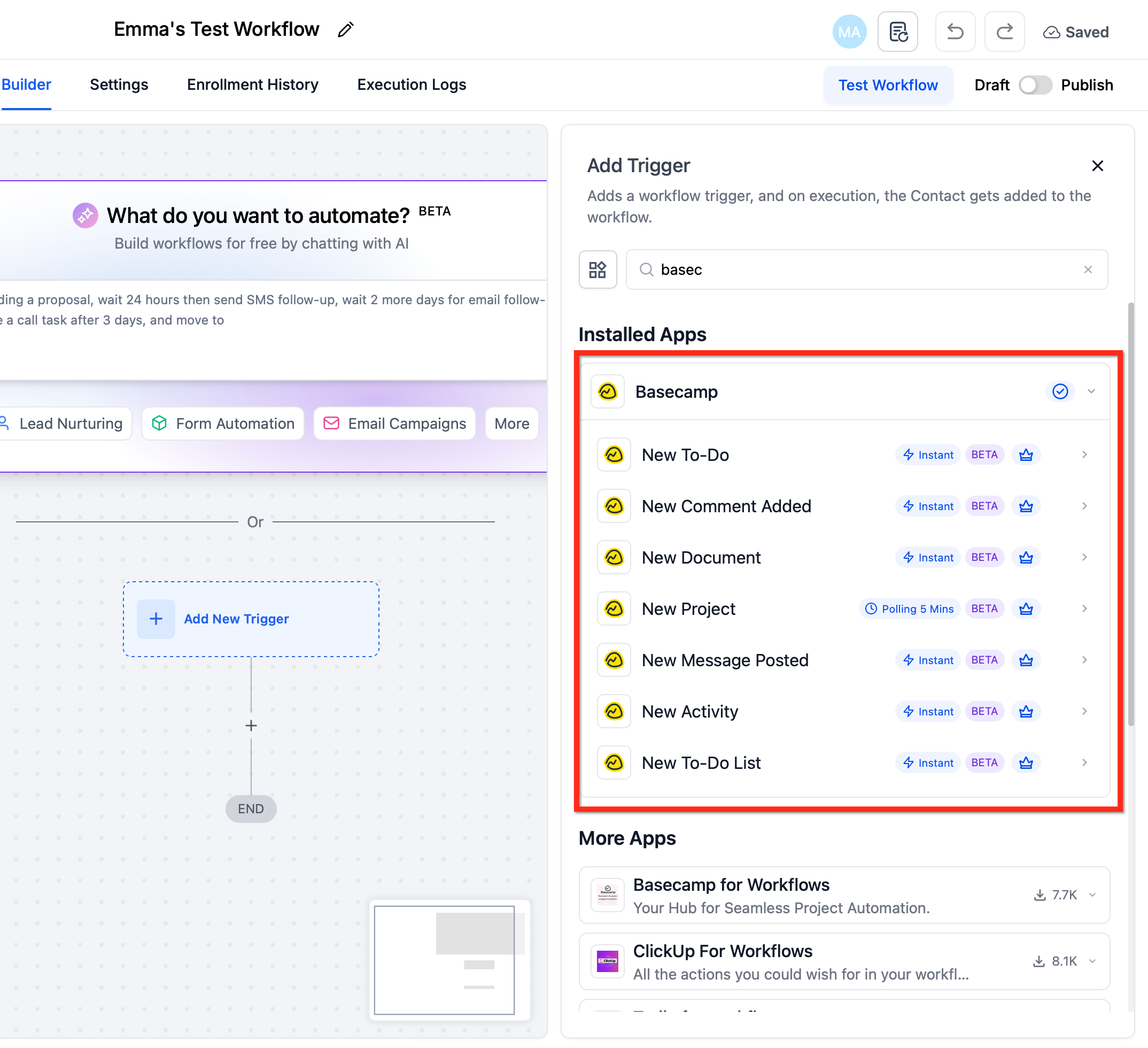
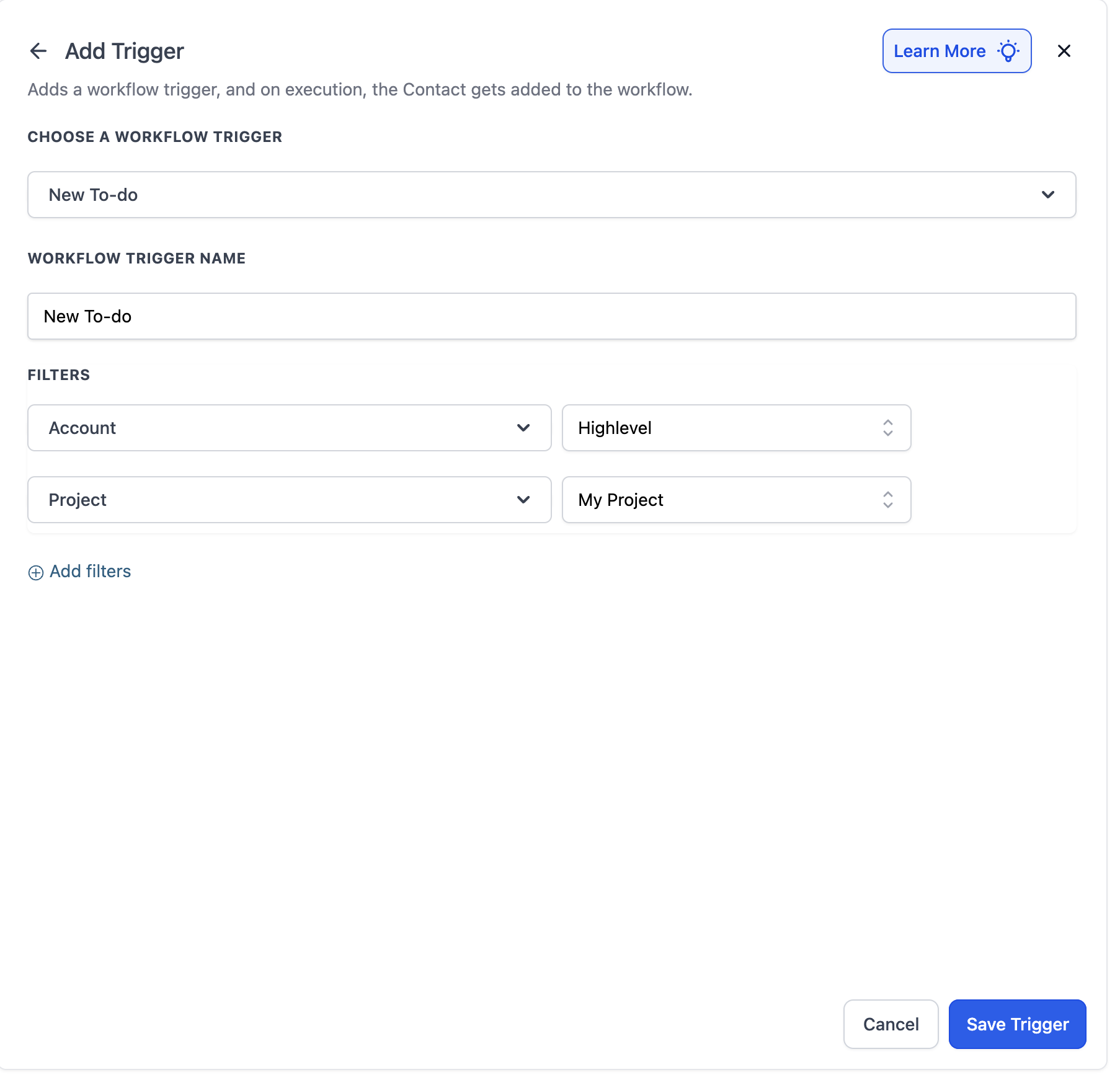
The integration adds a set of Basecamp triggers that fire as soon as a specified event occurs in Basecamp, such as a new to do or a new message. Those triggers enroll a contact, opportunity or other record into a HighLevel workflow without any polling delay.
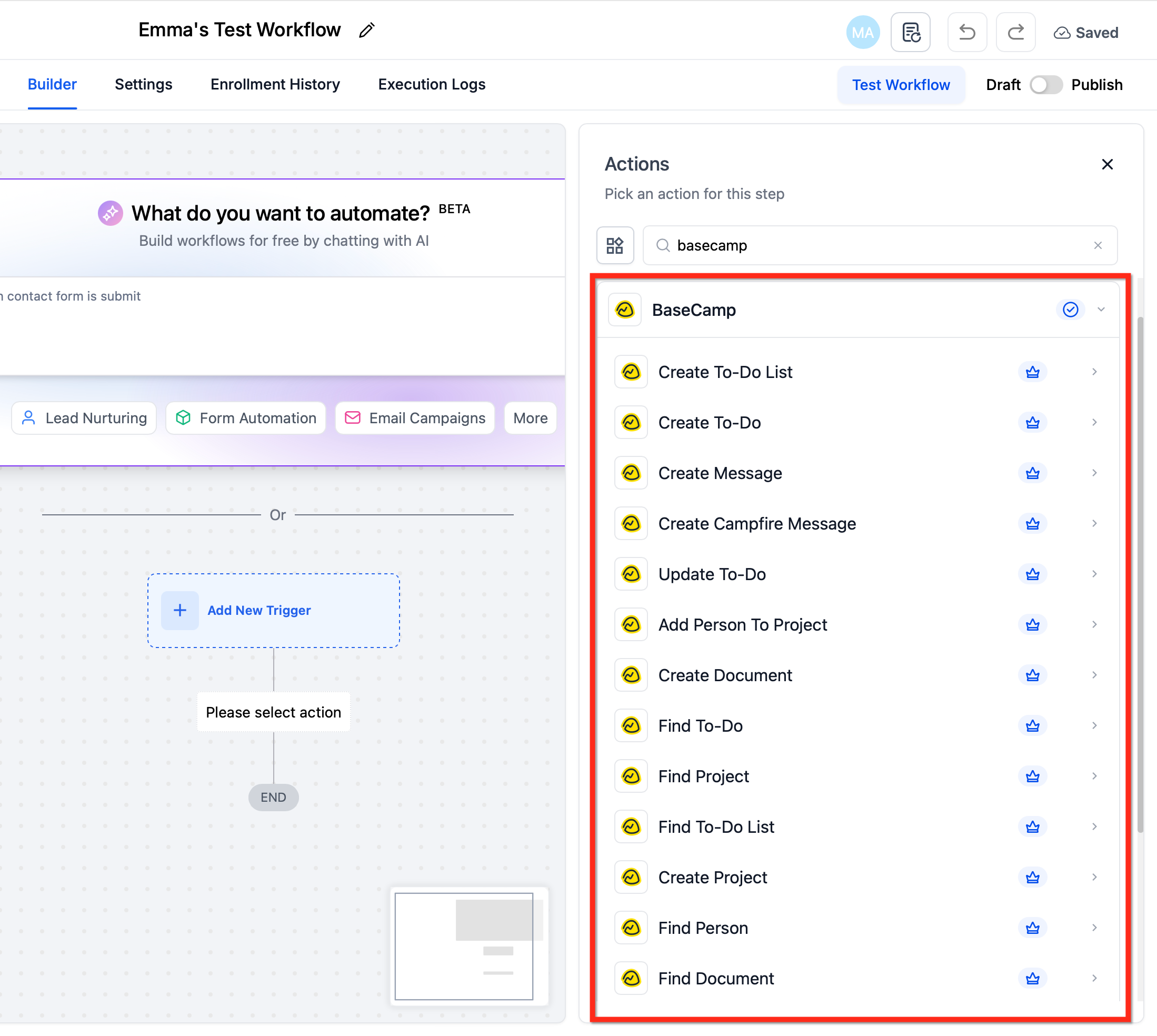
Within a workflow you can add actions that create or update Basecamp items, or use Find actions to look up existing projects, lists, to dos, documents or people before creating anything. The integration lives under Automations > Workflows and also under Settings > Integrations for the OAuth connection.
Both triggers and actions are premium features and are billed per execution according to your Workflow Pro tier. The connection is scoped to each subaccount, so you must authorize Basecamp separately for every location that will use it.
03How businesses use basecamp actions & triggers
- Marketing agency. The agency adds a New To do trigger, then uses Find Project and Create Project actions to automatically generate a new project for every closed won deal. It follows with Create To do List and Create To do steps to assign tasks to the implementation team.
- Software development firm. When a client submits a project intake form, the firm uses a Form Submitted trigger, then runs Create To do List and Create To do actions in Basecamp to set up a dedicated sprint backlog and assign the first development task.
- Consulting practice. The practice creates a New Document trigger and a corresponding Create Message action to post a note in Basecamp whenever a consultant uploads a new briefing, ensuring the whole team sees the update right away.
04The numbers and rules that matter
- Basecamp triggers and actions are premium and billed per execution.
- Connections are per subaccount (location).
05Before you start
- A Basecamp account (free or paid) must exist.
- The HighLevel subaccount that will use the integration must be identified.
06How to set up and use basecamp actions & triggers in HighLevel
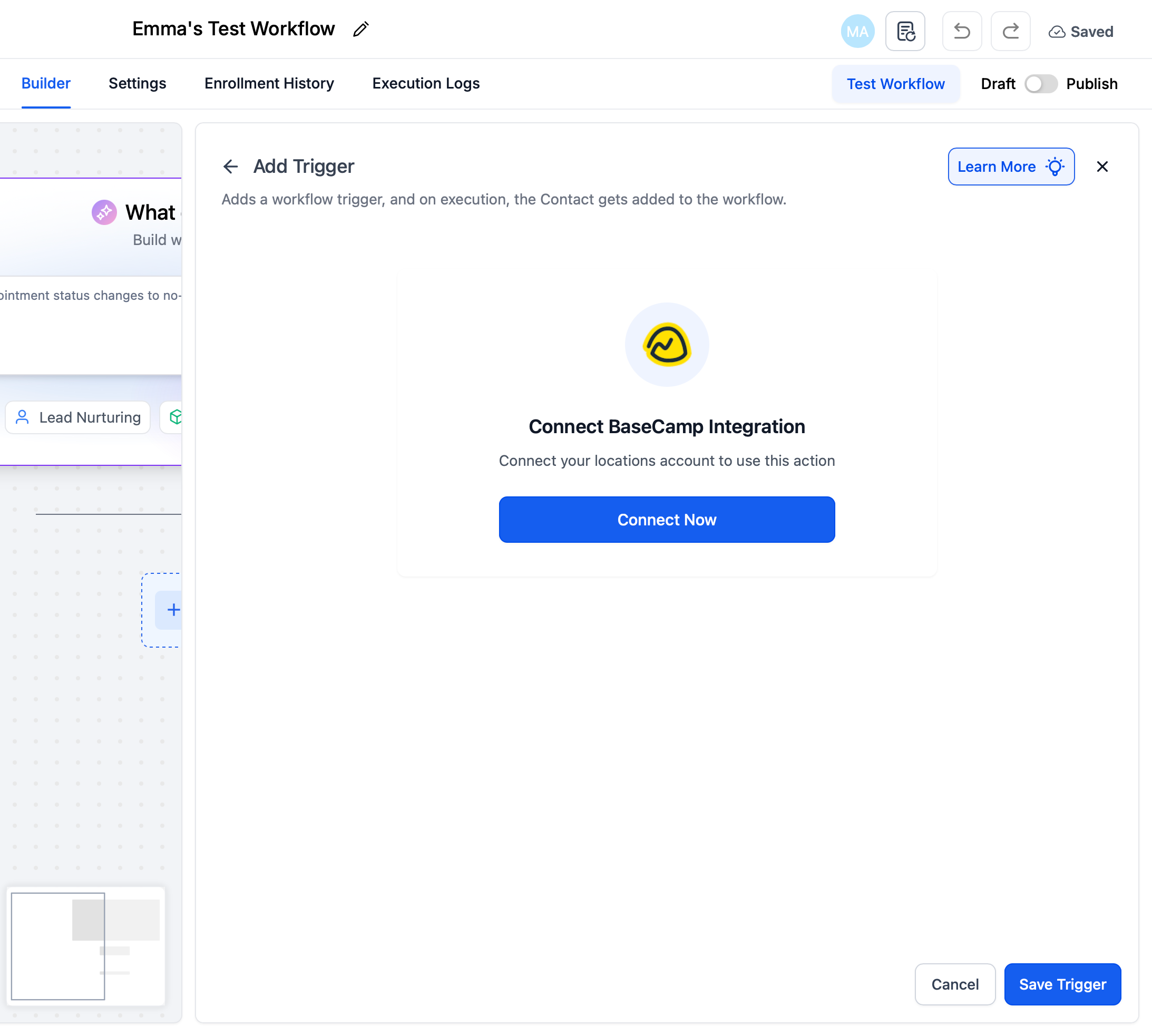
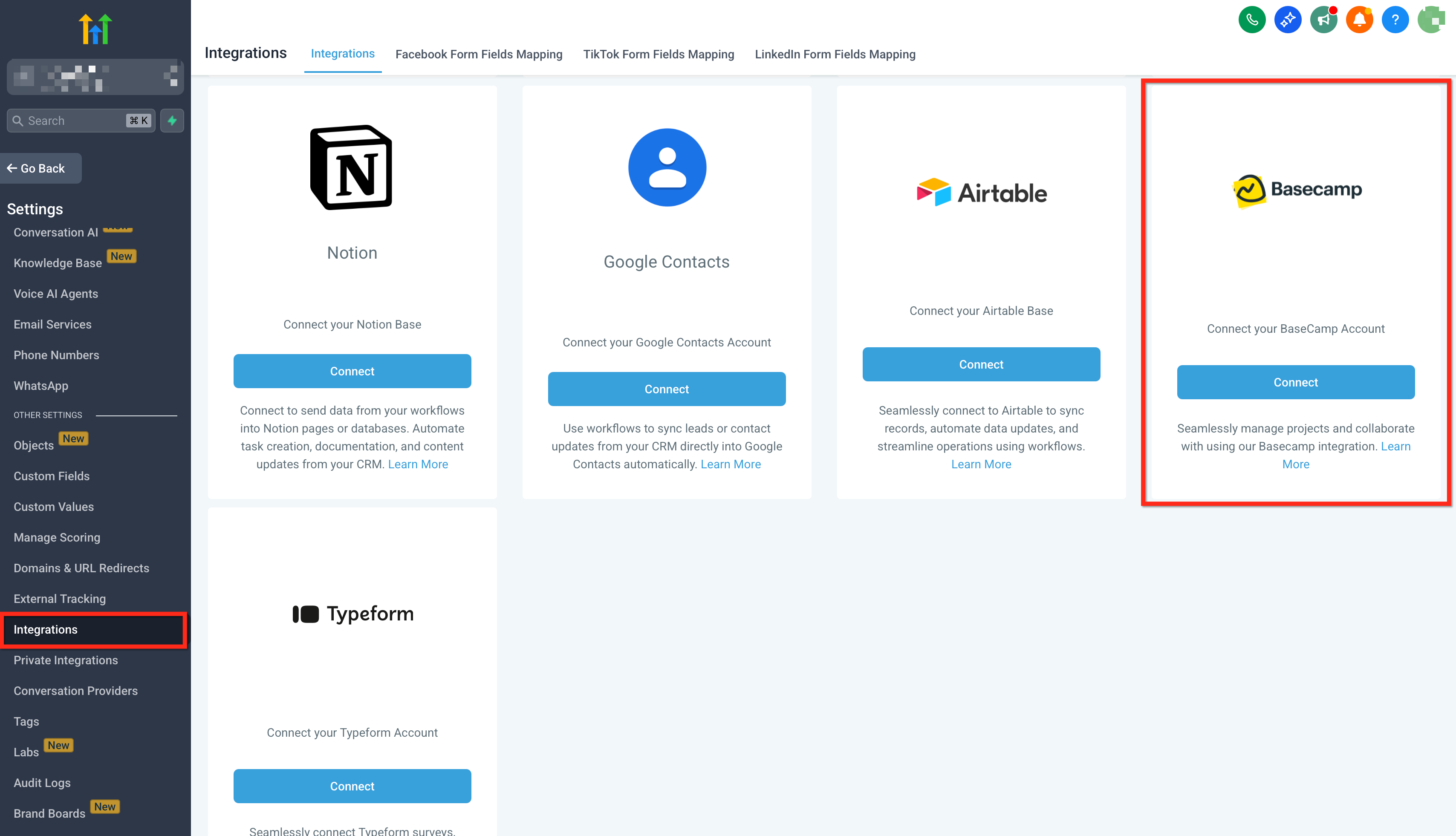
Connect Basecamp to HighLevel
- In a workflow step, click + Add Trigger or + Add Action, search for Basecamp, select a trigger or action, and press Connect Now.
- Sign in to your Basecamp account and grant HighLevel permission.
- Alternatively, open Settings > Integrations, locate Basecamp, and complete the OAuth link.
- Repeat the connection in each subaccount where Basecamp will be used.
Build your first Basecamp workflow
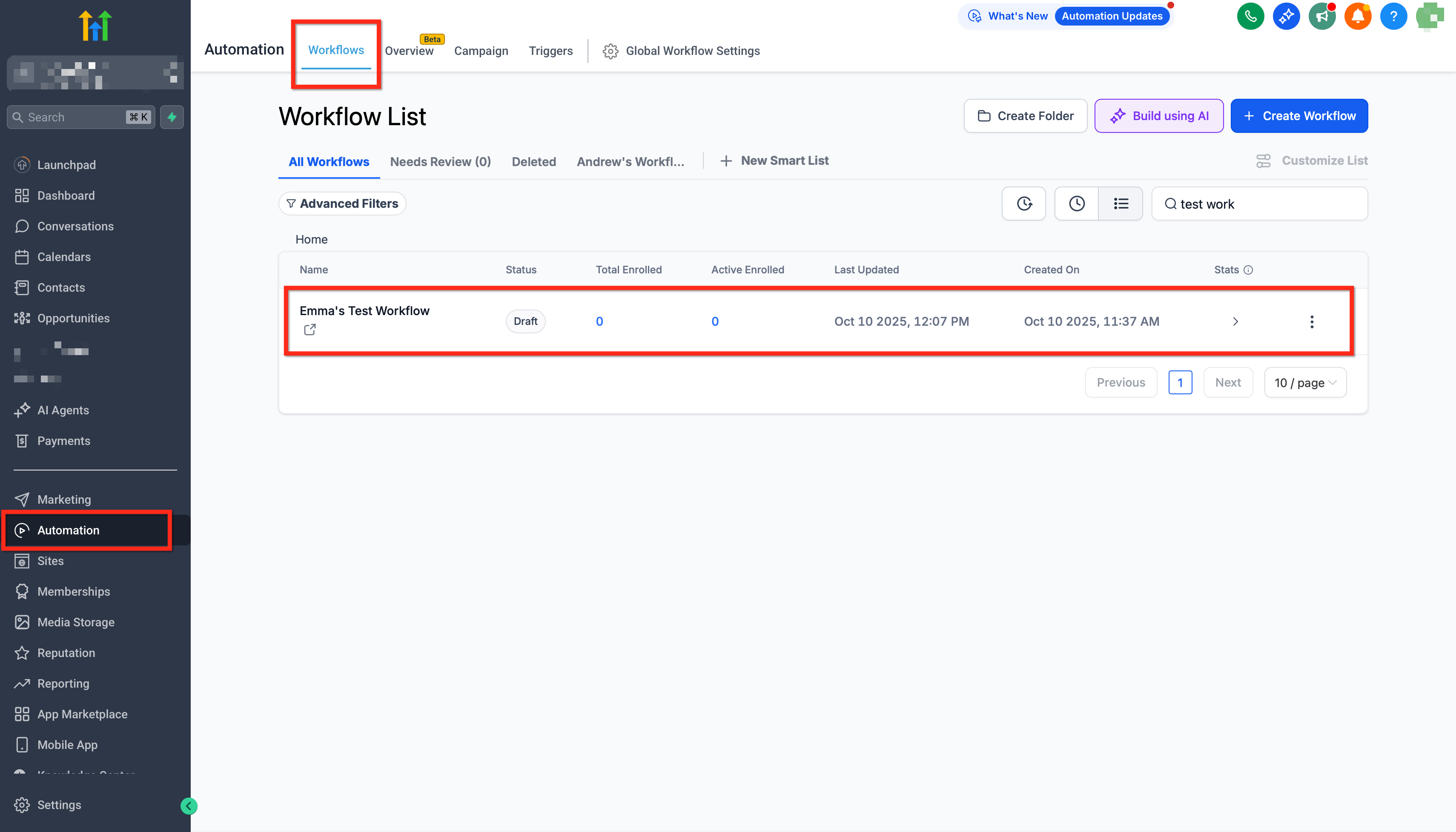
- Open Automations > Workflows in the chosen subaccount and click Create Workflow (or edit an existing one).
- Add a Basecamp Trigger such as New To do and define the relevant project or scope.
- Insert a Find Project action, add an If Not Found branch, and place a Create Project action inside it.
- Add Create To do List followed by Create To do actions to populate the new project.
- Add internal follow ups like Notify User, publish the workflow, and run a one time Basecamp event to verify entries in Execution Logs.
07What it looks like in HighLevel
08Settings that matter
- Basecamp. Controls the OAuth connection between HighLevel and your Basecamp account for a specific subaccount.
09Things to know before you rely on it
- Basecamp triggers and actions are premium billed per execution under the Workflow Pro pricing tier.
- The integration works with both free and paid Basecamp plans; feature availability follows your Basecamp subscription.
- Connections are per subaccount; bulk installing does not automatically connect every location.
10If something goes wrong
- Authorization expired. Reconnect Basecamp under Settings > Integrations and run the test event again.
- Execution fails with invalid ID or missing permission. Open Execution Logs to see the exact error, correct the ID or permission, and re run the workflow.
11How it connects to the rest of HighLevel
- Learn the basics of workflow automation in HighLevel. Workflow basics
- Understand the premium pricing for Basecamp triggers and actions. Pricing tiers
- Find out how agencies can rebill subaccounts for workflow premium features. Enable and rebill
Michael's take

The premium cost per execution and the need to authorize each subaccount can add up if you’re not watching usage.
When the integration works as intended, it does let you spin up projects, to dos and documents right after a form submission or a deal close, keeping the team moving without extra manual steps.