
01Who this is for
- Digital marketing agencies, can monitor client landing pages that live on other hosts without leaving HighLevel.
- Ecommerce owners, gain visibility into checkout page visits and form submissions hosted on third party platforms.
- Coaches and consultants, track engagement on external lead capture sites while keeping reports within HighLevel.
02Analytics for external tracking, explained
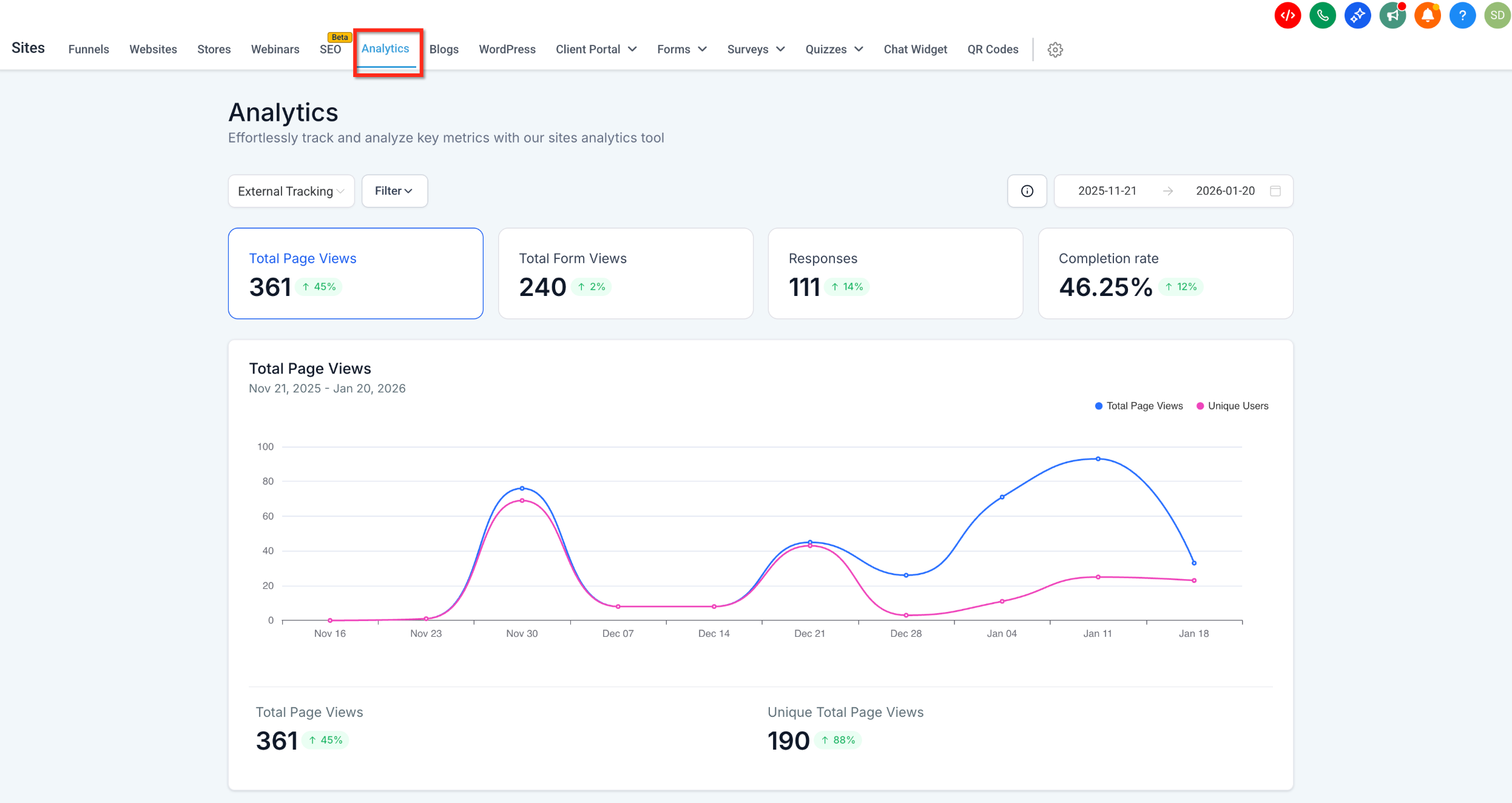
The feature captures visitor actions from any site where the provided script is placed. It records metrics such as total page views, form views, responses and completion rates. Those numbers appear on a separate External Tracking view inside the Sites > Analytics area.
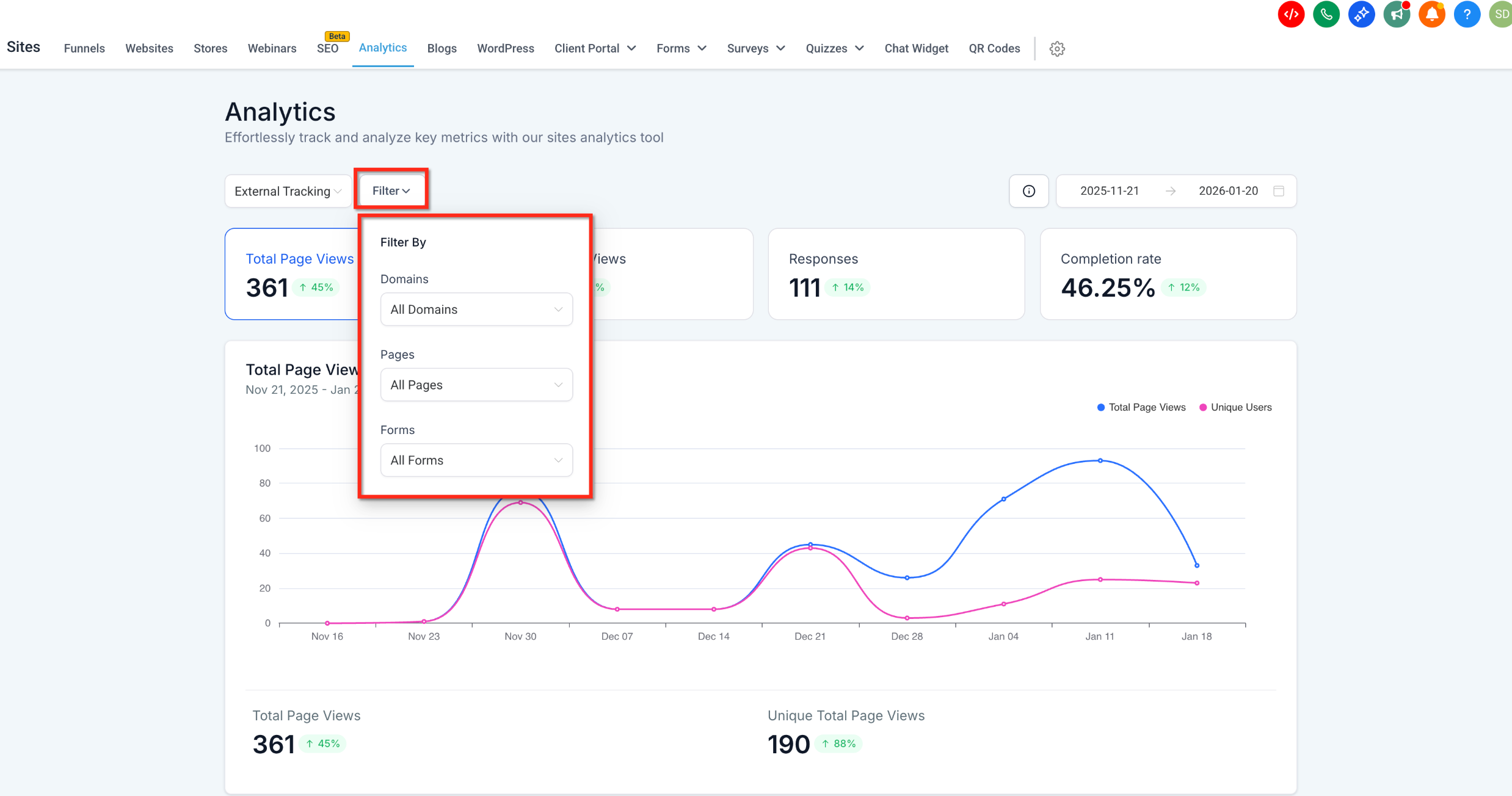
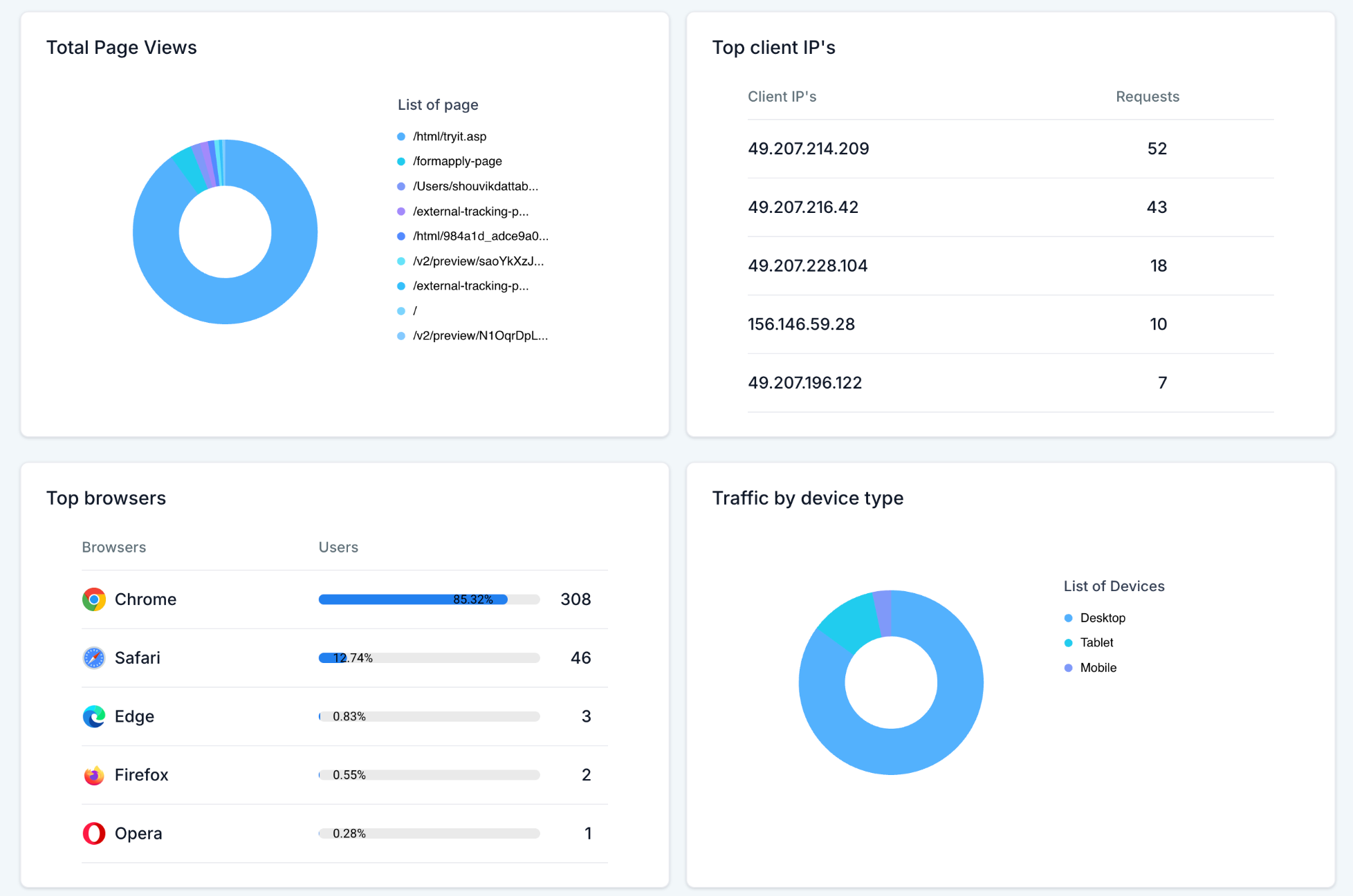
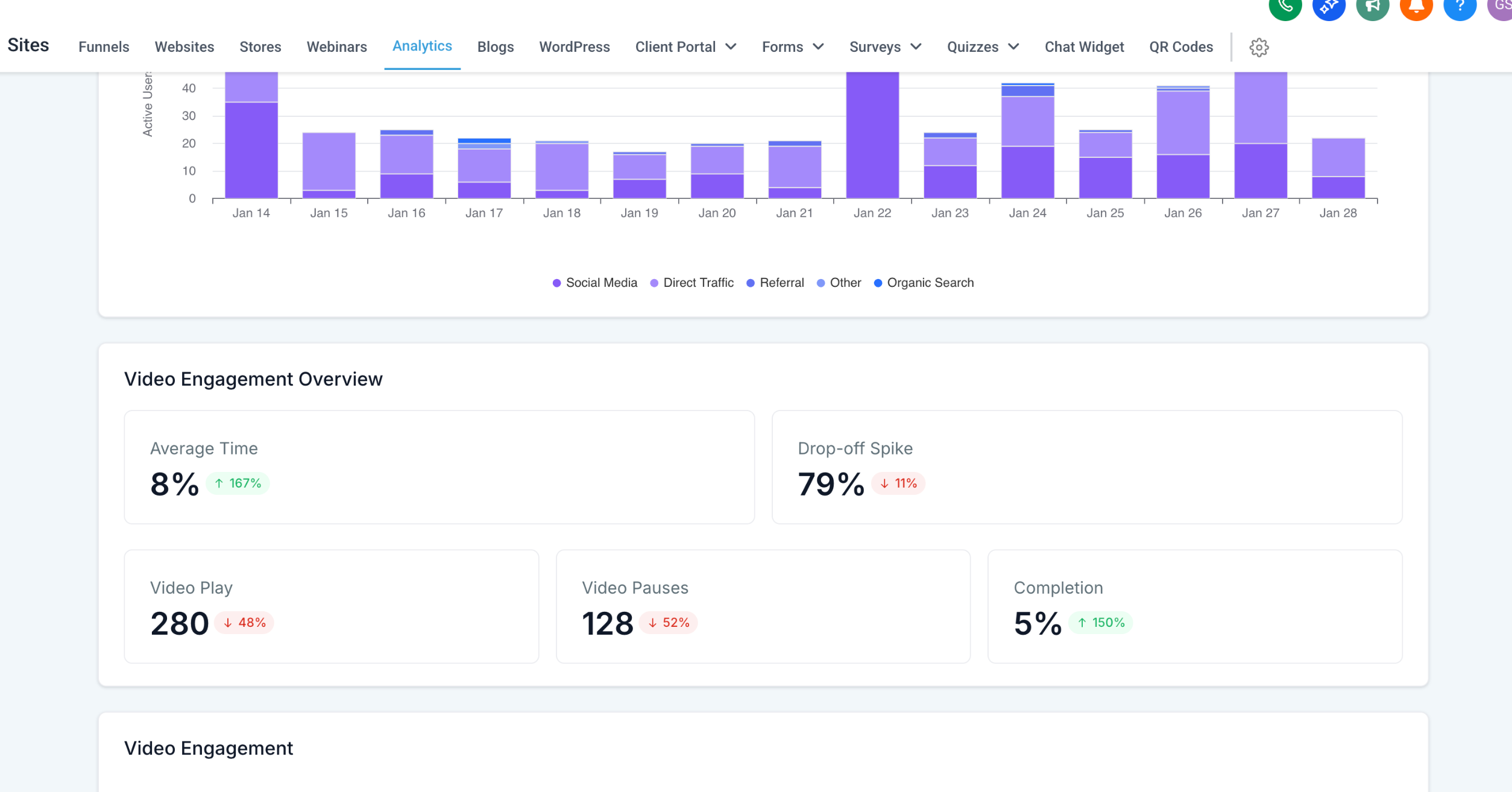
The dashboard also offers time range selectors, line charts and filters for domains, pages or forms. Audience information like device type, browsers, client IPs and geographic locations is aggregated and shown alongside engagement statistics such as average time on page and bounce like exits.
03How businesses use analytics for external tracking
- Real estate agency. Insert the script into property listing pages hosted on a third party site. After publishing, open the External Tracking analytics pane in HighLevel to watch page views and form lead counts for each listing.
- SaaS company. Add the tracking code to a product demo page that resides outside HighLevel. Then use the dashboard to monitor how many visitors view the demo and how many complete the sign up form.
- Event organizer. Place the script on an event registration site that runs on an external domain. Review the External Tracking analytics to see registration form views, submissions and overall completion rates.
04The numbers and rules that matter
- Metrics include Total Page Views, Total Form Views, Responses, Completion Rate, Average Time on Page, Exit Before 30s.
- Average Time on Page tracking started on January 20, 2026.
05Before you start
- Ability to edit the <head> section of the external website or funnel page.
- Access to the Sites > External Tracking area in HighLevel to copy the script.
06How to set up and use analytics for external tracking in HighLevel
Install external tracking script
- Open Sites > External Tracking in HighLevel.
- Copy the script that is displayed on the page.
- Paste the copied script into the <head> section of each external page you wish to track.
- Save the changes and publish the external site.
Access the analytics dashboard
- Navigate to Sites > Analytics.
- Click the Analytics dropdown menu.
- Select External Tracking from the list that appears.
- Alternatively, open the External Tracking modal and click the Analytics button.
Verify data tracking
- Visit the external site to generate visitor activity.
- Return to the External Tracking analytics view in HighLevel.
- Check that metrics such as page views and form views are appearing.
07What it looks like in HighLevel
08Things to know before you rely on it
- The External Tracking option is only shown when the script has been correctly installed and linked.
- Data may take a short time to appear after activity occurs.
- Average Time on Page is only available for activity recorded after January 20, 2026.
09If something goes wrong
- External Tracking option does not appear in Analytics. Make sure the tracking script is installed on the external site and that it is published.
- Metrics are not showing after site visits. Wait a brief period for the platform to process the activity before checking the dashboard.
10How it connects to the rest of HighLevel
- Use advanced filters to narrow external data by domain or form Advanced filters
- View geographic breakdowns of external visitors Geographic analytics
- Access top browsers and anonymized client IP information Browser and IP data
Michael's take

People often think they can just paste a link to an external page and expect HighLevel to start reporting right away. The script needs to sit in the <head> of every page you want to track, otherwise the dashboard stays empty.
If I were setting this up, I would first add the script to a test page, confirm that page views appear, then roll it out to all domains. A quick check of the date range selector lets you see the data flowing before you commit to full deployment.