
01Who this is for
- Agency admins need a reliable audit trail to verify what changed after each snapshot refresh.
- Marketing managers benefit from quick visibility of added or removed funnels and workflows before sharing with clients.
- Support teams can reference version details to answer client questions about missing assets.
02Snapshots version management, explained
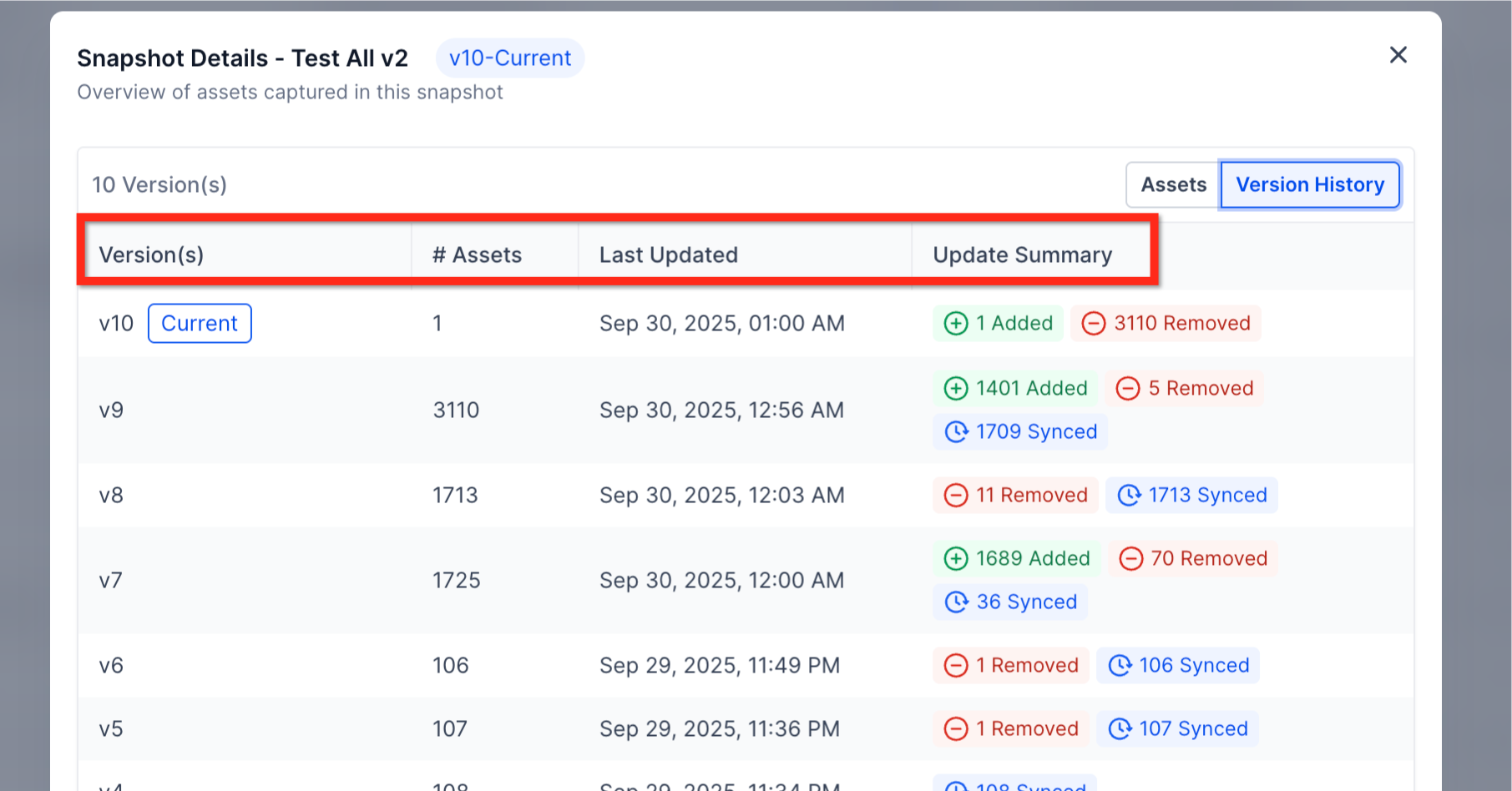
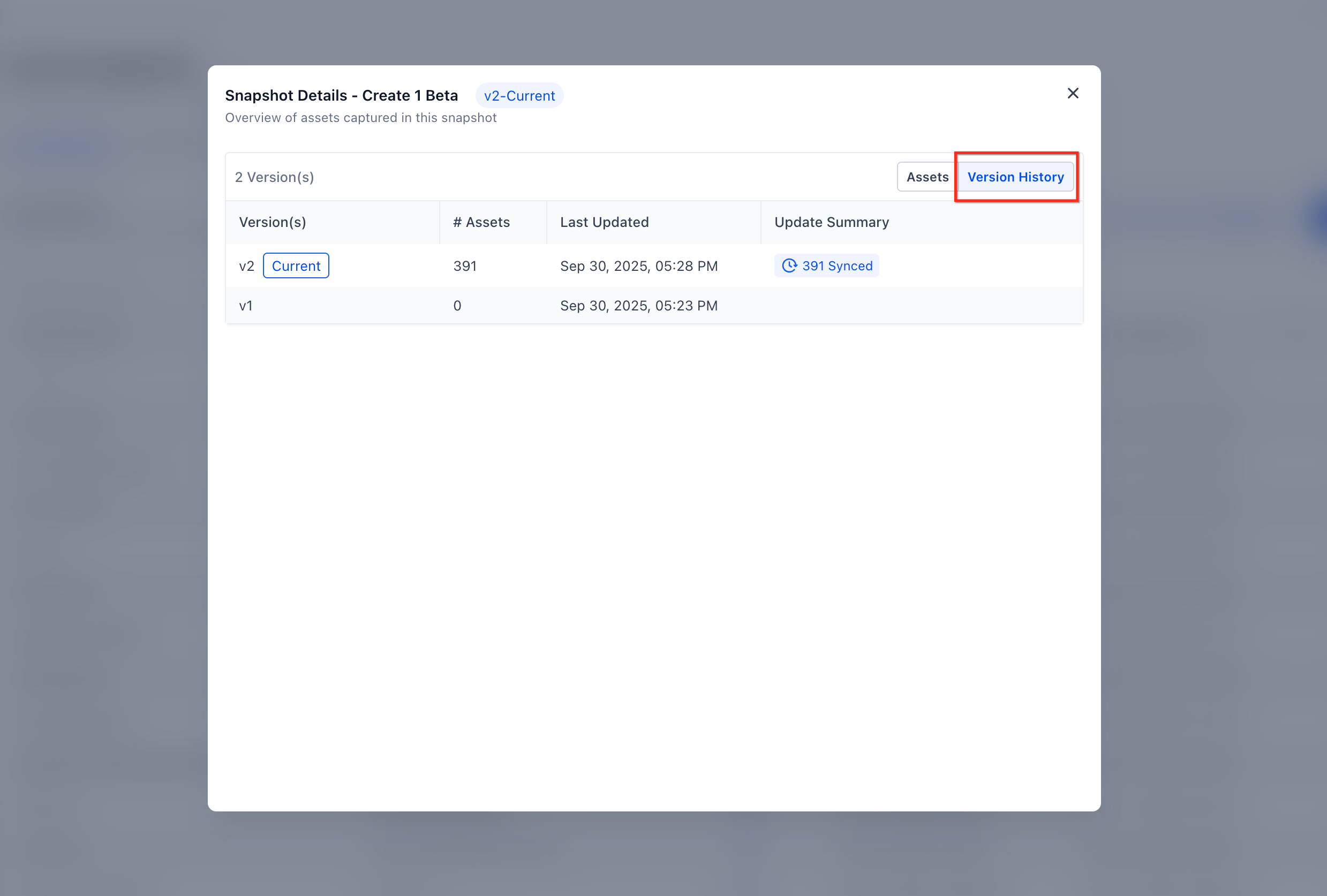
Version Management enhances the Snapshot asset viewer. When a snapshot refresh succeeds, the system logs a new version. All versions appear in a chronological list that shows who refreshed the snapshot and a summary of added, removed and synced items.
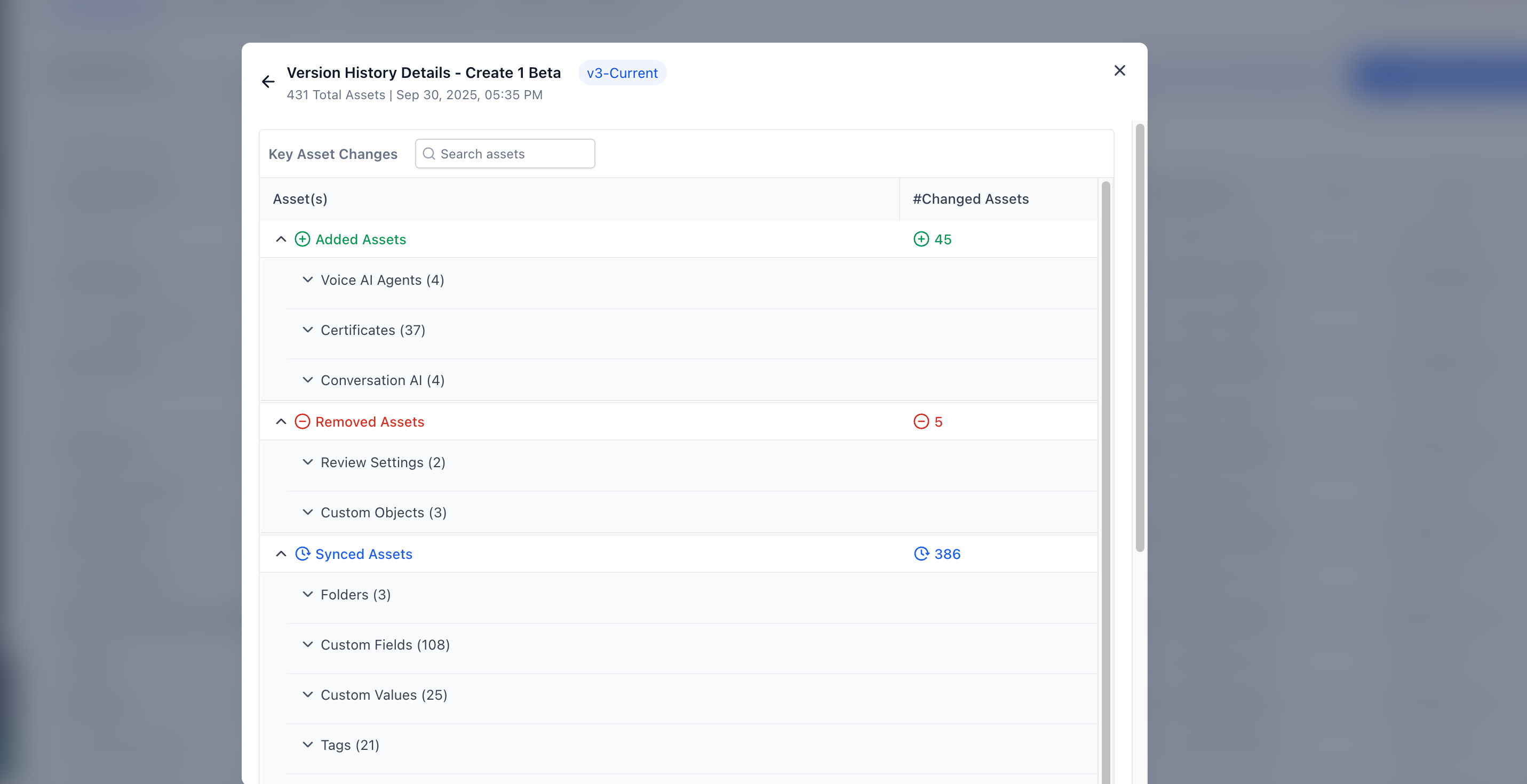
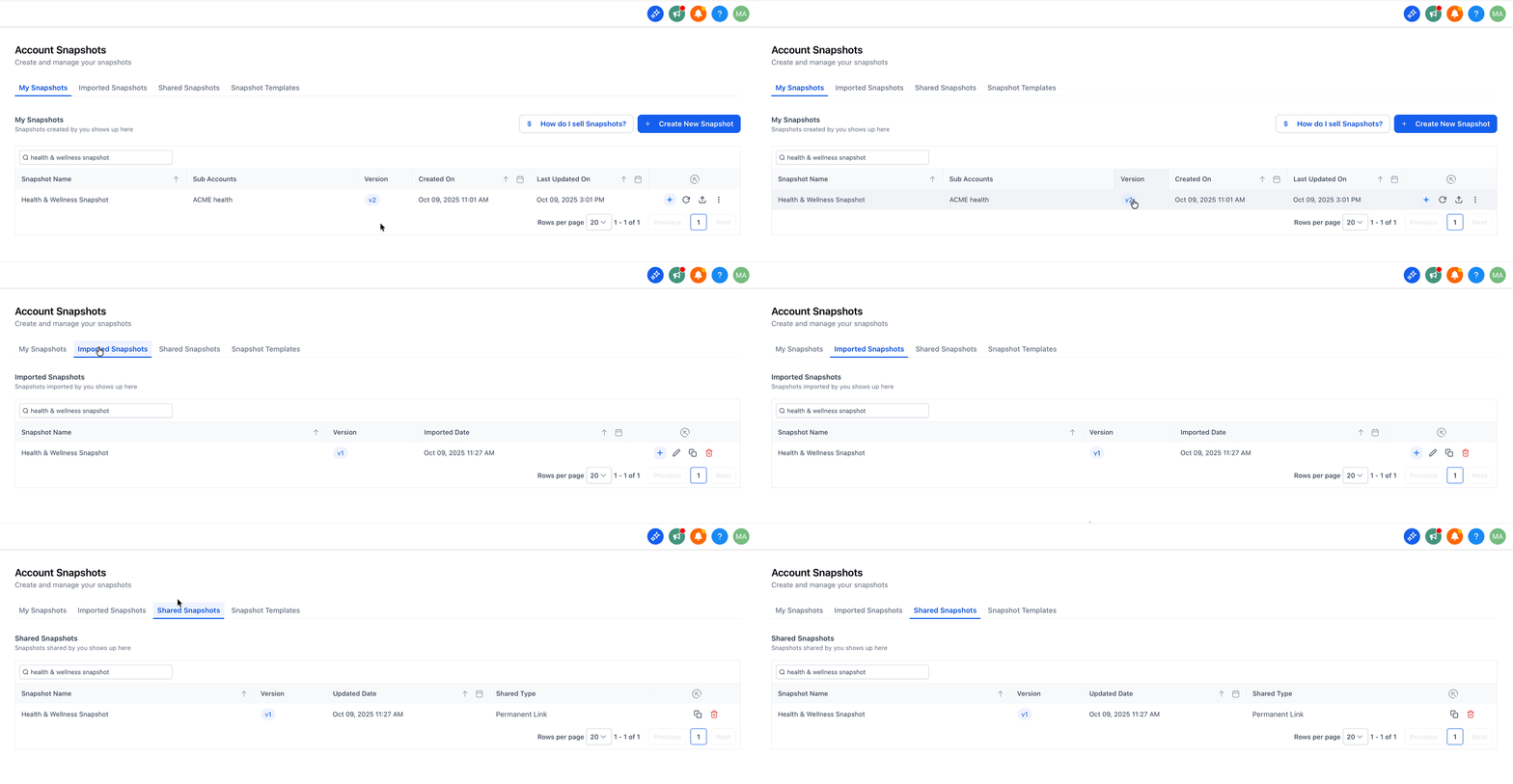
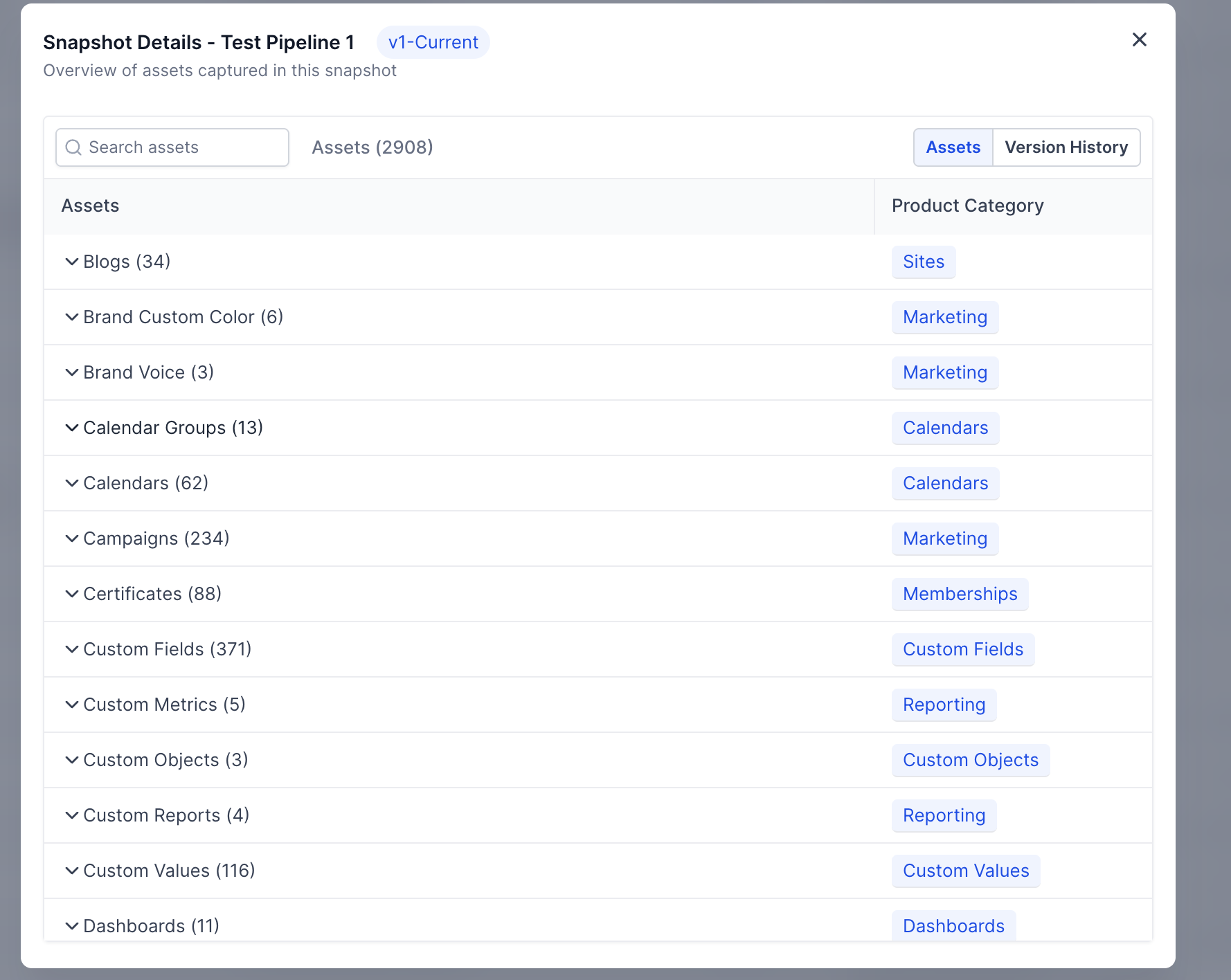
The version list is accessible from the Snapshot asset viewer. Selecting a version opens a detailed view grouped by asset type, indicating which items were added, removed or existed in both versions. Version references also appear in the My Snapshots, Imported Snapshots and Shared Snapshots lists, providing a quick reference point during collaboration.
03How businesses use snapshots version management
- Dental practice. The practice opens the Snapshot asset viewer, switches to the Version History tab, and checks the latest version to confirm that new patient intake forms were added before sharing the snapshot with a new clinic location.
- Ecommerce agency. Before pushing an updated checkout funnel to multiple client stores, the agency reviews the Added/Removed/Synced summary in Version Details to ensure only intended changes are included.
- Real estate brokerage. When a broker reports a missing lead capture workflow, the team opens the Version Details of the snapshot version the brokerage imported to see if the workflow was marked as Removed.
04How to set up and use snapshots version management in HighLevel
View snapshot version history
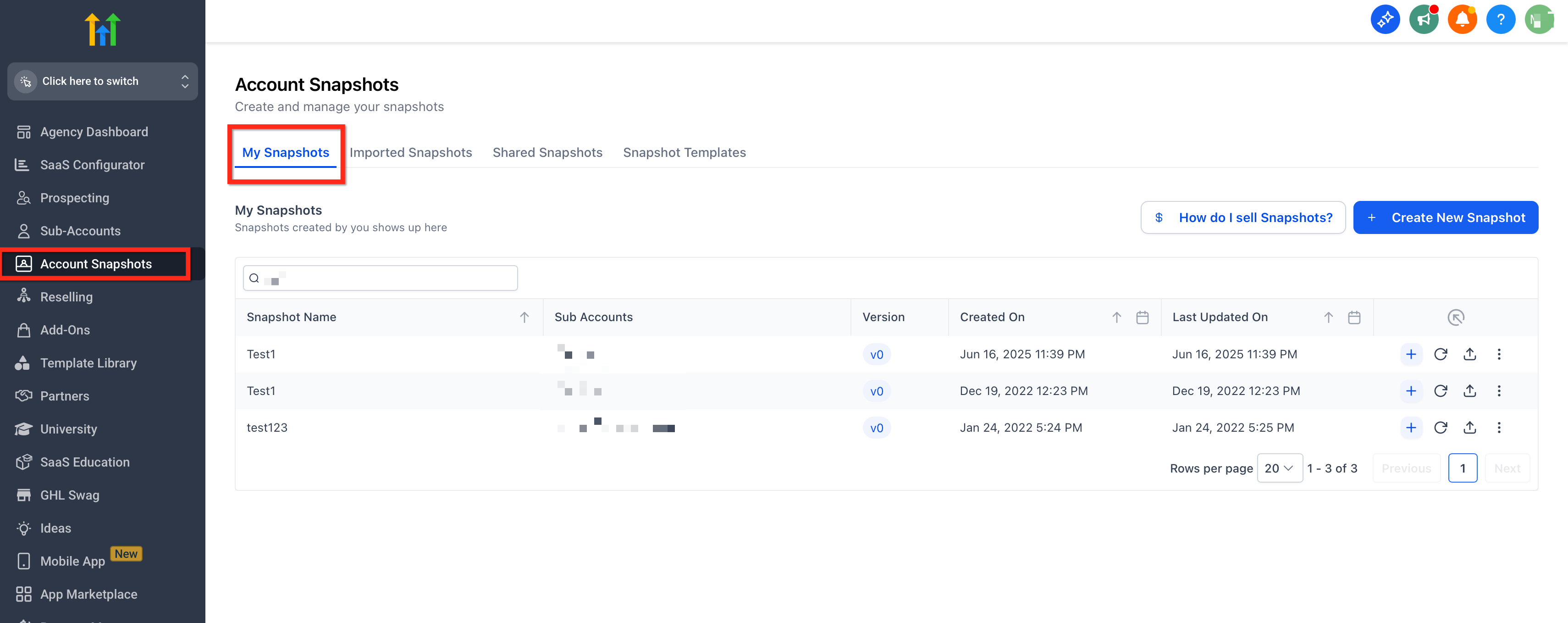
- Navigate to Agency view > Account Snapshots > My Snapshots.
- Click the name of the desired snapshot to open its asset viewer.
- Select the Version History tab to display all recorded versions.
- Click any version row to open its Version Details summary.
- From the My Snapshots list, click Refresh Snapshot after adding or updating assets to create a new version.
- Use the version reference shown in My Snapshots, Imported Snapshots, or Shared Snapshots to verify alignment when sharing or importing.
05What it looks like in HighLevel
06Things to know before you rely on it
- A new version is recorded only after a successful snapshot refresh; failed refreshes do not create a version.
- Version Management does not provide a revert or restore function; it only offers visibility for auditing.
- Access to Version History and Version Details depends on user roles and permissions.
07How it connects to the rest of HighLevel
- Explore all settings features available in the platform. All Settings features
- Review user role permissions that control access to snapshot version history. User access settings
- See pricing options if you need to upgrade for additional agency capabilities. HighLevel pricing
Michael's take

People often think the version list does more than record changes, but it’s only a record of what happened.
If I were running an agency, I’d refresh the snapshot, open the latest version, verify the Added and Removed items match the plan, and then share the snapshot.