
01Who this is for
- Agency owners who manage multiple client subaccounts benefit from a single default domain that maintains consistent branding across all client communications.
- Users who operate a single subaccount can set a unique branded domain for that account, ensuring every link matches the brand’s identity.
02API domains, explained
The API Domain feature replaces the HighLevel default link host with a domain you control. When a domain is set, any link the platform creates, such as form URLs, survey links, calendar invites, trigger actions, payment pages, or review requests, will use the custom subdomain instead of the generic one.
You can define the domain at two tiers. At the agency level, the setting applies a default domain to every subaccount unless a specific subaccount overrides it. At the subaccount level, a separate branded domain can be entered, which takes precedence over the agency default for that account only.
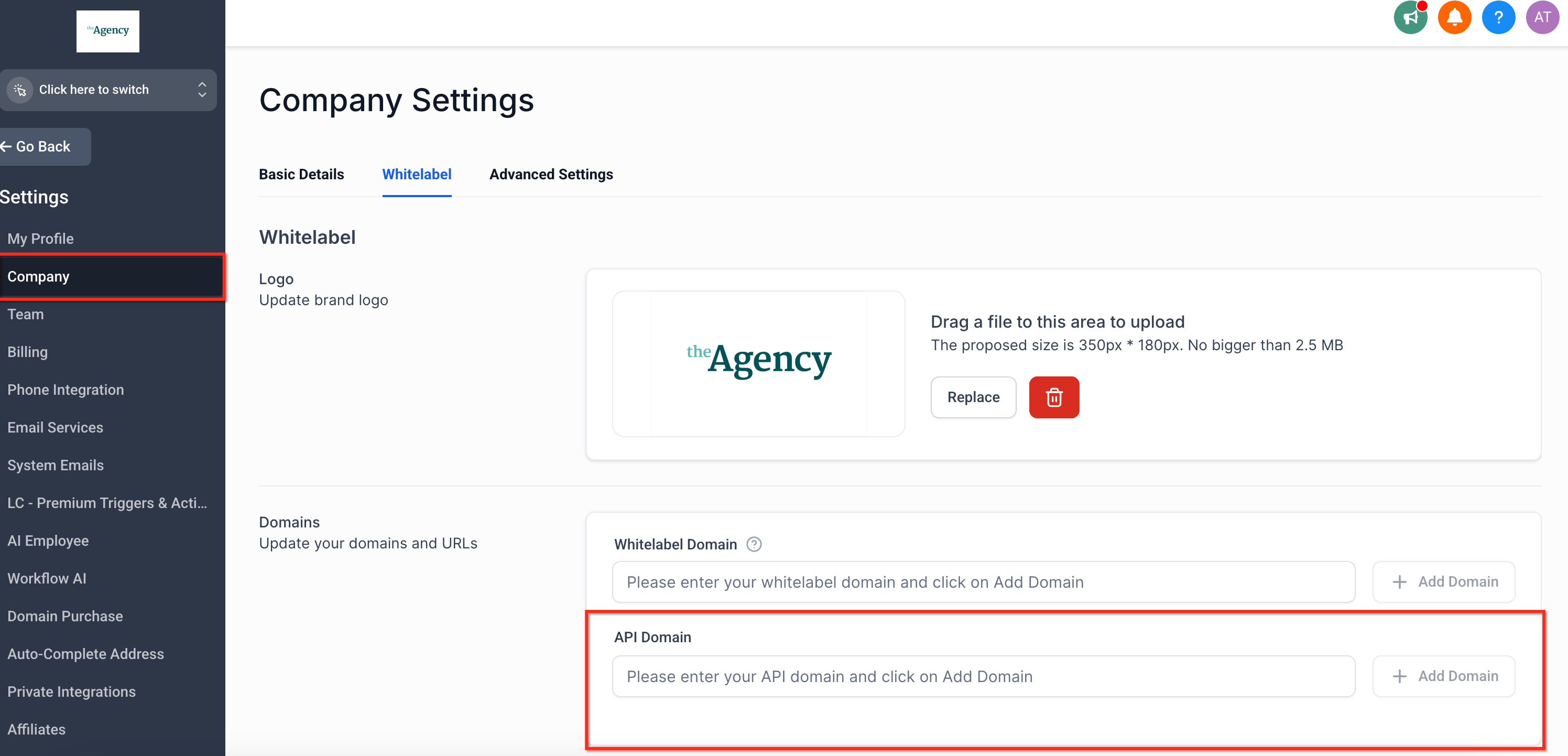
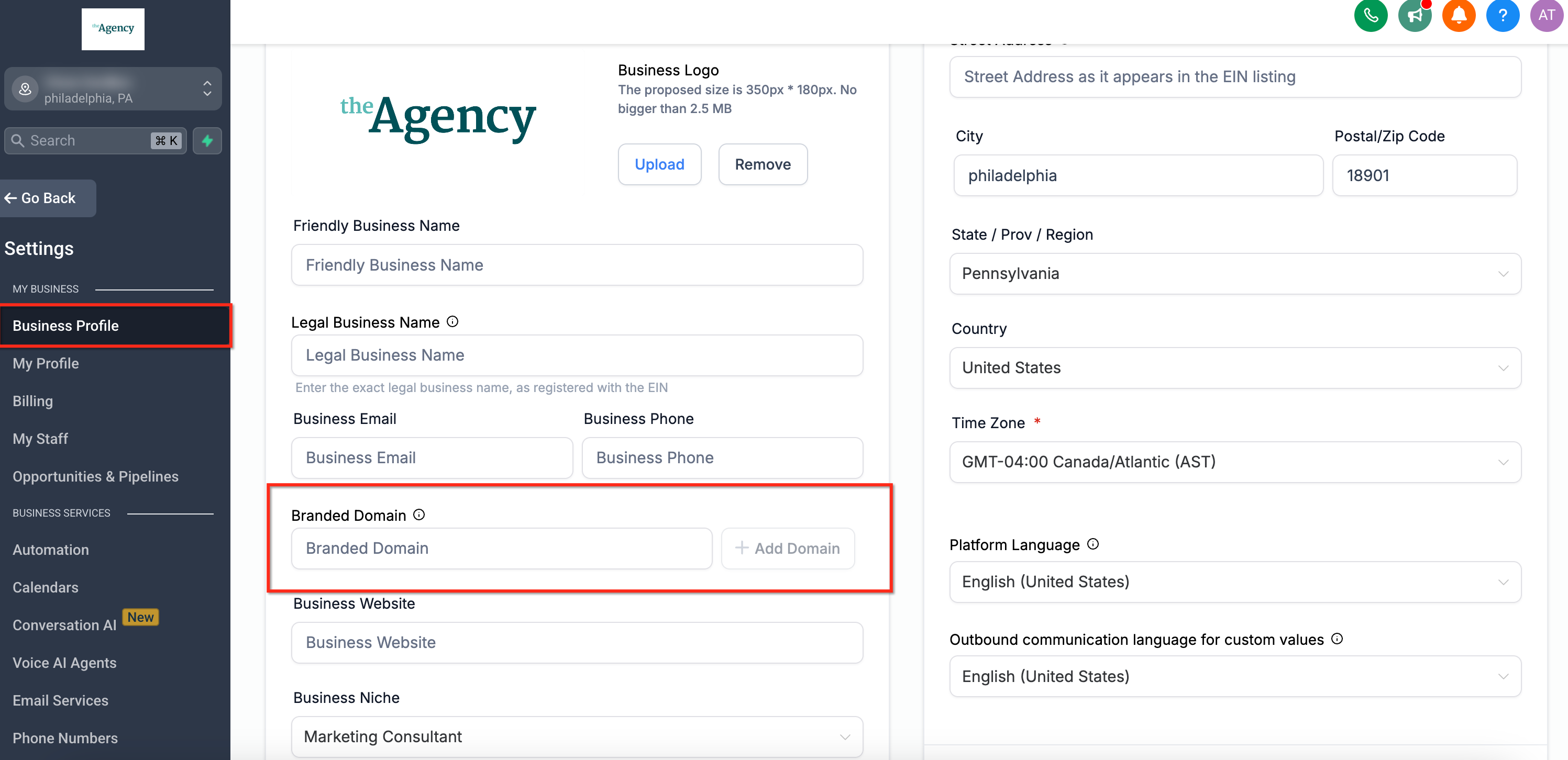
Both options are configured through the platform’s settings panels. The agency version lives under Agency View > Agency Settings > Company > Whitelabel > Domains, while the subaccount version is found in Settings > Business Profile within the individual subaccount view.
03How businesses use API domains
- Marketing agency. The agency sets a default API domain so all client campaigns automatically generate links that carry the agency’s branded subdomain, reinforcing the agency’s identity in every client email.
- Real estate brokerage. A specific office creates its own branded domain at the subaccount level, causing property listing forms and appointment links to appear with the office’s unique subdomain, separate from the agency default.
- Online course creator. The creator adds a branded domain to its subaccount so payment and review links point to a custom subdomain, matching the course’s website and enhancing brand consistency.
04The numbers and rules that matter
- Examples of registrars you may use include GoDaddy, CloudFlare, Namecheap.
- DNS propagation can take up to 48 hours, but changes often take effect sooner.
05How to set up and use API domains in HighLevel
Set agency level API domain
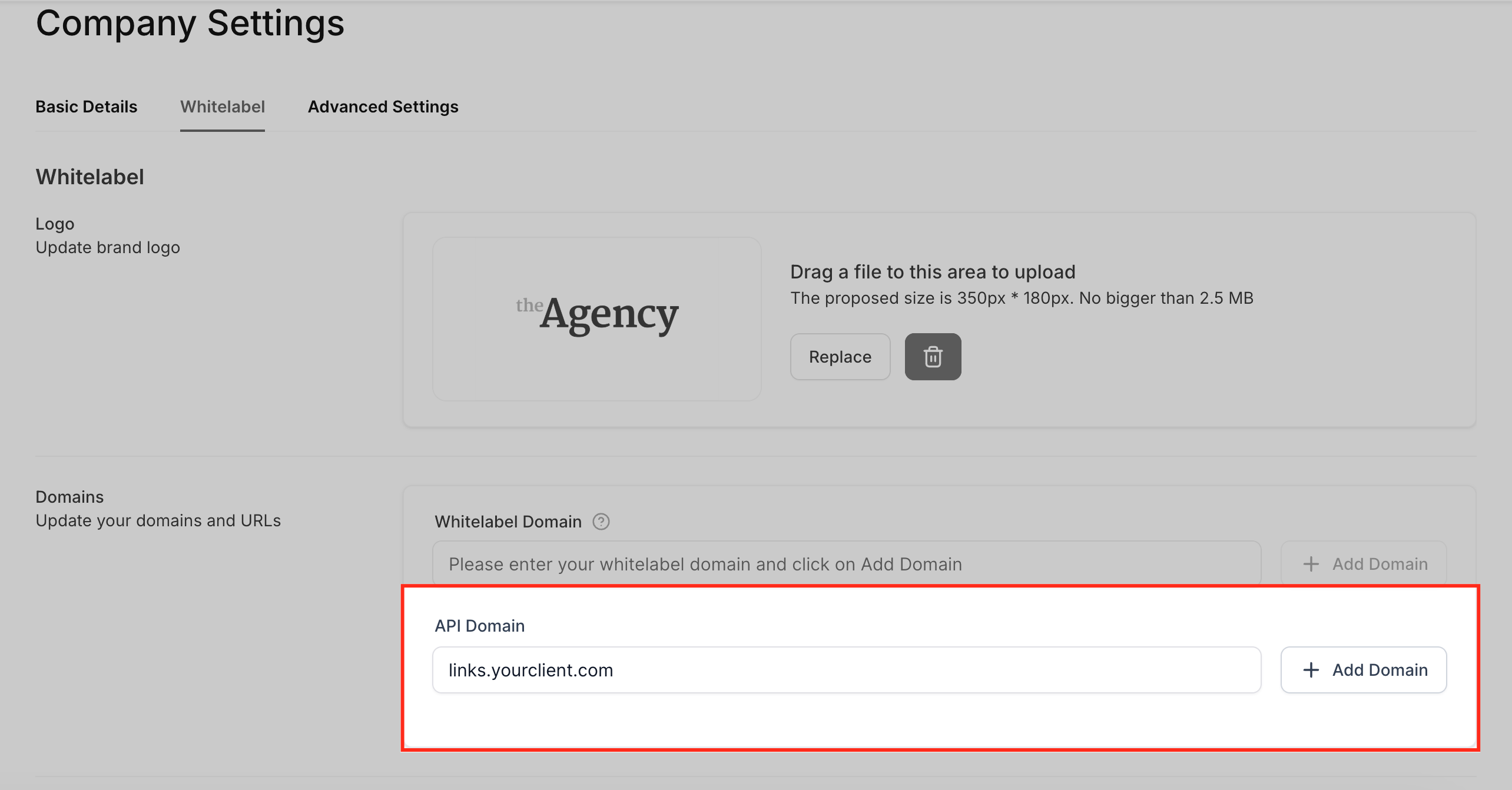
- Open Agency View and go to Agency Settings > Company > Whitelabel > Domains.
- Click the Add Domain button to start the domain connect wizard.
- Follow the wizard prompts to let the system create the CNAME record automatically.
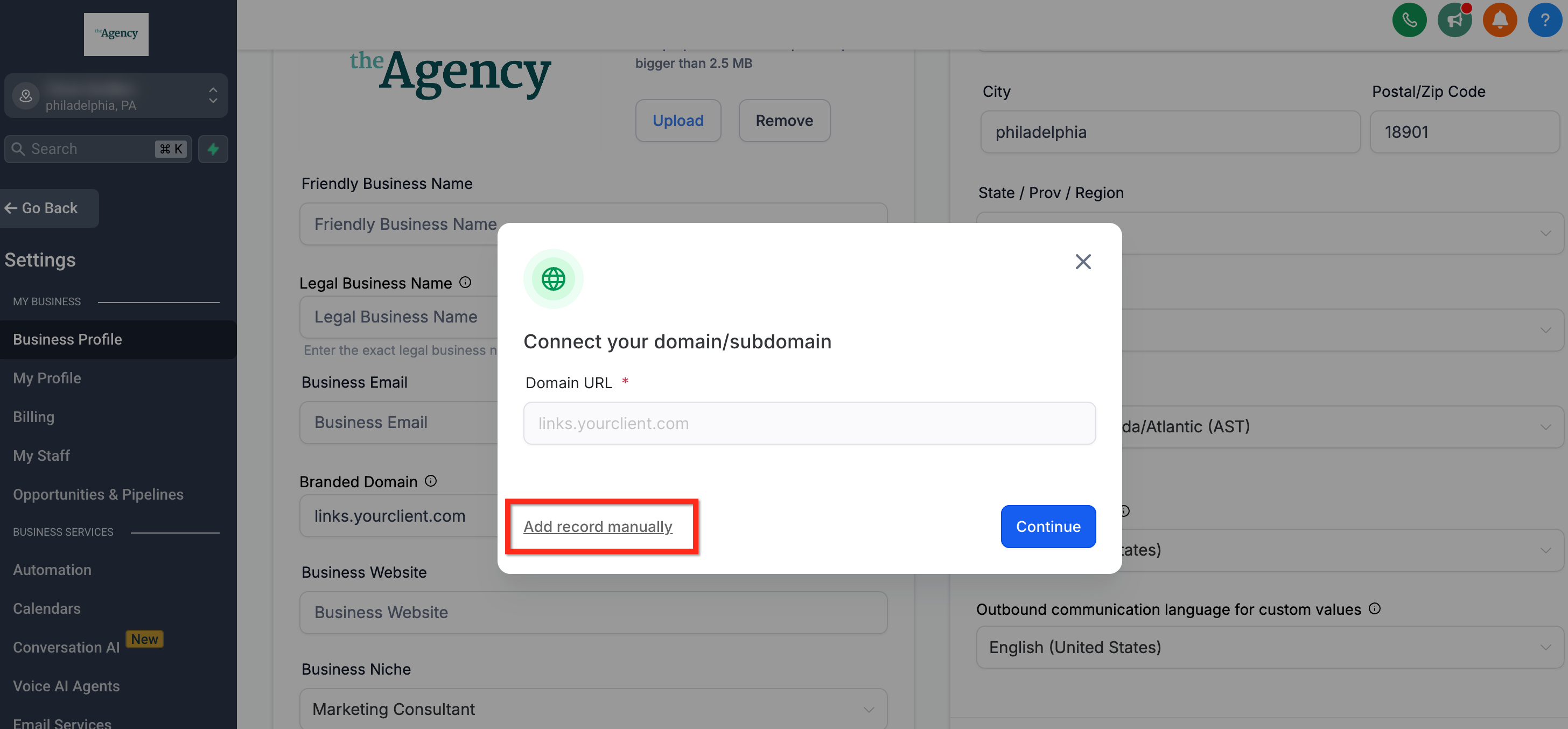
- If you prefer to set up the DNS manually, log into your registrar and open its DNS management page.
- Create a CNAME record where the name is the chosen subdomain (for example, links) and the target is brand.ludicrous.cloud.
- Scroll to the bottom of the Agency Settings page and press Update Company to save the changes.
Set subaccount branded domain
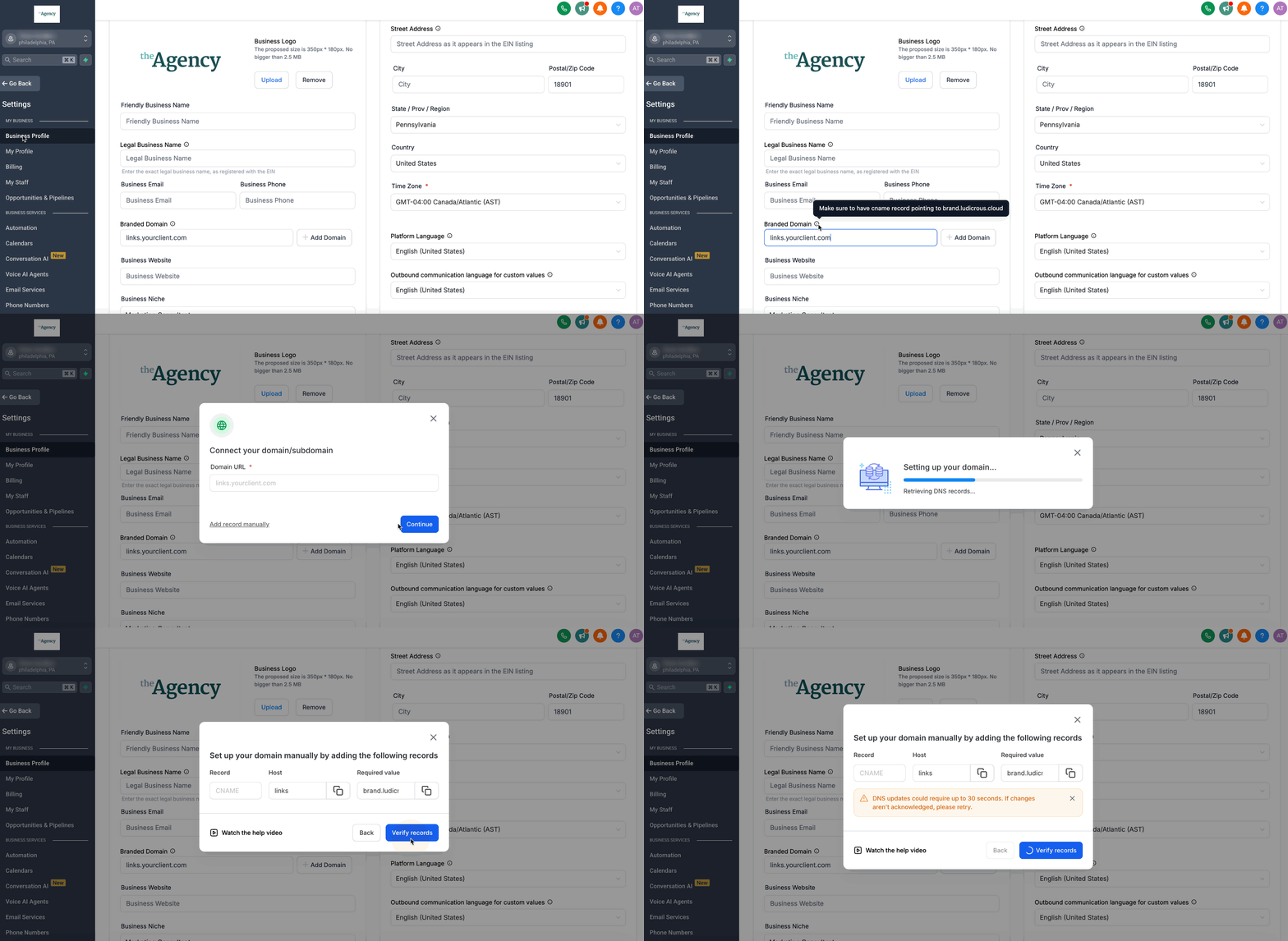
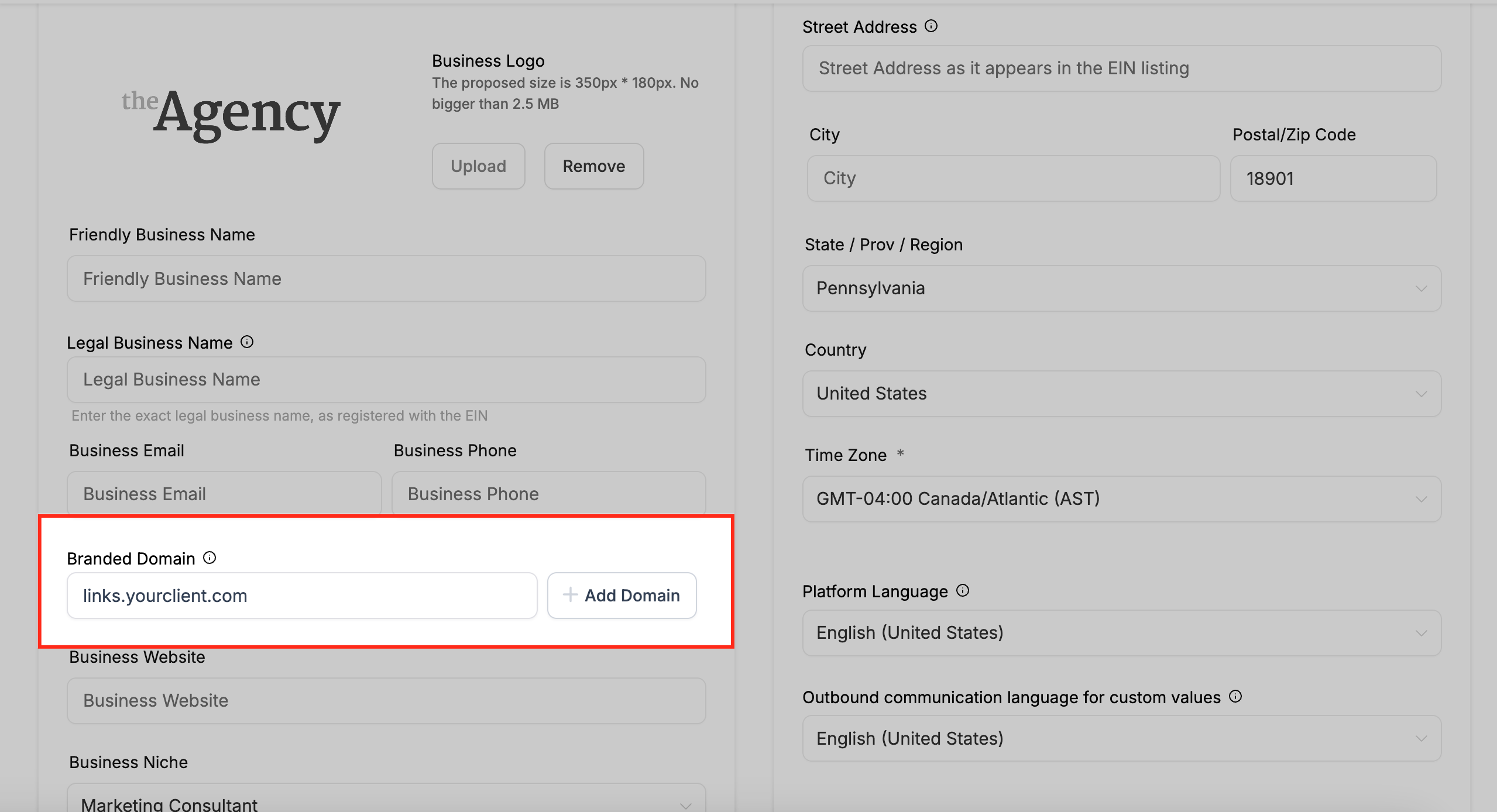
- In Subaccount View, navigate to Settings > Business Profile.
- Enter the desired subdomain in the Branded Domain field (for example, links.yourclient.com).
- Click Add Domain to launch the domain connect wizard.
- Allow the wizard to generate the CNAME record automatically, noting the required name and target values.
- If you need to add the record yourself, create a CNAME with the subdomain as the name and brand.ludicrous.cloud as the target in your DNS provider.
- Scroll to the bottom of the Business Profile page.
- Click Update Information to store the new branded domain.
06What it looks like in HighLevel
07Settings that matter
- API Domain. Determines the base subdomain used in all system generated links when set at the agency level.
- Branded Domain. Specifies a custom subdomain for a single subaccount, overriding the agency wide API Domain.
08Things to know before you rely on it
- Using a root domain for the API or Branded Domain is not recommended; a subdomain should be used to avoid conflicts with existing site settings.
- DNS changes may take up to 48 hours to propagate, although they often apply sooner.
- The API Domain feature is intended only for white labeling links; it should not be used for development or testing purposes.
09If something goes wrong
- Need to change an existing API or Branded Domain. Clear the current domain entry, save the form, re enter the new subdomain, and save again.
10How it connects to the rest of HighLevel
- Agency company settings for branding and domains Agency company settings
- Guide to creating custom menu links in HighLevel Custom menu links
- HighLevel pricing and plan information Pricing
Michael's take

Don't forget to actually create the CNAME record; the link won’t change without it.