
01Who this is for
- Agency owners who control the white label branding and want a streamlined login method.
- Agency admins responsible for configuring domain settings and authentication options.
- End users of a white label domain who prefer to sign in using their Google credentials.
02Google login for WL agencies, explained
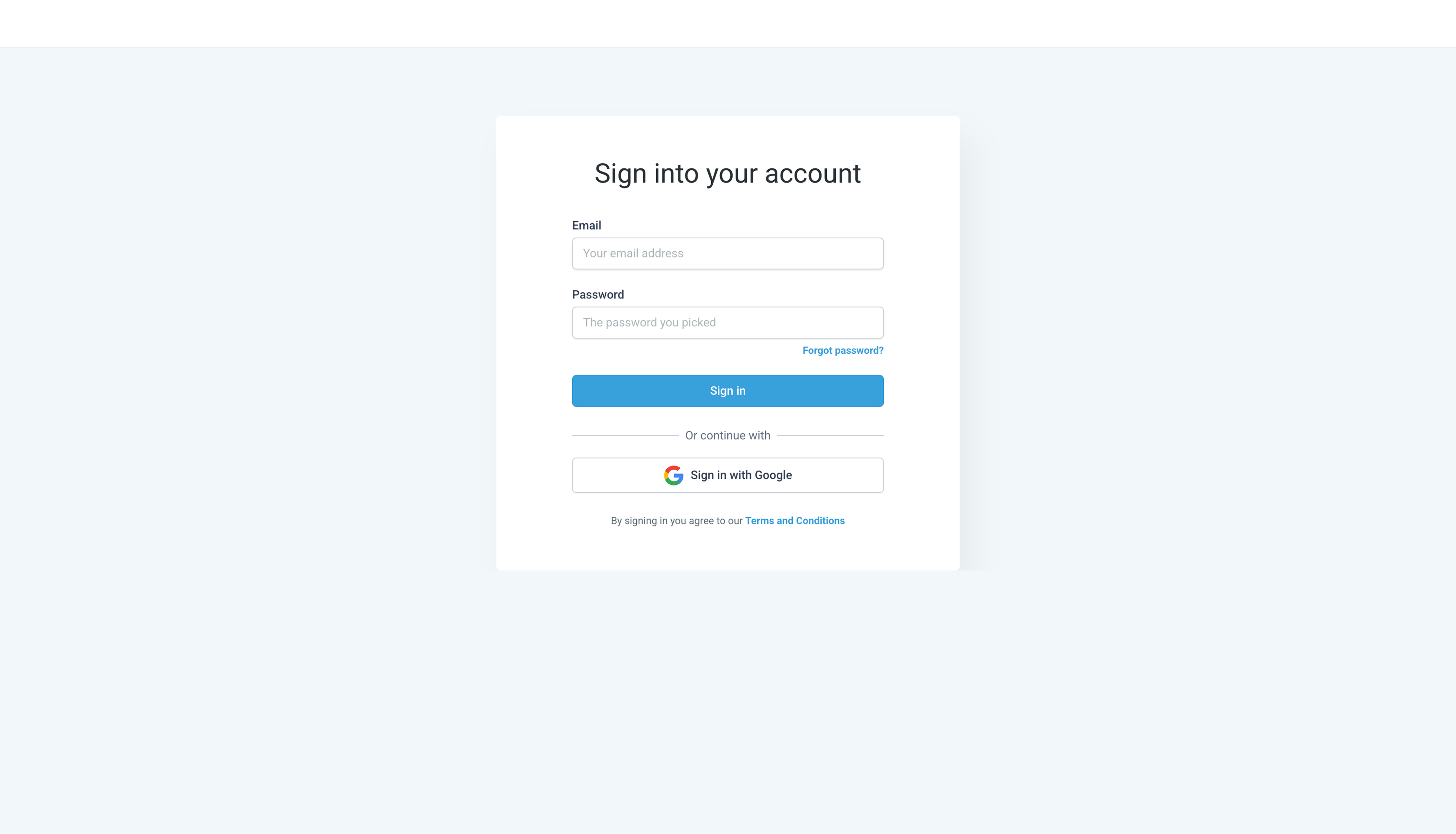
The feature adds a Google OAuth sign in option to a white label login page. When enabled, a "Sign in with Google" call to action appears, allowing users to authenticate through their Google account. The platform then redirects the user back to the original login screen after successful verification.
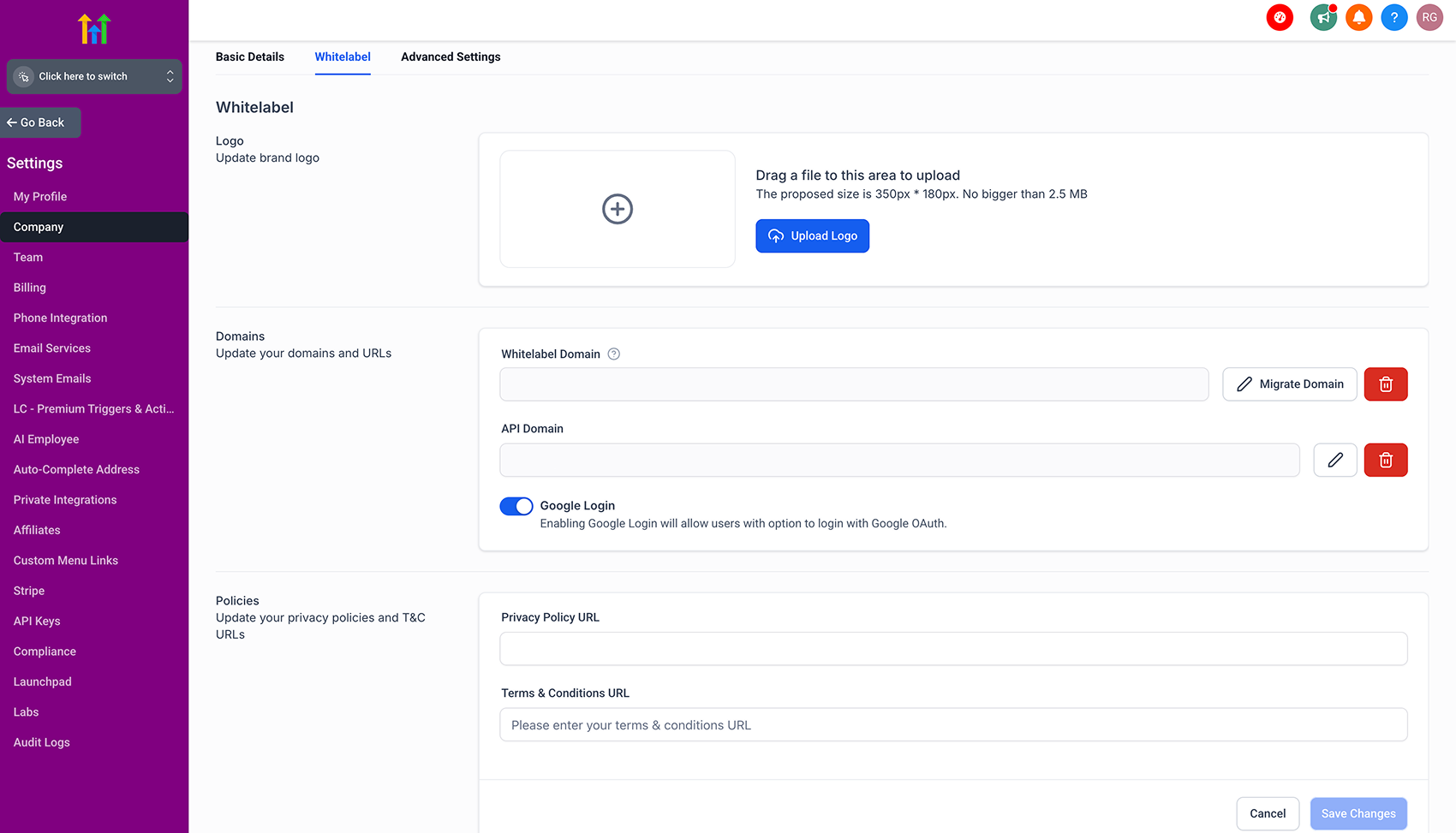
The toggle to activate this option lives under Settings > Company > Whitelabel. It only shows when the white label domain has been set up correctly. The new button does not interfere with any existing custom CSS, though agencies may modify styles if desired.
03How businesses use Google login for WL agencies
- Digital marketing agency. The agency enables Google Login in the white label settings, allowing client team members to access dashboards with their Google accounts. They ensure pop ups are allowed in the browsers used by the team.
- SaaS reseller. The reseller turns on the Google Login toggle for each branded sub domain, giving its customers a familiar authentication method. They update any custom CSS to match the reseller's visual guidelines.
- Coaching firm using a white label portal. The firm activates the Google button so coaches can log in quickly. They communicate the need to enable pop ups for the OAuth URL to avoid the one time browser block.
04The numbers and rules that matter
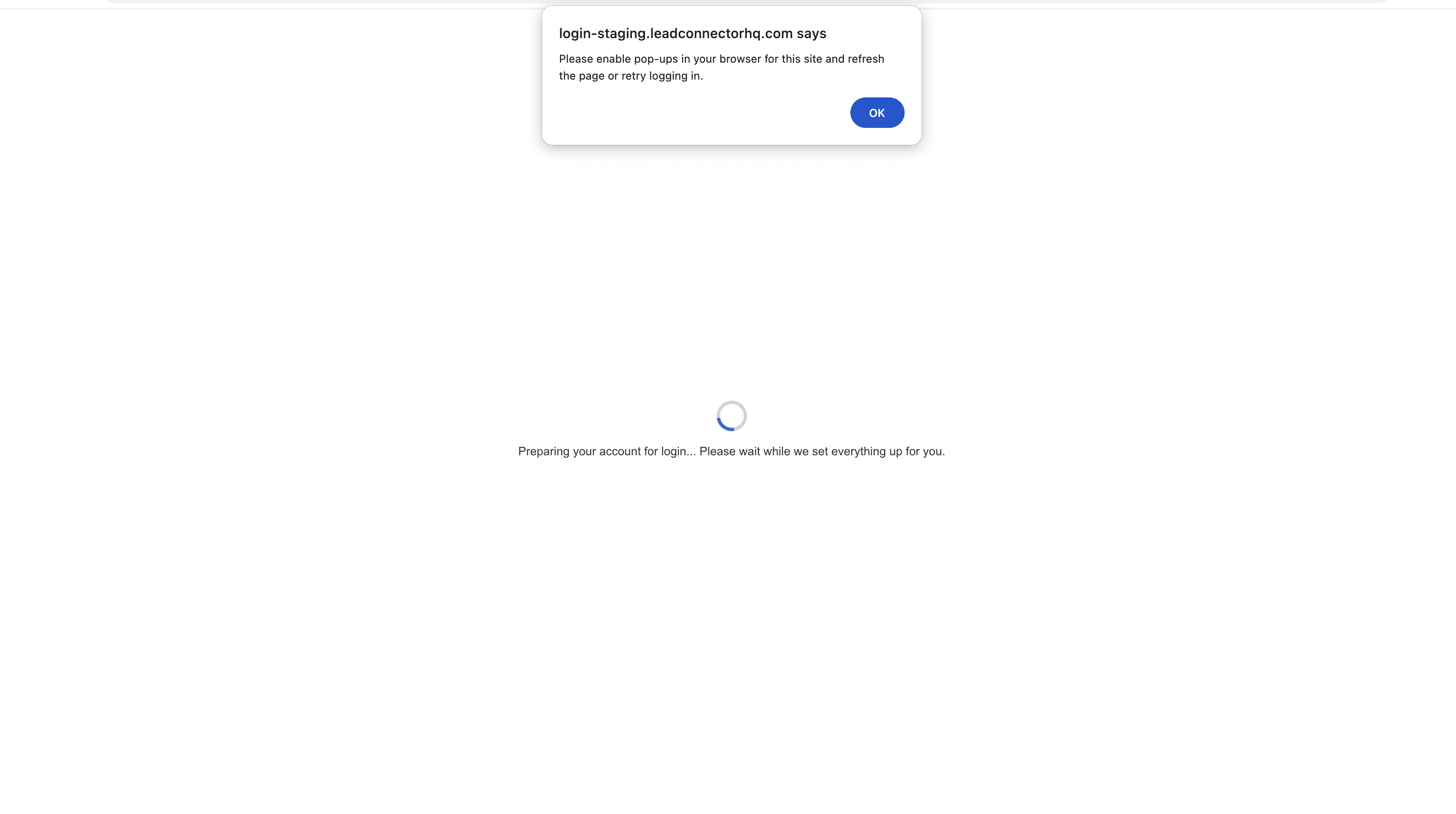
- Pop up permission is required one time per browser for the OAuth window.
05Before you start
- The white label domain must be configured correctly in the agency account.
06How to set up and use Google login for WL agencies in HighLevel
Enable Google login for a white label domain
- Log in to the agency account.
- Select Settings > Company > Whitelabel.
- Confirm the white label domain is set up and locate the Google Login toggle.
- Turn the toggle on to activate Google Login.
User login flow with Google
- Visit the white label domain and click the “Sign in with Google” button.
- Allow pop ups for the URL https://login.leadconnectorhq.com/google?origin=<your white label domain>.
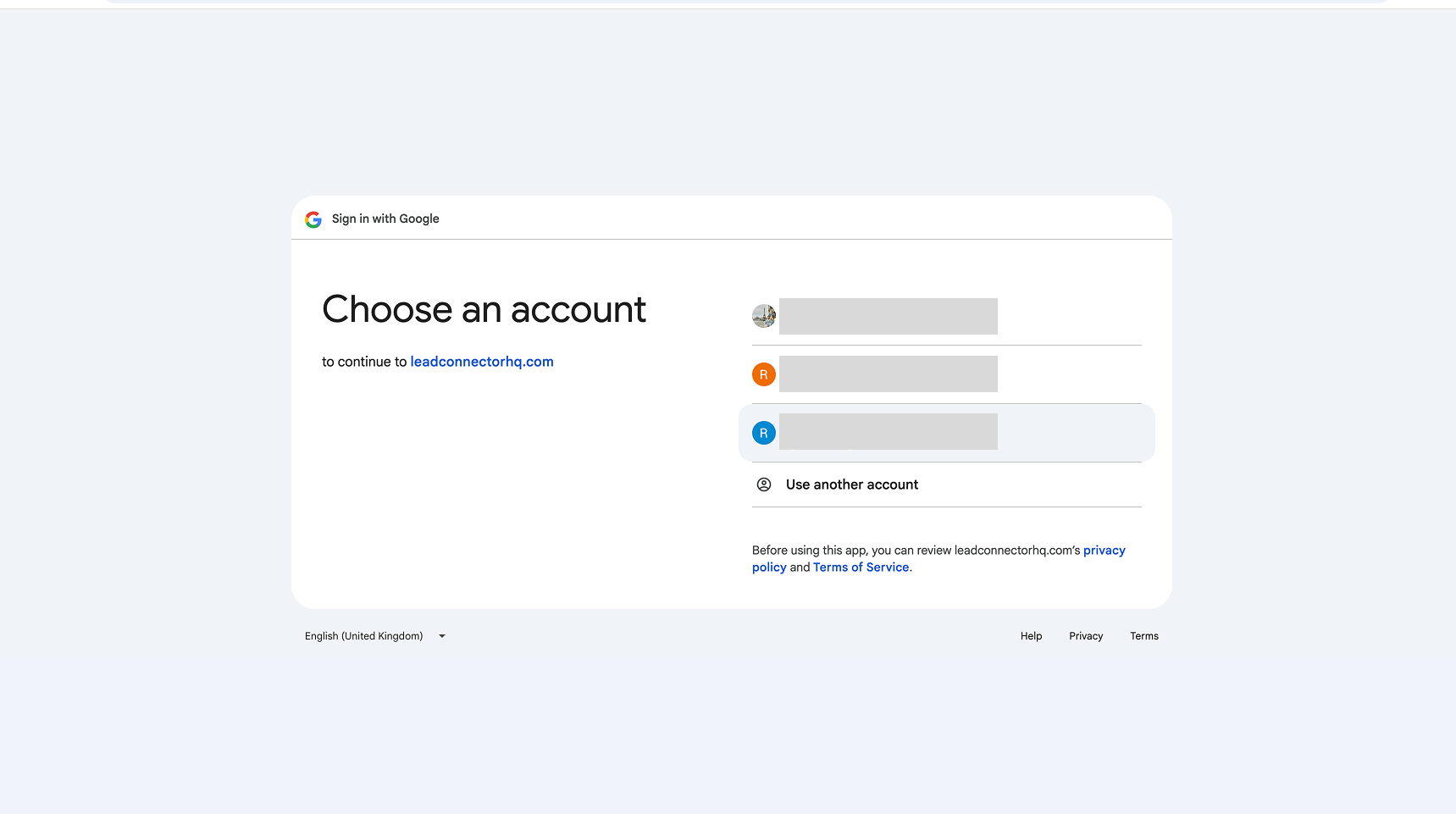
- When the Google OAuth window appears, select the Google account linked to the agency.
- If the account is not linked, an error message “User does not exist” will be shown.
- After successful authentication, you are redirected back to the login screen and signed in.
07What it looks like in HighLevel
08Settings that matter
- Google Login. Controls whether the "Sign in with Google" button is shown on the white label login page.
09Things to know before you rely on it
- The toggle appears only if the white label domain is configured correctly.
- Pop up permission must be granted once per browser for the OAuth window to display.
- If the selected Google account is not associated with the agency, the system shows a “User does not exist” error.
- Custom CSS may need adjustment for the new button, but existing styles are not impacted.
10If something goes wrong
- Error message “User does not exist” after selecting a Google account. Sign in with a Google account that is registered to the white label agency.
11How it connects to the rest of HighLevel
- Manage agency user roles and permissions User roles
- Set up Single Sign On (SSO) for additional authentication methods SSO setup
- View HighLevel pricing and plans Pricing
- Start a 30 day HighLevel trial 30 day trial
Michael's take

Getting clients into your portal without forcing them to remember another password is a big win. Google login for WL agencies removes that friction by letting users use the credentials they already have with Google.
The first thing I get right is the toggle in Settings > Company > Whitelabel. Once it’s on, I double check that the domain is properly set up and that I’ve allowed pop ups for the OAuth URL, so the sign in flow works the first time a user tries it.