
01Who this is for
- Agency Founders who need a clear point of contact for billing and account decisions.
- Agency admins who require the ability to hand off ownership when roles change.
- Team leaders who want to ensure only one user can modify the agency’s ownership structure.
02Agency owner role, explained
The Agency Owner role is the primary user in an agency account. It carries the same permissions as an Agency Admin and adds the exclusive ability to transfer ownership to another Agency Admin.
The role is managed in the agency’s Settings area under Team. It can be assigned during initial account creation or later by the current owner using the Transfer Owner function. When ownership is transferred, the previous owner automatically becomes an Agency Admin.
03How businesses use the agency owner role
- Digital marketing agency. When the agency merges with another firm, the current Agency Owner selects the partner’s Agency Admin in the Transfer Owner dropdown and saves. This reassigns ownership, allowing the combined agency to operate under a single point of contact.
- Consulting boutique. If the Founder steps down, they open Settings > Team, edit their user profile, choose a trusted Agency Admin from the Transfer Owner list, and confirm. Ownership moves to the new admin, keeping the consultancy’s account management intact.
- White label SaaS provider. For a client who requests account closure, the Agency Owner receives the final confirmation request. Their role ensures they are the designated contact for any account deletion communications directly within HighLevel.
04How to set up and use the agency owner role in HighLevel
Transfer ownership to another admin
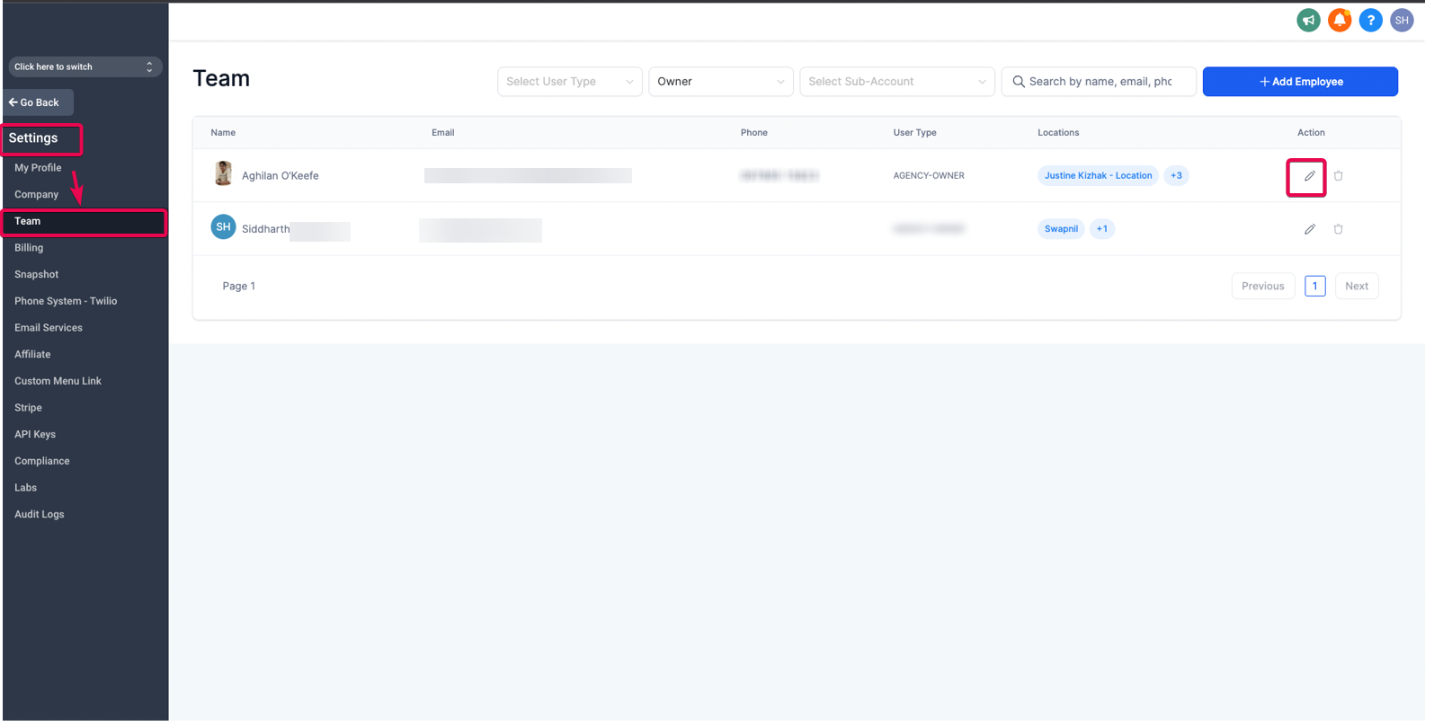
- Navigate to Agency view > Settings > Team.
- Locate and edit the user listed as the current Agency Owner.
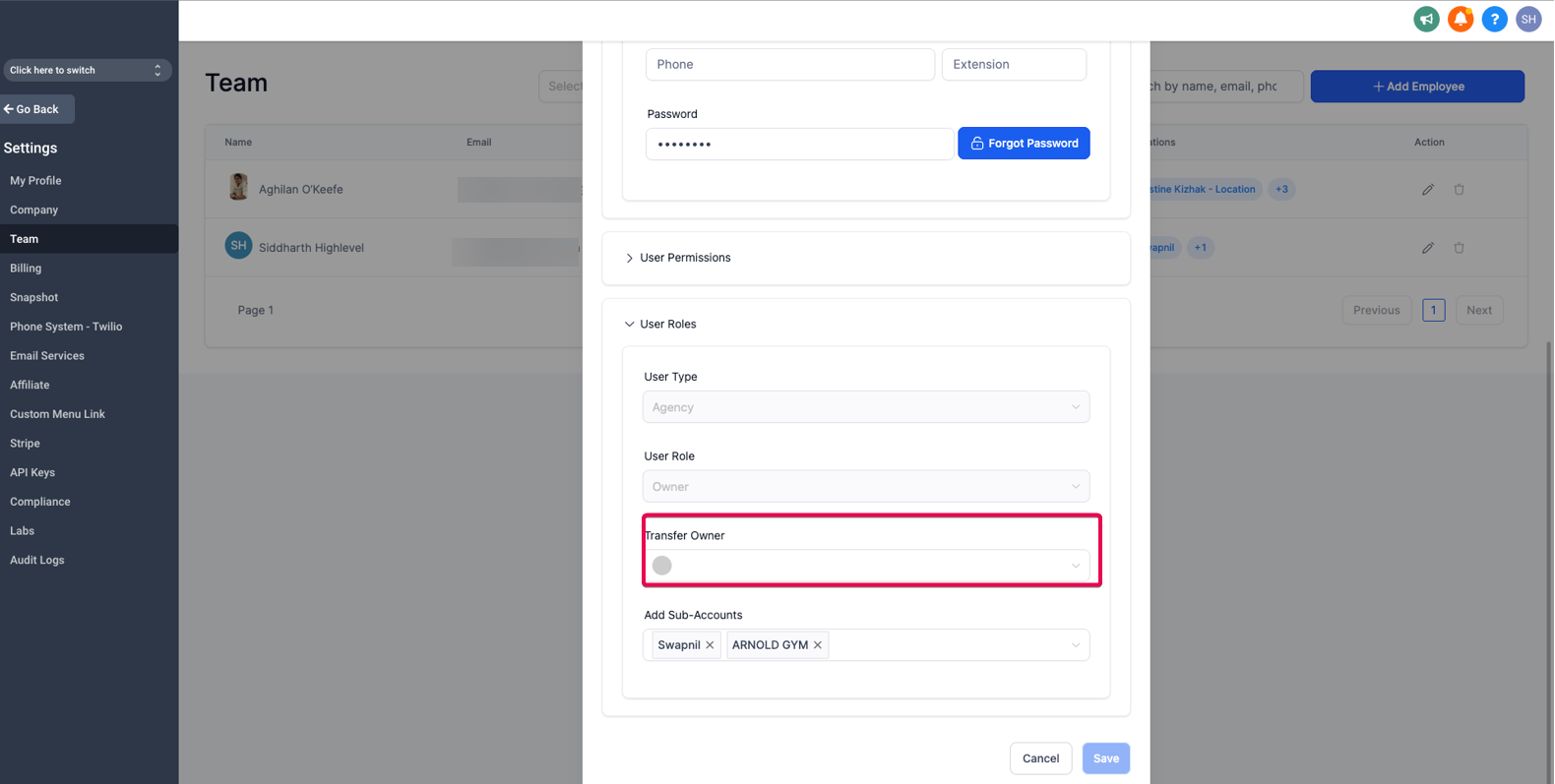
- Open the User Roles section and select Transfer Owner.
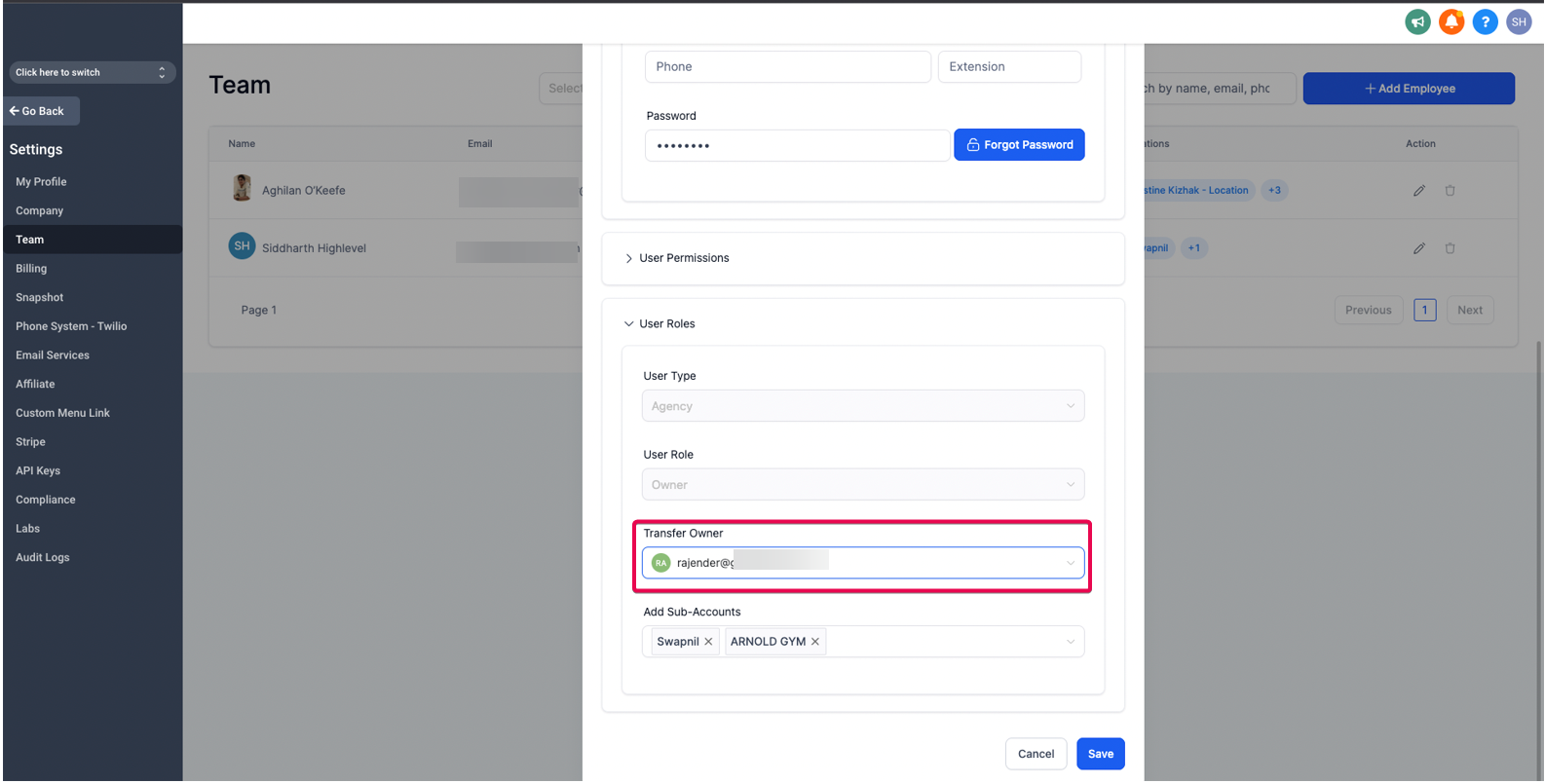
- Pick another Agency Admin from the dropdown menu.
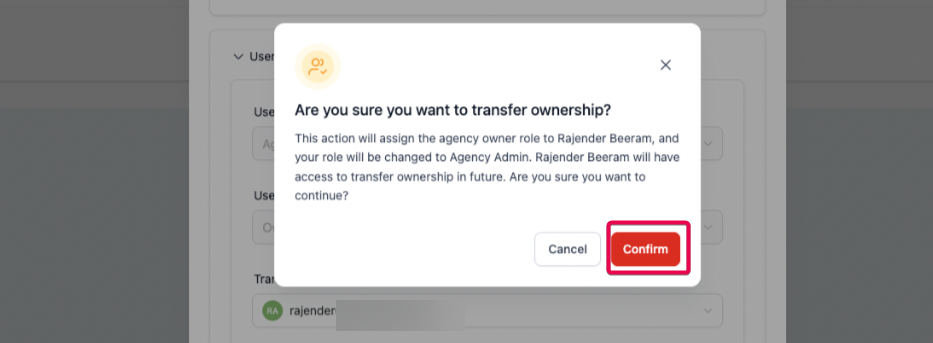
- Click Save and confirm the change. The previous Owner is automatically changed to an Agency Admin.
05What it looks like in HighLevel
06Settings that matter
- User Roles. Controls which role is assigned to each user, including Admin and Owner designations.
- Transfer Owner. Enables the current Agency Owner to designate a different Agency Admin as the new Owner.
07Things to know before you rely on it
- Only one Agency Owner can exist in an agency account at any time.
- Other Agency Admins cannot modify the Agency Owner’s role or delete their account.
- If the Agency Owner is deleted, ownership automatically passes to the most recently created user with Agency Admin rights, or remains unassigned until such a user is added.
08How it connects to the rest of HighLevel
- Manage user roles and permissions in agency accounts Agency role management
- Overview of user access settings across HighLevel User access guide
- Set up Single Sign On (SSO) for agency users SSO setup
Michael's take

Most people assume the Agency Owner role is just another admin label and treat it like any other user. In reality it is the single point of authority for the agency account, and only one can exist at any time.
If I were setting up a new agency, I would make sure the first admin added is the person who will handle billing, strategic decisions, and any ownership changes. That way the role is correctly assigned from the start and you avoid later confusion.