
01Who this is for
- Digital agencies that resell WhatsApp services, because they can track leads even when prospects hide phone numbers.
- Ecommerce stores using WhatsApp for customer support, to avoid missing first time inquiries from privacy concerned shoppers.
- Coaches and consultants handling client chats, ensuring every conversation creates a contact record.
02WhatsApp usernames, explained
The feature adds automatic contact creation for WhatsApp users who opt to share a username instead of a phone number. When such a user sends a first message, the platform receives a BSUID in the payload and builds a new contact record from it. The conversation appears in the regular Conversations inbox, and all existing WhatsApp workflows, imports, and automations continue unchanged.
The capture works in any region where Meta has enabled the username beta. No extra configuration is needed; HighLevel handles the process behind the scenes. Existing contacts that already have a phone number remain unaffected, and phone numbers are still shared for recent or prior interactions.
03How businesses use WhatsApp usernames
- Digital marketing agency. When a prospect messages the agency’s WhatsApp number using a username, HighLevel creates a contact with the supplied username and BSUID. The agency can then reply within the session window and trigger any existing automation.
- Online retailer. A shopper initiates a chat via a WhatsApp username; the platform automatically adds the shopper as a new contact, allowing the retailer to follow up with order updates or support messages.
- Healthcare clinic. A patient starts a conversation using a username; HighLevel records the patient’s BSUID as a contact, enabling the clinic to respond, schedule appointments, and keep the interaction history.
04The numbers and rules that matter
- A BSUID is generated per user per business and is stable for the life of that relationship.
- Phone numbers are still shared for existing customers or those who have recently interacted with your business (within a 30 day window or already present in your Meta contact book).
- Replies must follow the standard 24 hour session window and approved template rules.
05How to set up and use WhatsApp usernames in HighLevel
Capture a new contact from a username based WhatsApp message
- A customer sends a first message to your WhatsApp number using a username instead of a phone number.
- WhatsApp includes the username and a business scoped user identifier (BSUID) in the message payload.
- HighLevel automatically creates a contact record using the username and BSUID and places the conversation in the Conversations inbox.
- You can reply to the contact following the normal WhatsApp session window and template rules.
06What it looks like in HighLevel
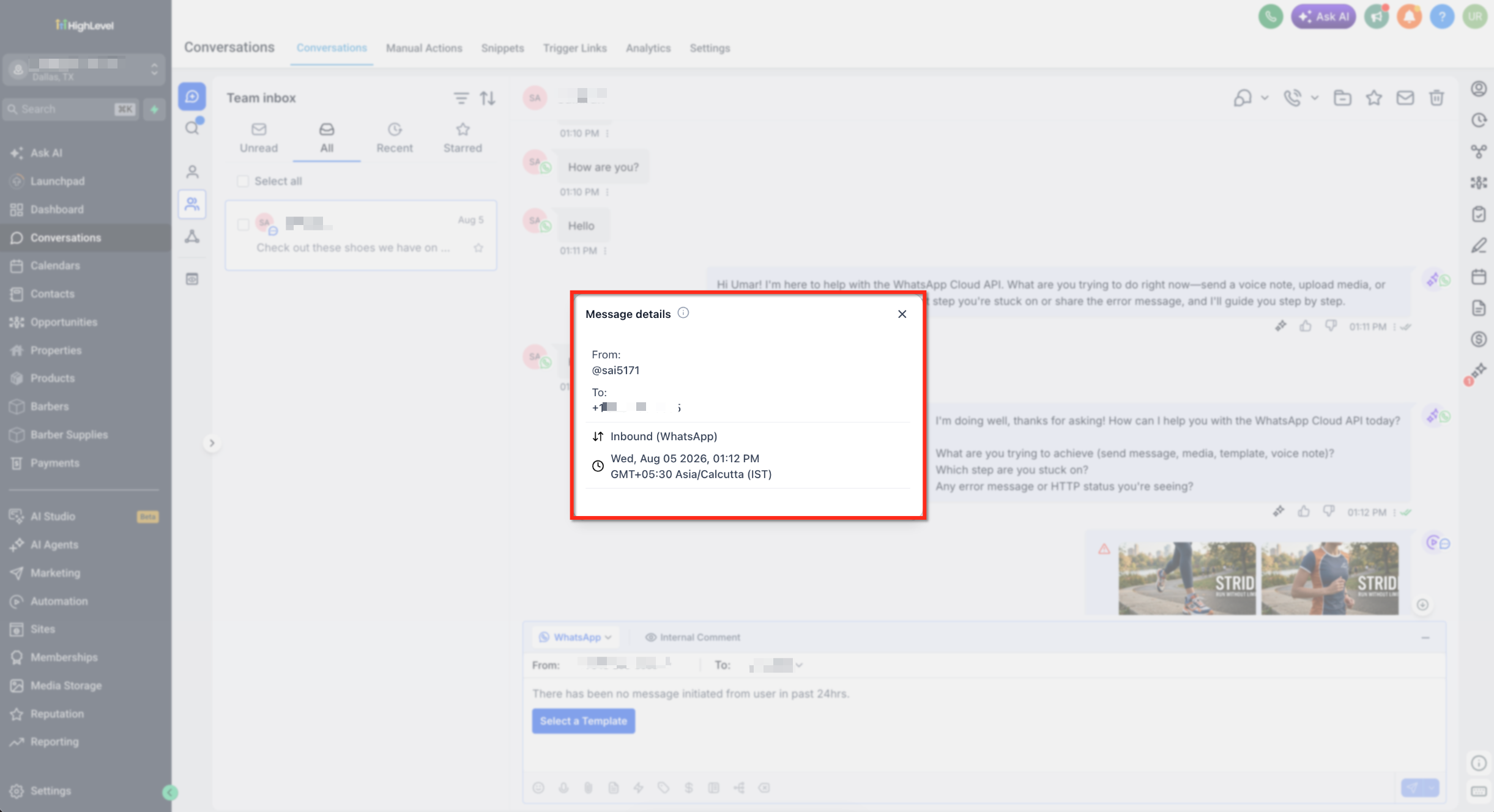
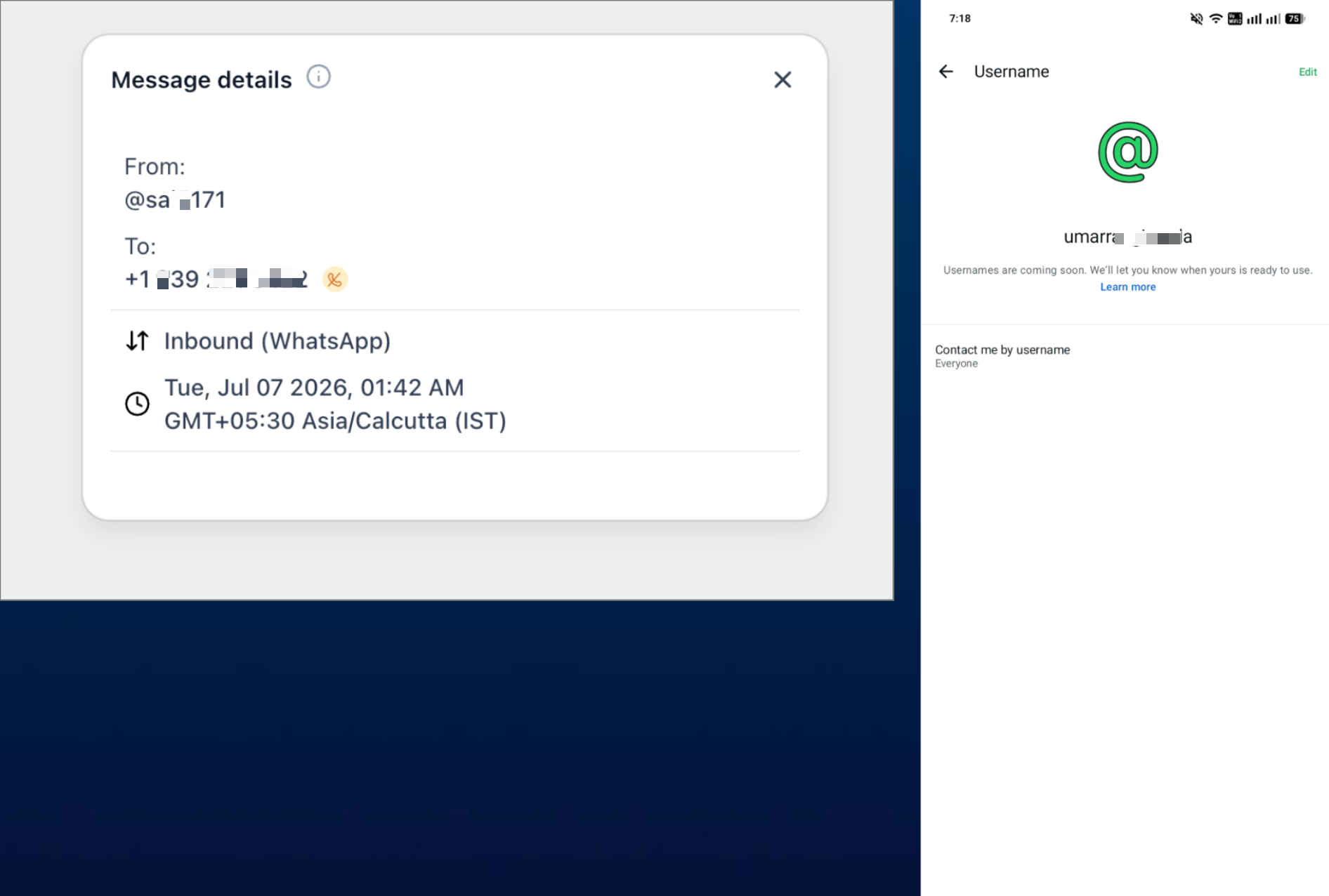
07Things to know before you rely on it
- Feature is in beta and rolls out gradually by region; it works only where Meta has enabled usernames.
- You cannot initiate an outbound message to a contact that only has a username; cold outreach requires a phone number.
- Usernames are not stored in a dedicated custom field and cannot be exported.
- Phone numbers are still shared for existing customers or those who have interacted within a recent 30 day window or are already in your Meta contact book.
08How it connects to the rest of HighLevel
- WhatsApp reselling guide for agencies WhatsApp reselling guide
- Set up WhatsApp automation workflows Automation workflow
- Create and manage WhatsApp templates WhatsApp templates
- Increase your WhatsApp message limit Message limit
Michael's take

When a sizable portion of your leads prefer not to share their phone number, the automatic capture of username based contacts adds value by ensuring those conversations are tracked without extra configuration.
If most of your customers already share phone numbers and you rarely receive username only messages, the feature may add limited benefit, especially given the inability to start outbound chats with those contacts.