
01Who this is for
- Agency Founders who sell messaging services can set a single price and adjust it per client to match contract terms.
- Marketing managers at digital agencies can quickly turn WhatsApp off for a client that does not need the channel before the sale is finalized.
- Operations leads in service firms can deploy WhatsApp for a location without Stripe, keeping billing internal to the agency.
02WhatsApp reselling, explained
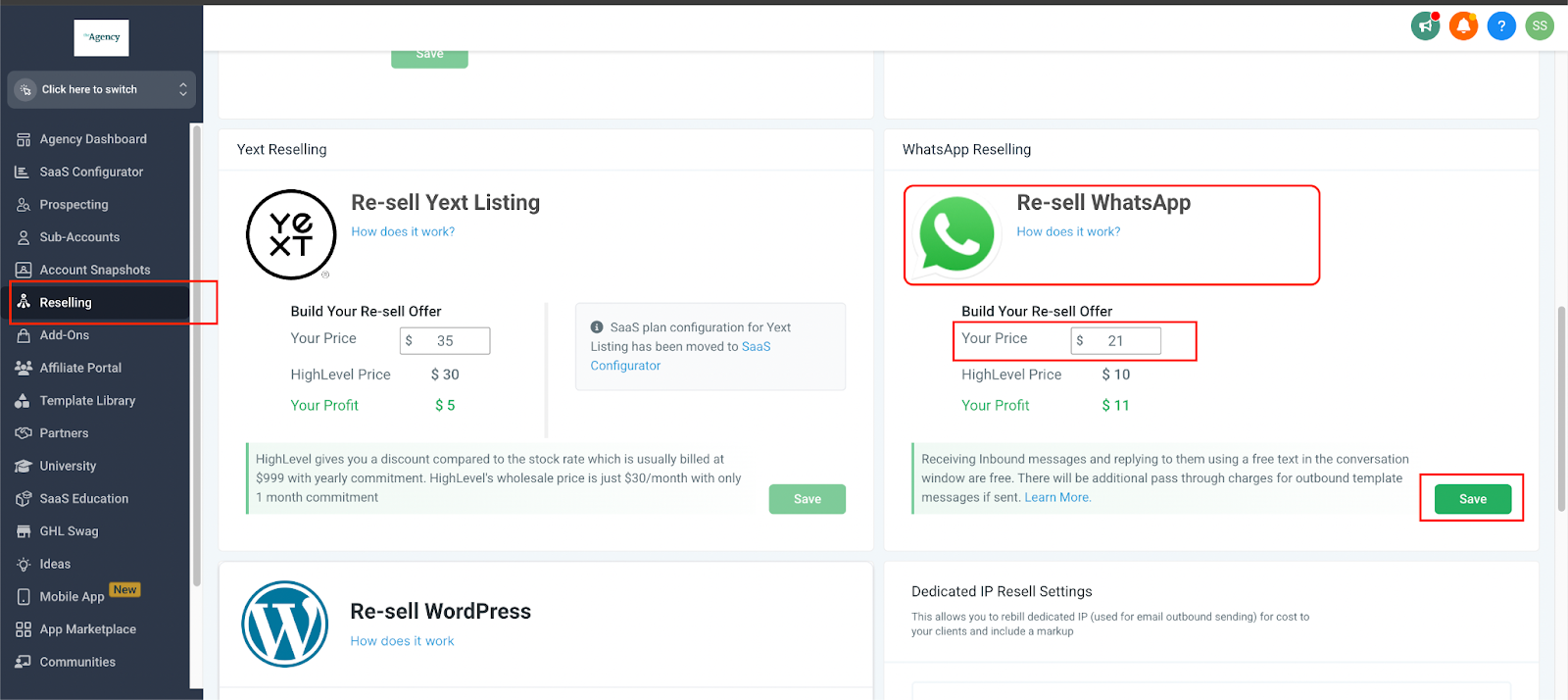
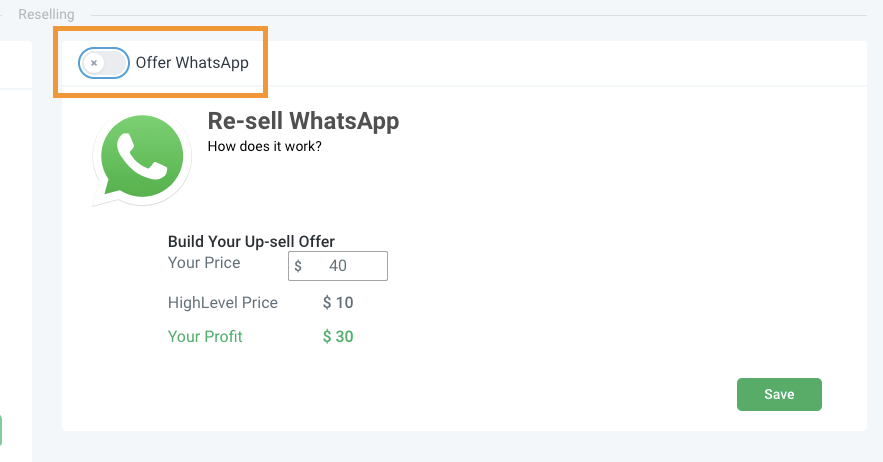
The feature lives in the Agency Dashboard under the Reselling tab and the Subaccount List. It controls the price displayed to clients, allows per client overrides, and provides a toggle to enable or disable the offer.
When Stripe is connected, the platform creates two subscriptions at checkout: one between the client’s card and the agency, and a second between the platform and the agency for a fixed $10 per month per location charge (per HighLevel's help center, checked November 2026). If Stripe is not used, the agency pays directly and conversation charges come from the agency wallet.
All settings are accessed per subaccount. The WhatsApp tab only appears after a manual deployment if the agency does not have Stripe.
03How businesses use WhatsApp reselling
- Digital marketing agency. The agency sets a base WhatsApp price for all clients, then lowers the rate for a high volume client by editing that client’s Reselling section. The client sees the custom price when they purchase the feature.
- Local service franchise. Before launching a new location, the franchise manager disables WhatsApp for the location that does not need messaging, using the toggle in the Reselling section. The option is hidden once the location has already bought the service.
- Consulting firm without Stripe. The firm deploys WhatsApp manually by accepting the Deploy WA Directly terms and clicking Pay Now in the subaccount. No subscription is created with the client, and conversation fees are charged to the firm’s wallet.
04The numbers and rules that matter
- $10/month per location paid to the platform (per HighLevel's help center, checked November 2026).
- Free inbound and outbound messages within a 24 hour window.
- Outbound template messages are charged per message.
05Before you start
- A connected agency Stripe account is required to enable auto reselling of WhatsApp.
06How to set up and use WhatsApp reselling in HighLevel
Set agency wide WhatsApp pricing
- Open the Agency Dashboard.
- Select the Reselling tab from the left menu.
- Enter the desired price for WhatsApp and save the offer.
Customize WhatsApp pricing for a specific client
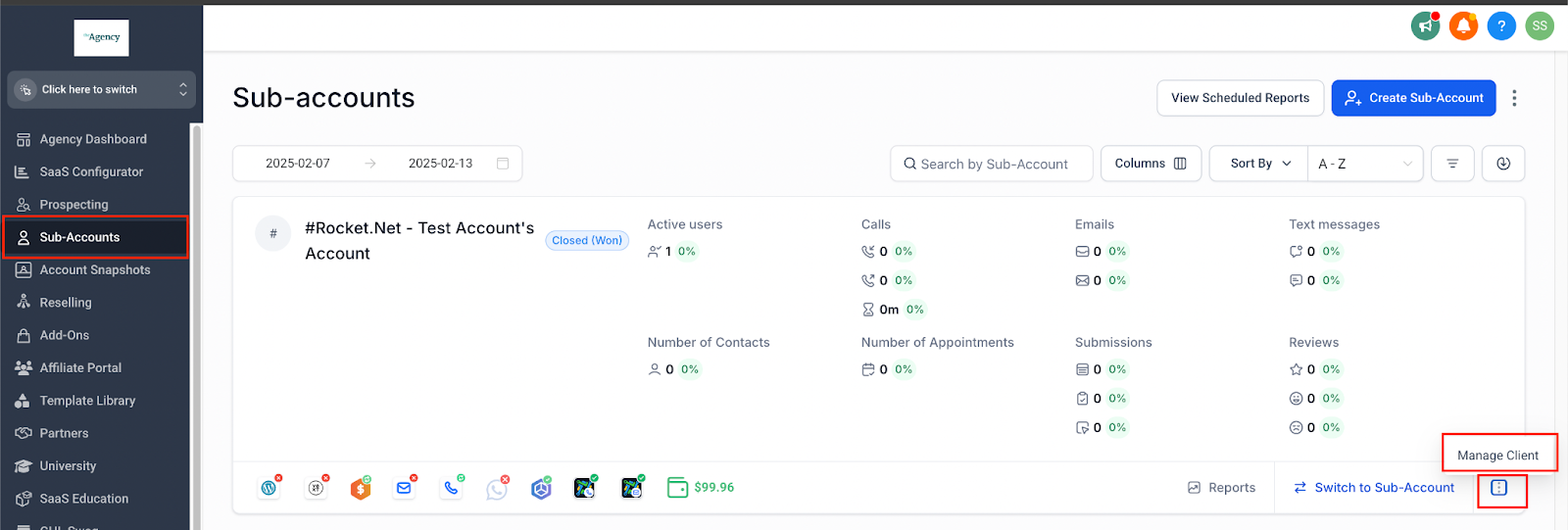
- Open the Subaccount List.
- Search for the client.
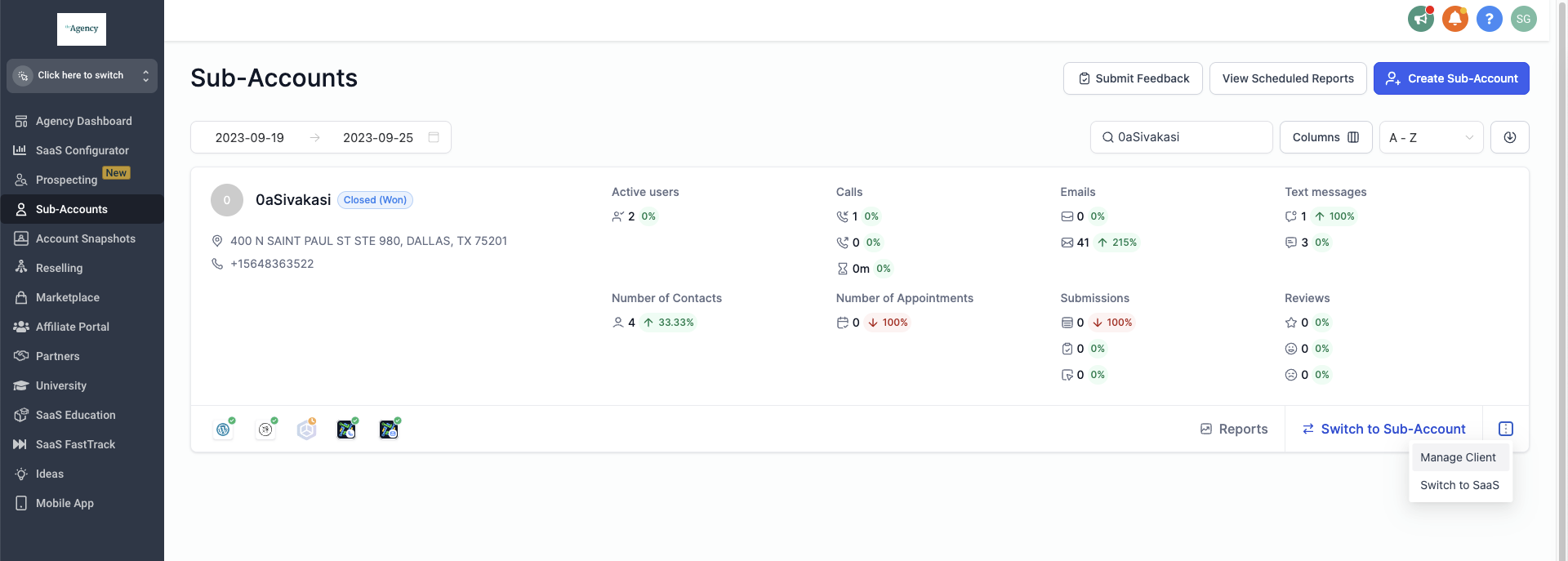
- Click the three dot menu and choose Manage Clients.
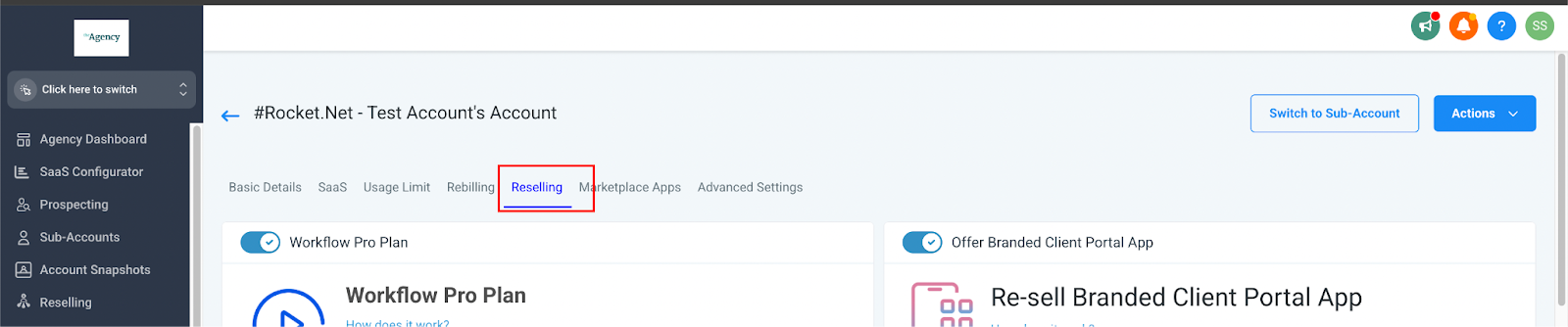
- Open the Reselling section.
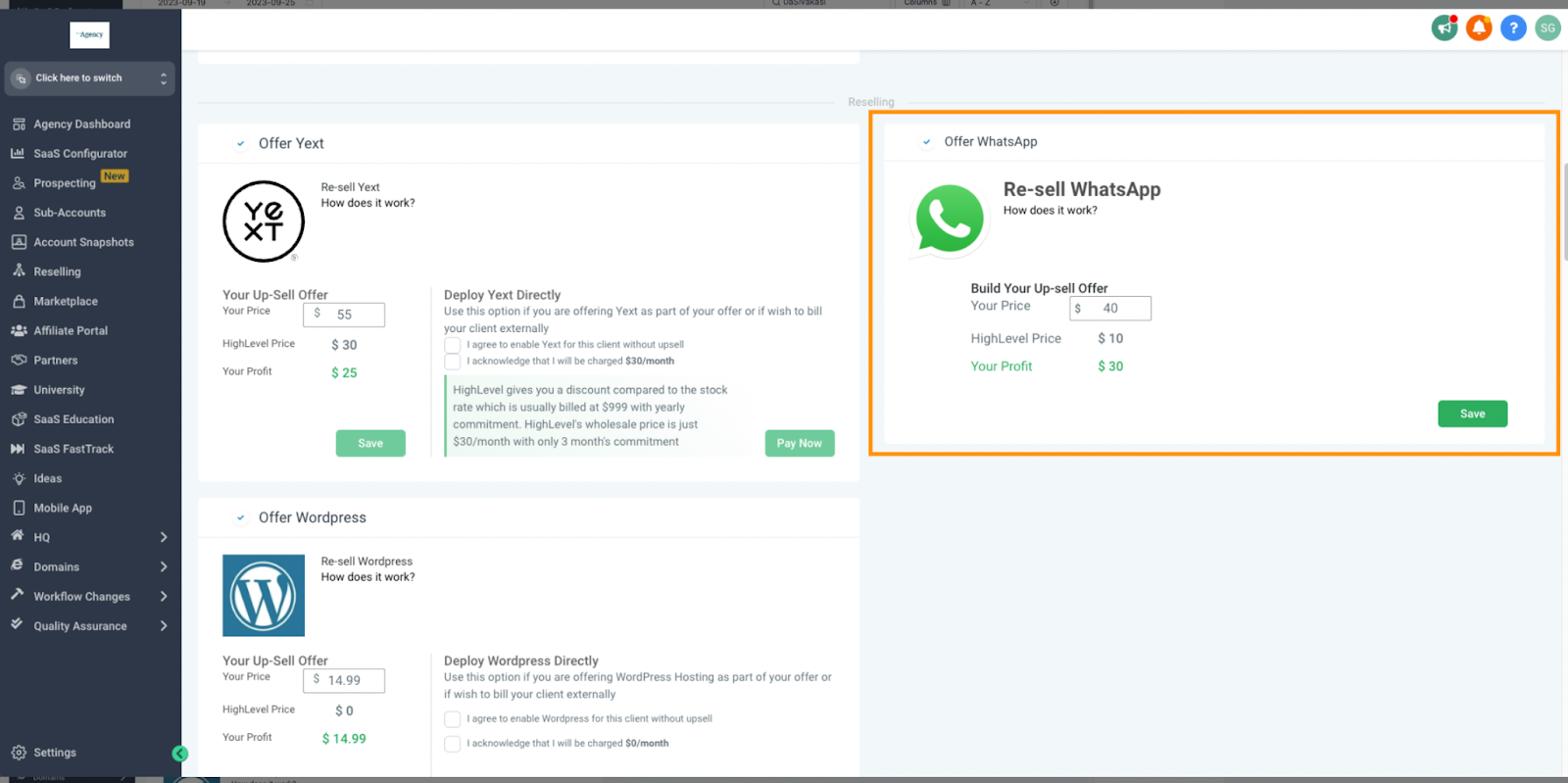
- Edit the WhatsApp pricing field with a custom rate.
- Click Save to apply the new price.
Disable WhatsApp for a client
- Open the Subaccount List.
- Search for the client.
- Click the three dot menu and select Manage Clients.
- Scroll down to the Reselling section.
- Toggle the WhatsApp option off.
- Click Save to confirm the change.
- Note: This can only be done before the client has purchased WhatsApp; after a subscription starts you must open a support ticket to cancel.
Manually deploy WhatsApp without Stripe
- Open the Subaccount List.
- Search for the client.
- Click the three dot menu and select Manage Clients.
- Scroll down to the Reselling section.
- Read and accept the Deploy WA Directly terms and conditions.
- Click Pay Now to complete the manual deployment.
- Important: The WhatsApp tab will not be visible until this step is completed.
07What it looks like in HighLevel
08Settings that matter
- WhatsApp Pricing. Determines the monthly amount shown to clients when they purchase WhatsApp.
- WhatsApp toggle. Enables or disables the WhatsApp offering for a specific subaccount before a sale.
- Deploy WA Directly T&C. Confirmation required to manually activate WhatsApp when the agency does not use Stripe.
09Things to know before you rely on it
- The WhatsApp toggle can only be turned off before a client has completed a purchase; after a subscription starts, cancellation must be requested via a support ticket.
- Manual deployment does not create a subscription between the agency and the location; only the platform to agency subscription remains.
- Conversation charges from a manual deployment are deducted from the agency’s wallet, not the client’s account.
10If something goes wrong
- Need to cancel an active WhatsApp subscription for a client. Create a support ticket; the toggle cannot cancel an existing subscription.
11How it connects to the rest of HighLevel
- How to connect Stripe to your agency dashboard Stripe connection guide
- Review WhatsApp billing and subscription details Billing and FAQ
- Pricing and plan information for agencies HighLevel pricing
Michael's take

WhatsApp reselling lets agencies bundle messaging into client packages. Agencies without a Stripe account can still deploy WhatsApp manually, but the agency will be billed directly.