
01Who this is for
- Agency owners who sell WhatsApp as a service need a streamlined way to register numbers and bill subaccounts.
- Agency administrators who manage multiple client accounts require a single number that works for calls, SMS and WhatsApp.
- Agency support staff who handle client onboarding benefit from a built in process for WhatsApp verification.
02LeadConnector Twilio WhatsApp numbers, explained
The integration uses a LeadConnector or Twilio phone number purchased in HighLevel as the WhatsApp Business number. During registration Meta sends a one time verification code to that number by SMS or by a voice call forwarded to a personal line you control. After verification HighLevel creates and links a WhatsApp Business Account and Business Profile, allowing you to handle conversations from the Conversations tab. All settings are managed from the Settings menu, and the “Buy WhatsApp” button launches the Meta onboarding flow.
03How businesses use LeadConnector Twilio WhatsApp numbers
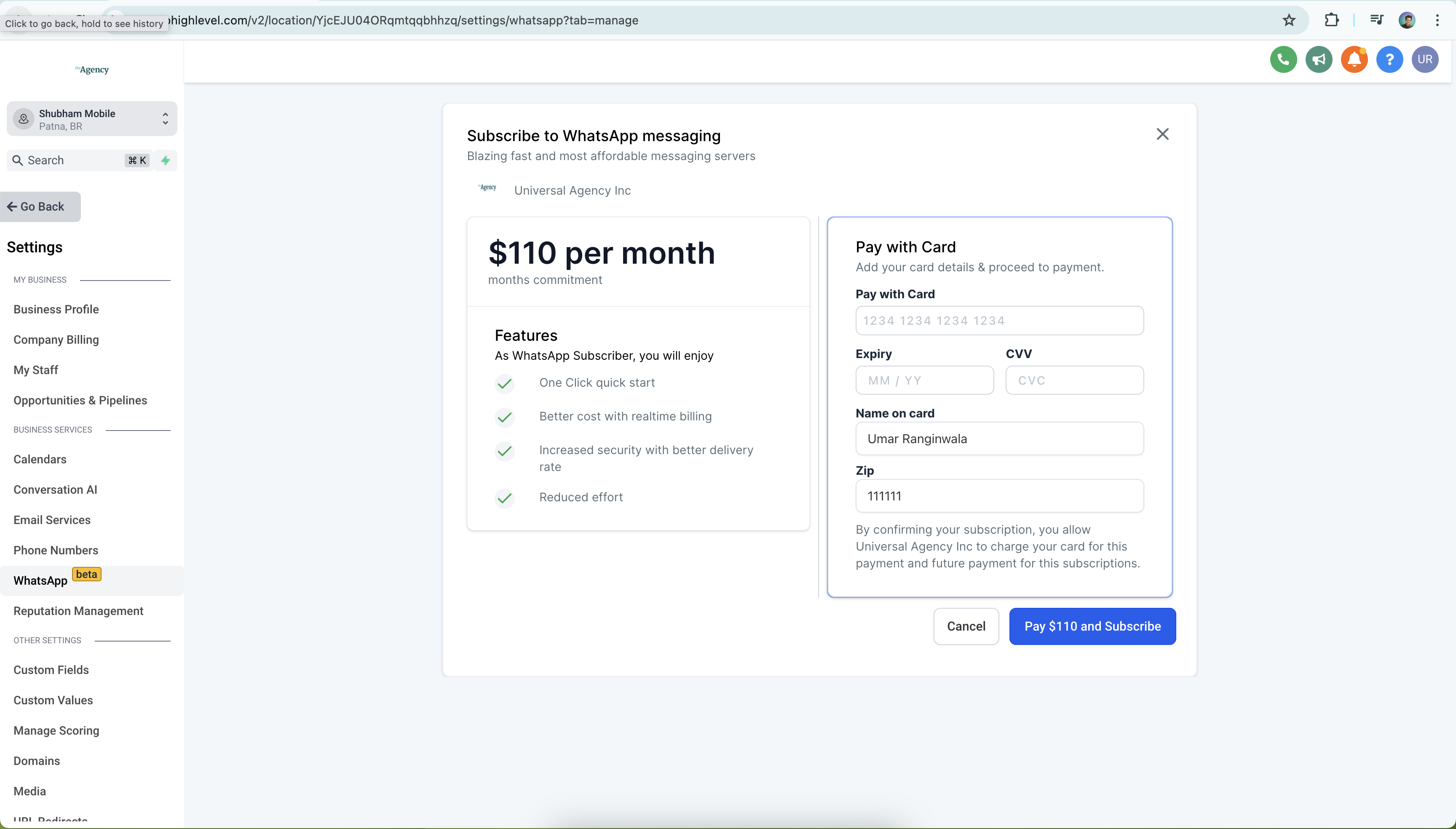
- Agency reselling. The agency purchases a LeadConnector number, enables reselling in Agency Settings > Reselling, and runs the WhatsApp onboarding flow for each subaccount. After verification the agency can offer WhatsApp messaging as a billable service to its clients.
- Client onboarding. A client’s subaccount uses the agency provided number, completes the verification steps, and then replies to customer inquiries through the Conversations view.
- Internal communications. Team members use the same number to send appointment reminders or updates, keeping all WhatsApp interactions inside HighLevel.
04The numbers and rules that matter
- A2P 10DLC registration is not required but recommended for compliance.
05Before you start
- Purchase a phone number through HighLevel before starting the WhatsApp registration.
- Connect the agency’s Stripe account and enable reselling in Agency Settings > Reselling.
- Have a personal Facebook account linked to a Meta Business Manager for the onboarding flow.
06How to set up and use LeadConnector Twilio WhatsApp numbers in HighLevel
Purchase a LeadConnector phone number for WhatsApp
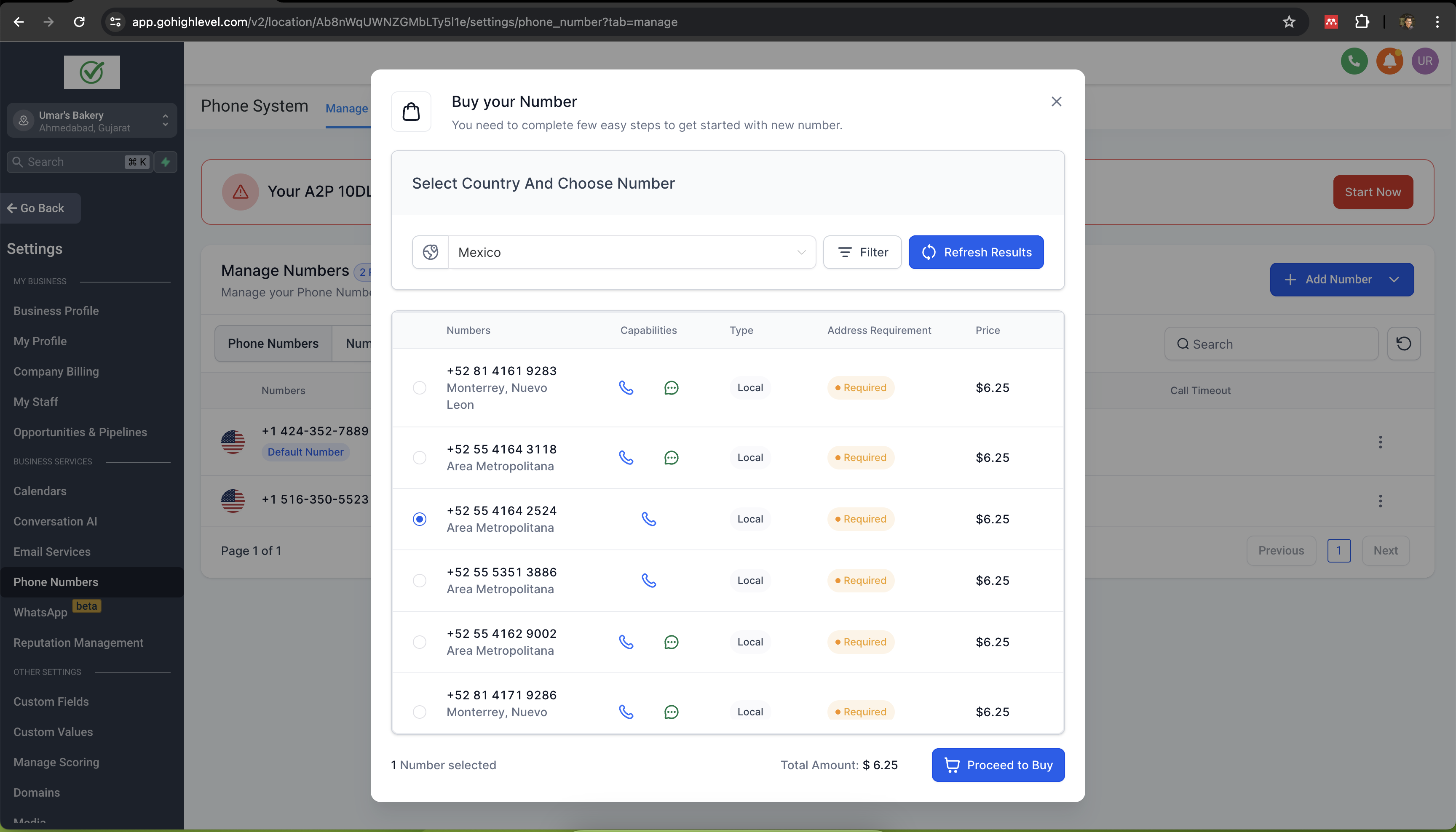
- Go to Settings > Phone Numbers.
- Click Add Number, choose a number, then click Proceed to Buy.
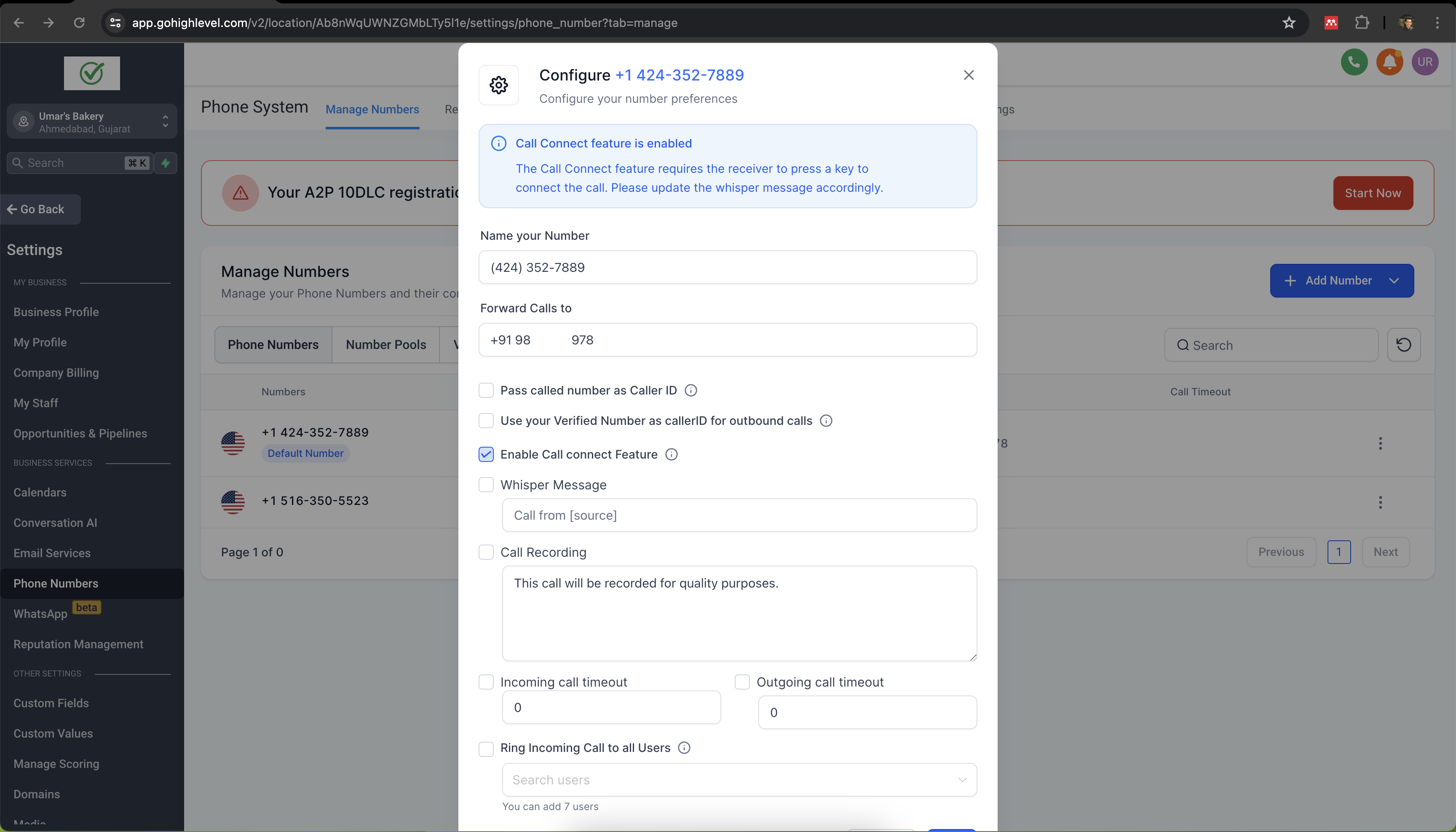
- Set up Call Forwarding to a personal number that can receive calls.
Connect a LeadConnector or Twilio number to a WhatsApp Business Account
- Go to Phone Numbers, click Add Number, select the number, and click Proceed to Buy.
- Set up Call Forwarding to a personal number you can receive calls on (required if the number only has voice capabilities).
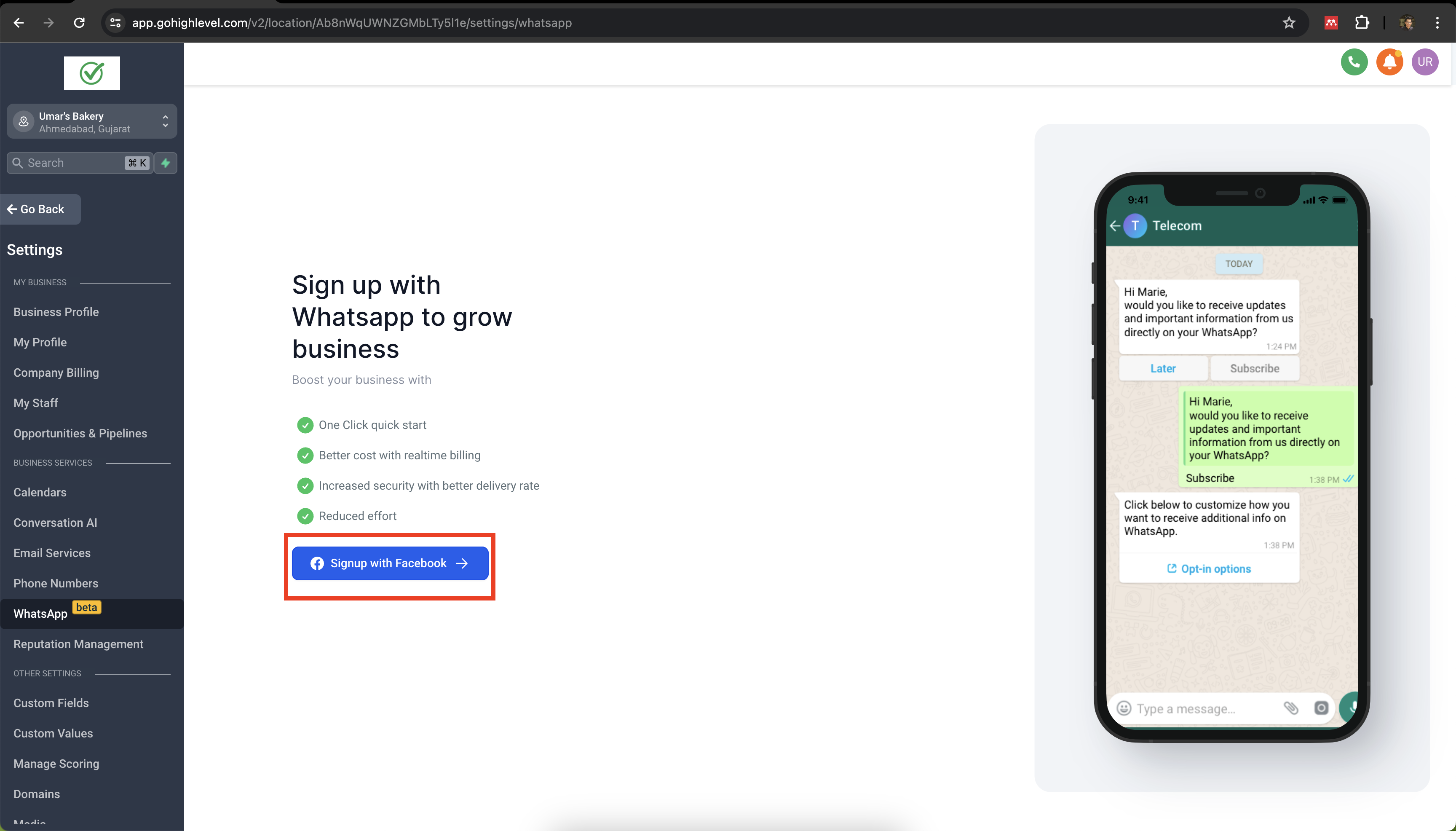
- Navigate to Settings > WhatsApp and click Buy WhatsApp.
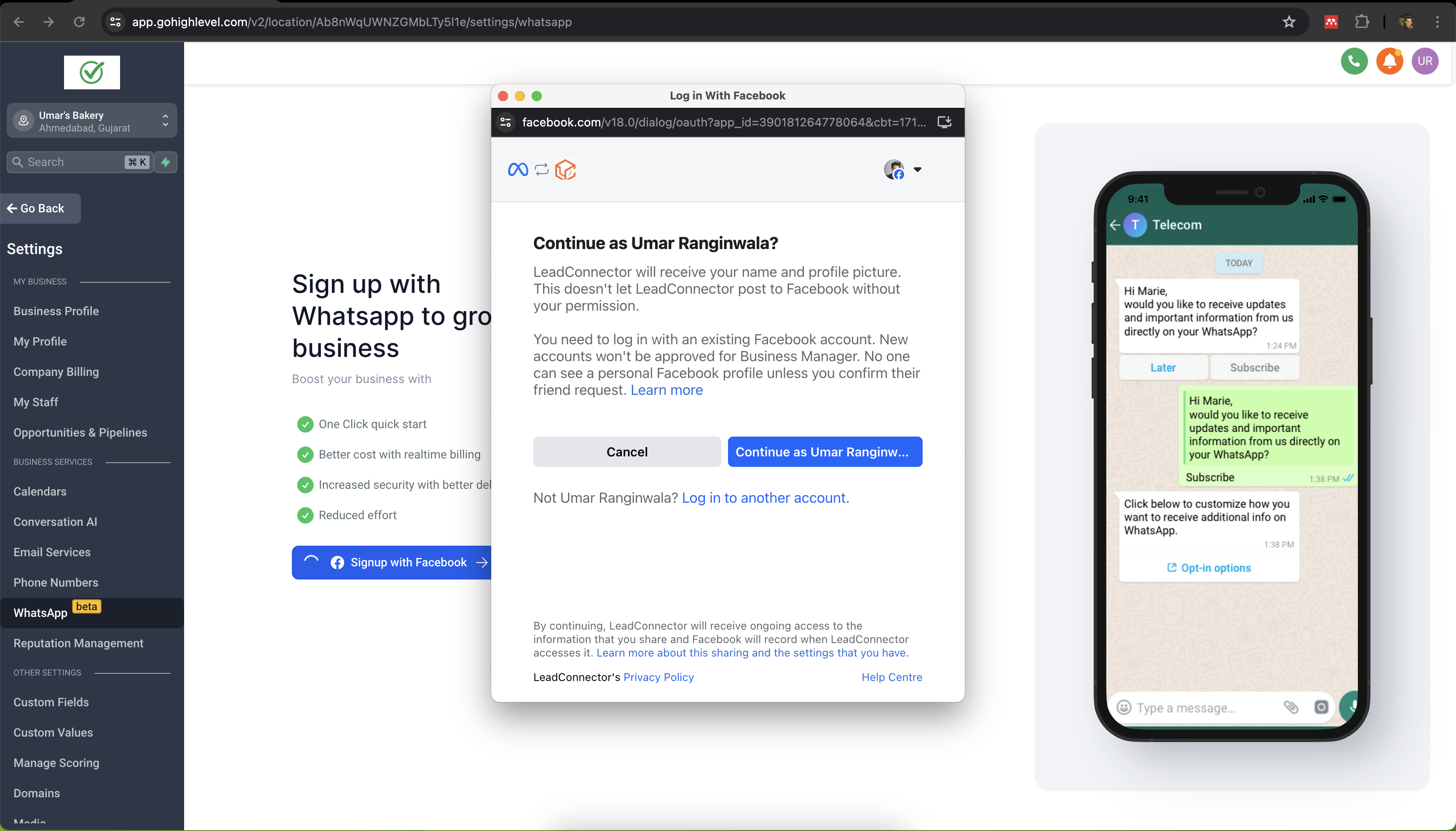
- Click Signup with Facebook to launch the Meta onboarding flow.
- Log in to the Facebook account attached to your Meta Business Manager.
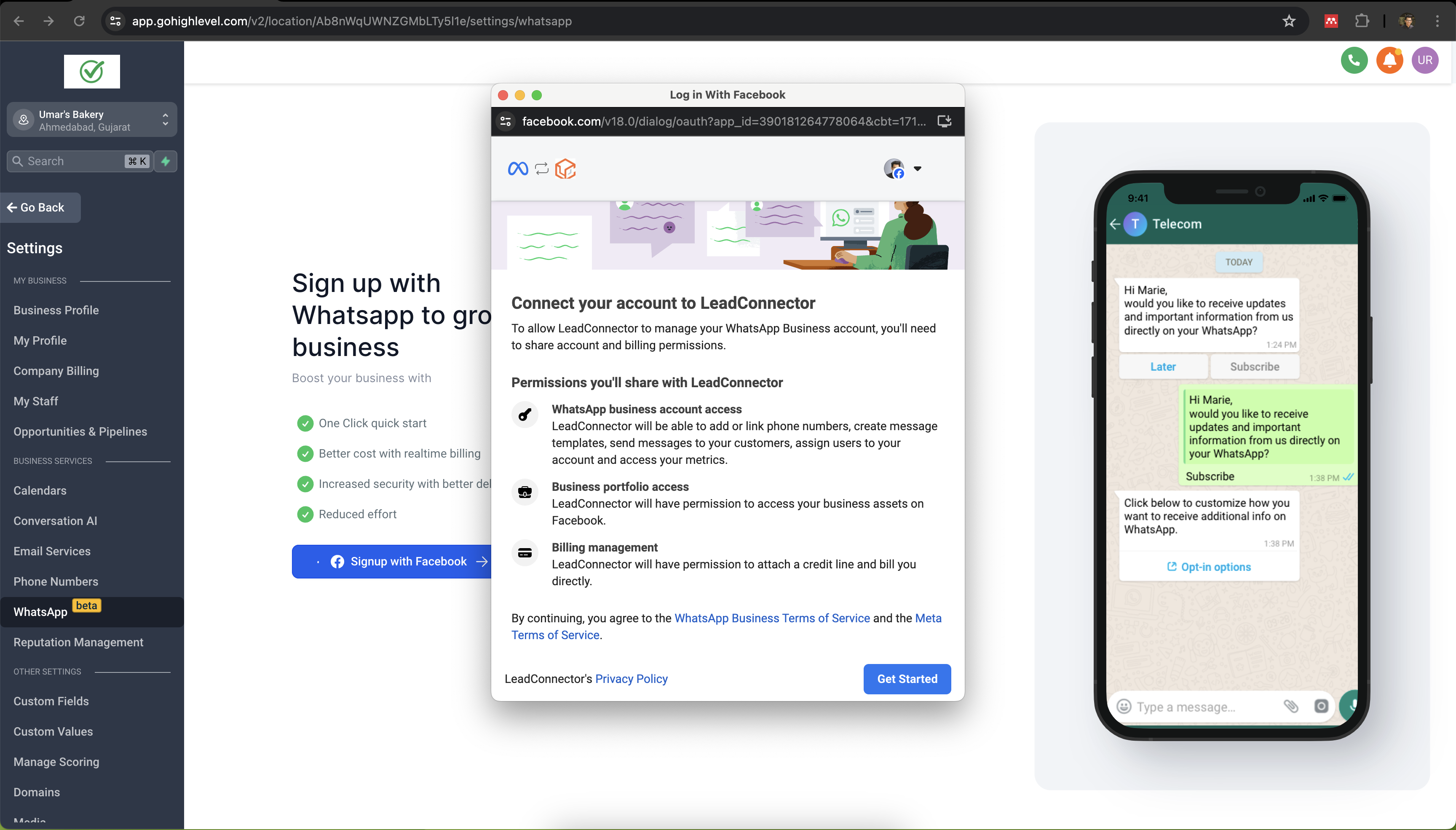
- Click Get Started to begin creating a WhatsApp Business Account.
- Enter business information: choose Business Portfolio, type Business Name, add website or profile link, and select Country.
- Create a new WhatsApp Business Account or select an existing one.
- Create a WhatsApp Business Profile by entering Account Name, Display Name, and Business Category.
- Enter the LeadConnector/Twilio phone number and select the verification method (Phone Call for voice only numbers, SMS for texting numbers).
- If you choose SMS, open Conversations in the platform; the verification code appears as an incoming message.
- Enter the verification code received via phone call or SMS.
- Review and accept the permissions HighLevel requests to manage the WhatsApp Business Account.
- If a personal WhatsApp account already exists on the number, delete it first: open WhatsApp > Settings > Account > Delete my account.
- Setup complete, the WhatsApp channel is now ready for messaging.
07What it looks like in HighLevel
08Settings that matter
- Call Forwarding. Determines which personal phone number receives voice calls forwarded from the LeadConnector or Twilio line, enabling receipt of the OTP during WhatsApp verification.
09Things to know before you rely on it
- A number can be registered on WhatsApp without completing A2P 10DLC, but completing the registration is recommended for compliance.
- If a personal WhatsApp account already exists on the number, it must be deleted before registration; chat history will not be transferred.
- The WhatsApp integration license is limited to the agency level; it cannot be shared across separate agency instances.
- Authentication templates cannot be sent to +91 (India) numbers, and messages may be blocked by per user marketing template limits.
10If something goes wrong
- Number already registered to a personal WhatsApp account. Delete the personal account in WhatsApp via Settings > Account > Delete my account, then repeat the verification flow.
- Number linked to another WhatsApp Business provider. Create a new WhatsApp Business Account in the Meta onboarding flow and migrate the number to it.
- Message Undeliverable error. Verify the recipient’s number is registered on WhatsApp, avoid sending authentication templates to Indian numbers, and ensure you are within per user marketing template limits.
11How it connects to the rest of HighLevel
- WhatsApp reselling guide for agencies Reselling guide
- WhatsApp subaccount setup and migration guide Subaccount setup
- Activate WhatsApp rebilling for agencies Rebilling guide
Michael's take

The ability to turn a HighLevel phone number into a WhatsApp Business channel lets you manage all messages from HighLevel.
Don’t forget to delete any personal WhatsApp account on the number before you start the registration.