
01Who this is for
- Marketers who run WhatsApp campaigns need to monitor delivery errors to keep messaging effective.
- Agency owners managing multiple client WhatsApp accounts must respect per user limits to avoid blockages.
- Founders using WhatsApp for sales outreach must understand retry rules to maintain delivery rates.
02Per user marketing template limits, explained
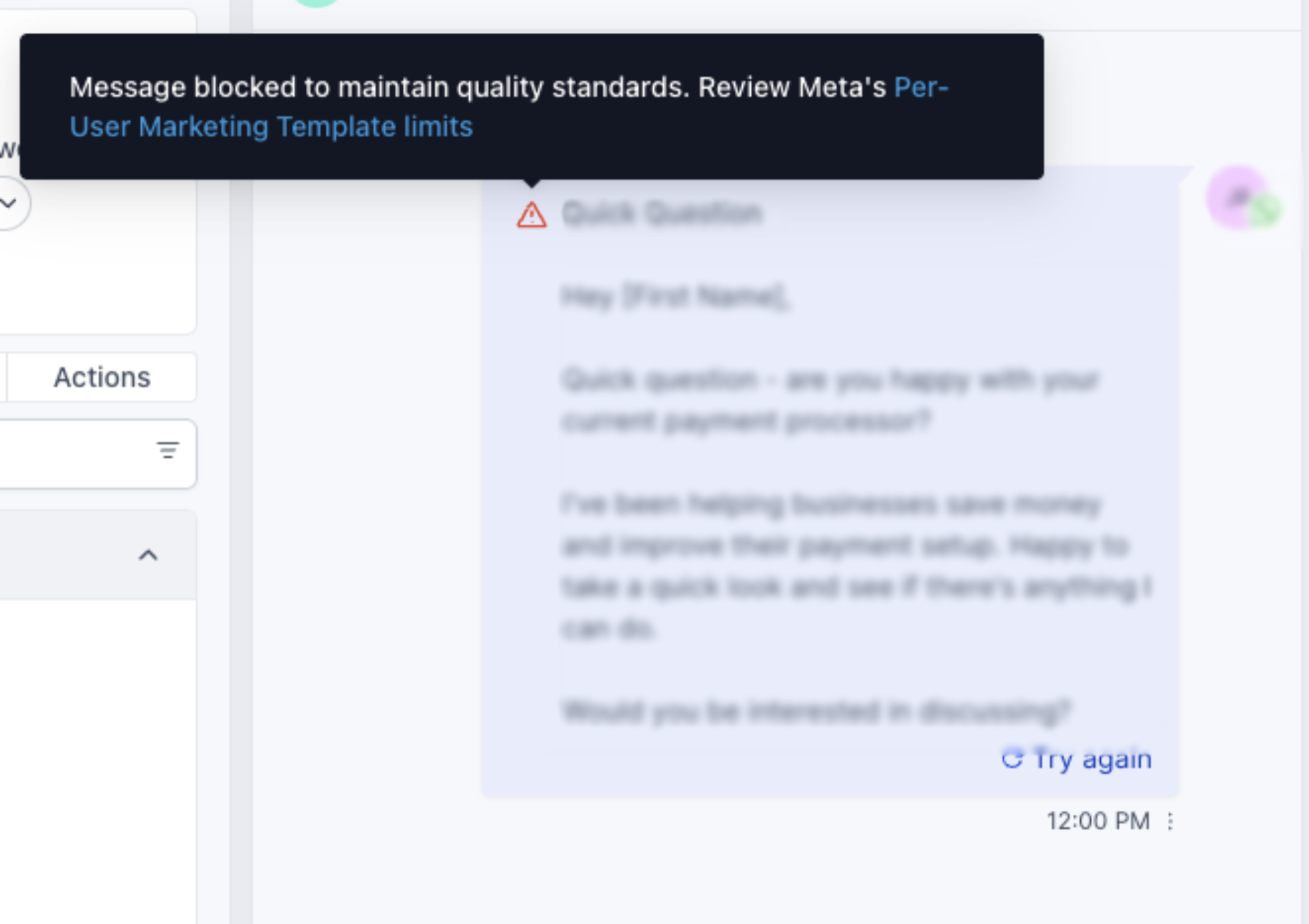
The per user marketing template limit caps the number of promotional template messages a single WhatsApp contact can receive from any business in a given timeframe. When the limit is reached, WhatsApp returns error code 131049 and the HighLevel webhook marks the message as failed.
The limit is dynamic, based on each contact’s recent read rates and inbox activity. Only one additional marketing template can be sent within an open conversation, and any template sent after a user replies starts a 24 hour customer service window where further templates do not count toward the limit. Free form messages remain unrestricted in that window.
The error handling lives in the messaging webhook supplied by HighLevel. When a template fails with status failed and error 131049, the platform records the event, allowing you to apply the recommended wait time before attempting another send.
03How businesses use per user marketing template limits
- Fitness studio. The studio sends class promotion templates to members. When error 131049 appears, the studio pauses retries for that member for at least 24 hours, then resends the promotion after the block lifts.
- Real estate agency. Agents use marketing templates to share new listings. If a contact hits the per user limit, the agency logs the error and waits a day before sending a follow up template, avoiding repeated block extensions.
- Ecommerce store. The store sends discount offers via WhatsApp templates. Upon receiving error 131049, it respects the 24 hour wait before re attempting, ensuring the contact can still receive future offers after the block expires.
04The numbers and rules that matter
- Marketing template messages sent within a 24 hour customer service window do not count toward the per user limit.
- United States (+1) numbers do not receive marketing template messages.
- Per user limits are not active for messages sent from or to the European Economic Area, United Kingdom, Japan, or South Korea.
- Error code 131049 indicates the per user marketing limit has been reached.
- Repeated retries within 24 hours can extend the block for up to 24 hours.
05How to set up and use per user marketing template limits in HighLevel
Respond to error code 131049
- Check the HighLevel webhook for a failed message entry that includes error code 131049.
- Confirm that the contact has reached the per user marketing template limit.
- Wait at least 24 hours before attempting to resend a marketing template to that contact.
- After the wait, resend the template, ensuring you do not exceed additional retry attempts within the same day.
06What it looks like in HighLevel
07Things to know before you rely on it
- WhatsApp limits the number of marketing template messages each contact can receive; each delivered template counts toward the limit.
- Messages sent inside a 24 hour customer service window do not count toward the limit.
- United States (+1) numbers do not receive marketing templates; attempts result in an error.
- Countries in the European Economic Area, United Kingdom, Japan, and South Korea are excluded from this per user limit.
- Repeated retries within 24 hours can extend the block, keeping error 131049 active for up to another 24 hours.
08If something goes wrong
- Error code 131049 returned for a marketing template. Do not resend the template immediately; wait at least 24 hours before retrying to avoid extending the block.
09How it connects to the rest of HighLevel
- Set up WhatsApp automation workflows in HighLevel WhatsApp workflow integration
- Create and manage WhatsApp templates in HighLevel WhatsApp template guide
- Increase your HighLevel WhatsApp message limit to 2,000 Message limit increase
Michael's take

Watch out for the silent block that can appear when a contact hits the per user marketing cap. It’s easy to think the message simply failed, but the underlying limit can also stop any further attempts for a full day if you retry too quickly.
When the limit is respected, you may see higher read rates and may experience better conversations. Target engaged contacts, lean on the 24 hour service window, and let the cap work as a quality filter rather than a nuisance.