
01Who this is for
- Agency owners who manage several client WhatsApp numbers need a single place to keep each profile accurate.
- Retail shop operators can quickly update store hours, address or logo when locations change.
- Service providers such as consultants benefit from showing a professional description and contact link to attract inquiries.
02WhatsApp Business Profile Management, explained
The profile management feature stores the visual and textual information that appears to anyone who opens your WhatsApp chat. It includes a square profile picture, business name, chosen category, a short description, website URL, email address and physical address. All data is pushed through the Meta API, so changes made in HighLevel appear right away on WhatsApp.
The controls are found under Settings > WhatsApp > Manage > Profile. From there you can replace the picture, edit contact fields and rewrite the description. Each WhatsApp number you have connected has its own independent profile, allowing separate branding for different brands or locations.
When a customer taps your business name or number at the top of a conversation, the full profile is displayed. Because the platform updates the profile in real time, the information shown is always the latest version you saved.
03How businesses use WhatsApp Business Profile Management
- Retail boutique. The owner uploads a fresh logo, updates the storefront address after a move, and adds the boutique website URL. All changes are saved through HighLevel and appear immediately for shoppers who start a chat.
- Digital marketing agency. The agency switches between client WhatsApp numbers, selects each number’s profile, and updates the client’s description and contact email. This keeps each client’s brand consistent without logging into Meta Business Manager.
- Health clinic. The clinic changes the profile picture to a new logo, corrects the clinic address after renovation, and updates the appointment booking website link. Patients see the updated details as soon as they open a conversation.
04The numbers and rules that matter
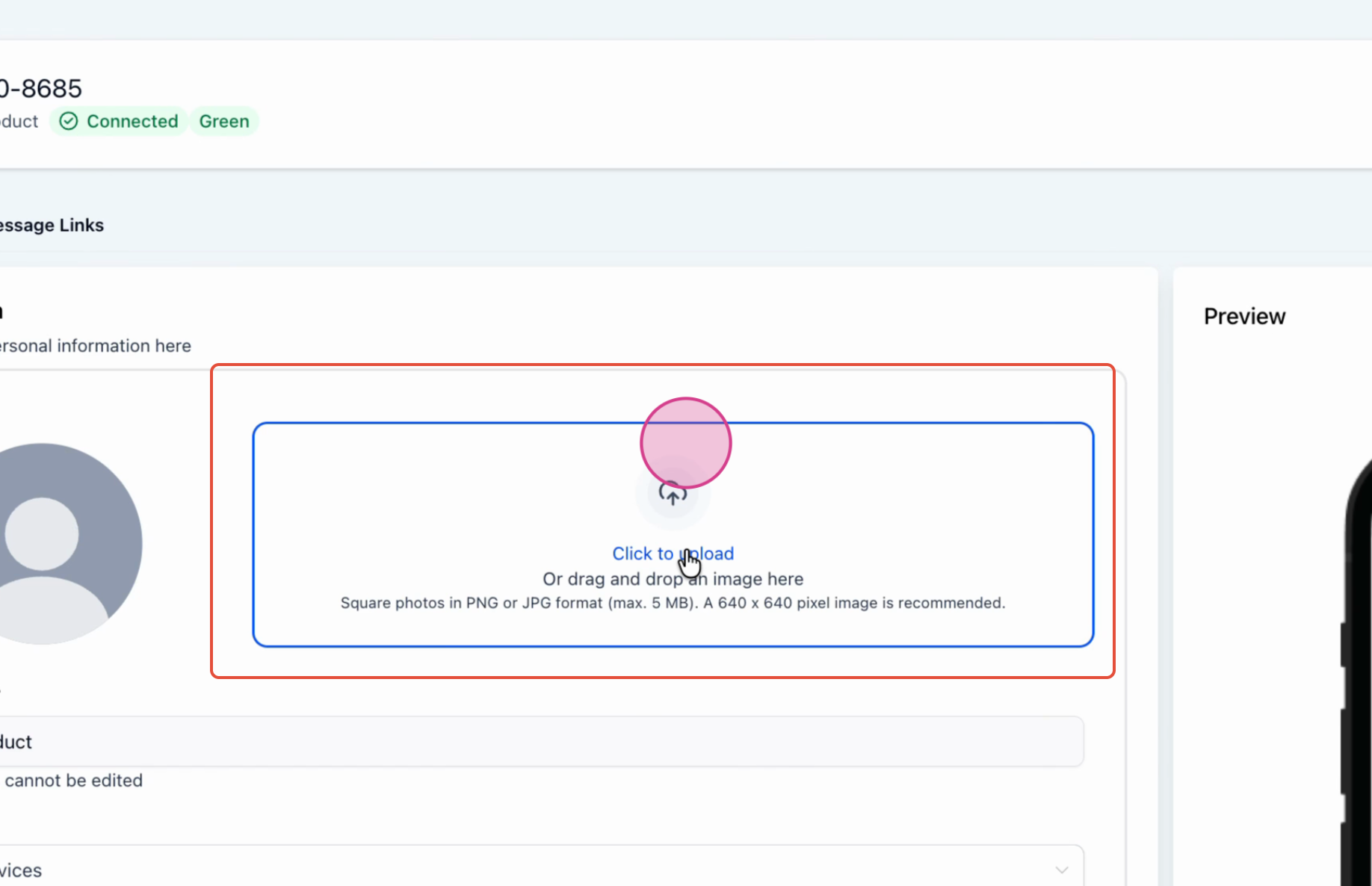
- Maximum edge of profile photo: 640 px.
- Maximum file size: 5 MB.
- Images smaller than 192 px in either dimension may have resizing issues.
05How to set up and use WhatsApp Business Profile Management in HighLevel
Update profile picture and details for a WhatsApp Business number
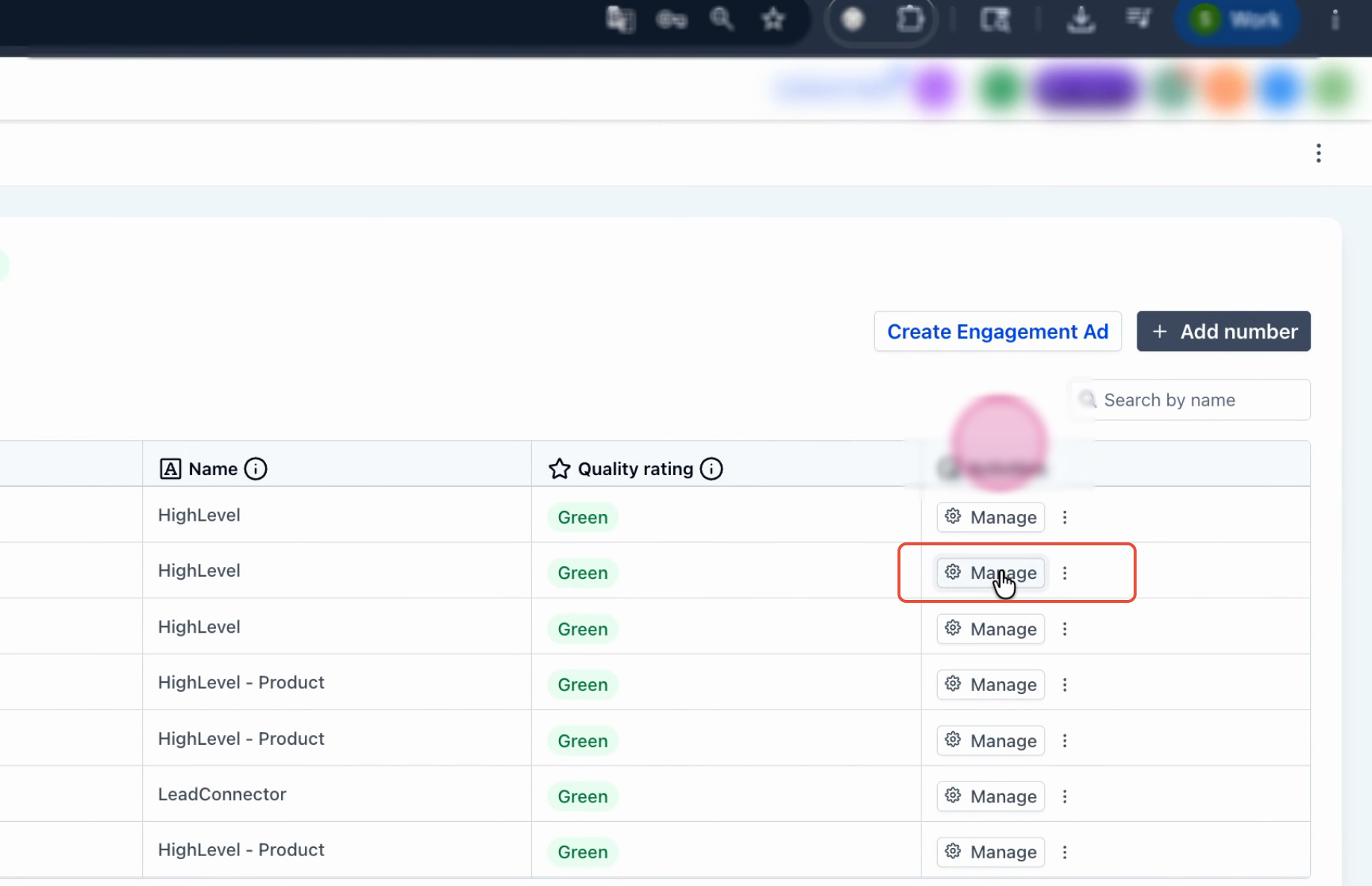
- Open the WhatsApp Business settings panel and click Manage.
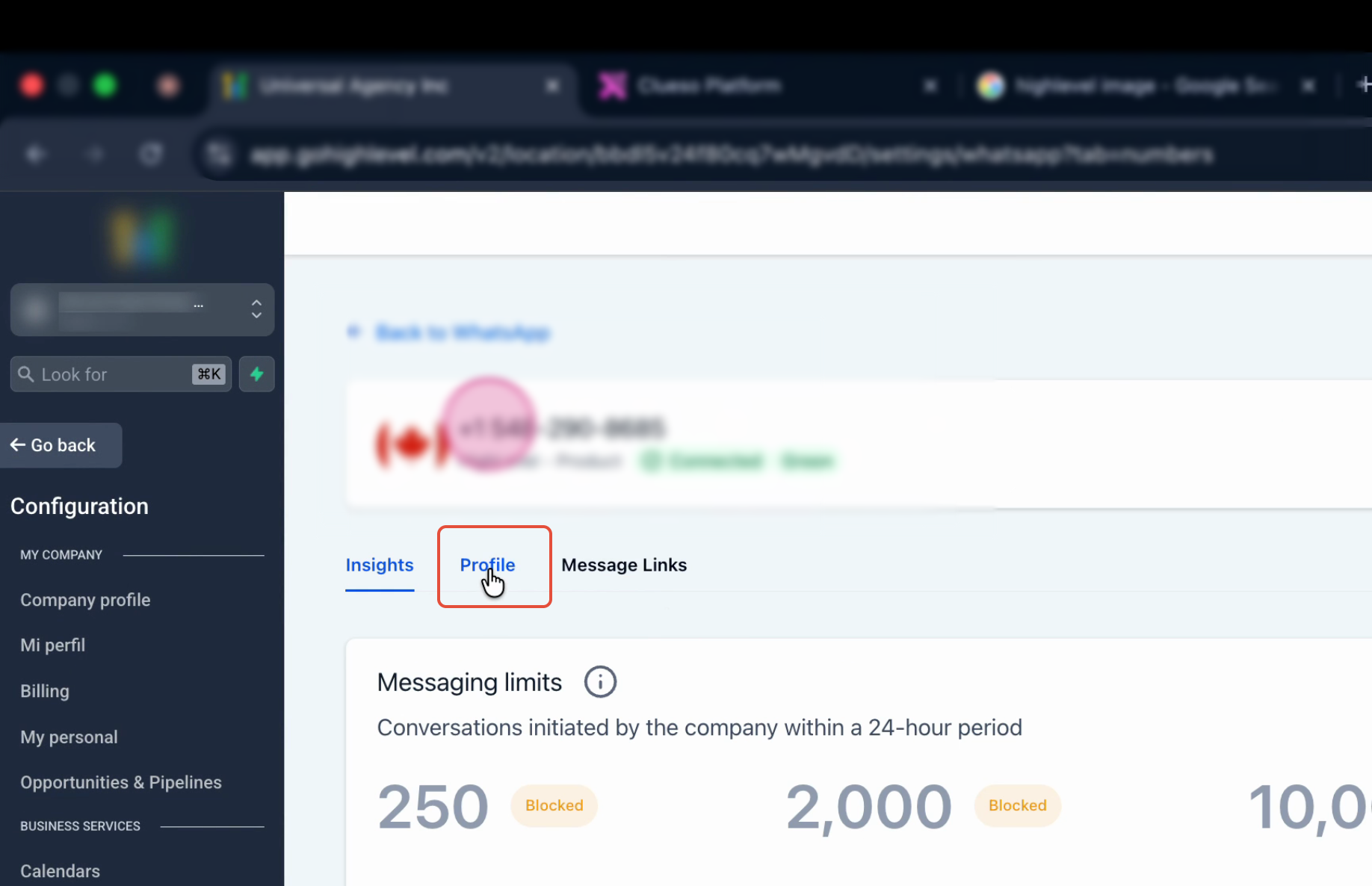
- Select Profile from the menu that appears.
- Click the current profile picture area, then choose Upload to select a new image; the picture saves automatically.
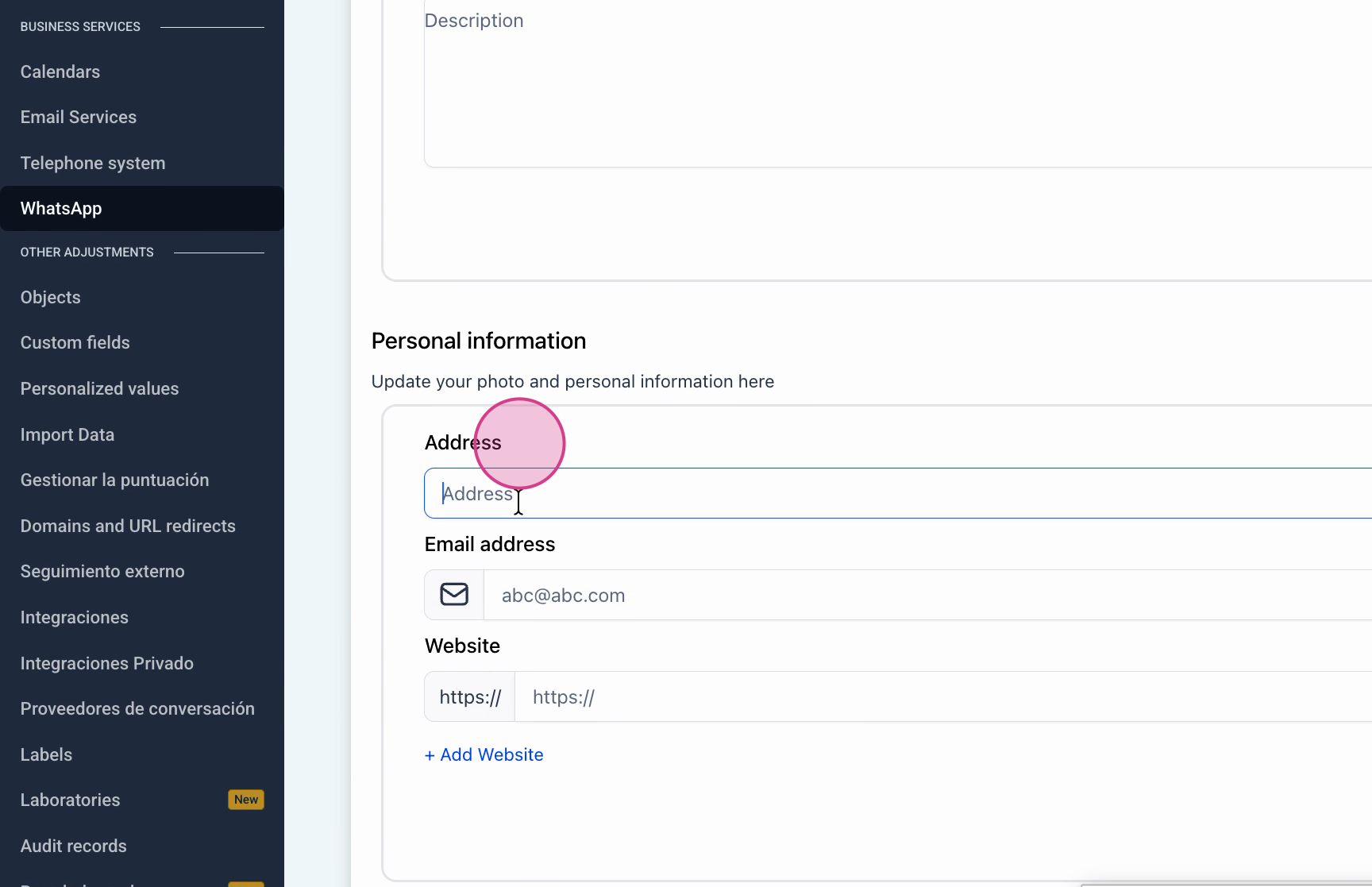
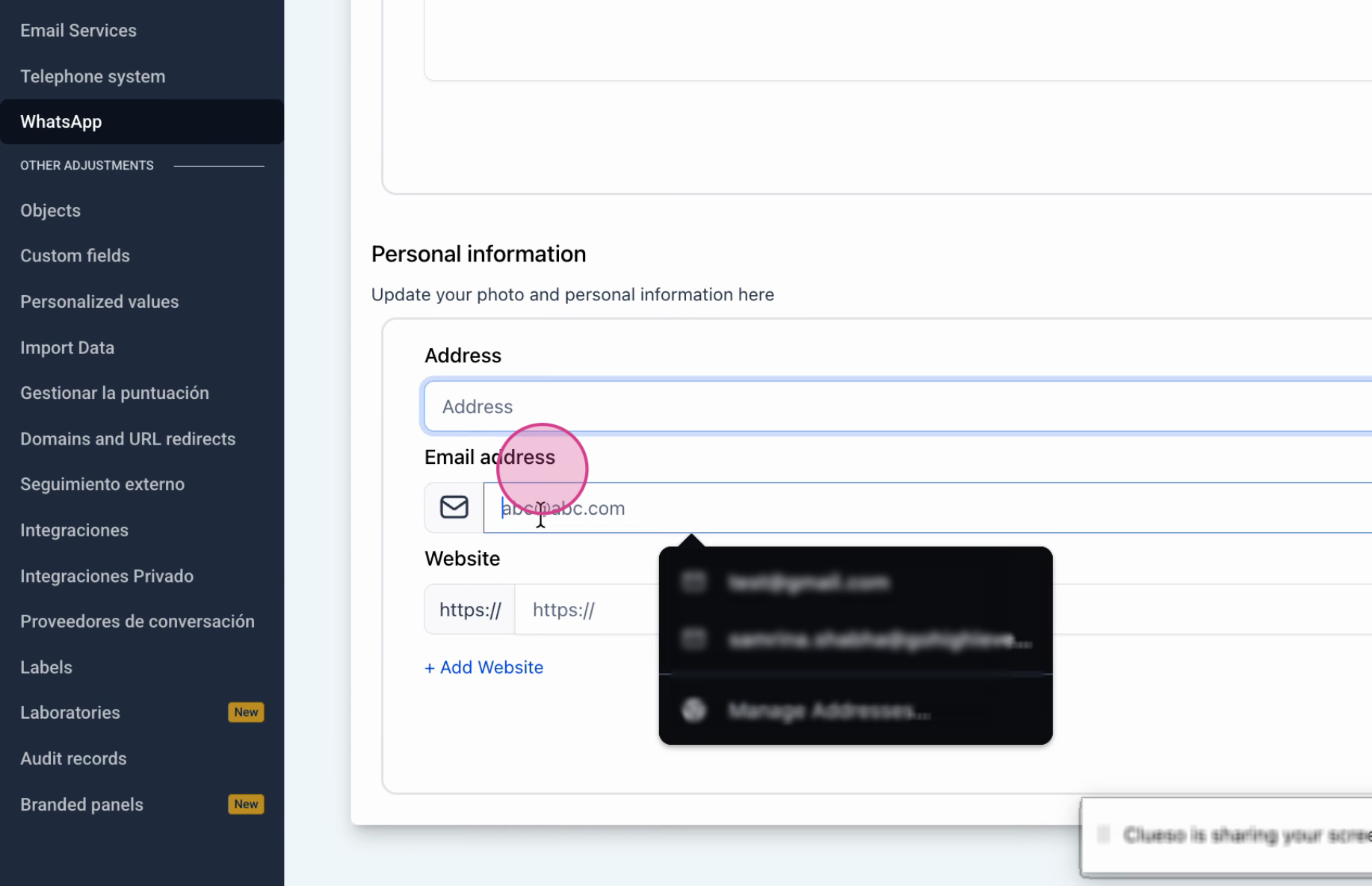
- Enter the updated physical address in the address field.
- Enter the updated email address in the email ID field.
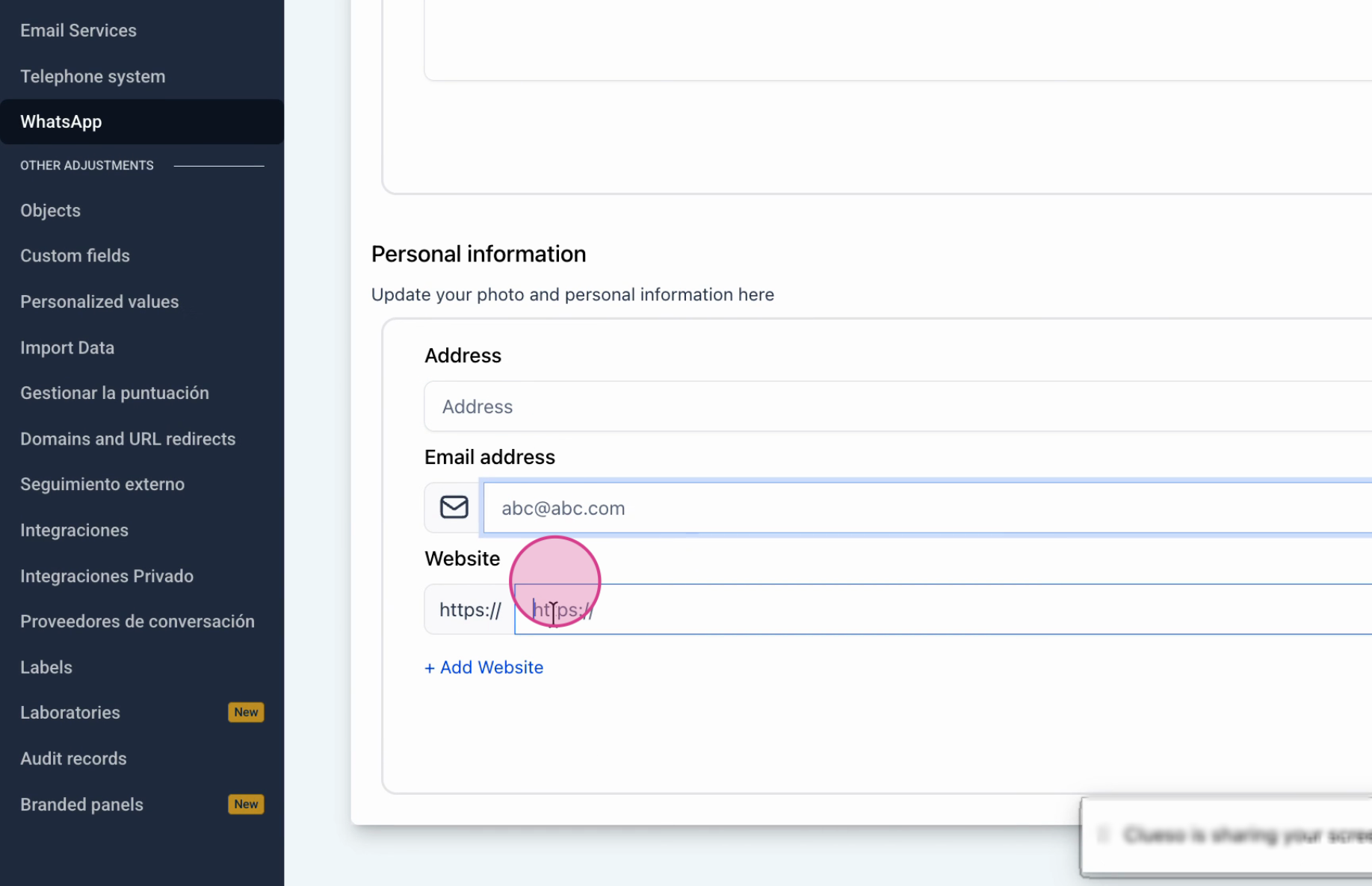
- Enter or modify the website URL in the website field.
- Edit the description to reflect the current business offering.
- Review the full profile to ensure all information is correct.
06What it looks like in HighLevel
07Settings that matter
- Manage. Opens the navigation menu for WhatsApp Business profile configuration.
- Profile. Displays the editable fields for picture, address, email, website and description.
- Address. Stores the physical location shown on the public profile.
- Email ID. Holds the contact email that appears on the profile.
- Website URL. Contains the link customers can follow to learn more about the business.
- Description. Provides a brief text about what the business does.
08Things to know before you rely on it
- Profile pictures are cropped to a square automatically.
- Maximum picture dimensions are 640 × 640 px; larger files are reduced.
- Maximum file size for the picture is 5 MB.
- Images smaller than 192 px in either dimension may not resize correctly.
- Each connected WhatsApp number has its own separate profile.
09If something goes wrong
- Uploaded profile picture appears cut off or misaligned.. Upload a square image sized 640 × 640 px to avoid automatic cropping issues.
10How it connects to the rest of HighLevel
- Guide for setting up WhatsApp for a subaccount Subaccount setup
- How to create and manage WhatsApp templates Template guide
- Increase your WhatsApp message limit to 2,000 Message limit
Michael's take

Most people think they have to jump into Meta Business Manager for every tiny tweak and end up missing the quick edits they could make in HighLevel. The real shortcut is to open the WhatsApp Business settings panel in HighLevel, hit Manage, then Profile, and treat it like any other piece of your brand’s online presence.
If I were setting up a new client, I’d upload a crisp 640 × 640 px logo right away, fill in the description and contact info, and then schedule a monthly glance to make sure nothing has drifted. That way the profile stays fresh without any extra effort.