
01Who this is for
- Anyone who has linked a phone number to WhatsApp in HighLevel can delete it when it is no longer needed.
- Users who need to remove outdated or unused numbers can keep their account tidy with this feature.
02WhatsApp phone numbers, explained
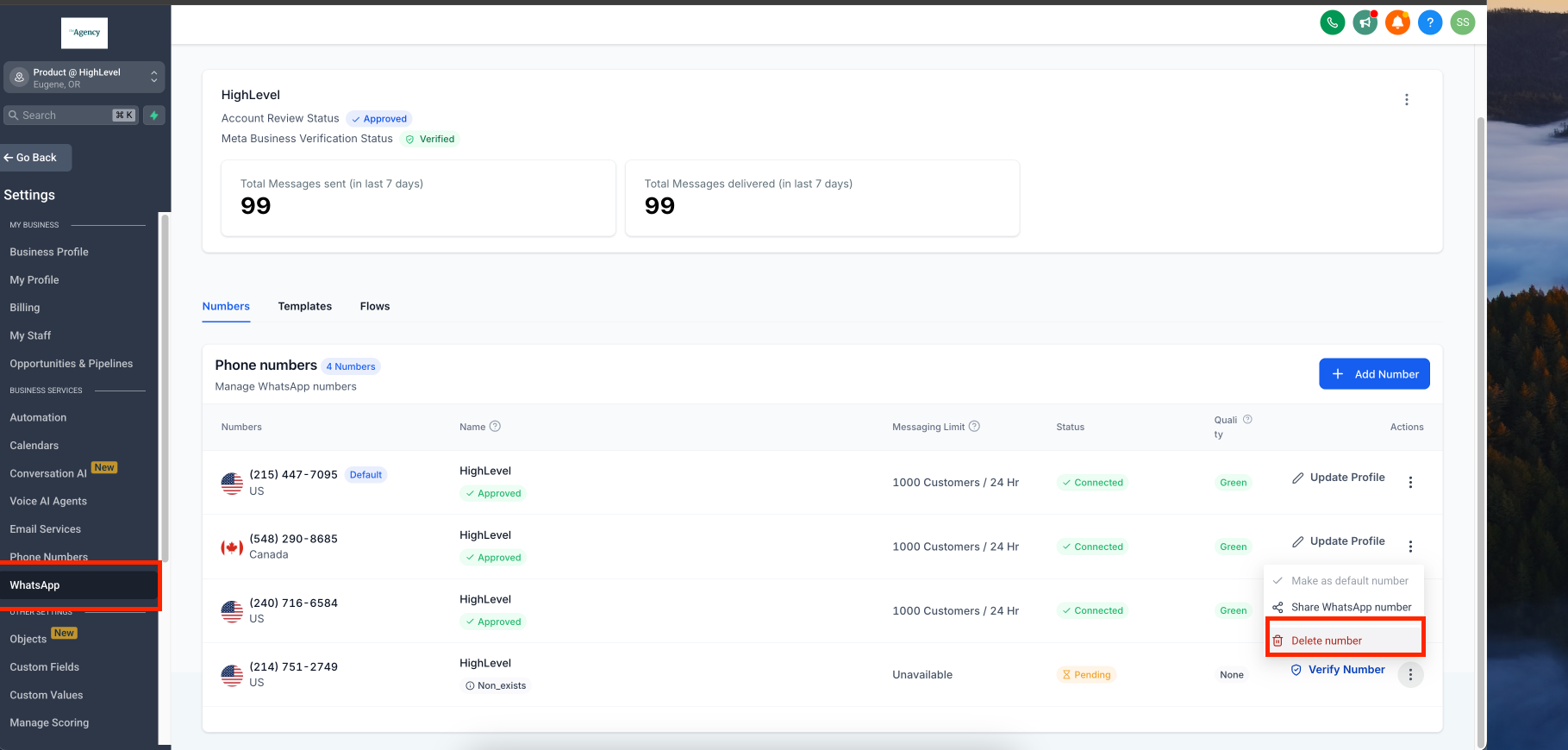
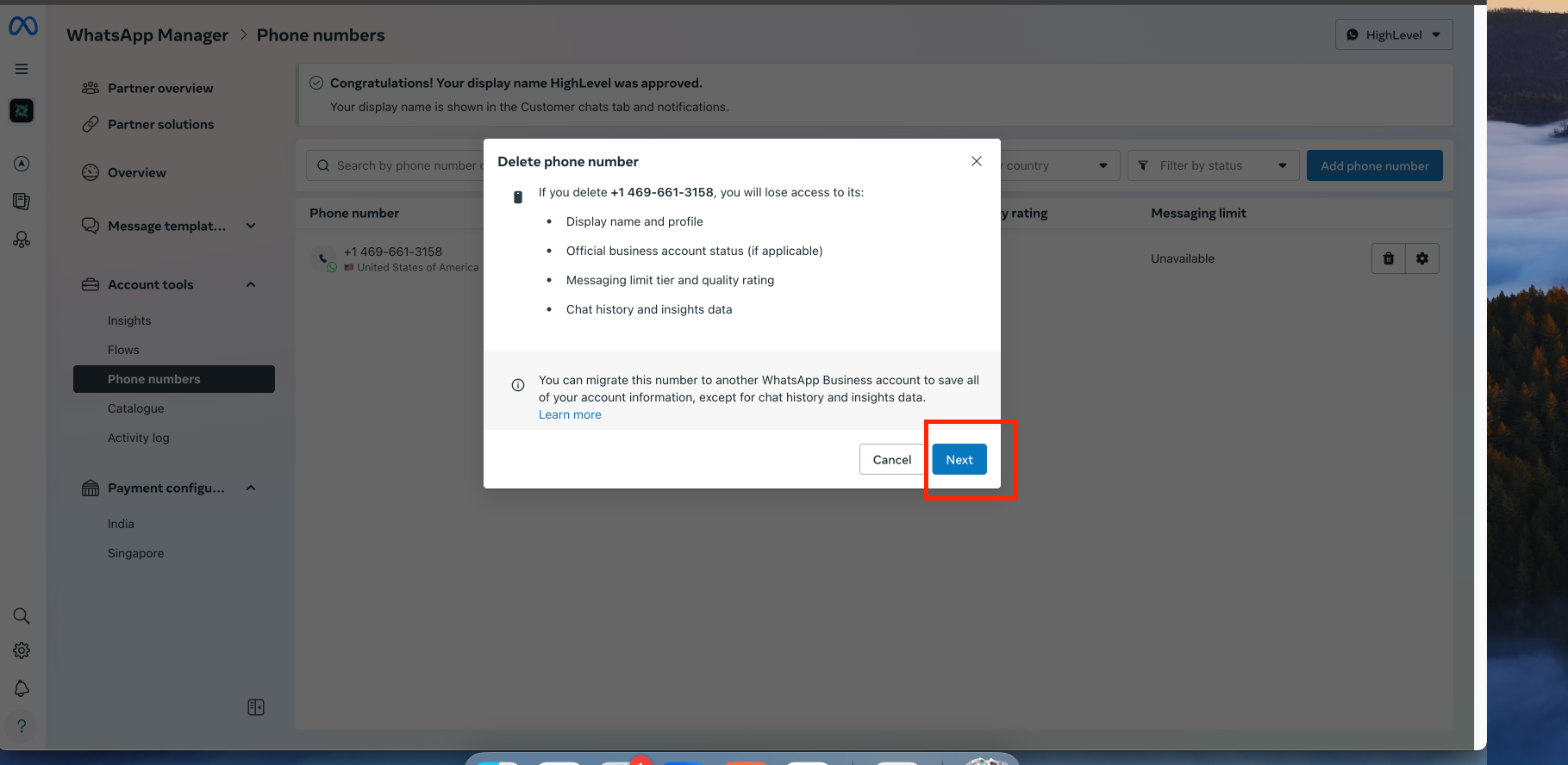
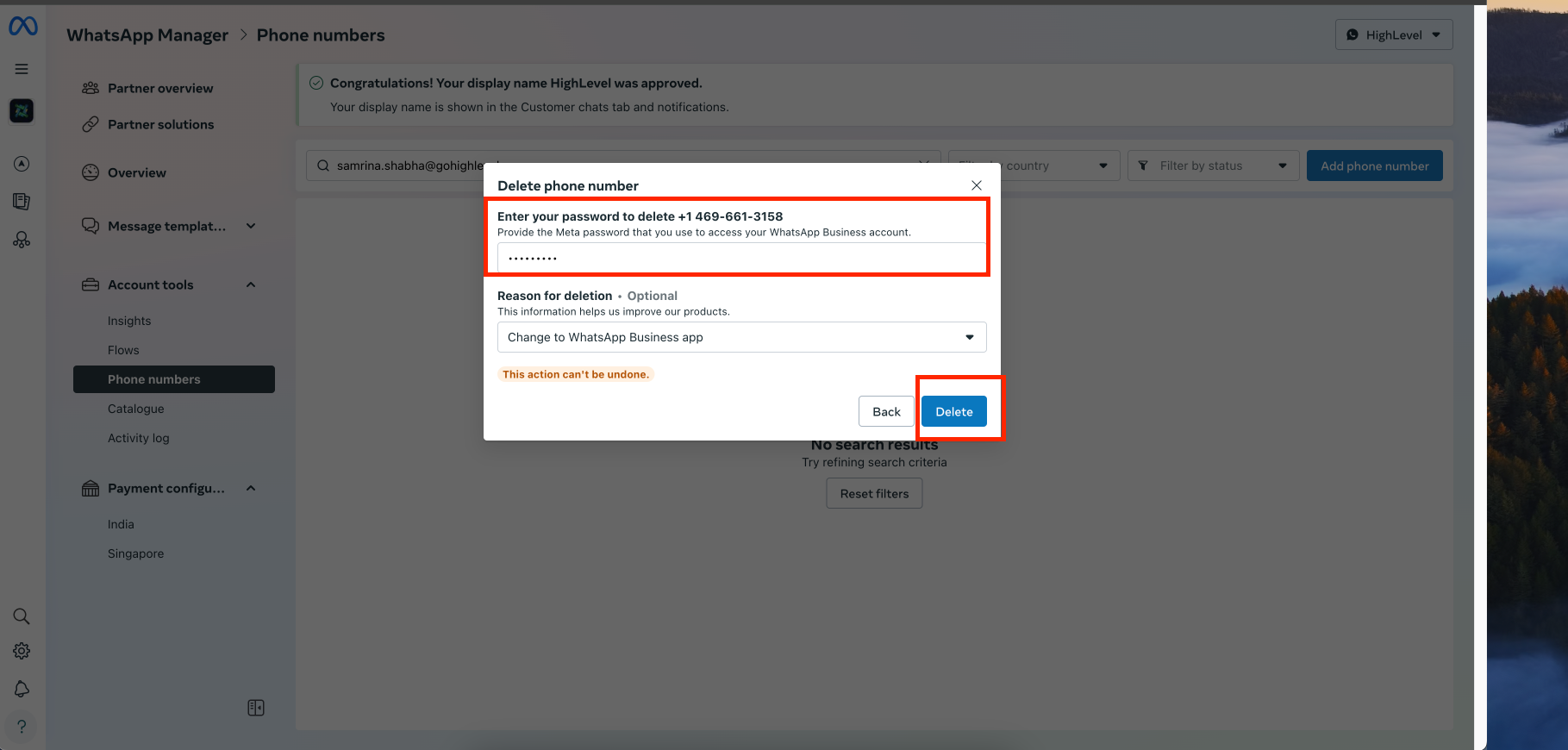
The feature lets you permanently delete a WhatsApp phone number that is linked to your HighLevel account. You access it through Settings, choose WhatsApp, and use the three dot menu next to the target number. When you select Delete, the platform asks you to confirm twice and requires your account password each time. After the final confirmation, the number is removed and cannot be reattached without re registering it as a new WhatsApp number.
03How businesses use Delete WhatsApp phone numbers
- Marketing agency. An agency opens Settings > WhatsApp, clicks the three dots beside a client’s number, confirms deletion twice, and enters the password. This removes the client’s number from the agency’s dashboard after the project ends.
- Ecommerce store. The store navigates to the WhatsApp section, selects the promotional number used for a limited campaign, follows the delete prompts, and provides the password. The number is then detached from the HighLevel account.
- Coaching practice. A coach accesses the WhatsApp settings, chooses the personal number they no longer wish to use, confirms deletion, and enters the password. The number is removed, allowing the coach to add a new number for client communication.
04How to set up and use Delete WhatsApp phone numbers in HighLevel
Delete a WhatsApp phone number
- Go to Settings, select WhatsApp, and click the three dots next to the number you want to delete.
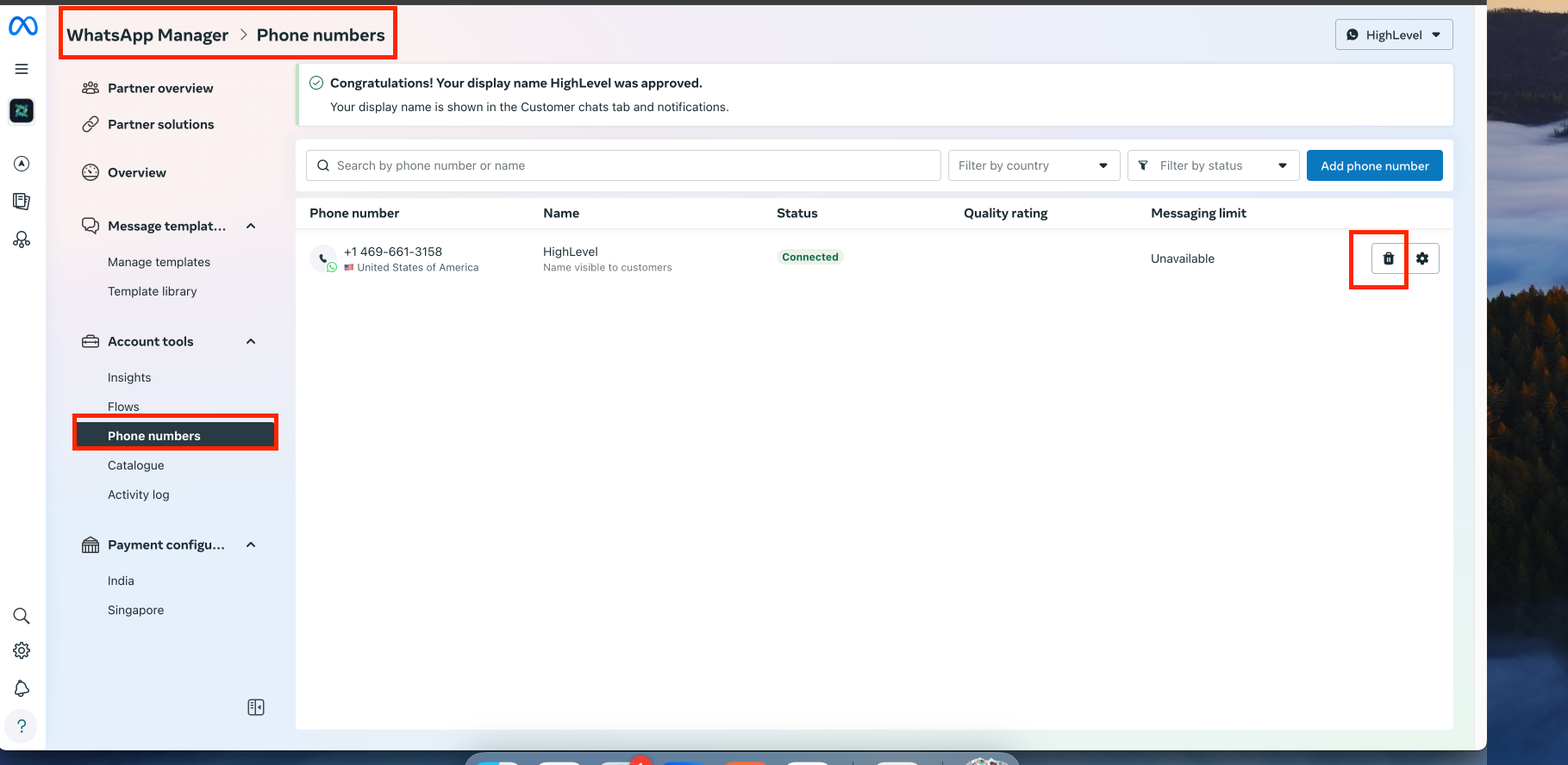
- Tap Delete and you will be taken to a confirmation page.
- Tap Delete again on the confirmation page.
- Enter your password and tap Delete to proceed.
- Enter your password again and tap Delete to confirm the action.
05What it looks like in HighLevel
06Things to know before you rely on it
- Deletion is permanent; a removed number cannot be recovered and must be re registered to use again.
- You must enter your account password each time you confirm a delete action.
07How it connects to the rest of HighLevel
- Link a WhatsApp number to a LeadConnector Twilio line for messaging. LeadConnector Twilio link
- Set up WhatsApp automation workflows to trigger messages based on triggers. WhatsApp workflow
- Activate WhatsApp rebilling to resell the service to clients. WhatsApp rebilling
Michael's take

Michael ReimerFounder of CRM Pros, HighLevel Commander and Certified Admin
When an old line is still tied to your WhatsApp account, deleting it clears the clutter and stops stray messages.
If you rarely switch numbers or your business runs on a single, permanent line, the feature may add little value.
Get More InformationOpens on HighLevelPublished November 2, 2026 · Updated November 16, 2026