
01Who this is for
- Agencies that manage multiple client subaccounts and need to turn off Coexistence for a specific client.
- Founders who run businesses that primarily use the WhatsApp Business App but want to stop using HighLevel’s cloud API tools.
- Ecommerce operators using WhatsApp for payments and shipping who decide to revert to the native app only.
02WhatsApp coexistence, explained
The WhatsApp Coexistence feature lets a business keep its existing WhatsApp Business App while gaining access to HighLevel’s advanced conversation tools via the WhatsApp Cloud API. It is intended for users who already run the WhatsApp Business App and want added capabilities such as payment handling, shipping updates, and lead management.
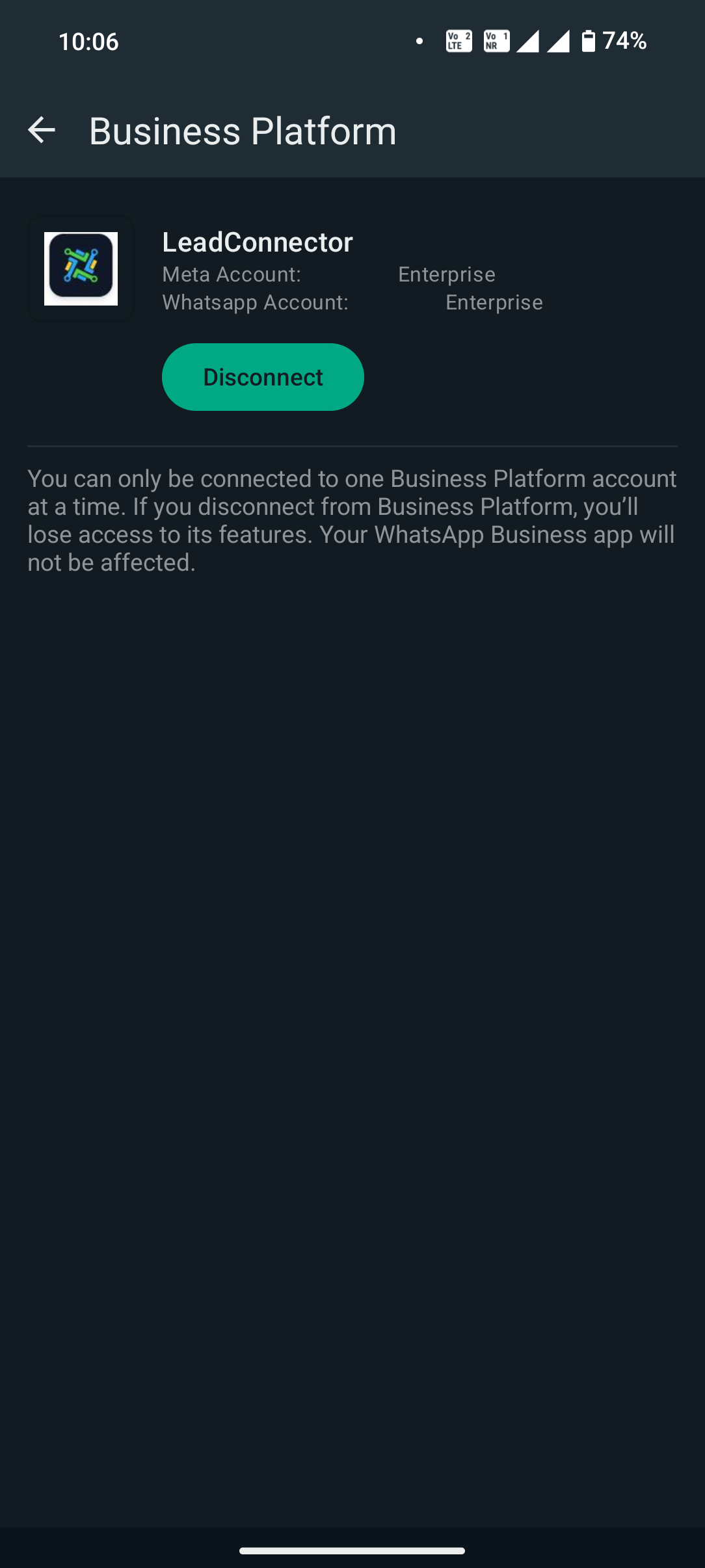
If a subaccount does not present a specific option to disable Coexistence, the only available action is to disconnect the integration. Clicking the Disconnect button severs the link between the phone number in the mobile app and the HighLevel platform, effectively ending Coexistence.
The Disconnect function is found within the subaccount’s WhatsApp Coexistence settings area. No additional configuration is required beyond pressing the button.
03How businesses use WhatsApp coexistence
- Marketing agency. An agency overseeing a client’s subaccount can open the client’s WhatsApp Coexistence page and press the Disconnect button to stop the integrated cloud API for that client. This removes the linked number from the client’s WhatsApp Business App.
- Restaurant owner. A restaurant that previously used Coexistence to manage orders via the API can go to the integration screen, select Disconnect, and revert to handling messages directly in the WhatsApp Business App.
- Online retailer. An online retailer using WhatsApp for payment notifications can open the Coexistence settings, click Disconnect, and discontinue the API link, keeping the phone number solely within the native app.
04How to set up and use WhatsApp coexistence in HighLevel
Remove WhatsApp Coexistence from a subaccount
- Open the subaccount’s WhatsApp Coexistence page and click the Disconnect button.
05What it looks like in HighLevel
06How it connects to the rest of HighLevel
- WhatsApp coexistence: Use your Business App alongside HighLevel WhatsApp coexistence overview
- HighLevel WhatsApp subaccount setup and migration guide Subaccount setup
- HighLevel guide to linking a LeadConnector number with WhatsApp Link LeadConnector number
Michael's take

If the subaccount does not give you a toggle, the fix is on the client’s phone, not in HighLevel. They open the WhatsApp app and tap Disconnect.
When a client’s team relies on the WhatsApp Business App, disconnecting lets them keep using the app on their phone. Check with support before you assume the number or its history is deleted.