
01Who this is for
- Ecommerce retailers that sell high ticket items and need a non card payment option for US and Canadian customers.
- Service providers with subscription models who require a way to save a customer’s bank details for recurring billing.
- Small businesses that want to reduce card processing fees for larger transactions by offering ACH payments.
02NMI ACH bank transfers, explained
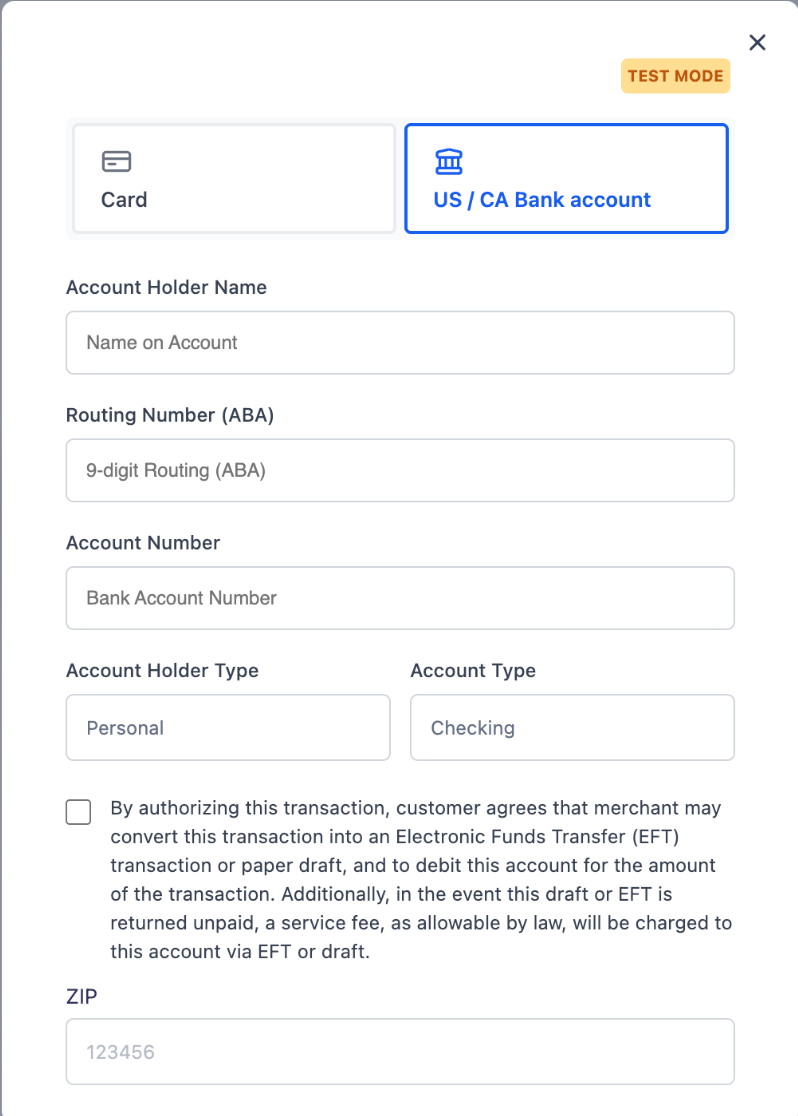
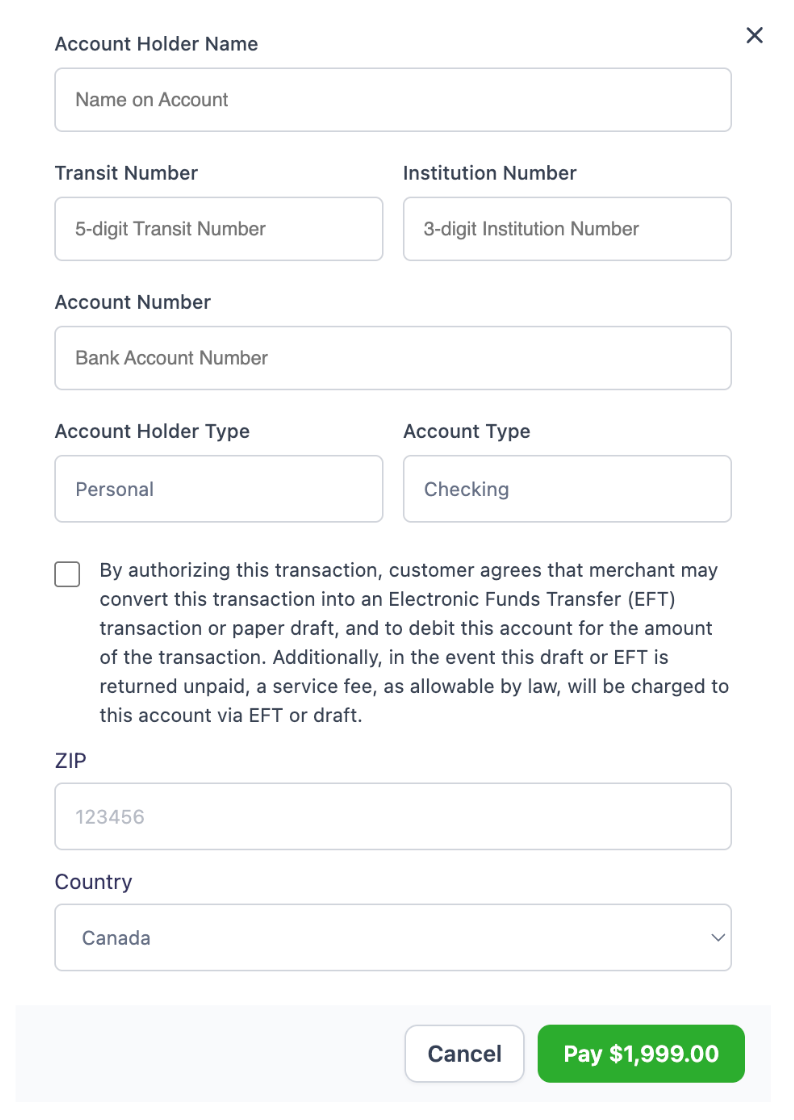
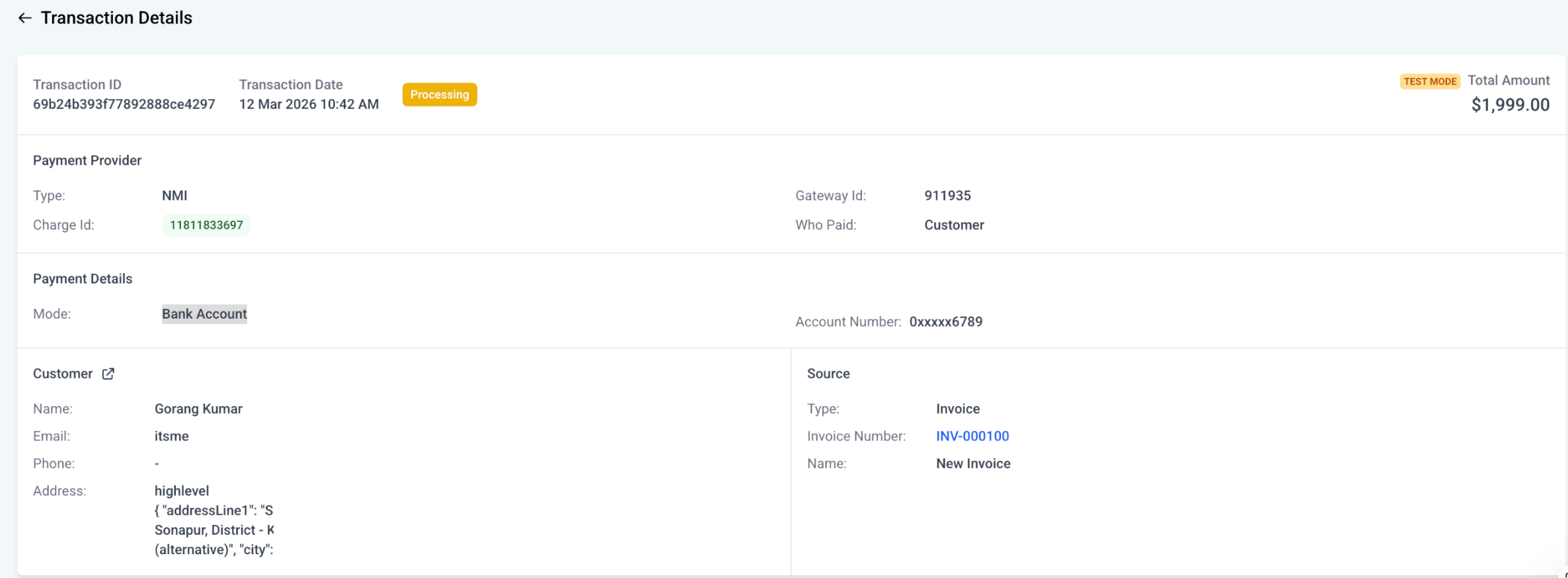
The feature adds a bank account payment method to invoice based collections. When a customer selects the US/Canada bank account option, they enter routing and account data (ABA for the US, transit and institution numbers for Canada) and authorize the debit. HighLevel records the transaction as a Bank Account payment, masks the account number, and shows the provider as NMI.
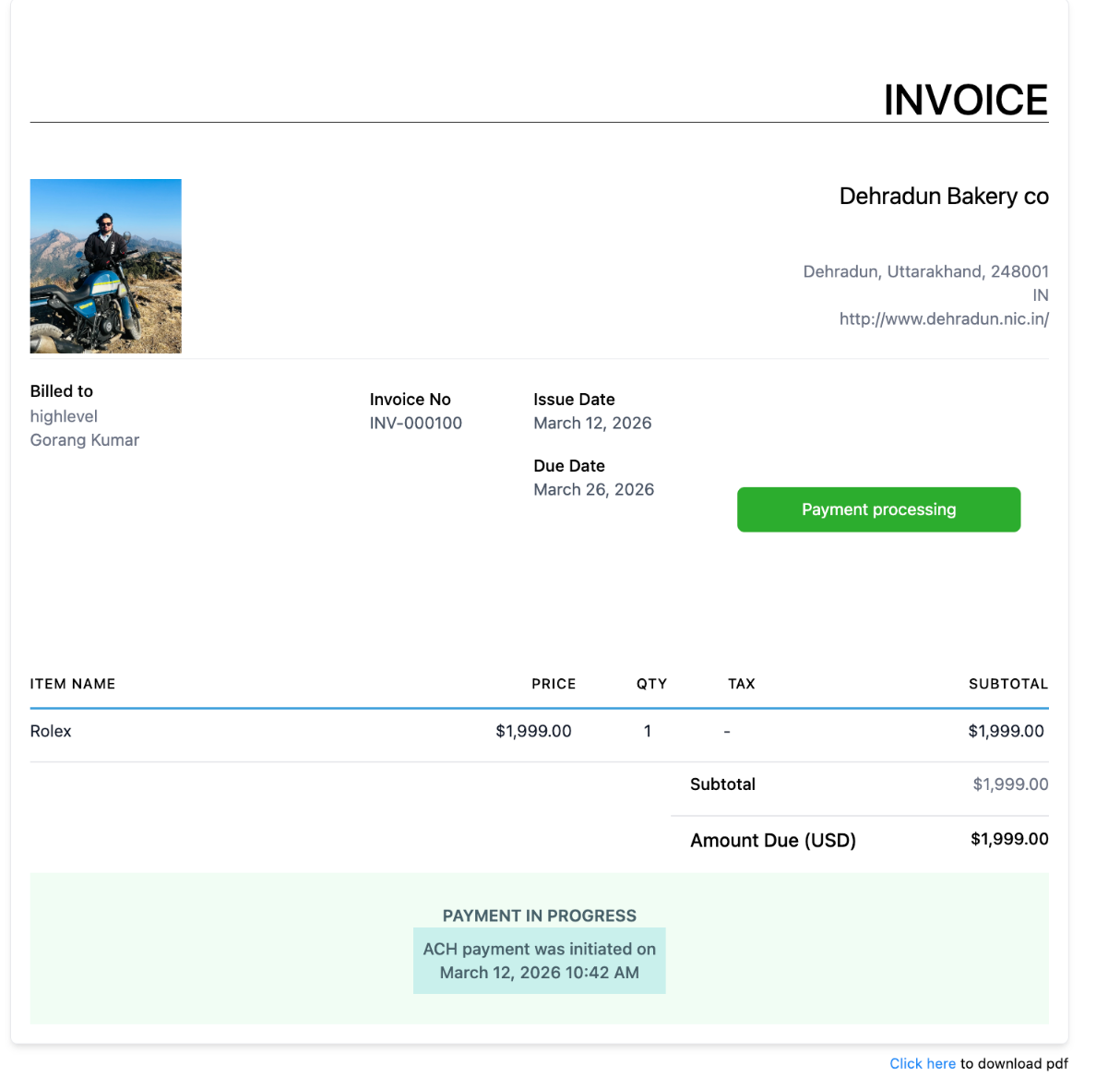
Processing does not settle right away. After submission the invoice displays a “payment in progress” notice and the transaction appears with a processing status. The final result can take up to five business days. Only after a successful status should the business deliver goods or services.
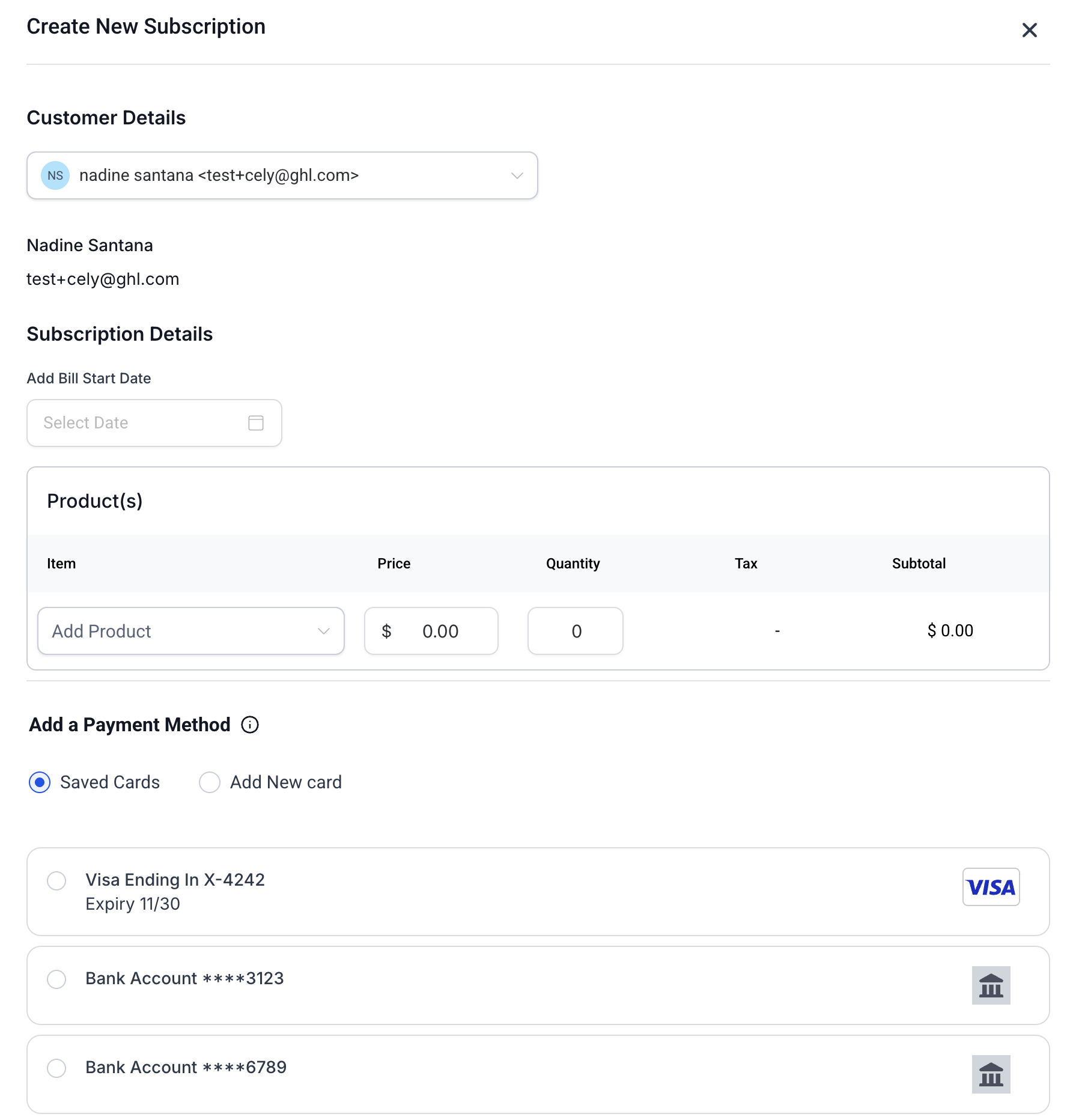
The option is available in the invoice, recurring invoice and subscription flows, but a bank account must first be saved through a one time invoice payment before it can be reused for recurring charges.
03How businesses use NMI ACH bank transfers
- Digital marketing agency. The agency adds the ACH option to client invoices, allowing clients to pay large campaign fees directly from their bank accounts. After the first payment, the saved account is selected for monthly retainers.
- Fitness studio. Members choose the bank account method on their membership invoice, provide routing and account numbers, and authorize the debit. The studio then uses the saved bank details for automatic monthly subscription billing.
- Wholesale supplier. When a retailer orders inventory, the supplier offers the ACH payment on the order invoice. The retailer’s bank information is stored and later used for recurring restock orders without re entering details.
04The numbers and rules that matter
- Supported payment types: Invoices, recurring invoices, subscriptions.
- Processing time: Up to five business days for final result.
05Before you start
- Connect an eligible NMI merchant account to the appropriate HighLevel subaccount.
- Confirm that bank account processing is enabled inside the NMI account.
- If not enabled, request activation from NMI.
- Complete the required NMI settlement and payment status configuration.
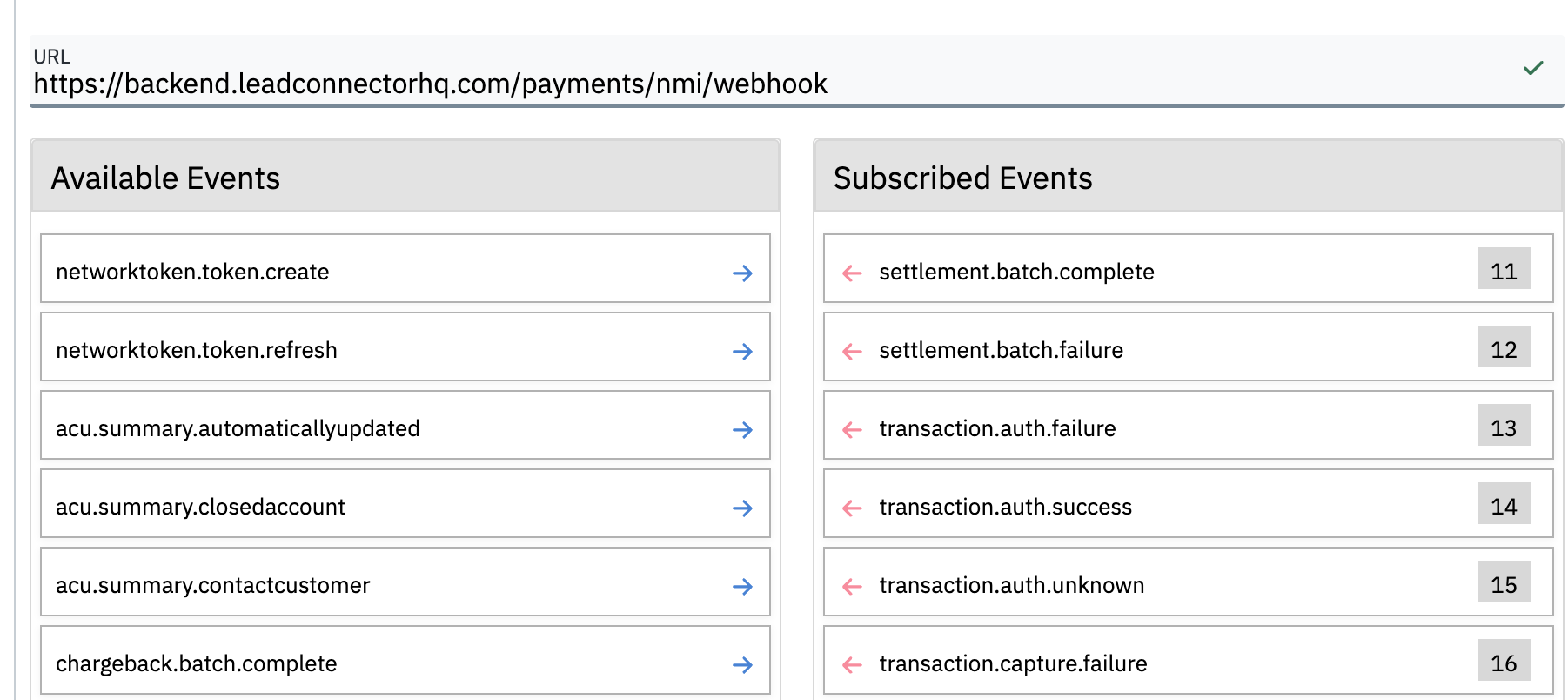
- Set up the webhook URLs documented for NMI ACH support.
- Ensure the invoice is configured to use the NMI payment provider.
06How to set up and use NMI ACH bank transfers in HighLevel
Set up NMI ACH bank transfers
- Link an eligible NMI merchant account to the selected HighLevel subaccount.
- Enable bank account processing in the NMI dashboard.
- Contact NMI support to activate bank account processing if it is not already active.
- Configure settlement and payment status settings as required by NMI.
- Add the NMI ACH webhook URLs to the NMI dashboard.
- Verify that the invoice uses NMI as its payment provider.
- Wait for the transaction status to become Success before delivering products or services.
07What it looks like in HighLevel
08Settings that matter
- bank, account processing. Controls whether ACH payments can be accepted through the NMI gateway.
- NMI settlement and payment, status configuration. Defines how settlement results and status updates are communicated back to HighLevel.
09Things to know before you rely on it
- ACH transactions may need up to five business days to reach a final status.
- The bank account option is not available on payment links, order forms, Text2Pay, documents or other channels.
- Recurring invoices and subscriptions cannot start with a new bank account; the account must first be saved through a one time invoice payment.
- The ACH option appears only if it is enabled in Labs and also enabled on the NMI side.
10If something goes wrong
- ACH transaction remains in processing after the customer has paid.. Wait until the transaction status changes to Success before delivering products or services.
- ACH option does not appear on an invoice.. Confirm that ACH is enabled in Labs and that bank account processing is enabled in the NMI dashboard.
- No option to add a bank account for recurring invoices or subscriptions.. First collect a payment through a one time invoice to save the bank account, then use the saved account for recurring charges.
- Required webhooks are not set up in NMI.. Enable the settlement and payment status webhook URLs in the NMI dashboard as documented.
11How it connects to the rest of HighLevel
- Set up the NMI integration NMI integration guide
- Create and manage recurring invoices Recurring invoices
- Supported payment providers by area Payment provider map
Michael's take

People often assume they can launch a recurring invoice or subscription by just entering a fresh bank account. The system won’t accept that; the account must first be saved through a one time invoice payment. Skipping that step leaves the recurring option invisible and can cause confusion for both you and the customer.
I would begin with running a single invoice with a test bank account, completing the required authorization, and ensuring the account saves correctly. Once confirmed, I’d move on to set up a recurring invoice using that saved account, watching the webhook updates to make sure the status flows back into HighLevel as expected.