
01Who this is for
- Marketing managers can see at a glance which newsletters are still drafts or have been sent.
- Automation specialists use workflow statuses to verify whether a trigger is active.
- Founders overseeing bulk outreach can monitor job progress and pause or cancel as needed.
02Email campaign statuses, explained
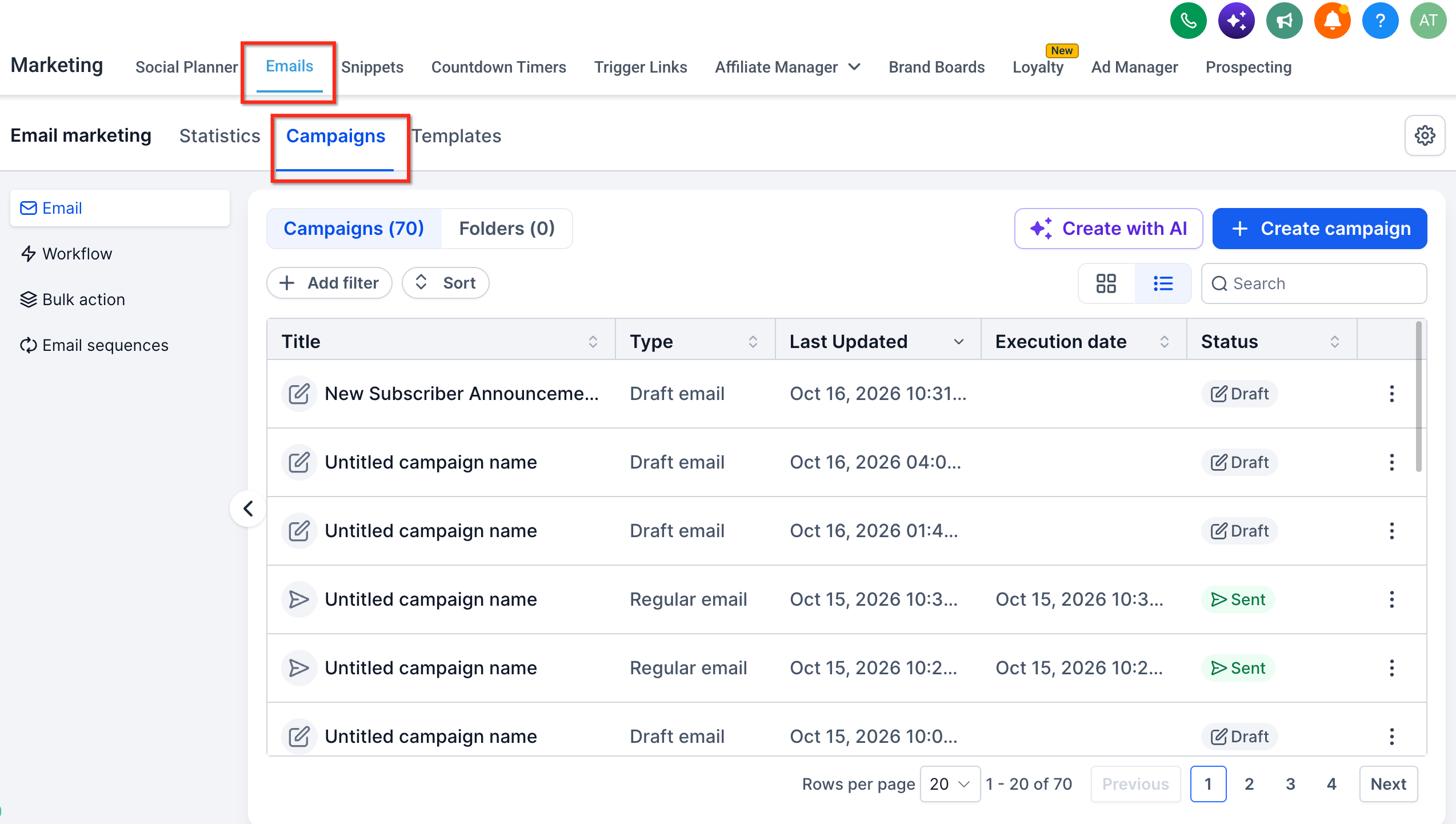
HighLevel groups email activities into three campaign types, Email, Workflow, and Bulk Action. Each type shows a status label that reflects where the send sits in its life cycle. For regular email campaigns, the label appears in Marketing > Emails > Campaigns and can be Draft, Scheduled, Paused, Canceled, Sent, Failed, or Archived.
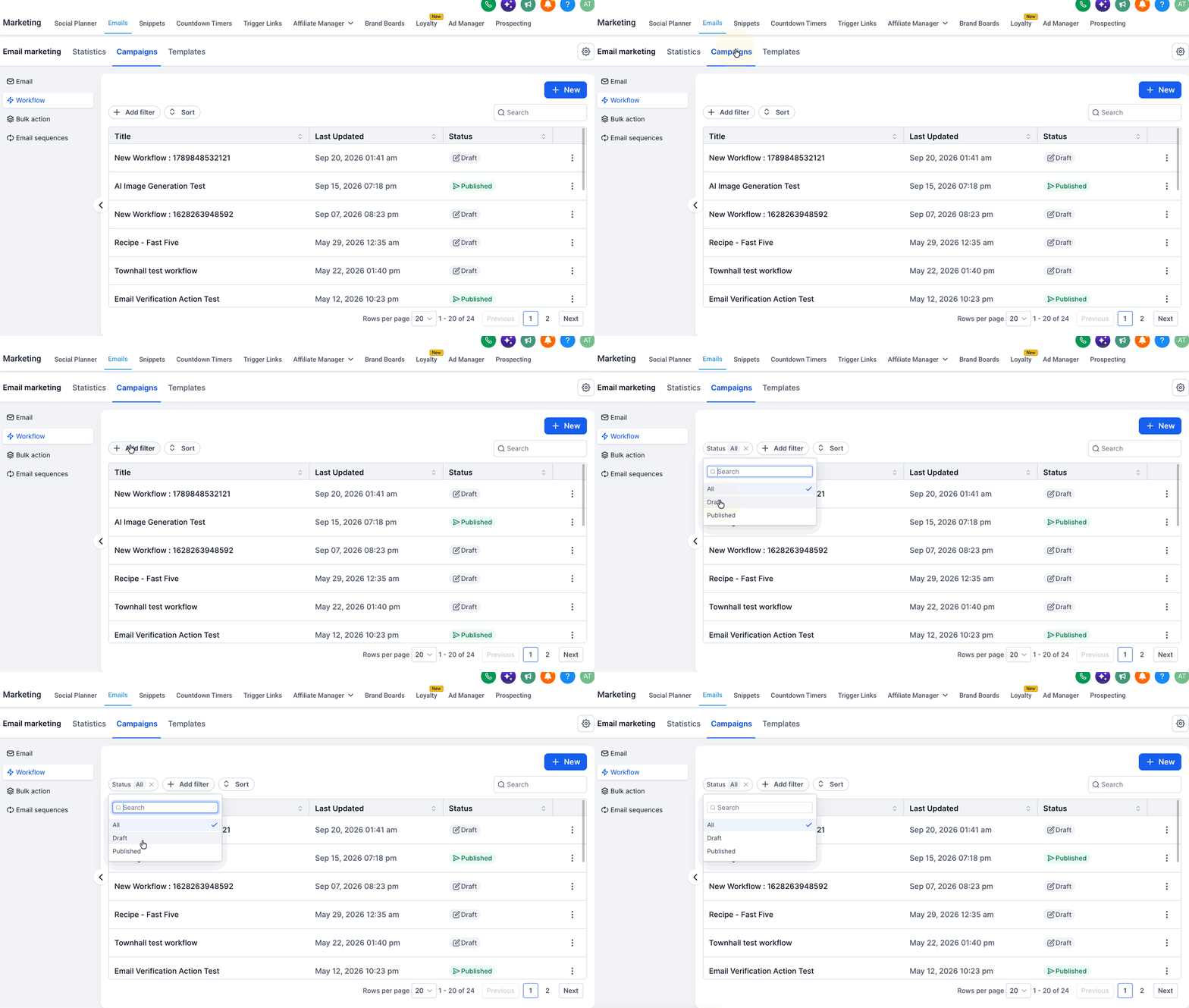
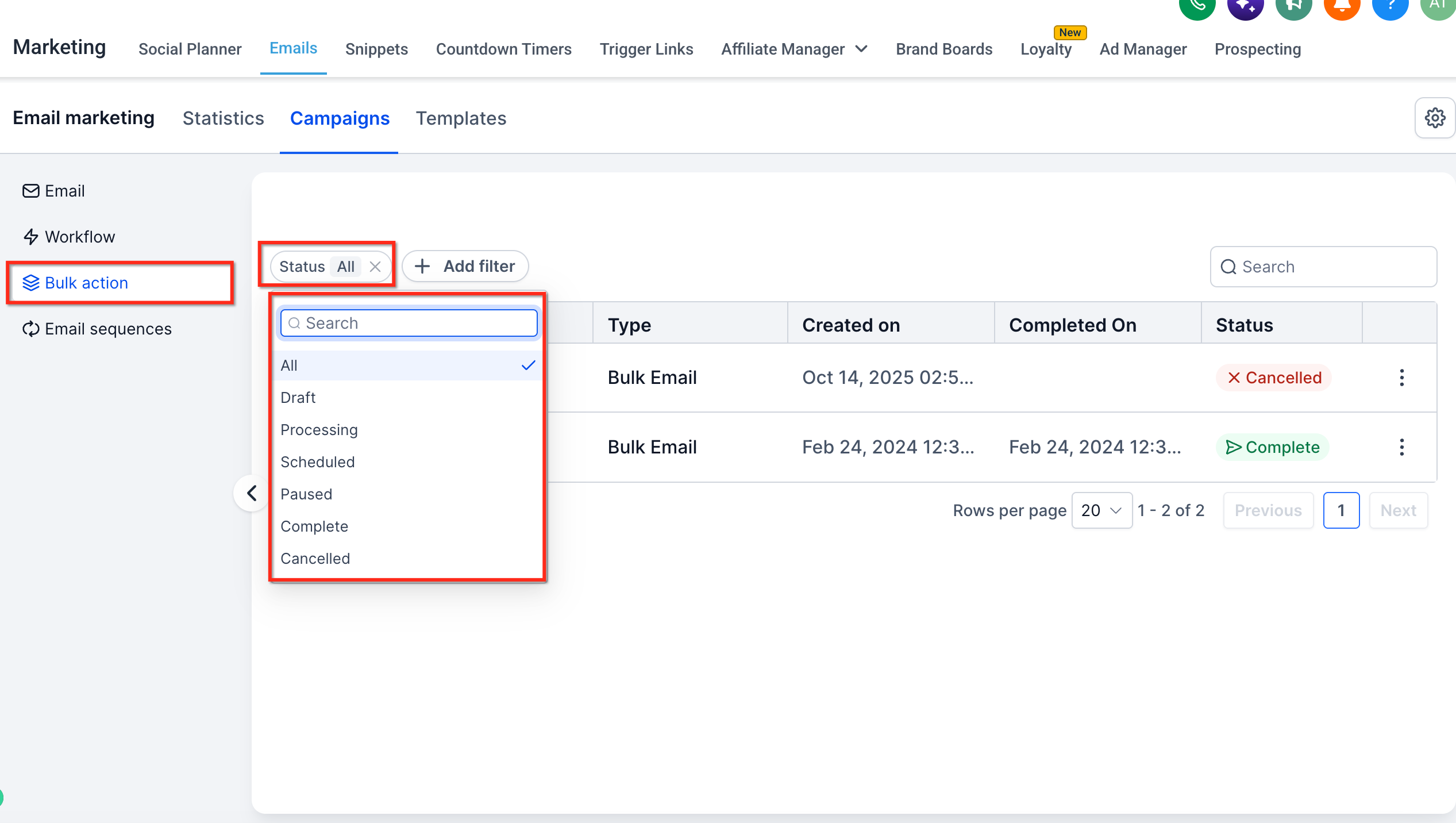
Workflow campaigns are automated sequences; their status is either Draft or Published, indicating whether the automation is live. Bulk Action campaigns are one off sends to selected contacts. Their status moves from Draft to Queued, Processing, Paused, Complete, or Cancelled as the system handles the job.
03How businesses use email campaign statuses
- Real estate agency. The team creates a monthly newsletter as an Email Campaign. By checking the status column they know if the campaign is still a Draft, scheduled for a future date, or already Sent, allowing them to make last minute edits before it goes out.
- SaaS company. The automation engineer builds a welcome email series in a Workflow. The Published status tells them the workflow is live, while Draft indicates it is still being configured and not yet sending to new sign ups.
- Nonprofit organization. When sending a donor appeal via Bulk Action, the staff watches the status change from Queued to Processing and finally Complete to confirm the bulk job finished, and can pause if needed before all emails are sent.
04What it looks like in HighLevel
05Things to know before you rely on it
- Available statuses and possible actions differ by campaign type and the chosen sending method.
- A Published workflow does not guarantee every email was delivered; delivery must be checked in workflow email statistics.
- Bulk Action controls depend on the job’s current status; attempting to pause, resume, or cancel without the appropriate control may not work.
06If something goes wrong
- Campaign shows a Failed status. Review the error details in the campaign's Show Stats view to identify configuration issues.
- Bulk Action shows Cancelled but some emails were already sent. Check the job's Show Stats for a list of processed emails; sent messages cannot be recalled.
07How it connects to the rest of HighLevel
- Send or schedule a regular email campaign Send email campaign
- Edit draft and scheduled email campaigns Edit campaigns
- Access and understand email statistics Email stats
Michael's take

Be wary of assuming a Sent or Complete badge means every inbox was reached. Those statuses only tell you the send process ended, not that the email landed in each recipient’s inbox.
When you need a quick picture of where your email work stands, the status bars give you exactly that. They let you spot a stuck job, a paused campaign, or a failed bulk send without digging into logs.