
01Who this is for
- Founders who need to announce product launches without building full automations, because the feature lets them target a specific list quickly.
- Marketing managers at small agencies who want to send newsletters or promotions on a set date, using the simple schedule or batch options.
02Regular email campaigns, explained
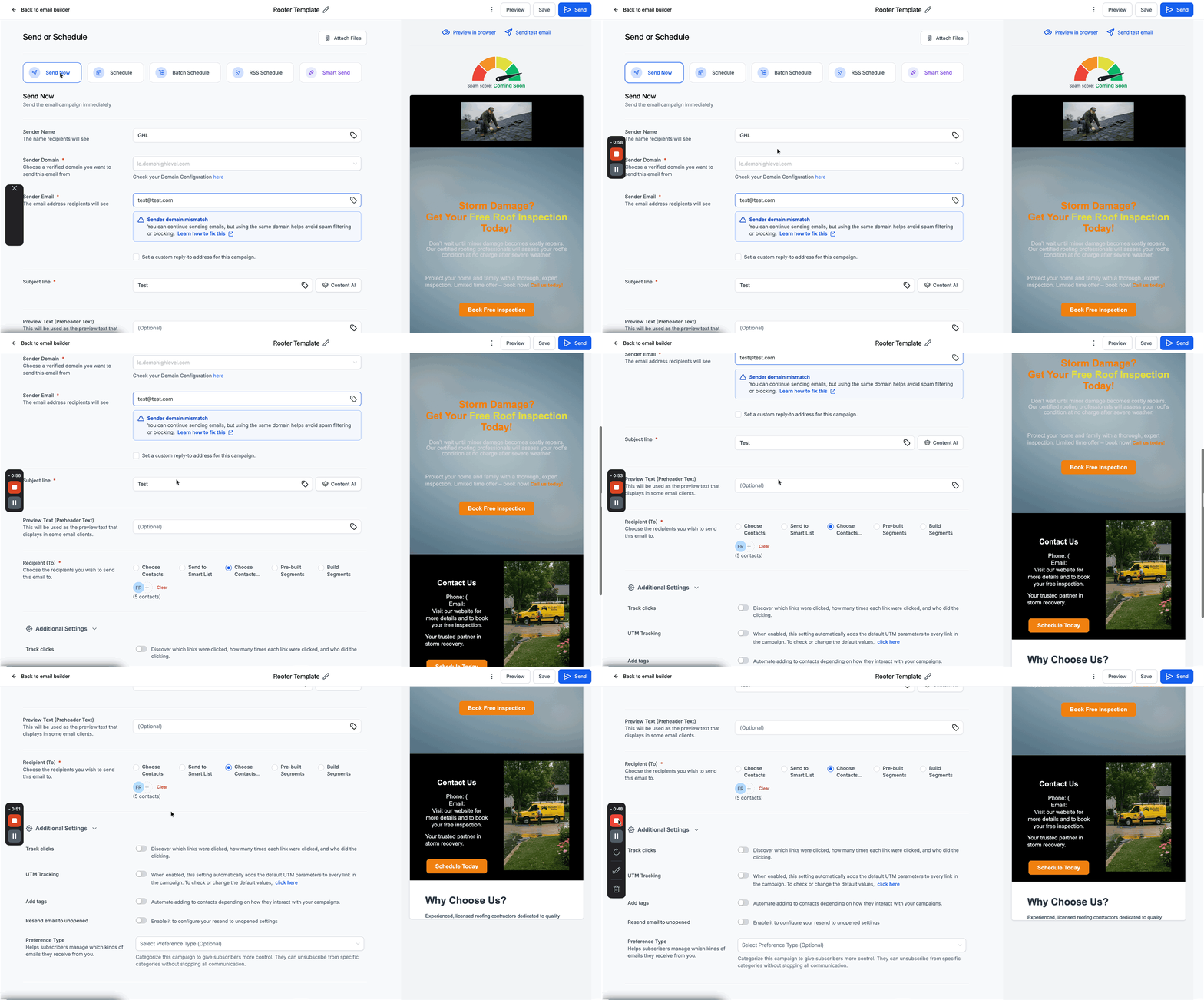
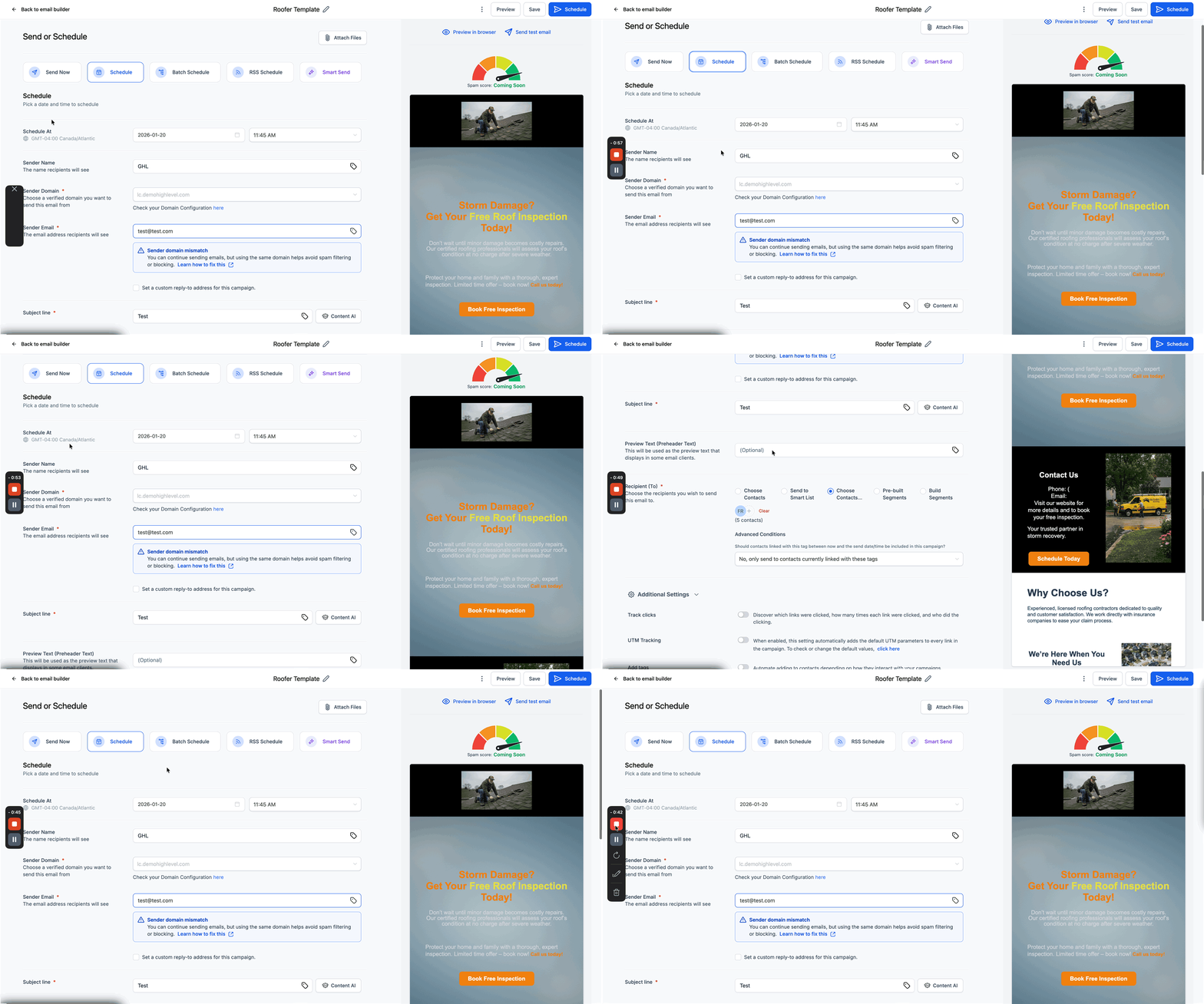
Regular email campaigns are standalone broadcasts sent from the Email Marketing section. They differ from workflows by not relying on triggers or multi step sequences. You design the email, choose recipients, and decide whether to send now or schedule for later. The delivery screen lets you attach files, set sender details, add a subject line, select a segment, and enable link tracking, UTM tracking, or tags. After confirming the settings, you either click Send for immediate dispatch or click Schedule, pick a date and time, and confirm the send. Attachments must stay within the platform’s size limit.
03How businesses use regular email campaigns
- Fitness studio. The studio creates a campaign to announce a new class schedule. After designing the email in the builder, they attach a PDF of the timetable, select members who have opted in, enable link tracking, and schedule the send for the weekend.
- Real estate brokerage. Agents build a campaign showcasing a property listing, embed images, add a link with UTM parameters for analytics, and send the email immediately to a smart list of recent leads.
- Ecommerce retailer. The retailer designs a promotional email, attaches a coupon file, tags recipients for future segmentation, and uses the schedule option to time the send for a holiday sale.
04The numbers and rules that matter
- Maximum attachment size should be within 10 MB.
05Before you start
- A verified sending domain must be set up before any email campaign can be launched.
06How to set up and use regular email campaigns in HighLevel
Send or schedule a regular email campaign
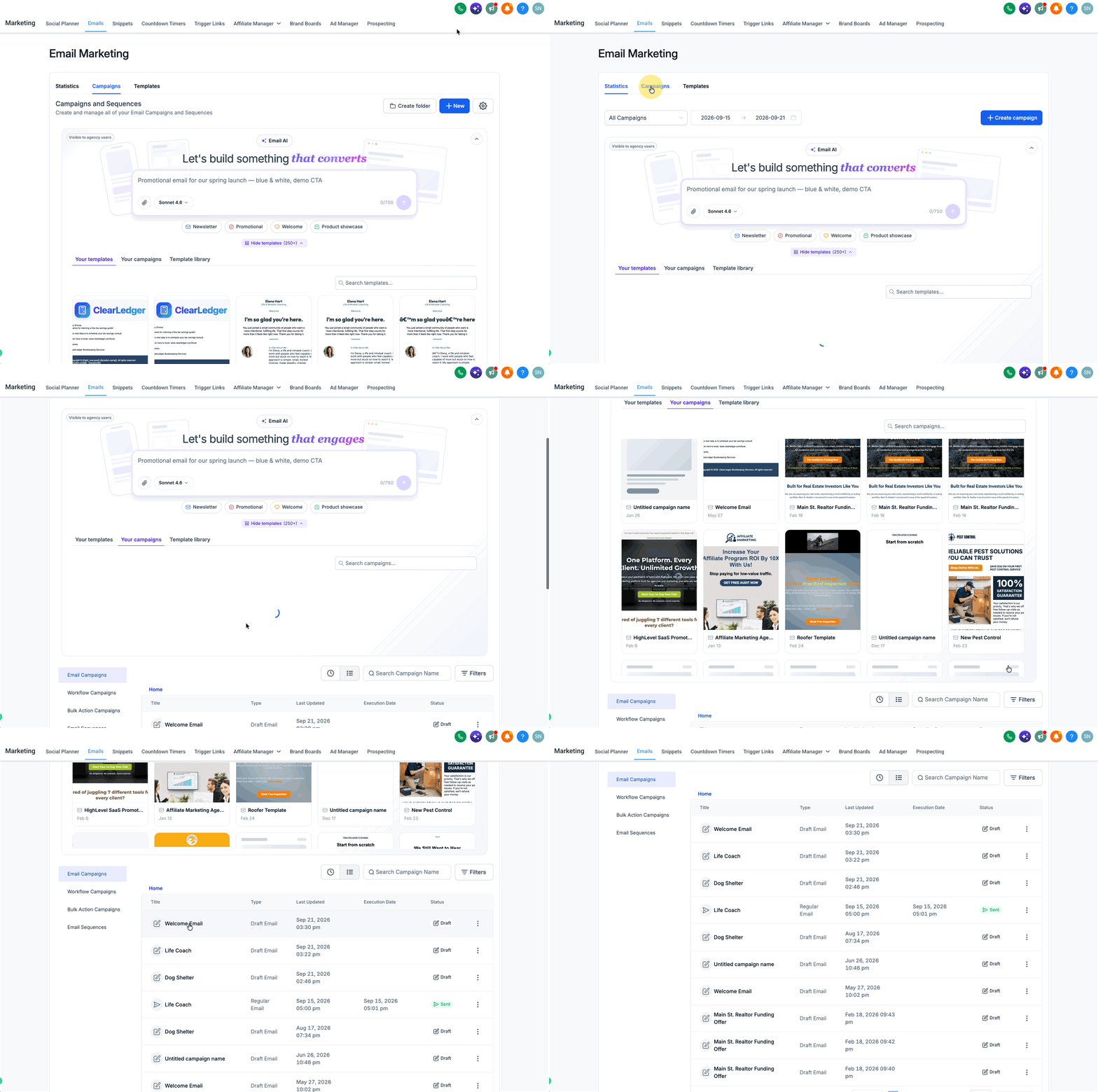
- Open Marketing > Email > Campaigns.
- Start a new campaign or open an existing one.
- Choose an existing template or build a new one.
- Add the desired text, images, and links to the email.
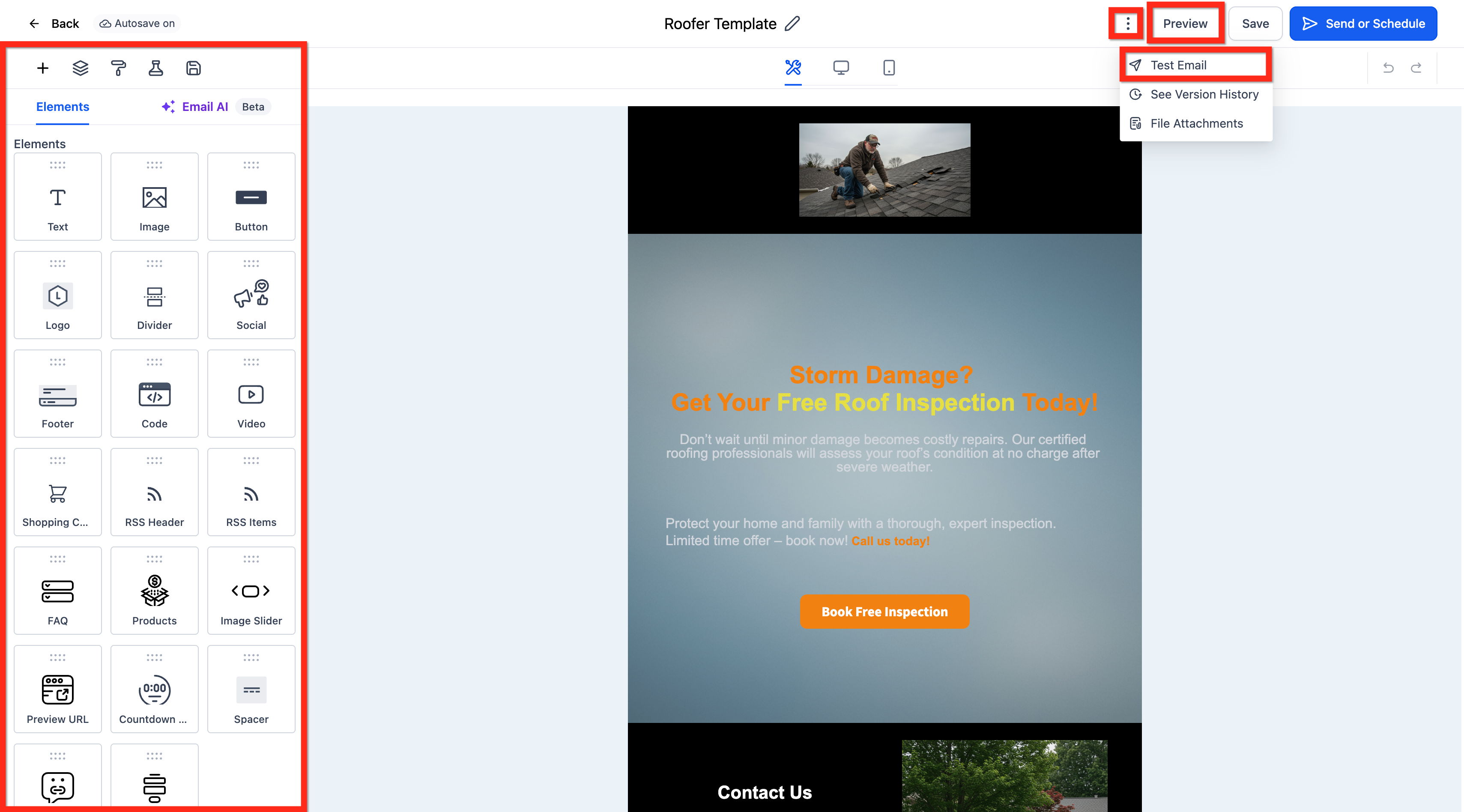
- Preview the email and send a test message to confirm layout.
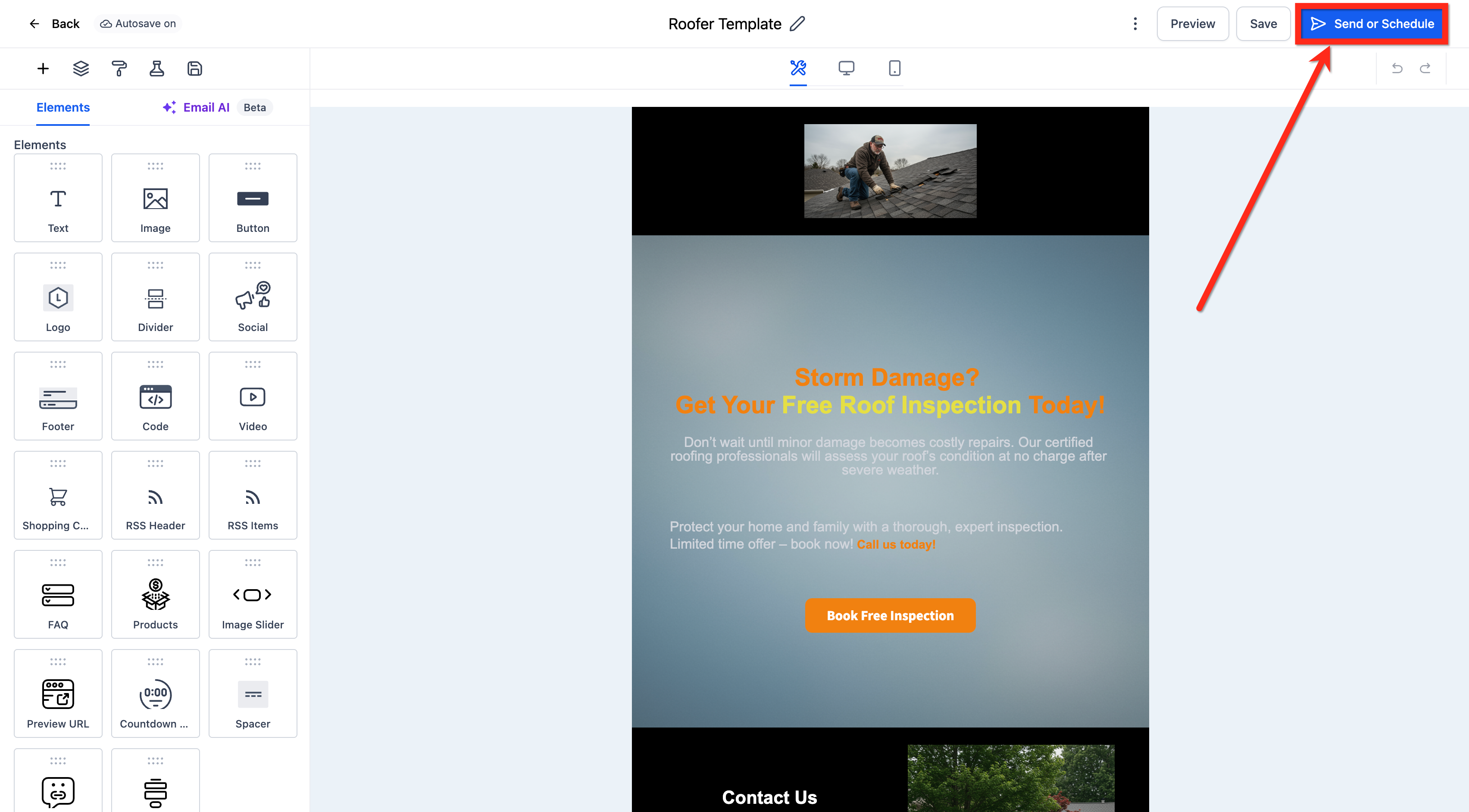
- Click the Send or Schedule button to open the delivery screen.
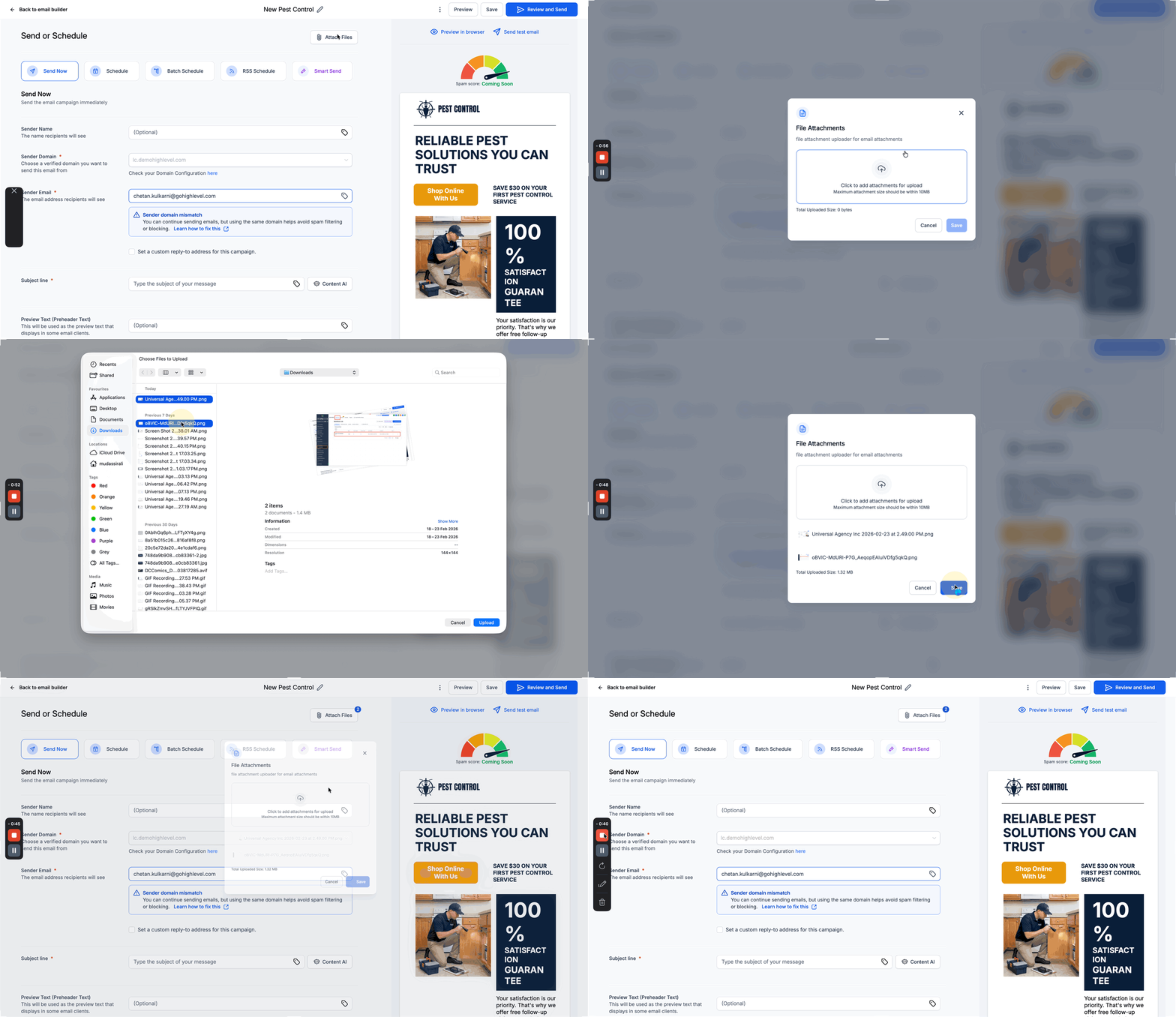
- If needed, click Attach Files and upload files that are no larger than 10 MB each.
- Enter sender name, sender email, subject line, select recipients, and enable link tracking, UTM tracking, or tags as required.
- Press Send for instant delivery or click Schedule, set the date and time, and confirm.
07What it looks like in HighLevel
08Settings that matter
- Maximum attachment size. Limits each uploaded file to 10 MB to ensure successful delivery.
- Link Tracking. Enables click monitoring for links included in the email.
- UTM Tracking. Adds UTM parameters to URLs for analytics integration.
- Tags. Applies custom tags to the campaign for later segmentation.
09Things to know before you rely on it
- Attachments cannot exceed 10 MB each.
- A campaign can only be rescheduled if the change occurs at least one hour before the originally set send time.
- The email will be sent according to the location’s timezone when a schedule is chosen.
10If something goes wrong
- Unable to reschedule because the scheduled time is less than one hour away. Make the reschedule request at least one hour before the original send time.
11How it connects to the rest of HighLevel
- Batch schedule email campaigns in HighLevel Batch scheduling
- Understanding UTM parameters for email campaigns UTM guide
- Preview and Test your Email Campaigns/Templates Preview and test
Michael's take

When you have a single announcement or promotion that needs to hit inboxes quickly, a regular email campaign avoids the overhead of building a workflow while still offering the ability to schedule the send or batch it for deliverability. The ability to attach a PDF under 10 MB and add tracking lets you measure engagement without extra tools.
If you need a multistep nurture series or conditional sends, regular email campaigns require manual recreation of automation because they lack trigger logic. In those cases, the time spent building a workflow may outweigh the simplicity of a one off broadcast.