
01Who this is for
- Marketing managers can reach audiences right away for flash promotions.
- Content creators can automate blog or newsletter distribution with RSS schedules.
- Ecommerce owners can protect deliverability by batching large sends.
02Email sending methods, explained
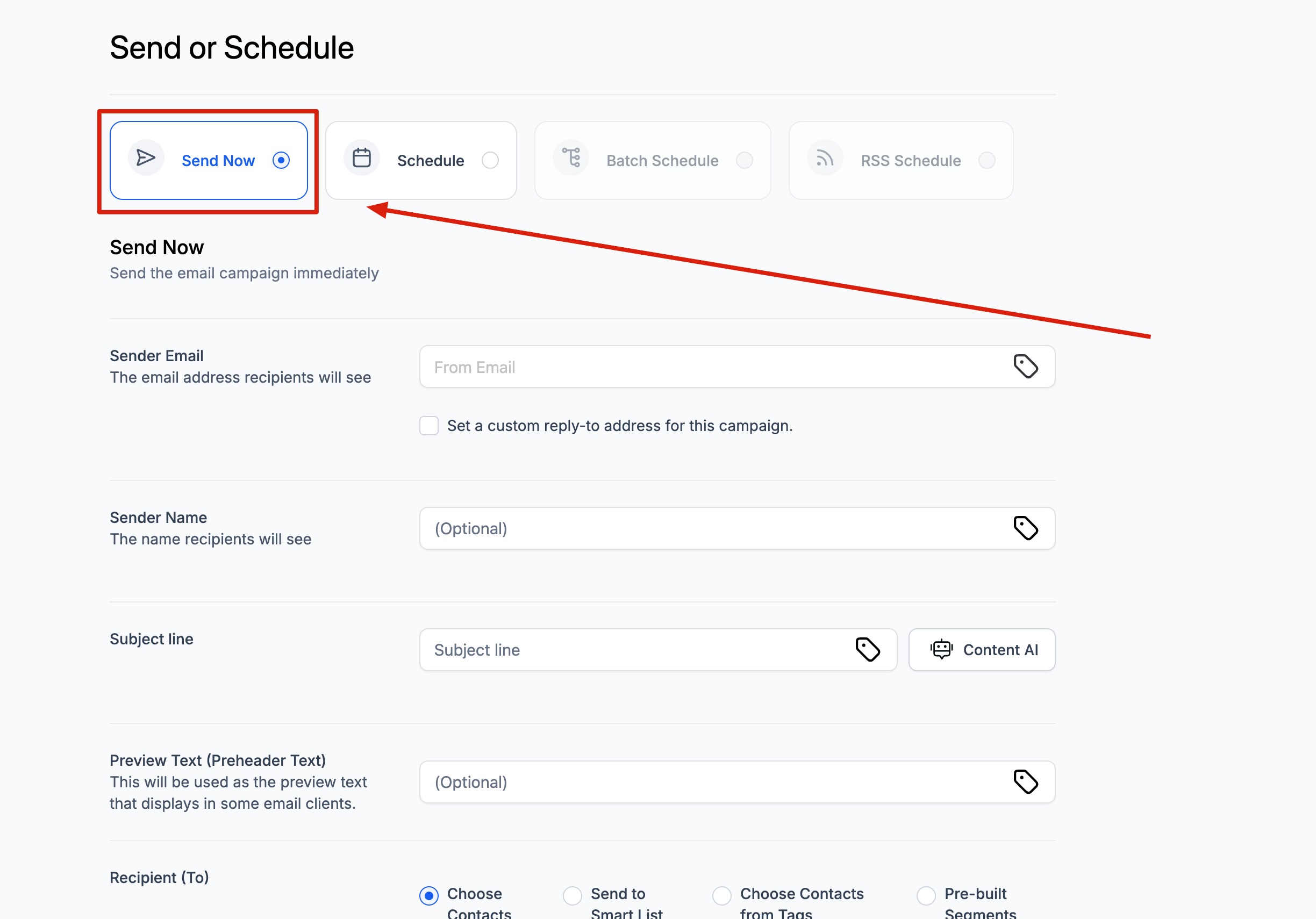
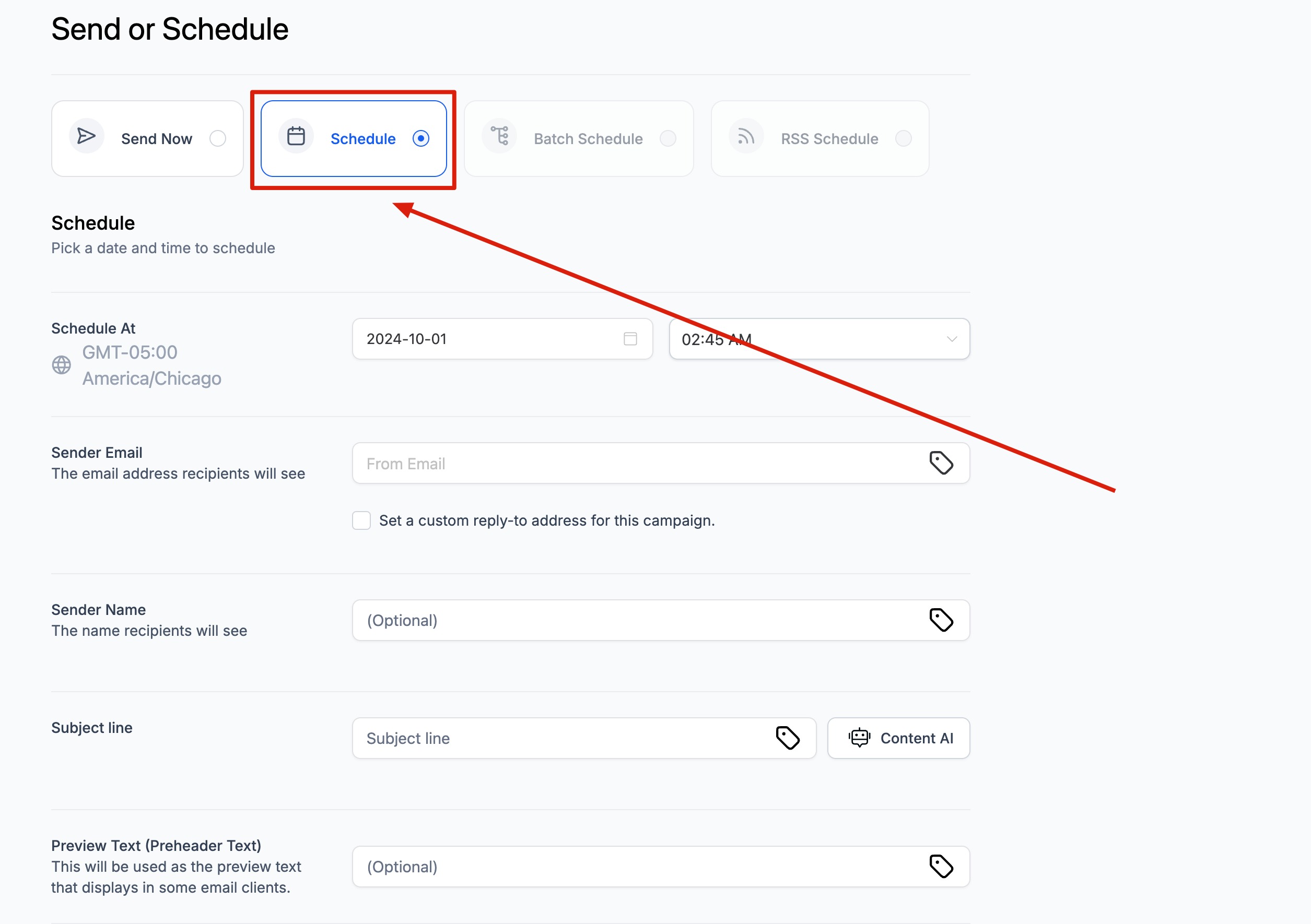
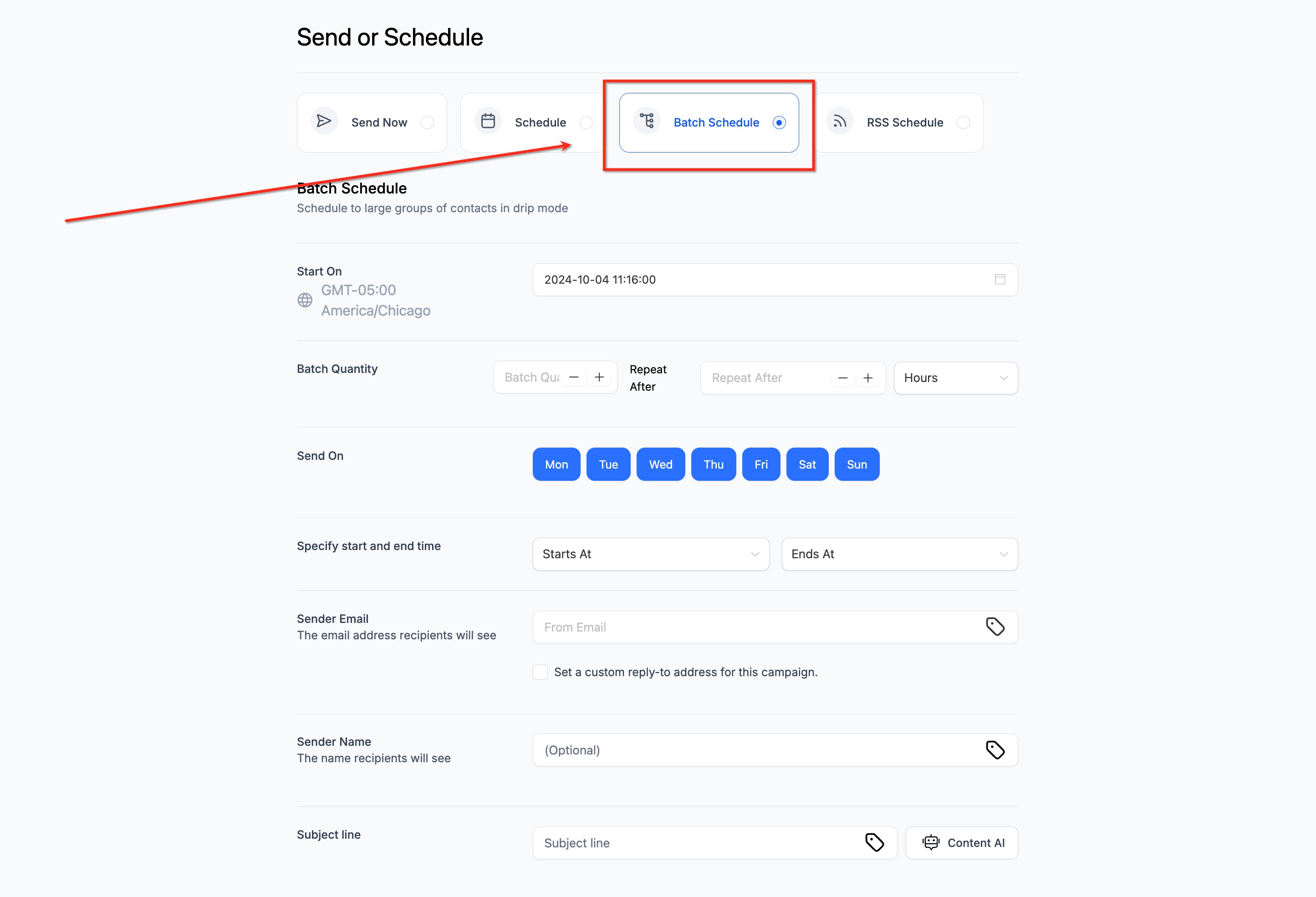
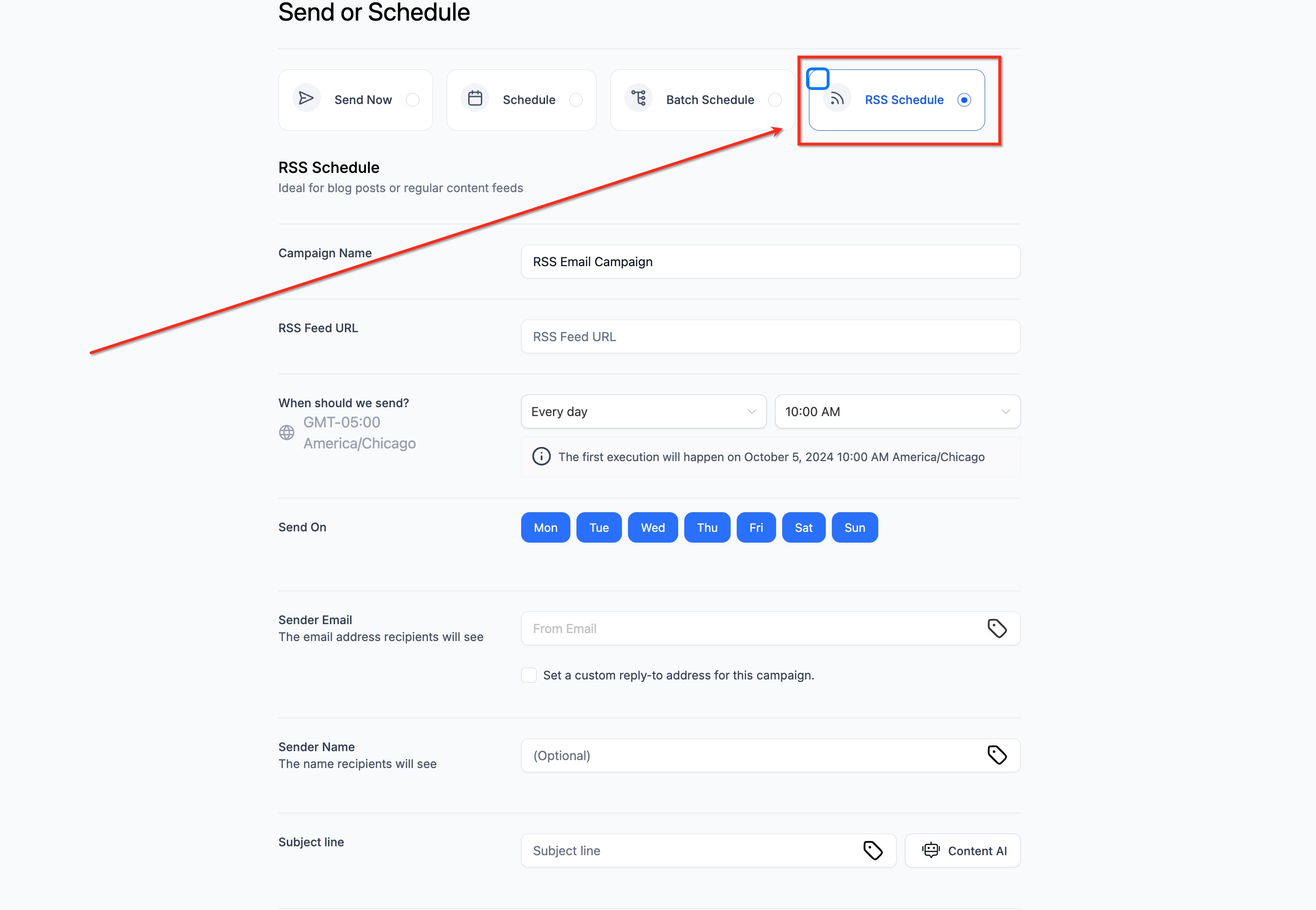
The platform lets you choose how an email campaign leaves the system. Send Now pushes the message as soon as you click Send, using each contact’s local time zone. Schedule lets you pick a future date and time, so the campaign launches when you expect the highest engagement. Batch Schedule breaks a big list into smaller groups, spacing each batch over hours or days to avoid throttling. RSS Schedule ties the campaign to an RSS feed; a new feed entry triggers an email at the interval you set.
All four methods are selected inside the email builder under delivery options. After picking a method you still provide sender details, subject, preview text and the recipient group. The system then handles the timing and execution based on the chosen option. You can edit, pause, or cancel the campaign before it sends, with the ability to change content up to one hour before launch for scheduled messages.
03How businesses use email sending methods
- Retail store. When a flash sale starts, the manager opens the email builder, selects Send Now, fills the sender fields and subject, chooses the customer segment and clicks Send. The message reaches all contacts right away.
- SaaS startup. To onboard thousands of leads, the team selects Batch Schedule, sets the start time, defines a batch quantity of 200 and a repeat interval of 2 hours, adds sender information and the lead list, then saves. Emails are sent in ten rounds over the day.
- Blog publisher. The publisher selects RSS Schedule, enters the blog’s RSS feed URL, chooses a daily send time, adds the sender details and subscriber list, and saves. Each new post generates an email that ships at the chosen hour.
04The numbers and rules that matter
- Batch example: 1000 contacts with batch quantity 100 results in 10 rounds.
- Reschedule is allowed up to one hour before launch.
05How to set up and use email sending methods in HighLevel
Send now
- Open the email campaign builder.
- Choose the Send Now delivery option.
- Enter the sender email and optional sender name.
- Write the subject line and optional preview text.
- Select the recipient group and click Send.
Schedule delivery
- Open the email campaign builder.
- Select Schedule as the delivery method.
- Pick the desired date and time, using the account’s location time zone.
- Enter sender email, subject line and preview text.
- Choose the recipients and confirm the schedule.
Batch schedule
- Open the email campaign builder and select Batch Schedule.
- Define the start date and time for the first batch.
- Set the batch quantity and choose a repeat interval in hours or days.
- Provide sender details, subject line and select the recipient list.
- Save the configuration and confirm the batch schedule.
RSS schedule
- Open the email campaign builder and choose RSS Schedule.
- Paste the RSS feed URL you want to monitor.
- Select how often to send (daily, weekly, etc.) and the time of day.
- Enter the sender email, subject line and pick the recipients.
- Save the RSS schedule and confirm.
06What it looks like in HighLevel
07Settings that matter
- Batch Quantity. Controls how many emails are sent in each individual batch.
- Repeat Interval. Determines the time gap between successive batches, in hours or days.
- Start Date/Time. Sets when the first batch of a batch schedule begins.
- End Time. Specifies when a batch schedule should stop; must be after the start time.
08Things to know before you rely on it
- The seconds option is not available for batch scheduling.
- If End time is earlier than Start time an error appears under End time.
- If a Start time is later than the selected End time an error appears under Start time.
- Send and Schedule buttons stay disabled until the time errors are corrected.
- When a draft previously used seconds, that value clears automatically.
- Changing the Start time requires confirming with a single OK button.
- Midnight (12:00 AM) boundaries are handled without false validation errors.
09If something goes wrong
- End time is earlier than start time.. Enter an end time that occurs after the start time.
- Start time is later than the chosen end time.. Adjust the start time so it precedes the end time.
10How it connects to the rest of HighLevel
- Send or schedule a regular email campaign in HighLevel Send/schedule guide
- How to batch schedule email campaigns in HighLevel Batch schedule guide
- Start a 30 day HighLevel trial Free trial
Michael's take

Email sending methods are worth the effort for any small business that needs precise control over when and how messages reach customers. They let you react fast for flash sales, plan ahead for events, protect deliverability on big lists, and automate blog updates without lifting a finger.
Avoid the mistake of forgetting to check the start end time validation on Batch Schedule. It will block your send.